How Do I Install Pokémon Blue DX?
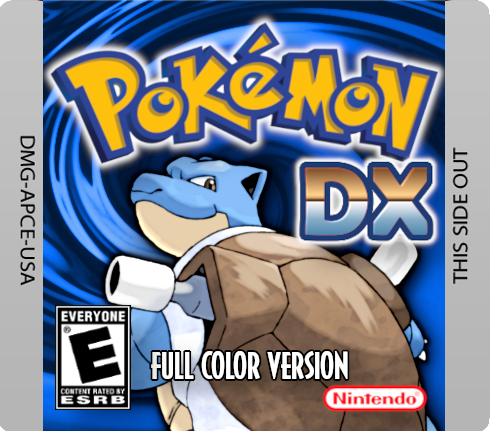
Pokémon Blue DX—also known as Pokémon Blue Deluxe—is TheScarletSword’s expanded, full-color version of Pokémon Blue. It takes the original Generation 1 game and rebuilds it as a proper Game Boy Color title while adding a much larger Pokémon roster, newer types and moves, improved Trainer AI, difficulty options, shiny Pokémon, quality-of-life features, Battle Tent/Factory content, and additional postgame challenges.
The installation situation is a little unusual compared with modern ROM hacks.
The canonical Pokémon Red and Blue DX project is now maintained as a source-code/disassembly repository rather than a normal GitHub Releases page with a clearly labeled current patch download. The official repository says it is the disassembly of Pokémon Red and Blue DX and provides instructions for compiling both the Red and Blue versions.
Historical community archives identify the completed distributed Blue DX release as v1.09, with Normal, Normal+, Challenge, and Challenge+ variants. However, the current official GitHub repository does not have a tagged “v1.09 Latest” release page. For accuracy, it is better to describe v1.09 as the last commonly archived completed binary release, while treating TheScarletSword’s GitHub as the canonical project source.
For players using a traditional patch package, the basic setup is:
Clean Pokémon Blue + Pokémon Blue DX patch = Pokémon Blue DX
Rom Professor does not provide, host, or link to copyrighted Pokémon Blue ROM files or pre-patched Pokémon Blue DX ROMs.
What You Need Before Installing Pokémon Blue DX
For the normal patch-based route, you need:
- A clean English Pokémon Blue ROM
- An original Pokémon Blue DX patch package from a developer-approved project location
- A ROM patcher compatible with the supplied patch
- A Game Boy Color emulator
- A backup copy of your clean Pokémon Blue ROM
- A safe place for your Pokémon Blue DX save
The official Red/Blue DX repository specifically identifies its own GitHub and its linked project/community pages as the places where the hack should appear.
Official Pokémon Red and Blue DX GitHub repository
Pokémon Red and Blue Deluxe PokéCommunity thread
For players building the project from source instead, you need:
- Git
- Make
- RGBDS
- Python and the other dependencies listed in
INSTALL.md - The official Red/Blue DX repository
- A compatible Game Boy Color emulator
The official build system can create both:
pokered.gbc
and:
pokeblue.gbc
For this guide, the file you care about is:
pokeblue.gbc.
What Base ROM Does Pokémon Blue DX Use?
For a traditional patch installation, Pokémon Blue DX uses the standard English USA/Europe version of:
Pokémon Blue Version
The recognized clean ROM is commonly identified as:
Pokemon Blue (UE) [S][!].gb
Its SHA-1 is:
d7037c83e1ae5b39bde3c30787637ba1d4c48ce2
The pret Pokémon Red/Blue disassembly documents that exact Blue ROM and hash.
Pokémon Blue DX Base-ROM Checklist
| Requirement | Correct Value |
|---|---|
| Base game | Pokémon Blue |
| Region | USA / Europe English |
| Platform | Game Boy |
| Common ROM name | Pokémon Blue (UE) [S][!] |
| SHA-1 | d7037c83e1ae5b39bde3c30787637ba1d4c48ce2 |
| Finished game | Game Boy Color |
| Finished extension | .gbc |
| Clean ROM needed for patching? | Yes |
Do not use:
- Pokémon Red
- Pokémon Yellow
- Japanese Pokémon Blue
- Pokémon FireRed
- Shin Pokémon Blue
- PureBlue
- Another Blue ROM hack
- An already-patched Pokémon Blue DX ROM
- A randomized Pokémon Blue ROM
Start with the clean English release.
Do Not Use Pokémon Red as the Blue DX Base
Pokémon Red DX and Pokémon Blue DX share the same project and engine, but they are separate game builds.
For Blue DX:
use Pokémon Blue.
For Red DX:
use Pokémon Red.
The official source repository contains separate Blue- and Red-specific data and produces separate pokered.gbc and pokeblue.gbc outputs.
This matters because Red DX and Blue DX are not merely the same ROM with a different title screen.
Historical Blue DX documentation explicitly notes that Red and Blue contain meaningful version differences, even though all of the expanded Pokémon roster can ultimately be obtained within either version.
What Is the Latest Version of Pokémon Blue DX?
The most commonly documented completed historical release is:
Pokémon Blue DX v1.09
Community archives list four v1.09 Blue DX configurations:
- Blue DX
- Blue DX+
- Blue DX Challenge
- Blue DX Challenge+
and identify them as completed releases.
However, there is an important sourcing caveat.
The official GitHub repository itself does not currently expose a normal Releases page identifying v1.09 as its latest tagged release. Instead, the repository contains the full source tree and build instructions.
Therefore, for publication I recommend wording it like this:
Last commonly archived completed release: Pokémon Blue DX v1.09
Canonical current project source: TheScarletSword/pokereddeluxe
That is more precise than claiming that GitHub currently lists “v1.09 Latest.”
Is Pokémon Blue DX Complete?
Yes.
Historical Blue DX archives identify v1.09 as a completed release, while the official source repository contains the complete Red/Blue DX project rather than an unfinished demo framework.
Blue DX includes the complete Kanto adventure plus additional systems and postgame content.
It should not be confused with an actively developed modern hack that is receiving monthly patch releases.
Blue DX is better thought of as:
a completed older ROM hack whose canonical project survives primarily as source code.
What Does Pokémon Blue DX Change?
Blue DX is considerably more ambitious than a simple colorization.
Historical project descriptions list features including:
- Full Game Boy Color presentation
- 254 Pokémon total
- 103 Pokémon added beyond the original 151
- Generation 1 or Generation 2 sprite options
- Dark typing
- Steel typing
- Fairy typing
- More than 50 new moves
- Shiny Pokémon
- Improved Trainer AI
- Running Shoes
- Overwritable HMs
- Inverse Mode
- Battle Tent
- Battle Factory
- Additional exploration
- Additional postgame content
- Trainer rematches
- Updated Pokémon colors
- New cries
- New evolution methods
- Trading and battling support
The official repository also credits the various projects that contributed systems such as the Crystal audio engine, colorization, Generation 2 graphics, Running Shoes, Battle Factory, shiny Pokémon, stronger AI, Battle Tent, and female Trainer assets.
Where Should You Get Pokémon Blue DX?
Use the project locations identified by TheScarletSword.
The official GitHub README specifically states that the hack should appear through that repository and its linked community/project threads.
The two most useful references are:
Official Red and Blue DX GitHub repository
Official Red and Blue Deluxe PokéCommunity thread
Avoid searching specifically for:
Pokemon Blue DX ROM download
or:
Pokemon Blue DX prepatched
and downloading a complete .gbc from a random ROM website.
Besides redistributing Nintendo’s copyrighted Pokémon Blue data, a pre-patched copy makes it much harder to know whether you actually received:
- Blue DX v1.09
- An older Blue DX
- Blue DX+
- Challenge Mode
- Challenge+
- An unofficial modification
- A corrupted ROM
Patch your own clean Pokémon Blue copy whenever possible.
How to Patch Pokémon Blue DX
Because the current official GitHub repository is source-focused and does not expose the old patch archive through a modern Releases page, I could not verify one universal current patch-file extension directly from the canonical repository.
That means you should use the actual patch contained in the original project archive you obtain from a developer-approved location, rather than following a random tutorial that assumes a particular format.
A multi-format tool such as Rom Patcher JS is convenient because it can handle several common ROM-hack patch formats.
Step 1: Get the Blue DX Patch From an Approved Project Location
Start with the official GitHub or the project thread linked by the developer.
Do not use a pre-patched ROM.
You want a patch or legitimate project package.
Step 2: Extract the Package
If the Blue DX package is inside:
.zip
.rar
or:
.7z
extract it.
Look for:
- Patch files
- README
- Difficulty instructions
- Sprite options
- TGB Dual documentation
- Other release notes
Historical Blue DX packages included multiple game configurations, so make sure you know which one you selected.
Step 3: Prepare Clean Pokémon Blue
Your Blue ROM should match:
SHA-1: d7037c83e1ae5b39bde3c30787637ba1d4c48ce2
Keep one untouched original copy.
For example:
Pokemon Blue CLEAN.gb
Use a duplicate for patching.
Step 4: Open Your ROM Patcher
Open a patching tool compatible with the supplied patch.
A multi-format browser patcher is easiest for most beginners.
Step 5: Select the Clean Pokémon Blue ROM
In the source/ROM field, choose:
Pokemon Blue CLEAN.gb
Do not choose:
- Pokémon Red
- Your old Blue DX ROM
- A save file
- The patch itself
Step 6: Select the Blue DX Patch
In the patch field, select the Blue DX patch from the project package.
Make sure you chose the intended configuration:
- Normal
- Normal+
- Challenge
- Challenge+
if your archive distinguishes them.
Step 7: Apply the Patch
Apply the patch.
The result should be a playable Game Boy Color ROM.
Give it an obvious name such as:
Pokemon Blue DX.gbc
or:
Pokemon Blue DX v1.09.gbc
Step 8: Do Not Overwrite Your Clean Blue ROM
Keep both files.
For example:
Pokemon Blue CLEAN.gb
Pokemon Blue DX.gbc
You may need the clean Blue ROM again later for repatching or troubleshooting.
Step 9: Open Blue DX in Your Emulator
Load:
Pokemon Blue DX.gbc
You should get Blue DX’s full-color presentation rather than ordinary Pokémon Blue.
Step 10: Make a Test Save
Before committing to a long playthrough:
- Start Blue DX.
- Use Pokémon’s normal SAVE command.
- Close your emulator completely.
- Reopen Blue DX.
- Confirm Continue appears.
- Load the save.
- Save again.
This catches emulator save problems early.
How to Build Pokémon Blue DX From the Official Source
If you cannot find a trustworthy historical patch package, or you specifically want to work from the canonical project source, the official GitHub repository includes build instructions.
This method is more technical.
It is primarily useful for developers, hobbyists, and advanced ROM-hack players.
Step 1: Open the Official GitHub Repository
Pokémon Red and Blue DX source repository
The README identifies the repository as the disassembly of Pokémon Red and Blue DX.
Step 2: Read INSTALL.md
The official INSTALL.md contains instructions for:
- Linux
- macOS
- Windows
The documentation is old, so individual dependency-install commands may need modernization on current operating systems, but the important project build targets remain clear.
Step 3: Install RGBDS and the Build Dependencies
The project uses RGBDS and standard command-line build tools.
Its historical setup instructions include:
- Make
- Git
- Python
- PNG tooling
- RGBDS
If an old package-manager command in INSTALL.md no longer works on your modern operating system, use the current RGBDS installation method instead of blindly forcing an obsolete command.
Step 4: Clone the Repository
Clone the official Red/Blue DX source including the needed submodules.
The original instructions explicitly use a recursive clone of TheScarletSword’s repository.
Step 5: Build Only Pokémon Blue DX
The official build command is:
make blue
That produces:
pokeblue.gbc
If you run simply:
make
the repository builds both:
pokered.gbc
and:
pokeblue.gbc.
Blue DX Build Commands
| Goal | Command | Output |
|---|---|---|
| Build Blue DX | make blue | pokeblue.gbc |
| Build Red DX | make red | pokered.gbc |
| Build both | make | Both ROMs |
Step 6: Choose Difficulty and Sprite Options Before Building
The repository includes build-time settings in:
constants.asm
The current source exposes:
CHALLENGE_MODE
CHALLENGE_MODE_PLUS
and:
GEN_2_SPRITES
The comments explain that Challenge Mode can be enabled and that the Plus flag produces Normal+ or Challenge+ depending on whether Challenge Mode itself is enabled. The Gen 2 sprite option controls whether Generation 2-style Pokémon sprites are used.
Normal
Set:
CHALLENGE_MODE = 0
CHALLENGE_MODE_PLUS = 0
Normal+
Use the Plus option without Challenge Mode.
Challenge
Enable Challenge Mode without Plus.
Challenge+
Enable both.
For your first playthrough:
Normal is the safest recommendation.
Normal vs. Normal+ vs. Challenge vs. Challenge+
Historical Blue DX archives identify all four configurations in the completed v1.09 distribution.
The source code confirms the Challenge and Plus build switches.
Normal
Best for a first Blue DX playthrough.
Normal+
Adds the Plus configuration without full Challenge difficulty.
Challenge
Designed to provide a harder progression.
Historical descriptions warn that the expected progression can differ later in Kanto under the hardest difficulty configurations.
Challenge+
Combines the Challenge and Plus settings.
If your primary goal is simply to experience Blue DX:
use Normal.
Should You Use Gen 1 or Gen 2 Sprites?
The source project supports a Generation 2 sprite option.
GEN_2_SPRITES EQU 1
enables the Gen 2-style graphics.
Historical Blue DX descriptions also advertise the choice between Generation 1 and Generation 2 sprite sets.
There is no objectively correct answer.
Choose:
Gen 1 sprites if you want the game to retain more of the original Red/Blue aesthetic.
Choose:
Gen 2 sprites if you want Pokémon to look closer to Gold/Silver/Crystal.
How Is Blue DX Different From Red DX?
The two games share most of the same engine improvements but are not identical.
Historical documentation explicitly tells players to choose their version carefully because Red and Blue now contain many differences.
Even though all 254 Pokémon can be obtained within either version, some are much easier or harder to find depending on which game you selected.
That means Blue DX is worth treating as its own version rather than simply “Red DX with a blue title screen.”
For detailed version exclusives and encounter changes, use our Pokémon Blue DX Pokémon locations guide.
Best Emulator for Pokémon Blue DX on Windows
The original Blue DX project does not currently publish a modern 2026 emulator compatibility matrix.
For current compatibility, I recommend using an accurate Game Boy/Game Boy Color emulator.
Good Windows choices include:
- SameBoy
- BGB
- mGBA
SameBoy is specifically designed for Game Boy and Game Boy Color emulation and supports battery saves. Its current project describes GB and GBC emulation as its primary purpose.
mGBA also supports Game Boy and Game Boy Color games in addition to GBA.
My Windows Pick
Start with:
SameBoy
or:
BGB
Use mGBA if you already keep your other Pokémon hacks there.
Best Emulator for Pokémon Blue DX on Mac
For macOS:
SameBoy is an excellent choice.
It has a native macOS frontend and specifically supports:
- Game Boy
- Game Boy Color
- Battery saves
- Save states
mGBA is another option and supports macOS plus GB/GBC games.
Can You Play Pokémon Blue DX on Android?
Yes.
Once patched or compiled, Blue DX is a Game Boy Color ROM.
Use a modern GB/GBC emulator or RetroArch core such as:
- SameBoy
- Gambatte
- mGBA
If the game has strange graphical issues on one emulator, try the exact same ROM in another accurate core before assuming your patch is broken.
Can You Play Pokémon Blue DX on iPhone or iPad?
Yes.
Import the finished:
Pokemon Blue DX.gbc
into a current Game Boy Color emulator.
SameBoy currently has an official iPhone/iPad app and supports Game Boy and Game Boy Color games.
Delta and other current GB/GBC-capable emulators can also be practical options.
The important distinction is:
Your emulator needs the finished .gbc, not the patch file.
Should You Use Game Boy Color Mode?
Yes.
Blue DX was specifically designed as a full Game Boy Color conversion.
Historical Blue DX documentation describes Red and Blue DX as upgraded into full Game Boy Color games rather than simple palette swaps.
If your emulator lets you choose hardware manually:
select Game Boy Color / CGB.
Do not force original monochrome Game Boy mode unless you are specifically troubleshooting.
Best Emulator Settings for Pokémon Blue DX
A good general configuration is:
| Setting | Recommendation |
|---|---|
| Hardware | Game Boy Color |
| Windows | SameBoy / BGB / mGBA |
| macOS | SameBoy / mGBA |
| Android | Accurate GB/GBC emulator |
| iPhone/iPad | SameBoy or another current GB/GBC emulator |
| Save type | Automatic |
| Frameskip | Default / 0 |
| Normal in-game saves | Yes |
| Save states | Secondary only |
| Fast-forward | Optional |
| RTC | Not required |
| Save backups | Recommended |
Does Pokémon Blue DX Need RTC?
No special Pokémon Crystal-style real-time clock requirement is documented for Blue DX.
Blue DX is derived from Pokémon Blue rather than Pokémon Crystal.
For ordinary play, the main emulator requirements are:
- Correct Game Boy Color behavior
- Proper battery saves
- Stable graphics/audio
You do not need an RTC-equipped flashcart simply to run standard Blue DX.
Can Pokémon Blue DX Run on Real Hardware?
Blue DX is built as a Game Boy Color ROM, so compatible real hardware and flashcart setups can potentially run it.
The official build process creates:
pokeblue.gbc
and configures the cartridge as an MBC3 title with RAM and battery saving.
Before beginning a long hardware playthrough:
- Start the game.
- Make an in-game save.
- Power the system completely off.
- Turn it back on.
- Confirm your save survives.
Do that before spending dozens of hours on the game.
Can Pokémon Blue DX Trade and Battle?
Historical Blue DX documentation says trading and battling were preserved.
The original project community also documented multiplayer through tools such as TGB Dual and a modified Pokémon Showdown server.
This is a more specialized use case.
For ordinary single-player play:
use a modern accurate emulator.
If link play is your priority, test link behavior with a backup save first.
How to Update Pokémon Blue DX Without Losing Your Save
Blue DX does not have the same clean update pipeline as a currently active project like PureRGB.
There is no current official release page documenting something like:
v1.09 → v1.10
or providing a formal save migration tool.
Because of that, treat every different Blue DX binary or source configuration carefully.
Step 1: Make a Normal In-Game Save
Do not rely only on a save state.
Use the game’s normal SAVE command.
Close the emulator afterward.
Step 2: Back Up the Battery Save
Locate your normal save.
For example:
Pokemon Blue DX.sav
Make a copy:
Pokemon Blue DX BACKUP.sav
Keep it separate.
Step 3: Keep Your Old ROM
Do not overwrite:
Pokemon Blue DX.gbc
until the new build has been tested.
Keep the exact ROM that created the save.
Step 4: Create the New ROM Separately
Patch or compile the new Blue DX version into a different file.
For example:
Pokemon Blue DX NEW.gbc
Step 5: Test a Copy of the Save
Duplicate the .sav.
Associate the copied save with the new ROM.
Do not experiment on your only battery save.
Step 6: Verify Your Progress
Check:
- Party
- PC Pokémon
- Pokédex
- Badges
- Items
- Money
- Current map
- Story progression
Then play for a while.
Save.
Restart.
Only then should you trust the new setup.
Can You Move a Save Between Normal and Challenge?
I could not find a current official statement guaranteeing save compatibility between:
- Normal
- Normal+
- Challenge
- Challenge+
The builds change compiled game behavior and progression settings.
For that reason:
keep separate saves unless you have a backup and have personally tested the migration.
The same caution applies when changing Gen 1/Gen 2 sprite builds or using community-modified Blue DX packages.
Common Pokémon Blue DX Installation Problems
“Where Is the Official Pokémon Blue DX Download?”
The canonical source is TheScarletSword’s GitHub repository.
The developer also identifies linked community threads, including PokéCommunity, as legitimate project locations.
The GitHub itself is source-focused rather than a modern one-click patch page.
“Is Blue DX v1.09 the Latest Version?”
It is the last commonly archived completed release number I could verify.
The official GitHub does not currently label v1.09 as a tagged latest release.
So avoid claiming more than the sources support.
“What Base ROM Does Blue DX Use?”
Clean English Pokémon Blue:
SHA-1: d7037c83e1ae5b39bde3c30787637ba1d4c48ce2
“Can I Use Pokémon Red?”
No.
That is the base for Red DX.
Blue DX uses Pokémon Blue.
“My Patch Won’t Apply”
First verify the Pokémon Blue hash.
If the hash does not match, possible causes include:
- Wrong region
- Modified Blue ROM
- Another ROM hack
- Bad dump
- Previously patched Blue
Do not keep forcing the patch onto an incorrect source.
“What Patch Format Does Blue DX Use?”
The current official GitHub does not provide the historical player patch archive through a Releases page, so I would not publish a universal patch-format claim without checking the exact official package you are using.
Use the patch file supplied by the approved project source and select a patcher that supports that extension.
This is safer than blindly following an old tutorial.
“GitHub Only Gives Me ASM Files”
That is normal.
You are looking at the source repository.
The official build instructions compile those files into:
pokeblue.gbc.
“How Do I Compile Only Blue DX?”
Use:
make blue
The official instructions explicitly provide that build target.
“What Does make Do?”
It builds both:
pokered.gbc
and:
pokeblue.gbc.
“My Emulator Opens Normal Pokémon Blue”
You opened your clean base ROM.
Keep the files clearly separated:
Pokemon Blue CLEAN.gb
Pokemon Blue DX.gbc
Open the second one.
“My Emulator Won’t Open the Patch File”
That is normal.
A patch is not a playable game.
Your emulator needs the finished:
.gbc
file.
“My Emulator Won’t Open the GitHub Folder”
Same issue.
Source code must be compiled first.
“The Screen Is White or Black”
First confirm that you are running:
- A correctly generated Blue DX ROM
- In Game Boy Color mode
- On an accurate emulator
Move the ROM to SameBoy or BGB and test again.
If it works there, the problem was likely emulator-specific.
“The Screen Shakes or Flickers”
Older handheld/emulator combinations have produced display problems with Red/Blue DX.
A PSP Go user, for example, reported severe screen shaking on several emulators and eventually got the game working properly with another emulator/configuration.
That is evidence that not every emulator problem is a bad ROM.
Try a modern accurate GB/GBC emulator before repatching.
“My Save Disappeared”
Check your filenames.
Many emulators match:
Pokemon Blue DX.gbc
with:
Pokemon Blue DX.sav
If you rename only the ROM, the emulator may start a new save.
Locate and back up your old .sav before doing anything else.
“Can I Use Save States to Move to a New Build?”
Do not rely on them.
Save states preserve an emulator’s entire memory state for a specific ROM build.
Use a normal battery save for migration.
“How Many Pokémon Are in Blue DX?”
Historical Blue DX documentation lists:
254 Pokémon total
with 103 additions beyond the original 151.
“Can I Catch All 254 in Blue DX?”
Historical documentation says all 254 are obtainable within one version, though availability and rarity differ between Red and Blue DX.
“Does Blue DX Have Fairy Type?”
Yes.
Historical project descriptions list:
- Dark
- Steel
- Fairy
as added types.
“Does Blue DX Have Shiny Pokémon?”
Yes.
Shiny Pokémon are among the features documented for the completed Blue DX release.
“Does Blue DX Have the Physical/Special Split?”
Do not automatically assume modern mechanics simply because newer types were added.
The project deliberately preserves many original Generation 1 battle mechanics, while selectively updating others. Historical documentation specifically describes the game as retaining much of the original battle feel.
For the exact move-category mechanics, use our separate Pokémon Blue DX mechanics guide rather than assuming modern behavior.
How to Verify That Pokémon Blue DX Installed Correctly
Check the Base First
Before patching:
SHA-1: d7037c83e1ae5b39bde3c30787637ba1d4c48ce2
should identify your clean Pokémon Blue source.
Check the Finished Extension
An official source build produces:
pokeblue.gbc
rather than the original .gb Blue ROM.
Check the Color Presentation
Blue DX should operate as a full Game Boy Color title.
If the game behaves exactly like ordinary monochrome Pokémon Blue, verify:
- Which file you launched
- Emulator hardware mode
- Whether the patch/build actually completed
Check for DX Features
You should encounter features such as:
- Expanded Pokémon roster
- Updated colors
- Additional types
- New moves
- Improved Trainer AI
- Running Shoes
- Shiny Pokémon
- Difficulty configurations
Test the Save
- Save normally.
- Close the emulator.
- Reopen Blue DX.
- Confirm Continue appears.
- Load the save.
- Save again.
If the game clearly displays Blue DX’s changes and the battery save survives a complete restart, your installation is ready.
Pokémon Blue DX Installation FAQ
What is Pokémon Blue DX?
Pokémon Blue DX is TheScarletSword’s full-color expanded version of Pokémon Blue and part of the shared Pokémon Red and Blue DX project.
What is the latest version of Pokémon Blue DX?
The last commonly archived completed release is:
v1.09.
The official GitHub repository does not currently expose a tagged versioned Releases page, so treat v1.09 as historical release numbering rather than a currently tagged GitHub release.
Is Pokémon Blue DX complete?
Yes.
Historical v1.09 packages are identified as completed builds.
What base ROM does Blue DX use?
Use clean English:
Pokémon Blue USA/Europe
SHA-1:
d7037c83e1ae5b39bde3c30787637ba1d4c48ce2
Does Blue DX use Pokémon Red?
No.
Pokémon Red is for Red DX.
Blue DX uses Pokémon Blue.
Is Blue DX a Game Boy Color game?
The hack converts the game into full Game Boy Color presentation, and the official source build outputs:
pokeblue.gbc.
Where should I get Blue DX?
Use the canonical GitHub and developer-approved project/community pages.
Official Red and Blue DX project
Can I download a pre-patched Blue DX ROM?
Pre-patched ROMs circulate online, but Rom Professor does not host or link to them.
Use your own clean Pokémon Blue ROM and the legitimate patch/source material instead.
Do I need to compile Blue DX?
Not necessarily.
If you have a legitimate historical patch package from an approved project source, patching is easier.
If you want to use the canonical source directly, the official repository can compile Blue DX.
How do I compile Blue DX?
After completing the setup in INSTALL.md, run:
make blue
which creates:
pokeblue.gbc.
What emulator should I use?
For current systems:
- SameBoy
- BGB
- mGBA
are sensible choices.
SameBoy and mGBA both explicitly support Game Boy and Game Boy Color emulation.
Can I play Blue DX on Android?
Yes.
Use a modern Game Boy Color emulator or accurate RetroArch core.
Can I play Blue DX on iPhone?
Yes.
The finished .gbc can run in a Game Boy Color emulator. SameBoy currently offers an iOS/iPadOS version.
Can I play Blue DX on Mac?
Yes.
SameBoy has native macOS support, and mGBA also provides macOS builds.
Does Blue DX have multiple difficulty settings?
Yes.
The project source exposes Challenge and Plus flags, while historical releases list:
- Normal
- Normal+
- Challenge
- Challenge+
Which difficulty should I choose?
For a first playthrough:
Normal.
Can I use Gen 2 Pokémon sprites?
Yes.
The official source contains a GEN_2_SPRITES build option.
How many Pokémon are in Blue DX?
Historical project documentation lists:
254 Pokémon.
Can I obtain all Pokémon in Blue DX?
Historical documentation says all 254 can be obtained within a single version, though some are easier to find in Red DX and others in Blue DX.
Can I trade or battle another player?
Trading and battling were preserved in the historical Blue DX release, with community instructions also covering older TGB Dual-style link play.
Can I safely update my save?
There is no modern official save-migration guide guaranteeing compatibility among every Blue DX source build and configuration.
Keep:
- Your old ROM
- Your old
.sav
and test a copy before switching.
Can I switch from Normal to Challenge using the same save?
I could not verify an official guarantee of cross-configuration save compatibility.
Use a backup or separate save.
Where should I go after installing Pokémon Blue DX?
Once Blue DX is running correctly, read our Pokémon Blue DX beginner guide.
Blue DX retains Kanto’s familiar layout, but the expanded Pokémon roster, version-specific availability, additional types, new moves, shiny Pokémon, difficulty options, stronger AI, and postgame systems make team building and progression considerably different from vanilla Blue.
For the release-history issue—especially why v1.09 is commonly cited even though the canonical GitHub has no modern Releases page—see our Pokémon Blue DX latest version guide.
Suggested screenshots: Capture your own Blue DX title/gameplay screen, a screenshot of the official GitHub source page, and a patching or build screenshot showing either the clean Pokémon Blue base or the finished pokeblue.gbc. The question-bank brief specifically calls for article-specific setup screenshots rather than relying on images from pre-patched ROM download sites.