How to Download and Install Pokémon Sors Safely
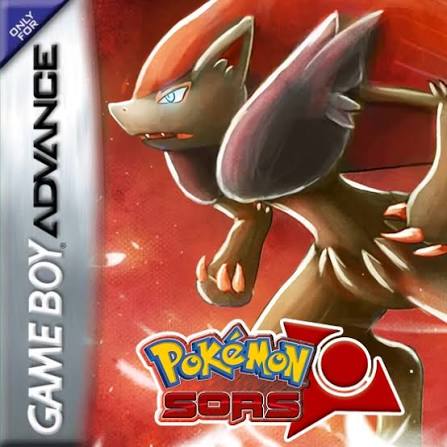
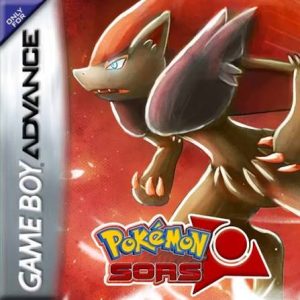
Pokémon Sors is a completed Pokémon FireRed ROM hack created by Vytron and set in the custom Hupest region. The game follows Asher through the Eclipse Tournament and a story surrounding the mysterious Grand Eclipse and the Eclipse Project. It includes Pokémon through Generation 7, 48 custom Eclipse Pokémon, a new Eclipsing mechanic, side quests with a quest log, a day-and-night system, Soaring, modernized battle mechanics, and an original story rather than simply retelling FireRed. citeturn591528search5turn911151search4
As of September 2026, the completed original game remains Pokémon Sors Full Release v1.3. Public documentation continues to identify v1.3 as the completed build, while the newer Pokémon Sors 2 is a completely separate sequel project. citeturn785219search2turn785219search0
Installing Pokémon Sors requires a clean copy of Pokémon FireRed and the official Sors patch. You should patch your own legally obtained FireRed ROM instead of downloading an unofficial pre-patched .gba file.
What You Need Before Installing Pokémon Sors
Before you start, you need:
- A legally obtained clean Pokémon FireRed ROM
- The Pokémon Sors v1.3 UPS patch
- A UPS-compatible ROM patcher
- A compatible Game Boy Advance emulator
- RTC support for the day-and-night system
- A backup of any existing Pokémon Sors save
- The optional emulator-fix patch only if your setup actually requires it
Pokémon Sors is a Game Boy Advance ROM hack, so the final patched game normally uses:
.gba
The main Sors patch uses the:
.ups
format. Current patching guides for the game use NUPS on Windows or UniPatcher on Android, while Rom Patcher JS provides a convenient browser-based alternative. citeturn591528search6turn591528search7
Rom Professor does not host, provide, or link to copyrighted Pokémon FireRed ROM files or unofficial pre-patched Pokémon Sors ROMs.
What Base ROM Does Pokémon Sors Use?
Pokémon Sors requires:
1636 – Pokémon Fire Red (U)(Squirrels)
This is the original US FireRed v1.0 base commonly used by many GBA ROM hacks.
The Sors patching documentation consistently identifies the required clean base as:
1636 - Pokemon Fire Red (U)(Squirrels).gba citeturn591528search6turn591528search7
| Requirement | Pokémon Sors |
|---|---|
| Base game | Pokémon FireRed |
| Platform | Game Boy Advance |
| Region | USA / U |
| Revision | FireRed 1.0 |
| Expected dump | FireRed (U)(Squirrels) |
| ROM condition | Clean and unmodified |
| Patch format | UPS |
| Typical finished extension | .gba |
| Current version | v1.3 |
| Creator | Vytron |
| Status | Complete |
Do not try to patch:
- Pokémon FireRed v1.1
- Pokémon LeafGreen
- Pokémon Emerald
- Another FireRed ROM hack
- Pokémon Saiph
- Pokémon Sors 2
- An already-patched Pokémon Sors ROM
- A randomized or otherwise modified FireRed ROM
Using the wrong FireRed revision is one of the most common causes of checksum errors and failed patches.
Pokémon Sors vs Pokémon Sors 2
These are two separate games.
The current VytroVerse order is:
- Pokémon Saiph
- Pokémon Sors
- Pokémon Saiph 2
- Pokémon Sors 2
Vytron’s current project documentation explicitly lists Sors as Part 2 and Sors 2 as Part 4. citeturn785219search0turn785219search6
If you want the completed original Sors adventure, you need:
Pokémon Sors v1.3
Do not accidentally download the current Sors 2 Story Demo, which has different patches, mechanics, save compatibility, and installation instructions.
Where to Get the Official Pokémon Sors Patch
The best current starting point is Vytron’s VytroVerse community and official project links.
Vytron continues to maintain the broader VytroVerse through the current Sors 2 and Saiph 2 project pages, which link the VytroVerse Discord and related documentation. citeturn785219search0turn785219search6
The completed original Sors release you are looking for is:
Pokémon Sors Full Release v1.3
Current archival sources still identify v1.3 as the December 2021 completed release. citeturn591528search5turn785219search2
When obtaining the game, look for the UPS patch.
Do not download something advertised as:
Pokemon Sors v1.3.gba
or:
Pokemon Sors Pre-Patched ROM
Vytron’s current VytroVerse publishing guidance specifically asks people distributing or showcasing his projects to provide official source/documentation links and, when possible, distribute UPS patch files instead of pre-patched ROMs. citeturn889383view1
How to Patch Pokémon Sors
The original installation instructions use NUPS on Windows.
Rom Patcher JS also works well for players who want a browser-based option.
Step 1: Prepare a Clean FireRed ROM
Locate your legally obtained clean copy of:
1636 – Pokémon Fire Red (U)(Squirrels)
The file should end in:
.gba
For example:
1636 - Pokemon Fire Red (U)(Squirrels).gba
If the file is inside a .zip, .rar, or .7z archive, extract the actual .gba first.
Keep one untouched copy somewhere safe.
Step 2: Download Pokémon Sors v1.3
Obtain the official/current Sors v1.3 package from Vytron’s community resources.
Extract the download if necessary.
Look for the main:
.ups
patch.
You may also see optional fix patches bundled with older Sors distributions.
Step 3: Open NUPS
On Windows, open:
NUPS
Choose the option to:
Apply a UPS patch to a file
You will need to provide:
- Your clean FireRed ROM
- The Pokémon Sors UPS patch
Step 4: Select the Sors UPS Patch
For the patch file, select the Pokémon Sors v1.3 .ups.
Step 5: Select the FireRed Base ROM
For the source/base ROM, choose:
1636 - Pokemon Fire Red (U)(Squirrels).gba
The standard Sors patching instructions specifically use this FireRed base. citeturn591528search6
Step 6: Apply the Patch
Start the patching process.
When complete, you should have a new GBA ROM containing Pokémon Sors.
Give it an obvious filename such as:
Pokemon Sors v1.3.gba
Do not overwrite your original clean FireRed backup.
Step 7: Open the Patched ROM
Launch your GBA emulator and load:
Pokemon Sors v1.3.gba
If everything worked correctly, Pokémon Sors should launch instead of ordinary FireRed.
How to Patch Pokémon Sors With Rom Patcher JS
Rom Patcher JS is easier if you are on Mac, Chromebook, Android, iPhone, or simply do not want to install NUPS.
The process is:
- Open Rom Patcher JS.
- Select your clean FireRed
.gbaas the ROM. - Select Pokémon Sors v1.3
.upsas the patch. - Apply the patch.
- Save the new
.gba. - Open the resulting ROM in your emulator.
If Rom Patcher JS reports a source ROM checksum mismatch, verify that you are using the correct FireRed (U)(Squirrels) v1.0 base before forcing anything.
What Is the Pokémon Sors Emulator Fix?
Some Sors releases include or reference an additional Emulator Fix patch.
RetroAchievements currently recognizes separate hashes for:
- Pokémon Sors v1.3
- Pokémon Sors v1.3 Emulator Fix
which confirms that both variants have circulated. citeturn591528search3
Do not automatically apply the emulator fix just because it exists.
Start with the normal Sors v1.3 ROM in a modern emulator such as mGBA.
If your device/emulator specifically requires the fix, follow the instructions bundled with the Sors download.
Avoid stacking random fix patches from unrelated versions.
How to Play Pokémon Sors on Windows
For Windows, use:
mGBA
This is the safest modern choice for Sors.
Older Sors discussions contain multiple reports of freezes and compatibility problems with other cores, while mGBA is repeatedly used as the successful workaround. citeturn919526reddit21
To play:
- Install mGBA.
- Launch mGBA.
- Select File.
- Choose Open ROM.
- Find
Pokemon Sors v1.3.gba. - Open it.
- Configure your keyboard or controller.
- Start playing.
For a fresh 2026 installation, there is little reason to choose an older emulator over mGBA.
How to Play Pokémon Sors on Mac
Use mGBA on macOS as well.
To play:
- Install mGBA.
- Launch the emulator.
- Open your patched Pokémon Sors
.gba. - Configure your controls.
- Confirm the clock is functioning.
- Start playing.
If another emulator gives you crashes or freezes, test the same ROM in mGBA before repatching it.
How to Play Pokémon Sors on Android
For Android, I recommend:
RetroArch with the mGBA core
or:
Pizza Boy GBA
Vytron’s current VytroVerse emulator recommendations for newer projects use mGBA on PC and the mGBA core or Pizza Boy on Android, which also makes them sensible choices for the older Sors engine. citeturn785219search0
To install Sors directly on Android:
- Store your clean FireRed ROM on the phone.
- Download the Pokémon Sors UPS patch.
- Open Rom Patcher JS or UniPatcher.
- Select the Sors UPS as the patch.
- Select FireRed (U)(Squirrels) as the base ROM.
- Apply the patch.
- Save the new
.gba. - Open it in RetroArch with mGBA or Pizza Boy.
Older Sors instructions specifically used UniPatcher on Android. citeturn591528search6
How to Play Pokémon Sors on iPhone or iPad
For iOS, use:
RetroArch with the mGBA core
You can patch the ROM through a browser or patch it on another device and move the finished .gba into the Files app.
To play:
- Patch Sors onto your clean FireRed base.
- Save the finished
.gbato Files. - Install RetroArch.
- Select the mGBA core.
- Import Pokémon Sors.
- Launch the game.
Other GBA emulators may also run it, but mGBA-based emulation provides the best troubleshooting baseline.
Best Emulator Settings for Pokémon Sors
Pokémon Sors contains a day-and-night system and needs proper RTC support.
Recommended settings:
| Setting | Recommendation |
|---|---|
| Windows | mGBA |
| macOS | mGBA |
| Android | RetroArch + mGBA or Pizza Boy |
| iPhone/iPad | RetroArch + mGBA |
| RTC | Enabled |
| Save type | Automatic/default |
| Frameskip | Off |
| Fast-forward | Optional |
| In-game saves | Use regularly |
| Save states | Secondary backup only |
Enable RTC for Pokémon Sors
Sors includes:
- Day/night changes
- Time-related encounters/events
The game’s feature documentation specifically says the emulator must support RTC and historically told VBA users to enable RealTimeClock. citeturn591528search5turn591528search8
mGBA normally handles RTC automatically.
If time appears frozen:
- Check your system clock.
- Confirm RTC is enabled.
- Restart the emulator.
- Load your normal in-game save again.
Save Type
Leave the save type on automatic with mGBA.
If you are using an older VBA build and saving does not work correctly, verify its Flash/save settings.
Changing save type randomly should not be your first troubleshooting step.
Fast-Forward
Fast-forward is generally fine for:
- Grinding
- Travel
- Leveling
- Backtracking
If a scripted event freezes or behaves strangely, reload from an in-game save and repeat it at normal speed.
How to Update Pokémon Sors Without Losing Your Save
Because v1.3 is the completed final release, most current players will not need to update Sors anymore.
However, some players may still be moving from:
- Demo versions
- v1.0
- v1.1
- v1.2
to v1.3.
Do Not Use a Demo Save
This is the clearest compatibility warning associated with Sors:
Do not use the demo save file with the full release.
Multiple Sors documentation sources explicitly warn against using a demo save in the completed game. citeturn591528search5turn338642search7
If you played an old demo, start a new save on the completed build.
Updating From an Older Full Release
For a v1.x full-release save:
- Make a normal in-game save.
- Close the emulator.
- Back up your
.sav. - Back up your old Sors
.gba. - Patch a fresh FireRed (U)(Squirrels) ROM with v1.3.
- Give the new ROM the same name as the previous ROM.
- Put the existing save in the proper save folder.
- Launch v1.3.
- Verify your progress carefully before deleting the backup.
Because I could not verify a creator statement guaranteeing every possible old-version save transition, keep your backups until you know the game is stable.
Never Patch v1.3 Over an Older Sors ROM
Do not use:
Pokemon Sors v1.2.gba
as your source ROM.
Start again with:
1636 - Pokemon Fire Red (U)(Squirrels).gba
and apply the v1.3 patch.
Common Pokémon Sors Installation Problems
The Patch Won’t Apply
The most likely cause is your FireRed base ROM.
Pokémon Sors expects:
1636 – Pokémon Fire Red (U)(Squirrels). citeturn591528search6turn591528search7
Common problems include:
- FireRed v1.1
- LeafGreen
- Another FireRed ROM hack
- Previously patched Sors
- A modified ROM
- A damaged source file
Start again with the correct clean base.
The Patcher Reports a Source-ROM Mismatch
Verify your ROM revision before choosing an Ignore option.
Some older Sors instructions told players they could continue after certain mismatch messages, but the safest method is still to use the correct FireRed Squirrels base from the beginning. citeturn591528search6
Forcing a genuinely incompatible ROM can create a game that boots but breaks later.
Pokémon Sors Opens as Normal FireRed
You probably opened the wrong file.
You may have:
Pokemon FireRed.gba
and:
Pokemon Sors v1.3.gba
in the same folder.
Open the Sors file.
The Game Freezes After Starting
Try mGBA.
Historical Sors users reported certain cores booting the game but freezing shortly afterward, with mGBA frequently being the preferred alternative. citeturn919526reddit21
If it still freezes in mGBA:
- Repatch a clean FireRed ROM.
- Confirm you are using v1.3.
- Remove unnecessary extra patches.
- Load from a normal in-game save rather than an old save state.
Should I Apply the Emulator Fix?
Only if your setup needs it.
There are separate normal and emulator-fix v1.3 builds recognized by RetroAchievements. citeturn591528search3
If normal v1.3 works correctly in mGBA, leave it alone.
My Save File Isn’t Showing Up
Check the ROM and save filenames.
For example:
Pokemon Sors.gba
should normally use:
Pokemon Sors.sav
If the ROM is:
Pokemon Sors v1.3.gba
but the save is:
Pokemon Sors v1.2.sav
your emulator may create a new save instead.
Rename the compatible .sav to match the new ROM filename.
My Demo Save Doesn’t Work
Start a new game.
The full-release documentation specifically warns:
Do not use demo save files. citeturn591528search5
My Save State Broke After Repatching
Use the normal in-game save.
Save states store memory from the exact ROM build that created them.
They are not a reliable update method.
The Day/Night Cycle Isn’t Working
Enable RTC.
Pokémon Sors requires an emulator with real-time-clock support for its day-and-night system. citeturn591528search8
mGBA should normally handle this automatically.
PokéMart Graphics Look Broken
This is a known v1.3 visual issue rather than a failed installation.
Current v1.3 documentation notes that PokéMart graphics can look messy while shopping. citeturn591528search5
You do not need to repatch the ROM just because of this.
A Rattata Appears When I Register a Pokémon
This is also a known visual bug.
Sors v1.3 can display Rattata while registering a new Pokémon even though the game registers the correct species. citeturn591528search5
The TM Selection Text Box Looks Strange
Another known v1.3 visual issue.
The TM selection text box can display improperly, but documentation describes this as visual rather than game-breaking. citeturn591528search5
I Got Stuck While Soaring
Make sure you are on v1.3.
The v1.3 changelog fixed Soaring softlocks involving Mt. Gerhana and Inizio Isle. citeturn591528search5
If you are still running v1.0–v1.2, update to the completed v1.3 release.
How to Verify Pokémon Sors Installed Correctly
Sors is completely different from ordinary FireRed, so successful installation should be obvious.
You should enter the Hupest region and play as Asher rather than beginning the normal Pallet Town adventure.
Major Sors features include:
- Hupest region
- Fixed protagonist Asher
- Original story
- Eclipse Tournament
- Pokémon through Generation 7
- 48 Eclipse Pokémon
- Eclipsing mechanic
- Physical/Special split
- Updated moves
- Side quests
- Quest Log
- Day/night cycle
- Soaring
- Custom soundtrack
- Black/White and HGSS-inspired visual styling citeturn591528search8turn591528search5
If Professor Oak gives you a normal Kanto starter in Pallet Town and nothing has changed, you opened your clean FireRed ROM instead of Sors.
Pokémon Sors Installation FAQ
What is the latest version of Pokémon Sors?
The completed original Pokémon Sors remains:
Full Release v1.3
Public documentation continues to identify v1.3 as the final completed Sors build. citeturn785219search2turn591528search5
Is Pokémon Sors complete?
Yes.
Pokémon Sors v1.3 is a completed game with its full main story.
Is Pokémon Sors 2 the same game?
No.
Pokémon Sors 2 is the sequel and Part 4 of the VytroVerse.
The original Pokémon Sors is Part 2. citeturn785219search0
What game is Pokémon Sors based on?
Pokémon Sors is based on:
Pokémon FireRed for Game Boy Advance.
What FireRed ROM does Pokémon Sors use?
Use:
1636 – Pokémon Fire Red (U)(Squirrels)
which is the FireRed 1.0 base specified by Sors patching documentation. citeturn591528search6
What patch format does Pokémon Sors use?
The main Pokémon Sors patch uses:
UPS
NUPS and UniPatcher have historically been used to apply it. citeturn591528search6
What is the best emulator for Pokémon Sors?
Use:
mGBA
On Android or iPhone, RetroArch with the mGBA core is the safest modern option.
Does Pokémon Sors need RTC?
Yes, RTC support is recommended.
The day/night system depends on emulator clock functionality. citeturn591528search8
Can I play Pokémon Sors on Android?
Yes.
Patch the FireRed base using UniPatcher or Rom Patcher JS, then play the resulting .gba with RetroArch/mGBA or another compatible emulator.
Can I play Pokémon Sors on iPhone?
Yes.
Patch the game through a browser or another device, then load the completed .gba using an iOS GBA emulator.
RetroArch with mGBA is the safest troubleshooting choice.
Can I use my Pokémon Sors demo save in v1.3?
No.
The full-release documentation specifically warns against using demo saves. citeturn591528search5
Start a new game on the completed release.
Does Pokémon Sors have Eclipse Pokémon?
Yes.
Sors includes 48 custom Eclipse Pokémon alongside a roster extending through Generation 7. citeturn591528search8
Does Pokémon Sors have a physical/special split?
Yes.
The battle engine includes modernized mechanics through roughly the Generation 7 era, including the physical/special split. citeturn591528search8
Does Pokémon Sors have a day/night system?
Yes.
The game includes day/night changes and related events, which is why RTC-capable emulation is recommended. citeturn591528search8
Does Pokémon Sors have trade evolutions?
The game modifies evolution methods so Pokémon normally dependent on trading can be evolved during a single-player playthrough.
The v1.3 evolution documentation includes items and alternate level-up requirements for many modified evolutions. citeturn911151search0
Where can I download Pokémon Sors?
Use Vytron’s VytroVerse community and official project resources to locate the Pokémon Sors v1.3 UPS patch.
Vytron’s current project guidance specifically encourages sharing official source/documentation links and patch files rather than pre-patched ROMs. citeturn889383view1
You provide your own legally obtained Pokémon FireRed (U)(Squirrels) ROM and apply the Sors patch yourself.
Rom Professor does not host, distribute, or link to copyrighted Pokémon FireRed ROMs or unofficial pre-patched Pokémon Sors ROMs.