How to Download and Install Pokémon Glazed / Blazed Glazed Safely

Pokémon Glazed and Pokémon Blazed Glazed are both Game Boy Advance ROM hacks based on Pokémon Emerald. To play either version, you need a clean copy of the correct Pokémon Emerald base game, the appropriate UPS patch, a UPS-compatible patching tool, and a compatible GBA emulator.
There are two similarly named games here, which is the first thing you need to understand before downloading anything.
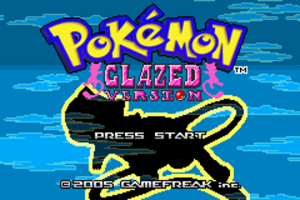
Pokémon Glazed is the original project created by redriders180, also known as Lucbui. After the original creator stopped at Beta 7b, TrainerX493 continued improving the game with permission. The current finished binary release is Pokémon Glazed 9.1, released in May 2022.
Pokémon Blazed Glazed is a separate modification of Glazed created by Tudou. It changes Pokémon availability, movesets, trainer teams, stats, balance, and other mechanics. Its final public release is Blazed Glazed 1.3.
For most players starting today, I recommend Pokémon Glazed 9.1. It contains years of bug fixes and improvements made after the old 7b release and incorporates some ideas and work from Blazed Glazed while remaining the main Glazed version. Blazed Glazed is still worth playing if you specifically want Tudou’s alternate balance and Pokémon changes.
Rom Professor does not provide, host, or link to copyrighted Pokémon Emerald ROM files or pre-patched Pokémon Glazed ROMs. This guide explains how to apply the legal patch files to a clean Pokémon Emerald copy you legally obtained yourself.
What You Need Before Installing Pokémon Glazed or Blazed Glazed
For either game, you need:
- A clean Pokémon Emerald USA ROM
- The Pokémon Glazed 9.1 UPS patch or Blazed Glazed 1.3 UPS patch
- A UPS-compatible ROM patcher
- A compatible Game Boy Advance emulator
- A tool for extracting ZIP or archive files
- A safe location for your game and save backups
Both hacks use Pokémon Emerald as their foundation.
The patch contains the fan-made changes. Your clean Emerald ROM supplies the original game data.
After applying the patch, you will end up with a normal-looking:
.gba
file.
That finished .gba file is what your emulator opens.
Do not try to open the .ups patch directly in a GBA emulator.
Which Should You Install: Glazed or Blazed Glazed?
If you are not sure which version you want, install Pokémon Glazed 9.1.
The relationship between the games can be confusing because Glazed continued receiving updates after Blazed Glazed was created.
The basic timeline looks like this:
| Version | What It Is |
|---|---|
| Glazed 7b | Last major release by original creator Lucbui |
| Blazed Glazed 1.3 | Tudou’s modified version of older Glazed |
| Glazed 8.x | TrainerX493 bug fixes and improvements |
| Glazed 9.0 | Larger update incorporating additional modernizations and collaboration |
| Glazed 9.1 | Current finished binary Glazed release |
| Glazed decomp project | Future/remastered development project, not a replacement stable release yet |
TrainerX493’s 9.0 update specifically included a major movepool overhaul with help from Tudou, the creator of Blazed Glazed, and 9.1 added additional quality-of-life features and bug fixes.
Blazed Glazed remains its own game, however. It is not simply an old name for Glazed 9.1.
If you want the most updated standard Glazed experience, choose Glazed 9.1.
If you specifically want the alternate balancing, Pokémon distribution, trainer changes, and other design decisions associated with Tudou’s version, choose Blazed Glazed 1.3.
Do not patch both onto the same Emerald ROM.
What Base ROM Does Pokémon Glazed Use?
Pokémon Glazed 9.1 uses a clean Pokémon Emerald USA ROM commonly known as the TrashMan release.
The commonly used file is identified as:
1986 - Pokemon Emerald (U)(TrashMan).gba
The standard clean Emerald base has:
CRC32
1F1C08FB
MD5
605b89b67018abcea91e693a4dd25be3
SHA-1
f3ae088181bf583e55daf962a92bb46f4f1d07b7
Current Glazed patching instructions specifically call for a clean Emerald/TrashMan ROM.
You normally do not need to verify all three checksums.
If the patch fails, however, checking the CRC32 or SHA-1 is a reliable way to determine whether your Emerald ROM is actually the expected version.
Do not use:
- Pokémon Ruby
- Pokémon Sapphire
- Another regional Emerald release
- An already modified Emerald ROM
- An old Pokémon Glazed ROM
- Pokémon Blazed Glazed
- Another Emerald ROM hack
- A ZIP file instead of the extracted
.gba
You want a clean, untouched Pokémon Emerald ROM.
What Base ROM Does Pokémon Blazed Glazed Use?
Pokémon Blazed Glazed also uses Pokémon Emerald.
The original Blazed Glazed release instructions tell players to apply the patch to Emerald using NUPS, and Blazed Glazed is identified as a modification of Pokémon Emerald.
For practical purposes, use the same clean Emerald USA/TrashMan base described above.
If NUPS or another patching program reports that the input file does not match the patch, stop and verify your Emerald ROM rather than assuming the error can safely be ignored.
One long-running source of Blazed Glazed patching problems is using an incompatible Emerald file and then attempting to force NUPS past its checksum warning.
Always keep an untouched copy of your clean Emerald ROM somewhere safe.
Then you can create separate files such as:
Pokemon Glazed.gba
and:
Pokemon Blazed Glazed.gba
without ever modifying your clean master copy.
Where to Get the Pokémon Glazed Patch
Pokémon Glazed has an unusual distribution history.
The original PokéCommunity thread disappeared, and the 9.1 patch has moved between community mirrors over the years. TrainerX493’s own 2022 release post identifies 9.1 as the final binary patch unless another major problem required fixing.
The Glazed community wiki maintains the game’s version history and identifies Beta 9.1.0 as the May 2022 TrainerX493 release.
There is also now an active GitHub repository maintained by TrainerX493 for a decompilation-based port and remaster of Pokémon Glazed. The repository explicitly says the goal is to rebuild Glazed using the pokeemerald decompilation, fix major bugs, add content from Glazed and Blazed Glazed, and introduce additional features.
TrainerX493’s Pokémon Glazed development repository
That repository is useful for confirming that development around Glazed still exists, but it should not be confused with a normal downloadable replacement for Glazed 9.1.
For a standard playthrough, look for the Glazed 9.1 UPS patch from the recognized Glazed community sources rather than a pre-patched .gba.
Do not search specifically for:
Pokemon Glazed 9.1 prepatched ROM
The safer target is:
Pokemon Glazed 9.1 UPS patch
Where to Get the Pokémon Blazed Glazed Patch
The original Pokémon Blazed Glazed project was published through PokéCommunity by Tudou.
The question bank points to that original PokéCommunity project thread as the primary source for the hack.
Blazed Glazed’s final release is version 1.3, and its original release instructions say to apply the patch to Pokémon Emerald using NUPS.
Because the project is much older and its original community thread can be difficult to access today, you may encounter mirrors of the patch.
Whichever source you use, make sure you are looking for the Blazed Glazed 1.3 patch, not a complete pre-patched Pokémon Emerald ROM.
How to Patch Pokémon Glazed
Pokémon Glazed 9.1 is distributed as a UPS patch.
A UPS-compatible patcher such as Rom Patcher JS or NUPS can create the finished game.
Step 1: Prepare a Clean Pokémon Emerald ROM
Locate your legally obtained clean Pokémon Emerald ROM.
The standard expected base is commonly identified as:
1986 - Pokemon Emerald (U)(TrashMan).gba
If it is inside a ZIP, 7Z, or RAR file, extract it first.
You need the actual:
.gba
file.
If you want to verify the base, check:
CRC32: 1F1C08FB
Do not modify your only clean copy.
Make another copy specifically for Glazed.
Step 2: Obtain the Pokémon Glazed 9.1 Patch
Make sure the patch you have is for:
Pokémon Glazed 9.1
and ends in:
.ups
Glazed 9.1 is the current completed binary release.
If you find an older patch such as:
- 7b
- 8.6.3
- 8.7
- 8.7.1
- 9.0
you are not using the latest finished binary version.
Step 3: Open a UPS-Compatible Patcher
A convenient modern option is Rom Patcher JS.
A desktop program such as NUPS also works.
The patcher should give you two fields:
ROM file
and:
Patch file
Step 4: Select Pokémon Emerald as the ROM File
Under the original ROM or ROM-file field, choose your clean Pokémon Emerald .gba.
Do not select an old Glazed ROM.
Do not select Blazed Glazed.
The patch is designed to modify clean Emerald.
Step 5: Select the Glazed UPS Patch
Choose the Glazed 9.1 .ups file as the patch.
Double-check that you did not reverse the two inputs.
You want:
Original ROM: Pokémon Emerald
Patch: Pokémon Glazed 9.1 UPS
Step 6: Apply the Patch
Select Apply Patch.
The patcher should create a new .gba file.
Save it somewhere convenient.
You can rename it:
Pokemon Glazed 9.1.gba
The filename itself does not affect the game.
Step 7: Open the Finished ROM
Launch your GBA emulator.
Open:
Pokemon Glazed 9.1.gba
If you see Pokémon Glazed instead of normal Pokémon Emerald, the patch worked.
How to Patch Pokémon Blazed Glazed
The basic process is nearly identical.
Step 1: Start With Another Clean Emerald ROM
Do not use your Pokémon Glazed ROM.
Do not patch Blazed Glazed onto Glazed 9.1.
Start with another clean copy of Pokémon Emerald.
Step 2: Obtain Blazed Glazed 1.3
Use the final Blazed Glazed 1.3 patch.
The original release instructions identify version 1.3 and instruct players to apply the patch to Emerald using NUPS.
Step 3: Open NUPS or Another UPS Patcher
Select the option to apply a UPS patch.
Step 4: Select Clean Pokémon Emerald
Choose your clean Emerald .gba as the file being patched.
Step 5: Select the Blazed Glazed Patch
Choose the Blazed Glazed 1.3 .ups.
Step 6: Patch the ROM
Apply the patch.
Save the resulting file as something obvious, such as:
Pokemon Blazed Glazed 1.3.gba
Step 7: Open It in Your Emulator
Launch the newly created .gba.
You should see Blazed Glazed rather than vanilla Emerald.
Do Not Patch Blazed Glazed Over Pokémon Glazed
This deserves its own warning.
Blazed Glazed is a modified version of Glazed historically, but the downloadable patch should still be applied to the base expected by its release instructions.
Do not take:
Pokemon Glazed 9.1.gba
and apply:
Blazed Glazed 1.3.ups
on top of it.
Likewise, do not take an old Blazed Glazed ROM and apply Glazed 9.1 over it.
Each installation should begin from a clean Pokémon Emerald base.
Your folder might eventually look like this:
Pokemon Emerald CLEAN.gba
Pokemon Glazed 9.1.gba
Pokemon Blazed Glazed 1.3.gba
That is much safer than repeatedly modifying the same file.
How to Play Pokémon Glazed / Blazed Glazed on Windows, Mac, Android, and iPhone
Both games are Pokémon Emerald ROM hacks, so they run through Game Boy Advance emulators.
In general, if an emulator runs Pokémon Emerald accurately, it has a good chance of running Glazed.
There is, however, one notable mGBA audio-driver issue that affects Glazed and Blazed Glazed.
TrainerX493 documented an mGBA bug where Pokémon evolution can freeze when the Windows audio driver is set to Qt Multimedia. Switching the audio driver to SDL allows the evolution sequence to continue. The issue was reproduced in Glazed 7b, Glazed 9.1, and Blazed Glazed.
That is the most important emulator-specific issue to know.
Windows
For Windows, mGBA is still a strong emulator choice.
If everything works normally, leave the settings alone.
If the game freezes on a black screen during evolution, however, check mGBA’s audio settings.
Use:
SDL
rather than:
Qt Multimedia
TrainerX493’s mGBA bug report confirms that switching to SDL can unfreeze the game during the affected evolution sequence.
Other modern GBA emulators may also work.
Once your emulator is installed:
- Open the emulator.
- Load the patched
.gba. - Configure your controls.
- Start a new game.
- Make an in-game save.
- Restart the emulator once to verify saving works.
Mac
mGBA is also available on macOS.
The Qt Multimedia issue documented for Glazed was specifically reproduced on Windows, so it may not affect a Mac installation in the same way.
For Mac:
- Install mGBA.
- Load your Glazed or Blazed Glazed
.gba. - Configure controls if needed.
- Make a normal Pokémon save.
- Restart and confirm it loads.
If you encounter an emulator-specific crash, testing the ROM in another accurate GBA emulator is a useful way to determine whether your patched file is actually the problem.
Android
Pokémon Glazed and Blazed Glazed can both be played on Android.
Common options include:
- My Boy!
- Pizza Boy
- RetroArch with the mGBA core
Older Glazed community discussions specifically report playing Glazed through My Boy after patching the game onto clean Emerald.
The basic process is:
- Patch the game.
- Locate the finished
.gba. - Open your GBA emulator.
- Browse to the file.
- Start the game.
- Make an in-game save.
Do not attempt to open the .ups file.
iPhone and iPad
For iPhone and iPad, Delta is a convenient option.
Patch the game first.
Then import the completed:
Pokemon Glazed 9.1.gba
or:
Pokemon Blazed Glazed 1.3.gba
into Delta.
The patch itself cannot be played.
You need the finished .gba.
Best Emulator Settings for Pokémon Glazed / Blazed Glazed
Most players should start with the emulator’s normal defaults.
You do not need to randomly change:
- Save type
- Flash size
- BIOS settings
- CPU timing
- Frame skipping
- Memory configuration
unless you actually have a problem.
A good starting setup is:
| Setting | Recommendation |
|---|---|
| System | Game Boy Advance |
| Desktop emulator | mGBA |
| Android | My Boy!, Pizza Boy, or mGBA-based core |
| iPhone/iPad | Delta |
| Normal in-game saves | Yes |
| Save states | Convenience only |
| mGBA Windows audio | SDL if evolutions freeze |
mGBA Evolution Freeze
This is the one setting worth remembering.
If Pokémon evolution fades to black and then appears frozen in mGBA on Windows:
- Open mGBA’s settings.
- Find the audio-driver option.
- Change Qt Multimedia to SDL.
- Resume or restart the game.
TrainerX493 reported that the evolution sequence resumes when the SDL driver is used.
Do not immediately assume your Glazed ROM is corrupted if this exact problem occurs.
How to Update Pokémon Glazed Without Losing Your Save
Updating Glazed safely follows the same basic rule as most traditional ROM hacks:
Patch the new version onto a clean Emerald ROM, not onto your old Glazed ROM.
Then move your existing battery save to the newly patched ROM if the two versions are compatible.
Step 1: Check Save Compatibility
Do not assume every Glazed version is interchangeable.
TrainerX493 specifically documented compatibility for several later Glazed releases.
For example, saves from 7b and the 8.x series were compatible with later 8.x updates, although some updates required additional Pokédex fixes.
If you are already playing 9.1, there is currently no newer finished binary release to update to as of August 2026.
The newer decompilation project is a different development effort and should not be treated as a drop-in 9.1 update unless its developers eventually publish migration instructions.
Step 2: Make a Normal In-Game Save
Open your existing Glazed version.
Use Pokémon’s normal save command.
Do not depend entirely on an emulator save state.
Then close the emulator.
Step 3: Back Up the Save
Locate the game’s normal battery save.
It will usually end in:
.sav
or:
.srm
depending on the emulator.
Make a copy somewhere safe.
Step 4: Patch a Fresh Emerald ROM
Use a clean Emerald/TrashMan base.
Apply the newer Glazed patch.
Do not patch over the old Glazed ROM.
This exact mistake has caused checksum errors for players attempting to update older Glazed versions.
Step 5: Match the ROM and Save Filenames
Suppose your save is:
Pokemon Glazed.sav
Name the new ROM:
Pokemon Glazed.gba
Many emulators use the common filename to determine which save belongs to which game.
For example:
Pokemon Glazed.gba
Pokemon Glazed.sav
Community guidance for updating Glazed 9.1 continues to use this method: patch a clean Emerald ROM and give the new ROM the same name expected by the existing save.
Step 6: Test Before Deleting Anything
Launch the new ROM.
Confirm:
- Continue appears
- Your party is intact
- Your PC Pokémon are present
- Your items are present
- Your story progress looks correct
- You can create another normal save
- The new save reloads successfully
Keep your original backup until you are certain everything works.
How to Update Pokémon Blazed Glazed
Blazed Glazed 1.3 is an old completed release, so there is normally no newer Blazed Glazed version to migrate to.
If you are moving from an older Blazed Glazed release such as 1.1 or 1.2 to 1.3, the safest method is still:
- Make an in-game save.
- Back up the save.
- Patch Blazed Glazed 1.3 onto a fresh Emerald ROM.
- Give the new ROM the filename your emulator expects.
- Load the existing save.
- Verify everything before deleting the old version.
Because Blazed Glazed has not received modern save-migration documentation comparable to newer hacks, be conservative.
If an old save behaves strangely in 1.3, keep your backup rather than overwriting it.
Can You Move a Blazed Glazed Save to Glazed 9.1?
Do not assume you can.
Glazed and Blazed Glazed contain different Pokémon data, moves, trainers, balancing, and other changes.
Even though they are closely related, they should be treated as separate games for save-management purposes.
If you want to switch from Blazed Glazed to Glazed 9.1, starting a new save is the safest option.
Likewise, do not assume that a Glazed 9.1 save can simply be dropped into Blazed Glazed 1.3.
Common Pokémon Glazed / Blazed Glazed Installation Problems
“The patcher says my Emerald ROM is wrong”
Check your base.
For Glazed, use the clean Emerald USA/TrashMan ROM.
The standard expected clean Emerald has:
CRC32: 1F1C08FB
Do not patch over an older Glazed ROM.
A player trying to update Glazed from version 7 to version 8 received an input-checksum failure because the new patch was being applied to the old Glazed ROM instead of clean Emerald.
“NUPS says the files don’t match”
Do not blindly ignore the error.
Verify that:
- You have clean Emerald
- You selected Emerald as the source
- You selected the correct UPS patch
- The Emerald ROM has not been modified
- You are not patching one hack over another
Blazed Glazed players have run into exactly this situation when using an incompatible Emerald base.
“I patched the ROM but normal Pokémon Emerald still opens”
You may be opening the original Emerald file.
The patching process should create or modify a separate output.
Look for your new:
Pokemon Glazed.gba
or:
Pokemon Blazed Glazed.gba
file.
Do not keep opening:
Pokemon Emerald.gba
“My emulator won’t recognize the ZIP file”
Extract it.
Your emulator needs the finished:
.gba
file.
If the archive contains:
.ups
you need to patch it first.
A Blazed Glazed player who tried opening the archive directly in My Boy received an “unrecognized GBA file” error because the ZIP contained a UPS patch rather than a ready-to-play ROM.
“My emulator won’t open the UPS file”
That is normal.
A .ups is a patch.
Your emulator opens:
.gba
Use a UPS patcher first.
“Can I rename the UPS file to .gba?”
No.
Renaming:
Pokemon Glazed.ups
to:
Pokemon Glazed.gba
does not apply the patch.
The underlying file is still patch data.
“Pokémon Glazed freezes when my Pokémon evolves”
If you use mGBA on Windows, check the audio driver.
TrainerX493 reproduced an evolution freeze when mGBA used:
Qt Multimedia
Changing the audio driver to:
SDL
allowed the evolution to continue.
This problem affects Glazed 9.1 and Blazed Glazed as well as older Glazed builds.
“Evolution takes several seconds on a black screen”
TrainerX493 also documented a roughly five-second delay before evolution in newer mGBA builds.
If the game continues after several seconds, it may not actually be frozen.
If it never continues, switch the audio driver to SDL.
“My save disappeared after updating”
Check the filenames.
For example:
Pokemon Glazed.gba
and:
Pokemon Glazed.sav
should normally match.
If the ROM is renamed:
Pokemon Glazed 9.1.gba
but the save remains:
Pokemon Glazed 8.7.sav
your emulator may treat the new ROM as a completely different game.
Back up the save and rename or import it appropriately.
“Can I patch Glazed 9.1 over Glazed 8.7?”
No.
Start with clean Pokémon Emerald.
Then move your compatible save to the newly patched 9.1 ROM.
“Can I patch Glazed over Blazed Glazed?”
No.
Use another clean Emerald ROM.
Treat the two hacks as separate installations.
“Which version of Glazed is actually the newest?”
For the traditional binary ROM hack:
Pokémon Glazed 9.1
is the latest completed release. It was released in May 2022.
There is a newer decompilation project under active development, but its repository describes itself as a port/remaster project rather than a released successor version.
“I found Glazed 8.6.3. Is that the latest?”
No.
8.6.3 was once a common final-looking version on older download pages, but additional TrainerX493 releases followed it:
- 8.7
- 8.7.1
- 9.0
- 9.1
The version history documents these later releases.
“I found Pokémon Glazed 7b. Should I use that?”
Only if you specifically want the original creator’s older version.
Beta 7b was the final major version made by Lucbui before TrainerX493 continued development.
For a normal first playthrough today, use Glazed 9.1.
How to Verify That Pokémon Glazed Installed Correctly
Launch your newly patched .gba.
You should see Pokémon Glazed rather than the normal Pokémon Emerald title screen.
For the standard current binary version, verify that you are running:
Pokémon Glazed 9.1
The current documented version history ends with Beta 9.1.0, released in May 2022.
Then test the save system.
- Start the game.
- Create a normal in-game save.
- Close the emulator completely.
- Reopen Glazed.
- Confirm that Continue appears.
- Load your save.
It is much better to discover a save problem after five minutes than after five hours.
How to Verify That Pokémon Blazed Glazed Installed Correctly
Launch the patched Blazed Glazed ROM.
Confirm that you are running the Blazed Glazed version rather than:
- Vanilla Emerald
- Pokémon Glazed
- An older Blazed Glazed build
The final public Blazed Glazed release is:
Version 1.3.
Then make a normal in-game save and restart the emulator to verify that your progress persists.
Pokémon Glazed / Blazed Glazed Installation FAQ
Is Pokémon Glazed free?
The Pokémon Glazed fan-made patch is distributed freely.
You still need your own legally obtained Pokémon Emerald base game.
Is Pokémon Blazed Glazed free?
Yes. Blazed Glazed is also a fan-made modification distributed as a patch.
You need your own compatible Pokémon Emerald base.
What is the latest version of Pokémon Glazed?
The latest completed traditional binary release is:
Pokémon Glazed 9.1
released in May 2022.
TrainerX493 is also developing a decompilation-based Glazed port/remaster, but that ongoing project should not currently be treated as a newer stable release than 9.1.
For future changes, see our Pokémon Glazed / Blazed Glazed latest version guide.
What is the latest version of Pokémon Blazed Glazed?
The final public Blazed Glazed release is:
Version 1.3.
What ROM does Pokémon Glazed use?
Pokémon Glazed uses a clean Pokémon Emerald USA ROM, commonly identified as the 1986 TrashMan release.
The standard clean Emerald CRC32 is:
1F1C08FB
What ROM does Blazed Glazed use?
Blazed Glazed is also an Emerald-based hack.
Use a clean Pokémon Emerald USA/TrashMan base rather than another Glazed ROM.
What patch format does Pokémon Glazed use?
The Glazed 9.1 release is distributed as a:
UPS patch
Use a UPS-compatible patching tool.
What patch format does Blazed Glazed use?
Blazed Glazed 1.3 also uses a UPS patch, and its original instructions recommend NUPS.
Should I play Pokémon Glazed or Blazed Glazed?
For most new players:
Pokémon Glazed 9.1.
It is newer and contains years of additional bug fixes and improvements.
Choose Blazed Glazed 1.3 if you specifically want Tudou’s alternate Pokémon balance, teams, movesets, and encounter changes.
For a full comparison, see our Pokémon Glazed / Blazed Glazed review and version comparison.
Is Pokémon Glazed complete?
Yes. Glazed contains the Tunod, Johto, and Rankor portions of the adventure and is considered a completed hack. The current 9.1 release is the final traditional binary patch.
Is Blazed Glazed complete?
Yes. Blazed Glazed 1.3 is a completed version of the Blazed Glazed project.
What is the best emulator for Pokémon Glazed?
mGBA is a good default choice on Windows, Mac, and Linux.
If evolution freezes on Windows, change mGBA’s audio driver from Qt Multimedia to SDL.
Can I play Pokémon Glazed on Android?
Yes.
Patch the game first and open the finished .gba using a compatible Android GBA emulator such as My Boy!, Pizza Boy, or an mGBA-based RetroArch core.
Can I play Blazed Glazed on Android?
Yes.
It runs as a GBA game just like Glazed.
Can I play Pokémon Glazed on iPhone?
Yes.
Patch Glazed first and import the finished .gba into a compatible GBA emulator such as Delta.
Can I play Blazed Glazed on iPhone?
Yes.
The same process applies: patch the game first and import the resulting .gba.
Can I update Glazed without restarting?
Many later Glazed versions have compatible saves.
The safest process is to patch a clean Emerald ROM with the new version and then use your normal battery save with the new ROM.
Never patch the update over your old Glazed ROM.
Can I move my Blazed Glazed save to Glazed 9.1?
I do not recommend it.
The games contain enough mechanical and data differences that you should treat their saves as separate.
Start a new save if you switch between them.
Is Pokémon Glazed still being developed?
The old binary version is effectively finished at 9.1.
However, TrainerX493 currently maintains a separate GitHub project rebuilding Glazed using the pokeemerald decompilation. The stated goal is to remaster the game, fix major bugs, incorporate Pokémon from both Glazed and Blazed Glazed, and add other features.
That development project may eventually change which version Rom Professor recommends, so verify the current status before publishing or updating this guide.
Where should I go after installing Pokémon Glazed?
Once the game is running, read our Pokémon Glazed beginner guide.
Glazed is substantially larger than Pokémon Emerald and eventually takes you through Tunod, Johto, and the Rankor Archipelago, so understanding its progression, starters, difficulty curve, and early-game systems can prevent a lot of confusion later.