How to Download and Install Pokémon Emerald Legacy Safely
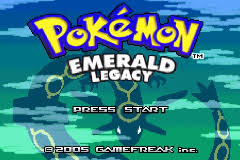
Pokémon Emerald Legacy is a faithful enhancement of Pokémon Emerald designed to improve Hoenn while preserving the mechanics, visual style, and overall feel of Generation 3. It is the third game in TheSmithPlays’ Legacy Trilogy after Pokémon Yellow Legacy and Pokémon Crystal Legacy.
Unlike hacks that add hundreds of newer Pokémon, Fairy typing, the Physical/Special Split, or completely new regions, Emerald Legacy intentionally stays close to what Pokémon Emerald could have been with more development time and two decades of hindsight. The project improves Pokémon availability, Trainer teams, the rival storyline, Team Magma and Aqua’s story, level progression, Pokémon balance, the Elite Four, the Battle Frontier, and postgame content without trying to turn Emerald into a modern-generation game.
Pokémon Emerald Legacy is distributed as a BPS patch, not as a complete Pokémon Emerald ROM. To install it, you need a clean copy of the supported Pokémon Emerald base game, the official Emerald Legacy patch, a BPS-compatible patcher, and a Game Boy Advance emulator.
As of August 29, 2026, Pokémon Emerald Legacy v1.1.4 remains the latest official release. The development team announced in March 2026 that another update was being worked on, but the official GitHub Releases page still lists v1.1.4 as the latest release, and June 2026 community installation guidance continues to point players to the v1.1.4 patch package.
Rom Professor does not provide, host, or link to copyrighted Pokémon Emerald ROM files or pre-patched Emerald Legacy ROMs. This guide explains how to apply the official fan-made patch to a clean Pokémon Emerald ROM that you legally obtained yourself.
What You Need Before Installing Pokémon Emerald Legacy
You need:
- A clean Pokémon Emerald USA ROM
- The official Pokémon Emerald Legacy v1.1.4 patch package
- A BPS-compatible patcher
- A Game Boy Advance emulator
- A way to extract ZIP files
- A safe location for your original Emerald ROM
- A backup location for your Emerald Legacy save
The basic process is:
Clean Pokémon Emerald + Emerald Legacy BPS patch = Pokémon Emerald Legacy
The finished game will end in:
.gba
That .gba file is what your emulator opens.
The patch itself is not playable.
Do not try to load:
.bps.zip.sav- Source-code folders
into your emulator expecting them to launch Emerald Legacy.
You Do Not Need to Compile Emerald Legacy From Source
This is an important clarification because the official GitHub repository also contains the project’s complete source code.
If you start browsing the repository instead of the Releases page, you may find installation documentation mentioning:
- Debian
- Ubuntu
- Linux packages
- Compilers
- Build tools
make- The pokeemerald disassembly
Those instructions are for developers who want to compile Emerald Legacy from source.
They are not required for normal players.
A June 2026 player ran into exactly this confusion and thought they needed to install Debian or Ubuntu just to play Emerald Legacy. The community clarification was straightforward: go to the newest GitHub release, download the Pokemon.Emerald.Legacy.V1.1.4.Patches.zip asset, extract it, and use the normal .bps patch inside.
Unless you specifically want to modify the game’s code:
ignore the source-compilation instructions.
Use the release patch.
What Base ROM Does Pokémon Emerald Legacy Use?
Pokémon Emerald Legacy requires the standard clean English Pokémon Emerald ROM with this SHA-1:
f3ae088181bf583e55daf962a92bb46f4f1d07b7
The Emerald Legacy developers explicitly provide this checksum in the official v1.1.4 release instructions. If your Emerald ROM does not match it exactly, the team says your ROM has been modified or is otherwise not the correct base.
This ROM is commonly associated with the well-known North American Pokémon Emerald dump often referred to in ROM-hacking communities as:
Pokémon Emerald (U) / TrashMan
It is also commonly identified by:
CRC32
1F1C08FB
MD5
605B89B67018ABCEA91E693A4DD25BE3
SHA-1
F3AE088181BF583E55DAF962A92BB46F4F1D07B7
The SHA-1 is the important value because that is what the Emerald Legacy developers themselves provide.
Why the Hash Matters
A filename means almost nothing.
Someone can rename an incompatible ROM:
Pokemon Emerald.gba
or even:
1986 - Pokemon Emerald (U)(TrashMan).gba
without changing the underlying game data.
A checksum identifies the actual contents.
If your SHA-1 is:
f3ae088181bf583e55daf962a92bb46f4f1d07b7
you have the expected base.
Do not use:
- Pokémon Ruby
- Pokémon Sapphire
- Another regional Emerald ROM
- An already patched Emerald Legacy ROM
- Emerald Legacy Enhanced
- Emerald Legacy Buffed
- Another Emerald ROM hack
- A randomized Pokémon Emerald ROM
- A modified Pokémon Emerald ROM
- A bootleg-derived dump
- A ZIP instead of the extracted
.gba
Keep one untouched clean Emerald ROM somewhere safe.
For example:
Pokemon Emerald CLEAN.gba
Every time Emerald Legacy receives an update, create the new version from that clean copy.
What Should the Finished Emerald Legacy v1.1.4 ROM Hash Be?
Emerald Legacy provides something especially useful for troubleshooting:
the expected checksum of the finished patched game.
After successfully applying the v1.1.4 patch, your new Emerald Legacy ROM should have:
SHA-1: cbd71af65ee3dcd53280a6a12014bfb11e8f626a
The developers explicitly provide this value in the official release notes and tell players to repatch if the final hash does not match.
That gives you two checkpoints:
| File | Expected SHA-1 |
|---|---|
| Clean Pokémon Emerald | f3ae088181bf583e55daf962a92bb46f4f1d07b7 |
| Emerald Legacy v1.1.4 | cbd71af65ee3dcd53280a6a12014bfb11e8f626a |
If both match, you can be extremely confident that your installation is correct.
Where to Get the Official Pokémon Emerald Legacy Patch
The primary source is the official cRz-Shadows Pokémon Emerald Legacy GitHub repository.
The repository’s own instructions tell players to use the Releases section, download the ZIP containing the latest patch, extract it, and follow the included patching instructions.
The Releases page currently lists:
Release 1.1.4 — Latest
and provides the current patch assets.
For an ordinary installation, look for the patch package rather than:
- Source code ZIP
- Source code TAR.GZ
- Repository clone instructions
As confirmed by current 2026 community guidance, the relevant release asset is:
Pokemon.Emerald.Legacy.V1.1.4.Patches.zip
Extracting it provides the normal BPS patch needed to create the game.
What Is the Latest Version of Pokémon Emerald Legacy?
As of August 29, 2026:
Pokémon Emerald Legacy v1.1.4
remains the current official public release.
GitHub still marks 1.1.4 as:
Latest.
Version 1.1.4 was released on February 27, 2025 and followed the much larger 1.1 update.
The 1.1.4 patch added or fixed:
- Updated Wally battle music
- An Egg Move reminder
- Sky Attack PP consumption
- Mental Herb behavior
- Additional Mental Herb effect messages
Is Another Emerald Legacy Update Coming?
Possibly.
The development team announced in March 2026 that it was working on another Emerald Legacy update based on bug reports and community suggestions.
However, as of August 29, 2026:
that update has not replaced v1.1.4 on the official GitHub Releases page.
A May 2026 community answer also confirmed that the announced update had not yet been released and that GitHub Releases would be the authoritative place to check.
Do not install a random file claiming to be:
Emerald Legacy 1.2
or:
Emerald Legacy 2.0
unless the official repository confirms it.
For future changes, see our Pokémon Emerald Legacy latest version guide.
How to Patch Pokémon Emerald Legacy
The developers recommend Rom Patcher JS for normal patching.
The process is straightforward.
Step 1: Download the Latest Official Patch Package
Open the official Emerald Legacy GitHub Releases page.
Locate:
v1.1.4
and download:
Pokemon.Emerald.Legacy.V1.1.4.Patches.zip
Do not download the repository’s source-code archive unless you specifically intend to compile the project yourself.
Step 2: Extract the ZIP File
Open the downloaded ZIP.
Extract its contents somewhere convenient.
The release contains the normal patching files and instructions.
Locate the:
.bps
patch.
Current Emerald Legacy patches use BPS format.
Step 3: Prepare Your Clean Pokémon Emerald ROM
Locate your legally obtained clean Emerald .gba.
If it is compressed:
extract it first.
You want:
Pokemon Emerald.gba
not:
Pokemon Emerald.zip
Step 4: Check the Pokémon Emerald SHA-1
Before patching, load the ROM into Rom Patcher JS or another checksum tool.
The SHA-1 must be:
f3ae088181bf583e55daf962a92bb46f4f1d07b7
The official release instructions specifically tell players to perform this check before patching.
If it does not match:
stop.
Do not force the patch.
Your Emerald ROM is not the expected base.
Step 5: Open Rom Patcher JS
Open the patcher.
You should see fields similar to:
ROM file
and:
Patch file
Step 6: Select Pokémon Emerald
Under the ROM field, choose your clean Emerald .gba.
Do not choose:
- An existing Emerald Legacy ROM
- Emerald Legacy Enhanced
- Another Pokémon hack
- Your
.sav - The BPS patch
Step 7: Select the Emerald Legacy BPS Patch
Under the patch field, select the Emerald Legacy v1.1.4:
.bps
file.
BPS includes source verification information, so Rom Patcher JS should be able to tell whether your Emerald file is appropriate.
If the patcher indicates a mismatch:
do not bypass it.
Recheck the Emerald SHA-1.
Step 8: Apply the Patch
Choose:
Apply Patch
The patcher creates a new:
.gba
file.
That file is Pokémon Emerald Legacy.
Step 9: Rename the Finished ROM
Give it a clear name.
For example:
Pokemon Emerald Legacy.gba
or:
Pokemon Emerald Legacy 1.1.4.gba
For a brand-new playthrough, either is fine.
For future updating, using a stable filename such as:
Pokemon Emerald Legacy.gba
makes save management simpler.
Step 10: Verify the Patched ROM
Check the SHA-1 of the finished v1.1.4 game.
It should be:
cbd71af65ee3dcd53280a6a12014bfb11e8f626a
If it does not match the developer-provided value:
repatch before beginning a serious playthrough.
Step 11: Open Emerald Legacy in Your Emulator
Launch your GBA emulator.
Open:
Pokemon Emerald Legacy.gba
You should see Emerald Legacy rather than ordinary Pokémon Emerald.
Step 12: Make a Test Save
Before sinking several hours into the game:
- Start Emerald Legacy.
- Use the normal Pokémon save option.
- Close your emulator completely.
- Reopen the game.
- Confirm that Continue appears.
- Load your save.
That confirms your basic save setup works.
What Is Pokémon Emerald Legacy?
Emerald Legacy is not intended to be Emerald with every modern Pokémon mechanic bolted onto it.
The developers describe it as a modern but nostalgic version of Pokémon Emerald.
That distinction defines the entire project.
You will not find things such as:
- Fairy typing
- The Physical/Special Split
- Brand-new Pokémon evolutions
- Huge lists of modern moves
- Hundreds of Pokémon from later generations
The project deliberately avoids those changes because the team believes they would undermine the Generation 3 identity it is trying to preserve.
Instead, Emerald Legacy focuses on improving what Emerald already had.
That includes:
- Better Pokémon availability
- Pokémon balancing using Gen 3 tools
- Better learnsets
- Improved evolution methods
- More useful Trainer teams
- Improved Gym battles
- Improved Elite Four
- Better level progression
- Improved rival storyline
- Better Team Magma/Aqua storyline
- Expanded postgame
- Battle Frontier improvements
- Quality-of-life changes
- More meaningful side content
It is best thought of as:
“Pokémon Emerald the way you remember it, except the rough parts have been polished.”
Is Pokémon Emerald Legacy Complete?
Yes.
Pokémon Emerald Legacy’s 1.0 release was a full release, not a demo or unfinished beta.
The game contains the complete Pokémon Emerald storyline along with extensive additional postgame content and improvements.
The fact that the developers continue fixing bugs or discussing further updates does not mean the game is incomplete.
Think of it like this:
Main game complete? Yes.
Postgame complete and playable? Yes.
Development permanently abandoned? No.
The team has continued refining the game after release.
Standard Emerald Legacy vs. Emerald Legacy Enhanced
This is an increasingly important distinction.
You may find:
Pokémon Emerald Legacy Enhanced
while searching for the game.
That is a separate community fork, not the main Emerald Legacy project.
Emerald Legacy Enhanced incorporates the base Legacy changes and then adds systems outside the original team’s intended design philosophy, including features such as:
- Pokémon followers
- Nature Mints
- EV/IV editing
- Ability Capsules
- National Dex options
- Shiny Charms
- Improved HM functionality
- Unique surfing sprites
The Enhanced developer explicitly says the project is an independent fork and has no official affiliation with TheSmithPlays or the main Legacy development team.
This guide covers:
Standard Pokémon Emerald Legacy v1.1.4
not:
Emerald Legacy Enhanced v1.1.4
The fact that both currently use version number 1.1.4 makes this especially confusing.
If your game has followers, Nature Mints, an EV/IV editor, or other features not described by the base Emerald Legacy documentation:
you may be playing Enhanced.
What About Emerald Legacy Buffed?
That is another separate community modification.
Emerald Legacy Buffed increases difficulty through changes such as:
- Stronger enemy IVs
- EVs
- AI
- Level progression
while retaining the main Emerald Legacy team structures.
Its creator describes it as a separate difficulty modification of Emerald Legacy.
Again:
Emerald Legacy Buffed is not the official mainline Emerald Legacy game.
If this is your first Legacy playthrough, start with the standard version.
Best Emulator for Pokémon Emerald Legacy on Windows
For Windows:
mGBA is the easiest recommendation.
Current Legacy community guidance specifically recommends:
PC — mGBA.
To play:
- Install mGBA.
- Open the emulator.
- Load your patched Emerald Legacy
.gba. - Configure your controls.
- Start the game.
- Make a normal in-game save.
For ordinary play, leave most advanced settings at their defaults.
You generally do not need to manually configure:
- Flash save type
- SRAM
- BIOS
- CPU timing
- Frameskip
Be Careful With Extreme Fast-Forward
mGBA can run extremely fast when its speed limiter is completely removed.
Emerald Legacy players have reported instability when pushing fast-forward to extreme speeds. Community troubleshooting suggests limiting fast-forward to something reasonable such as 2x–4x, which is closer to the speeds typically used during testing.
If the game crashes only while running at thousands of frames per second:
your patch probably is not the problem.
Reduce fast-forward.
Best Emulator for Pokémon Emerald Legacy on Mac
For macOS:
mGBA is also a strong choice.
The process is the same:
- Install mGBA.
- Load the Emerald Legacy
.gba. - Configure controls.
- Save normally.
- Close mGBA.
- Reopen the game.
- Verify the save.
Best Emulator for Pokémon Emerald Legacy on Android
Current Legacy community recommendations include:
- Pizza Boy
- My Boy!
- RetroArch
with mGBA being an excellent core when using RetroArch.
If you want the setup closest to the recommended PC emulator:
RetroArch + mGBA core
is a good choice.
For a simpler standalone emulator:
Pizza Boy
is easy to use.
Android Setup
- Patch Emerald Legacy first.
- Move the
.gbato your phone if necessary. - Open your GBA emulator.
- Add or browse to the ROM.
- Launch Emerald Legacy.
- Make an in-game save.
- Restart the emulator once.
- Confirm the save loads.
Best Emulator for Pokémon Emerald Legacy on iPhone and iPad
Delta works well with Emerald Legacy.
Current Legacy community guidance specifically lists:
iPhone — Delta
as an option for Emerald Legacy.
Players have also documented full Emerald Legacy playthroughs using Delta.
To play:
- Patch Emerald Legacy first.
- Save the finished
.gbain Files. - Open Delta.
- Import the
.gba. - Launch the game.
- Save normally.
Do not import:
.bps
into Delta.
Delta needs the finished .gba.
Can You Play Pokémon Emerald Legacy on a 3DS?
Yes, although setup matters.
One player attempting to inject Emerald Legacy directly as a CIA encountered problems, while another reported success simply using mGBA on the 3DS and loading the .gba normally.
If you want the least complicated approach on a modded 3DS:
running Emerald Legacy through mGBA is a reasonable starting point.
If you use Virtual Console injection instead:
test saving carefully before committing a long playthrough.
Best Emulator Settings for Pokémon Emerald Legacy
For most players:
do less, not more.
A good setup is:
| Setting | Recommendation |
|---|---|
| System | Game Boy Advance |
| Windows | mGBA |
| Mac | mGBA |
| Android | Pizza Boy, My Boy!, or RetroArch + mGBA |
| iPhone/iPad | Delta |
| Save type | Automatic/default |
| Fast-forward | 2x–4x is safer than unlimited |
| RTC | Supported |
| Normal in-game saves | Yes |
| Save states | Secondary only |
| Save backups | Strongly recommended |
Does Emerald Legacy Need RTC?
Pokémon Emerald uses a real-time clock for:
- Berry growth
- Daily events
- Lottery behavior
- Certain time-based encounters and systems
Emerald Legacy retains these clock-based mechanics.
Use an emulator or hardware configuration with working RTC.
mGBA supports RTC.
Current July 2026 troubleshooting shows that clock-based events can still expose old-save issues, especially saves originating from earlier Emerald Legacy builds.
Use Normal In-Game Saves
Save states are convenient.
They are not the file you should depend on when:
- Updating Emerald Legacy
- Moving to another emulator
- Moving to another device
- Replacing the ROM
- Backing up an important run
Use Pokémon’s normal save option.
Your battery save will normally be:
.sav
although RetroArch may use:
.srm
depending on configuration.
A March 2026 community answer noted that mGBA saves are normally stored as .sav files and usually share the ROM’s filename.
For example:
Pokemon Emerald Legacy.gba
Pokemon Emerald Legacy.sav
That naming relationship becomes very useful when updating.
How to Update Pokémon Emerald Legacy Without Losing Your Save
The official Emerald Legacy v1.1.4 release instructions provide a very specific update procedure.
Follow it.
Step 1: Save Inside a Pokémon Center
Before updating:
enter a Pokémon Center.
Then make a normal in-game save.
The developers explicitly warn that updating from another location can risk save corruption.
This is the same precaution used across the Legacy projects.
Do not save:
- In the middle of a route
- Inside an unusual scripted location
- During an event
- In a special postgame map
Use a normal Pokémon Center.
Step 2: Close the Emulator
After saving:
close your emulator completely.
Do not continue playing on that save after creating your update checkpoint.
Step 3: Back Up the Save
Locate:
Pokemon Emerald Legacy.sav
or your emulator’s equivalent.
Make a copy.
For example:
Pokemon Emerald Legacy BACKUP.sav
The developers explicitly recommend backing up your save before updating.
Step 4: Keep the Old ROM
Also keep the previous:
.gba
file.
If anything goes wrong, you want:
old ROM + old save
together.
Step 5: Start With Clean Pokémon Emerald Again
This is the most important rule.
Do not apply the new Emerald Legacy patch to your existing Emerald Legacy ROM.
The official v1.1.4 release notes say this explicitly.
Use:
Pokemon Emerald CLEAN.gba
with SHA-1:
f3ae088181bf583e55daf962a92bb46f4f1d07b7
Then apply the newer Emerald Legacy patch.
Step 6: Make the New ROM Match the Existing Save Filename
Suppose the existing files are:
Pokemon Emerald Legacy.gba
Pokemon Emerald Legacy.sav
Name the newly patched ROM:
Pokemon Emerald Legacy.gba
Many emulators use matching filenames to determine which save belongs to which game.
Current Emerald Legacy update guidance specifically recommends patching a fresh ROM and making the new ROM’s filename match the old save.
Step 7: Replace the Old ROM
Move your freshly patched .gba into the folder where the old ROM lived.
Replace the old ROM.
Do not replace the save.
Step 8: Launch the New Version
Start Emerald Legacy.
Choose:
Continue
Verify:
- Party
- PC boxes
- Items
- Money
- Pokédex
- Badges
- Story progress
- Battle Frontier progress
- Postgame progress
Step 9: Save Again
Make another normal save.
Close the emulator.
Restart it.
Load the game again.
Only after that should you consider the update successful.
Keep the backup anyway.
Are Old Emerald Legacy Saves Compatible With v1.1.4?
Generally, yes.
When the 1.1 update released, community testing confirmed that even saves from the original 1.0 release—and reportedly saves from as far back as beta 0.7.3—could continue into 1.1.
The developers still avoid guaranteeing permanent compatibility forever.
That is why:
- Pokémon Center save
- Fresh ROM patch
- Save backup
remain important.
If a future major Emerald Legacy update changes save structure, check that release’s notes before transferring anything.
Fixing Clock-Based Events After Updating Old Emerald Legacy Saves
This is a very useful special case.
Older Emerald Legacy saves could develop broken clock-based events after manually changing the in-game time, including issues such as:
- Berries not growing
- Daily events not refreshing
- Lottery NPC repeatedly saying to return tomorrow
Version 1.1 added a fix, but existing saves with already-broken event counters may not automatically repair themselves.
After updating:
- Use the wall clock in your character’s house to set the time.
- This should restore berry-growth behavior.
- If daily events remain stuck, set the clock close to 23:59.
- Let the game roll over into a new day.
- Repeat the rollover a couple of times if necessary.
The official 1.1 release notes explain that manually advancing the day counter this way can repair affected daily events.
Do not randomly manipulate your system clock repeatedly before backing up your save.
Common Pokémon Emerald Legacy Installation Problems
“The BPS patch says my Emerald ROM is wrong”
Check the SHA-1.
The official required base is:
f3ae088181bf583e55daf962a92bb46f4f1d07b7
If yours differs:
you have the wrong Pokémon Emerald ROM.
Do not force the patch.
“I have Pokémon Emerald. Why doesn’t it work?”
Not every Emerald ROM is identical.
Your file could be:
- Another region
- Modified
- A bad dump
- A bootleg dump
- Another hack
- Previously patched
The checksum resolves that uncertainty.
“The instructions say I need Ubuntu or Debian”
You are reading the developer compilation instructions.
Normal players do not need to compile Emerald Legacy.
Download:
Pokemon.Emerald.Legacy.V1.1.4.Patches.zip
from the official release assets and use the BPS patch inside.
“Should I clone the GitHub repository?”
Not unless you want to work with the game’s source code.
For playing:
GitHub → Releases → latest patch ZIP
is the easier path.
“My emulator won’t open the BPS file”
That is normal.
A .bps file is a patch.
It is not a Game Boy Advance ROM.
Patch Emerald first.
Then open the resulting:
.gba
file.
“Can I rename .bps to .gba?”
No.
Renaming:
EmeraldLegacy.bps
to:
EmeraldLegacy.gba
does not apply the patch.
The file still contains patch data.
“Normal Pokémon Emerald starts”
You opened your clean Emerald ROM instead of the patched output.
Locate the new .gba generated by Rom Patcher JS.
Rename it:
Pokemon Emerald Legacy.gba
and open that.
“How can I tell if the patch worked correctly?”
Check the SHA-1.
A correct v1.1.4 Emerald Legacy ROM should be:
cbd71af65ee3dcd53280a6a12014bfb11e8f626a
This is the most reliable verification method.
“The final SHA-1 doesn’t match”
Start over.
Verify that the base Emerald SHA-1 is:
f3ae088181bf583e55daf962a92bb46f4f1d07b7
Then use the official v1.1.4 BPS.
If the final ROM still fails validation, check whether you accidentally:
- Patched an existing Emerald Legacy ROM
- Added another modification
- Used Emerald Legacy Enhanced
- Used an old patch
- Used an incorrect base
“My game keeps crashing in mGBA”
First check the ROM hashes.
One player who initially blamed mGBA crashes later discovered they had accidentally patched an incompatible or bootleg Emerald ROM.
Verify:
Base SHA-1
f3ae088181bf583e55daf962a92bb46f4f1d07b7
and:
v1.1.4 SHA-1
cbd71af65ee3dcd53280a6a12014bfb11e8f626a
before changing emulator settings.
“Emerald Legacy crashes when I fast-forward”
Try reducing the fast-forward limit.
Community testing commonly uses more reasonable values around 2x–4x rather than completely uncapped emulation.
Running the game at extremely high speeds can introduce issues that do not occur at normal speed.
“My save disappeared after updating”
Check the filenames.
If your old save is:
Pokemon Emerald Legacy.sav
but the new game is:
Pokemon Emerald Legacy 1.1.4.gba
your emulator may create another save.
Make backups.
Then rename the new ROM to:
Pokemon Emerald Legacy.gba
or rename/import the copied save as required by your emulator.
“Can I patch v1.1.4 over v1.0?”
No.
The developers specifically tell you to patch:
clean Pokémon Emerald
not:
your existing Emerald Legacy ROM.
Transfer the .sav afterward.
“My berries aren’t growing after updating”
You may have an old save whose clock event counters were already broken.
After upgrading to the latest release:
- Use the wall clock.
- Reset the game’s time.
- If necessary, set it near 23:59.
- Allow a day rollover.
- Repeat if daily events remain stuck.
“The lottery lady always tells me to come back tomorrow”
This is another symptom of the old day-event counter problem.
Use the same clock repair procedure after updating.
“My game has Pokémon followers and Nature Mints”
You are probably playing:
Emerald Legacy Enhanced
not standard Emerald Legacy.
The Enhanced fork adds those features and explicitly identifies itself as a separate project.
“My Sceptile is Dragon-type”
Check your version.
Standard Emerald Legacy does not add arbitrary type changes as part of its core design philosophy.
Some community forks—such as Enhanced variants or Buffed—offer Dragon-type Sceptile options.
If you did not intentionally install one of those:
repatch the official base game.
“Emerald Legacy 1.1.4 and Enhanced 1.1.4 have the same version number”
Yes.
That can be confusing.
Standard Emerald Legacy v1.1.4 is the main project.
Emerald Legacy Enhanced v1.1.4 is an independent fork that incorporates the base Legacy 1.1.4 changes and adds additional features.
Always check the project name, not only the version number.
Are Cheats Safe in Pokémon Emerald Legacy?
Use caution.
Emerald Legacy preserves much of Emerald’s original structure, but it still changes:
- Trainer data
- Pokémon locations
- Learnsets
- Evolutions
- Items
- Events
- Story flags
- Postgame systems
- Battle Frontier data
Vanilla Emerald cheats may therefore produce unintended behavior.
The Legacy community also warns that emulator functionality and external modifications can create inconsistencies when they interact with changed game systems.
If you experiment with cheats:
- Back up your
.sav. - Use one cheat at a time.
- Prefer Emerald Legacy-specific information.
- Disable cheats after use.
- Avoid walk-through-walls codes during scripted events.
- Keep an untouched save backup.
How to Verify That Pokémon Emerald Legacy Installed Correctly
Emerald Legacy gives you excellent checksum-based verification.
Check the Base ROM
Before patching:
SHA-1: f3ae088181bf583e55daf962a92bb46f4f1d07b7
Check the Finished Game
After applying v1.1.4:
SHA-1: cbd71af65ee3dcd53280a6a12014bfb11e8f626a
Both values come directly from the official v1.1.4 release instructions.
Check the Version
The current official version is:
Pokémon Emerald Legacy v1.1.4
The GitHub Releases page still marks it as latest as of August 2026.
Test the Save
Start the game.
Then:
- Make a normal save.
- Close the emulator.
- Reopen Emerald Legacy.
- Confirm Continue appears.
- Load the game.
- Save again.
If:
- The correct patched hash matches
- Emerald Legacy launches
- Your save survives a full restart
your installation is ready.
Pokémon Emerald Legacy Installation FAQ
What is the latest version of Pokémon Emerald Legacy?
As of August 29, 2026, the latest official release remains:
Pokémon Emerald Legacy v1.1.4
The official GitHub Releases page still marks 1.1.4 as latest.
The team announced another planned update in March 2026, but it has not replaced 1.1.4 on the official releases page.
Is Pokémon Emerald Legacy complete?
Yes.
Emerald Legacy is a complete Pokémon Emerald overhaul with the full main story and expanded postgame.
Development has continued through bug fixes and possible future updates, but this is not an unfinished demo.
What ROM does Pokémon Emerald Legacy use?
Use the clean Pokémon Emerald ROM with:
SHA-1: f3ae088181bf583e55daf962a92bb46f4f1d07b7
It is commonly identified in ROM-hacking circles as the North American TrashMan Emerald base.
What patch format does Emerald Legacy use?
The current release uses:
BPS
A June 2026 installation discussion confirms that the current v1.1.4 release archive contains a standard .bps patch.
What patcher should I use?
The developers recommend:
Rom Patcher JS
in the official v1.1.4 release instructions.
Do I need Ubuntu or Debian?
No.
Those instructions are for compiling Emerald Legacy from source.
Normal players only need the BPS patch from the latest GitHub release.
What is the correct Emerald Legacy v1.1.4 SHA-1?
The final patched ROM should have:
cbd71af65ee3dcd53280a6a12014bfb11e8f626a
Can I download a pre-patched Emerald Legacy ROM?
Pre-patched ROMs circulate online, but Rom Professor does not host or link to them.
Using the official BPS patch lets you verify both your clean Emerald base and the final game’s checksum.
It also prevents you from accidentally installing a community fork such as Enhanced or Buffed.
What emulator should I use for Pokémon Emerald Legacy on PC?
mGBA is the easiest recommendation.
Current Legacy community guidance lists mGBA for PC.
Can I play Emerald Legacy on Android?
Yes.
Commonly recommended options include:
- Pizza Boy
- My Boy!
- RetroArch
Using the mGBA core through RetroArch is a strong compatibility-focused option.
Can I play Emerald Legacy on iPhone?
Yes.
Delta works with Emerald Legacy and is specifically recommended by Legacy community guidance for iPhone.
Can I play Emerald Legacy on Mac?
Yes.
mGBA is available on macOS and is an excellent choice.
Can I play Emerald Legacy on 3DS?
Yes.
One straightforward method is using the mGBA emulator on a modded 3DS rather than relying on a direct CIA injection.
Can I update Emerald Legacy without starting over?
Yes, for the currently supported releases.
Community testing confirmed that old saves from 1.0 could continue into 1.1, and even some older beta saves remained compatible.
Always back up first.
How do I safely update Emerald Legacy?
Use this process:
- Enter a Pokémon Center.
- Save normally.
- Close the emulator.
- Back up the
.sav. - Keep your old
.gba. - Start from a clean Pokémon Emerald ROM.
- Apply the new BPS patch.
- Make the new ROM use the filename expected by the existing save.
- Load the game.
- Verify your progress.
- Save again.
The Pokémon Center, clean-ROM, and save-backup requirements come directly from the official v1.1.4 release notes.
Should I patch v1.1.4 onto my old Emerald Legacy ROM?
No.
The official instructions explicitly say:
Do NOT apply the patch to an already patched Emerald Legacy ROM.
Use clean Emerald again.
What is Emerald Legacy Enhanced?
It is an independent community fork of Emerald Legacy.
It adds features such as Pokémon followers, Nature Mints, EV/IV editing, National Dex options, Shiny Charms, Ability Capsules, and modified HM functionality.
It is not the standard game covered by this guide.
What is Emerald Legacy Buffed?
It is another community modification focused on increasing difficulty through stronger Trainer IVs, EVs, AI, and level progression.
It is not an official mainline Emerald Legacy update.
Does Emerald Legacy have the Physical/Special Split?
No.
The project intentionally preserves Generation 3’s original move-category system. The developers explicitly list the Physical/Special Split among the modern mechanics they chose not to introduce.
Does Emerald Legacy add Fairy typing?
No.
Fairy typing is another modern mechanic intentionally excluded to preserve Emerald’s Generation 3 identity.
Does Emerald Legacy add later-generation Pokémon?
Emerald Legacy focuses on the Pokémon available within the Generation 3 framework rather than turning Emerald into a modern all-generation hack.
The project instead changes availability, learnsets, evolutions, balance, and rewards to make the existing roster more useful.
Does Emerald Legacy remove trade evolutions?
Yes.
The official documentation states that trade evolutions are changed to single-player-friendly methods. Standard trade evolutions generally become level evolutions, while held-item trades become item-use evolutions.
Can Emerald Legacy trade with other Gen 3 games?
Yes.
The official Emerald Legacy documentation says Pokémon can be traded with other Generation 3 games.
Can Emerald Legacy trade with Yellow Legacy or Crystal Legacy?
No.
The official documentation explains that Generation 3 Pokémon data is incompatible with the Gen 1 and Gen 2 data used by Yellow Legacy and Crystal Legacy.
Why are my berry and daily events frozen?
If the save originated from an older Emerald Legacy build and its clock events were already broken, updating alone may not fix the existing counters.
After updating:
- Reset the time using the wall clock.
- Set the time near 23:59 if daily events remain stuck.
- Allow the game to cross midnight.
- Repeat the rollover if necessary.
Where should I go after installing Pokémon Emerald Legacy?
Once the game is running correctly, read our Pokémon Emerald Legacy beginner guide.
Emerald Legacy deliberately looks familiar, which can make it easy to underestimate how much has changed. Pokémon availability, evolutions, movesets, Trainer teams, Gym battles, rival encounters, Team Magma and Aqua, the Elite Four, level progression, Match Call rematches, the Battle Frontier, sidequests, and the postgame have all received meaningful revisions.
For version-specific information and the eventual post-v1.1.4 update, also see our Pokémon Emerald Legacy latest version guide.




