How to Download and Install Pokémon Light Platinum Safely
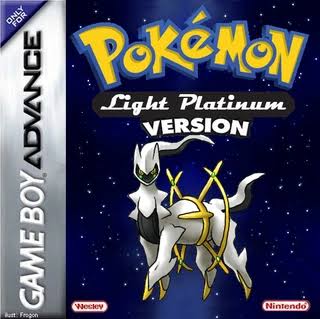
Pokémon Light Platinum is one of the best-known classic Game Boy Advance Pokémon ROM hacks. Created by WesleyFG, it replaces Pokémon Ruby’s normal Hoenn adventure with a large custom journey through the Zhery and Lauren regions, complete with new Gym Leaders, rivals, Pokémon Leagues, legendary encounters, custom maps, new sprites, and the Pokémon World Championship. citeturn373643search13turn373643search8
Despite the name, Pokémon Light Platinum is not a hack of Pokémon Platinum for Nintendo DS.
It is built from:
Pokémon Ruby for Game Boy Advance.
That distinction is extremely important when installing the game.
The safest canonical version for a first playthrough is Pokémon Light Platinum Final, the completed version associated with WesleyFG. You may also encounter Light Platinum Plus, a later modification by LCCoolJ95 that adds features such as the physical/special split and additional Pokémon and moves. However, the original Plus release has a major problem: the Pokémon World Championship at the end of the game does not work correctly. citeturn373643search0turn177634search5
For that reason, this installation guide focuses primarily on Light Platinum Final.
What You Need Before Installing Pokémon Light Platinum
Before you start, you need:
- A legally obtained clean Pokémon Ruby ROM
- Preferably Pokémon Ruby USA Rev 0 / v1.0
- The Pokémon Light Platinum Final IPS patch
- An IPS-compatible ROM patcher
- A Game Boy Advance emulator
- A backup of any existing Light Platinum save
Your finished game should normally end in:
.gba
The Light Platinum player patches are distributed in:
.ips
format. citeturn177634search5
Good patching tools include:
- Rom Patcher JS
- Lunar IPS
- Floating IPS
For most players, Rom Patcher JS is the easiest because it works directly in a browser.
Rom Professor does not host, distribute, or link to copyrighted Pokémon Ruby ROM files or unofficial pre-patched Pokémon Light Platinum ROMs.
What Base ROM Does Pokémon Light Platinum Use?
Pokémon Light Platinum is based on:
Pokémon Ruby
For the standard Final installation, the safest and best-documented base is:
Pokémon Ruby Version USA — Revision 0 / v1.0
The clean English Ruby Rev 0 ROM has SHA-1:
f28b6ffc97847e94a6c21a63cacf633ee5c8df1e
and CRC32:
F0815EE7
These hashes identify the standard English Ruby Rev 0 cartridge image. citeturn977763search5turn977763search8
| Requirement | Pokémon Light Platinum |
|---|---|
| Base game | Pokémon Ruby |
| Platform | Game Boy Advance |
| Recommended region | USA |
| Recommended revision | Rev 0 / v1.0 |
| Expected SHA-1 | f28b6ffc97847e94a6c21a63cacf633ee5c8df1e |
| Expected CRC32 | F0815EE7 |
| ROM condition | Clean and unmodified |
| Patch format | IPS |
| Finished extension | .gba |
| Creator | WesleyFG |
| Recommended version | Light Platinum Final |
Some archived Light Platinum distributions also contain a patch specifically intended for Pokémon Ruby v1.1. GameBrew documents separate compatibility with Ruby 1.0 and 1.1. citeturn177634search5
That does not mean you can freely apply the same patch to either ROM.
Use the patch that matches your exact Ruby revision.
For the standard Final patch documented throughout older Light Platinum installation instructions, Ruby v1.0 / Rev 0 is the safest choice.
Do not patch Light Platinum onto:
- Pokémon FireRed
- Pokémon Emerald
- Pokémon Sapphire
- Pokémon Platinum
- Another Pokémon Ruby ROM hack
- An already-patched Light Platinum ROM
- A randomized Ruby ROM
Pokémon Light Platinum Final vs. Light Platinum Plus
This is one of the most confusing parts of installing Light Platinum because both versions continue to circulate.
Pokémon Light Platinum Final
Final is WesleyFG’s completed version of the original Pokémon Light Platinum.
It contains the full adventure through:
- Zhery
- Lauren
- Both Pokémon League challenges
- The Pokémon World Championship
This is the version I recommend for a normal first playthrough. citeturn373643search0
Pokémon Light Platinum Plus
Light Platinum Plus is a modification by LCCoolJ95 built on top of Light Platinum.
It adds features including:
- Physical/special split
- Additional Pokémon
- Additional moves
- Pokédex changes
- Other modernization
However, the original Plus build has a major progression problem:
The Pokémon World Championship is broken. citeturn177634search5
Players historically worked around this by moving their save into Light Platinum Final, completing the World Championship, and then transferring the save back to Plus. GameBrew specifically documents this workaround. citeturn177634search5
Which Version Should You Play?
For your first playthrough:
Play Light Platinum Final.
Choose Plus only if the physical/special split and its other additions matter enough to you that you are willing to deal with its compatibility problems.
What About the 2026 Fixed Light Platinum Plus?
There is also a much newer community repair of Light Platinum Plus released in June 2026 by hacksrepairman.
This is not a new official WesleyFG release.
It is a fan repair designed to address longstanding problems in the older Plus version.
The repaired build claims fixes for issues including:
- Broken event flags
- Game-breaking glitches
- The broken World Championship
- Pokédex problems
- Missing Fly destinations
- Gym softlocks
- Trainer music and mugshot problems citeturn373643search2turn373643search7
This repaired Plus version may be interesting if you specifically want Light Platinum Plus in 2026.
However, because it is a later community repair rather than the canonical WesleyFG Final release, this guide does not treat it as the default version of Pokémon Light Platinum.
For the traditional experience:
Use Light Platinum Final.
Where to Get the Pokémon Light Platinum Patch
The historical source for Pokémon Light Platinum is WesleyFG’s original PokéCommunity project thread.
Pokémon Light Platinum original PokéCommunity thread
The project was also documented by WesleyFG on Whack a Hack, where the creator identifies:
- Himself as the creator
- Pokémon Ruby as the hack base
- Zhery as the custom region
- The Pokémon World Championship as the final event citeturn373643search13
Because Light Platinum is an older hack, many copies of its patch now circulate through archives and community pages.
Look specifically for an:
IPS patch
rather than a complete .gba ROM. citeturn373643search0turn177634search5
Avoid downloads advertised as:
Pokemon Light Platinum.gba
Pokemon Light Platinum Final Pre-Patched.gba
or similar complete ROM files.
The proper installation method is:
Clean Pokémon Ruby + Light Platinum IPS patch = Pokémon Light Platinum
How to Patch Pokémon Light Platinum
Step 1: Prepare a Clean Pokémon Ruby ROM
Locate your legally obtained Pokémon Ruby backup.
The file should normally end in:
.gba
For example:
Pokemon Ruby.gba
If your ROM is stored inside a:
.zip
.rar
or:
.7z
archive, extract the actual .gba file first.
Do not patch the compressed archive.
Step 2: Verify Pokémon Ruby v1.0
For the standard Final patch, the recommended clean Ruby Rev 0 checksum is:
SHA-1
f28b6ffc97847e94a6c21a63cacf633ee5c8df1e
CRC32
F0815EE7 citeturn977763search5turn977763search8
If your patch package explicitly says it is intended for Ruby v1.1, follow those instructions instead.
Do not mix a v1.1 patch with a v1.0 ROM.
Step 3: Download the Light Platinum Final Patch
Get the Light Platinum Final IPS patch from the project’s historical source or a reputable patch-only archive pointing back to WesleyFG’s project.
You should end up with a file ending in:
.ips
Step 4: Open Rom Patcher JS
Open Rom Patcher JS or another IPS-compatible patcher.
You should see separate fields for:
ROM file
and:
Patch file
Step 5: Select Pokémon Ruby
For the ROM file, choose:
Pokemon Ruby.gba
This should be your clean compatible base.
Do not select an existing Light Platinum ROM.
Step 6: Select the Light Platinum IPS Patch
Under Patch, choose the Light Platinum Final .ips.
Your patcher should effectively contain:
ROM: Pokémon Ruby v1.0
Patch: Pokémon Light Platinum Final
Step 7: Apply the Patch
Choose:
Apply Patch
The patcher should generate a new Game Boy Advance ROM.
Save it somewhere convenient.
For example:
Pokemon Light Platinum Final.gba
Step 8: Keep the Clean Ruby ROM
Do not overwrite or delete your original Pokémon Ruby backup.
You may need it again if:
- You reinstall Light Platinum
- You try Light Platinum Plus
- You change versions
- The first patch fails
- You want to test another patch variant
Step 9: Open Light Platinum in Your Emulator
Open your GBA emulator.
Load:
Pokemon Light Platinum Final.gba
You should now enter Light Platinum’s custom adventure rather than ordinary Pokémon Ruby.
How to Patch Light Platinum With Lunar IPS
Windows players can also use Lunar IPS.
Step 1
Launch Lunar IPS.
Step 2
Choose:
Apply IPS Patch
Step 3
Select the Light Platinum .ips file.
Step 4
Select your clean Pokémon Ruby .gba.
Step 5
Allow Lunar IPS to patch the ROM.
Step 6
Rename the patched ROM if desired.
For example:
Pokemon Light Platinum.gba
Step 7
Load the ROM in your emulator.
How to Play Pokémon Light Platinum on Windows
For a modern Windows setup, use:
mGBA
The current mGBA release supports Windows and provides highly accurate Game Boy Advance emulation. citeturn177634search1turn177634search2
To play:
- Install mGBA.
- Launch mGBA.
- Choose File.
- Select Open ROM.
- Find your Light Platinum
.gba. - Open it.
- Configure your controls.
- Start playing.
If the game opens normally and saving works, leave the advanced settings alone.
How to Play Pokémon Light Platinum on Mac
mGBA also supports current and older macOS versions. citeturn177634search1
To play:
- Install mGBA.
- Launch it.
- Open your patched Light Platinum
.gba. - Configure your controller or keyboard.
- Start playing.
If another emulator gives you a white screen, move the exact same ROM into mGBA before assuming the patch failed.
How to Play Pokémon Light Platinum on Android
A good modern Android option is:
RetroArch with the mGBA core
The standalone mGBA project does not currently maintain an official Android port and recommends the libretro core for platforms supported by RetroArch. citeturn177634search2
To play:
- Patch Light Platinum.
- Save the finished
.gbato your phone. - Install RetroArch.
- Install or select the mGBA core.
- Browse to the Light Platinum ROM.
- Launch it.
Other Android GBA emulators may also work, but mGBA provides a useful troubleshooting baseline for an older hack with known save-memory quirks.
How to Play Pokémon Light Platinum on iPhone or iPad
Two modern options are:
- Delta
- RetroArch with the mGBA core
Delta officially supports Game Boy Advance games on iPhone and iPad. citeturn177634search0
To use Delta:
- Patch Light Platinum.
- Save the
.gbain your Files app. - Install Delta.
- Import the
.gba. - Launch the game.
If Light Platinum shows unusual compatibility problems, RetroArch with mGBA provides another option.
Best Emulator Settings for Pokémon Light Platinum
Light Platinum has one particularly important emulator setting:
Flash 1M / Flash 128K save memory
These names refer to the same capacity:
1 megabit = 128 kilobytes
The original Pokémon Ruby cartridge itself uses a 1M Flash / 128 KiB save chip. citeturn977763search13
Recommended setup:
| Setting | Recommendation |
|---|---|
| Windows | mGBA |
| macOS | mGBA |
| Android | RetroArch + mGBA |
| iPhone/iPad | Delta or RetroArch + mGBA |
| Save type | Flash 1M / 128K if manual setting is required |
| Frameskip | Off |
| Fast-forward | Optional |
| In-game saves | Use regularly |
| Save states | Secondary backup only |
How to Fix the Light Platinum White Screen
A white screen on startup is one of the classic Light Platinum installation problems.
There are two major causes:
- The wrong Pokémon Ruby base ROM
- Incorrect GBA save-memory configuration
Older Light Platinum troubleshooting instructions specifically tell VBA users to select:
Flash 128K
as the save type.
An mGBA developer similarly explained that affected older mGBA versions could be configured with a per-game:
Flash 1Mb
override. citeturn177634search4
Again:
Flash 128K and Flash 1Mb refer to the same save capacity.
VisualBoyAdvance White-Screen Fix
If you are using an older VBA build:
- Close VBA.
- Delete any broken
.savor.sa1file created during failed boot attempts. - Open VBA.
- Find the emulator save-type settings.
- Select Flash 128K.
- Close VBA.
- Reopen it.
- Load Light Platinum again.
Historical Light Platinum troubleshooting instructions specifically use this fix. citeturn165090search12
mGBA White-Screen Fix
Modern mGBA generally provides better compatibility, but if you are working with a version or configuration that does not detect the save type properly, use a per-game override and choose:
Flash 1Mb
An mGBA administrator specifically recommended that setting for Light Platinum. citeturn177634search4
If that does not work, verify the Ruby base ROM.
Does Light Platinum Need RTC?
Pokémon Ruby itself uses a real-time clock, but I could not find reliable Light Platinum documentation establishing a special RTC requirement for completing the hack.
The safest approach is simply:
Leave RTC enabled/default if your emulator supports it.
Do not disable normal Ruby cartridge functionality unless a specific emulator requires you to.
Use Normal In-Game Saves
Use Pokémon Light Platinum’s normal save function regularly.
Save states are useful as temporary backups, but do not make them your only save.
A normal .sav file is far easier to:
- Back up
- Transfer between emulators
- Transfer between Final and Plus
- Recover if a save state breaks
This becomes particularly important if you play Light Platinum Plus.
How to Update Pokémon Light Platinum Without Losing Your Save
Pokémon Light Platinum is an old completed hack, so there is no normal modern update cycle like you would see with an actively maintained 2026 project.
For most players:
Install Final and stay on Final.
However, you may want to move between Final and Plus.
Moving a Save Between Light Platinum Final and Plus
The two versions are similar enough that saves have historically been moved between them.
GameBrew specifically documents a workaround for the broken Plus World Championship:
- Save your game in Light Platinum Plus.
- Close the emulator.
- Load the
.savinto Light Platinum Final. - Complete the World Championship.
- Save normally.
- Move the save back to Plus afterward. citeturn177634search5
The important part is that the ROM and save filenames match.
For example:
Light Platinum Final.gba
should use:
Light Platinum Final.sav
If your Plus save is:
Light Platinum Plus.sav
make a backup copy and rename that copy:
Light Platinum Final.sav
before opening Final.
Always Back Up Before Switching Versions
Keep copies of:
- Your Final
.gba - Your Final
.sav - Your Plus
.gba - Your Plus
.sav
Do not repeatedly rename your only save file without a backup.
Do Not Patch Plus Over Final
If you want both versions, create both from clean Pokémon Ruby.
Use:
Clean Ruby → Final IPS
and separately:
Clean Ruby → Plus IPS
Do not do:
Ruby → Final → Plus
unless the patch’s own documentation specifically says the Plus patch expects Final as its source.
Starting from the proper clean source prevents patch stacking from corrupting data.
What About Updating to the 2026 Community-Fixed Version?
Treat that as a separate community build.
Do not overwrite your working Final or Plus ROM immediately.
Instead:
- Back up your existing
.sav. - Keep your existing ROM.
- Create the repaired version separately.
- Test a copy of your save.
- Verify your party, PC, items, badges, and story progress.
- Keep the old installation until you know the repaired version works correctly.
The 2026 fixed release is intended to correct many longstanding Light Platinum/Plus bugs, but it is not a new official WesleyFG release. citeturn373643search2
Common Pokémon Light Platinum Installation Problems
The Patch Won’t Apply
Check the base ROM.
For the standard Final patch, use:
Pokémon Ruby USA Rev 0 / v1.0
with SHA-1:
f28b6ffc97847e94a6c21a63cacf633ee5c8df1e citeturn977763search8
Possible causes include:
- Ruby v1.1 with a v1.0 patch
- Pokémon Sapphire
- FireRed
- Emerald
- Another Ruby hack
- An already-patched Light Platinum ROM
- Corrupted source ROM
I Thought Light Platinum Used FireRed
It does not.
Pokémon Light Platinum GBA is a Pokémon Ruby ROM hack. WesleyFG’s own project listing identifies Pokémon Ruby as the base. citeturn373643search13
I Thought Light Platinum Was a Pokémon Platinum Hack
It is not.
Despite its name, the classic Light Platinum covered here is a Game Boy Advance Pokémon Ruby hack.
There is also a completely separate Pokémon Light Platinum DS remake project.
Do not mix their installation instructions.
Pokémon Light Platinum GBA vs. Light Platinum DS
Pokémon Light Platinum DS is a separate modern remake project.
As of 2026, the DS project is still in demo development; its official PokeHacking page lists Demo 2 v0.2.2, last updated June 19, 2026. citeturn165090search17
That is not the game covered by this guide.
This article covers:
Pokémon Light Platinum for Game Boy Advance by WesleyFG
using Pokémon Ruby as its base.
The Game Shows a White Screen
Try these fixes in order:
- Verify Ruby v1.0.
- Test in mGBA.
- Set Flash save size to 1M / 128K if your emulator requires a manual override.
- Delete a bad save file generated by the incorrect save setting.
- Repatch a fresh Ruby ROM. citeturn177634search4turn165090search12
The Game Opens as Ordinary Pokémon Ruby
You opened the wrong file.
You may have:
Pokemon Ruby.gba
and:
Pokemon Light Platinum.gba
in the same folder.
Open Light Platinum.
The Pokémon World Championship Does Not Work
If you are playing Light Platinum Plus, this is a known problem.
The original Plus release has a broken World Championship. citeturn373643search0turn177634search5
Your options are:
- Transfer the save to Light Platinum Final for that event.
- Use Final for your entire playthrough.
- Research the newer 2026 community-repaired Plus build.
For the simplest experience:
Use Final.
My Save File Is Missing
Check the filenames.
Good:
Pokemon Light Platinum.gba
Pokemon Light Platinum.sav
Potential problem:
Pokemon Light Platinum.gba
Pokemon Ruby.sav
Rename a compatible copy of the save so its main filename matches the ROM.
My Save State Doesn’t Work in Another Emulator
Use the .sav instead.
Save states are emulator-specific snapshots and often do not transfer cleanly.
Normal battery saves are much more portable.
The Game Says the Save Is Corrupted
First back up the save.
Then check:
- Emulator save type
- Flash 1M / 128K configuration
- ROM filename
- Whether you changed ROM versions
Do not repeatedly save over a file that may already be damaged.
PKHeX Says the Save Is Unsupported
That does not automatically mean the save is broken.
PKHeX’s maintainers explicitly note that ROM hacks are not officially supported. citeturn165090search6
Light Platinum heavily changes Pokémon Ruby data, so save-editor behavior should not be treated as authoritative.
I’m Stuck Because a Script or Event Reset
Light Platinum is an older binary ROM hack and has some longstanding event-flag problems.
This is one of the reasons the 2026 community repair effort specifically targeted:
- Unsafe flags
- Event resets
- Softlocks
- Missing Fly locations citeturn373643search2
For the canonical Final version:
- Load an earlier normal save.
- Avoid saving during unusual scripted sequences.
- Retry the event at normal speed.
- Check a walkthrough before assuming the game is broken.
- Keep multiple backups.
How to Verify Pokémon Light Platinum Installed Correctly
Light Platinum looks dramatically different from ordinary Pokémon Ruby.
You should quickly encounter a completely new adventure involving the Zhery region, rather than beginning the normal Hoenn story in Littleroot Town.
Major Light Platinum features include:
- Zhery region
- Lauren region
- Separate Gym challenges
- Multiple Pokémon Leagues
- New rivals
- Team Steam
- Pokémon from Kanto through Unova
- Numerous legendary Pokémon
- Custom sprites
- Custom tilesets
- New maps
- New events
- Pokémon World Championship citeturn373643search0turn373643search8
The game’s opening also includes a custom sequence involving legendary Pokémon including Arceus, Dialga, Palkia, and Giratina rather than Pokémon Ruby’s original opening story. citeturn177634search5
If you start in ordinary Littleroot Town with the standard Ruby story, you opened the clean base ROM rather than Light Platinum.
Pokémon Light Platinum Installation FAQ
What is the latest official version of Pokémon Light Platinum GBA?
The canonical completed WesleyFG release is generally identified simply as:
Pokémon Light Platinum Final
rather than by a modern semantic version number.
Current archival references continue to distinguish Final as WesleyFG’s latest official version and Plus as LCCoolJ95’s later modification. citeturn373643search0turn373643search4
Is Pokémon Light Platinum complete?
Yes.
Light Platinum Final contains the completed Zhery and Lauren adventures and the Pokémon World Championship. citeturn373643search0
Who created Pokémon Light Platinum?
The original creator is:
WesleyFG
WesleyFG’s original project posts identify Pokémon Ruby as the hack base. citeturn373643search13
What game is Pokémon Light Platinum based on?
Pokémon Ruby for Game Boy Advance.
It is not based on FireRed or Pokémon Platinum. citeturn373643search13
Which Pokémon Ruby version should I use?
For the standard Final installation, use:
Pokémon Ruby USA Rev 0 / v1.0
The clean SHA-1 is:
f28b6ffc97847e94a6c21a63cacf633ee5c8df1e citeturn977763search8
Some archives preserve separate patches made for Ruby 1.1, so always match the patch to the ROM revision.
What patch format does Light Platinum use?
Light Platinum Final and Plus are commonly distributed as:
IPS patches. citeturn177634search5
What patcher should I use?
Rom Patcher JS is an easy modern option.
Lunar IPS also works on Windows.
Should I play Light Platinum Final or Plus?
For a first playthrough:
Play Final.
Plus adds the physical/special split and other enhancements, but its original release has a broken Pokémon World Championship. citeturn373643search0
Does Light Platinum Plus have the physical/special split?
Yes.
That is one of the major additions in LCCoolJ95’s Plus modification. citeturn177634search5
Does Light Platinum Final have the physical/special split?
The original Final build retains the older Ruby-style battle system.
If the modern physical/special split is essential to you, that is one reason players choose Plus instead.
What is the 2026 fixed Light Platinum version?
It is an unofficial community repair by hacksrepairman targeting Light Platinum Plus and an older Light Platinum build.
The project aims to repair longstanding event flags, softlocks, World Championship problems, Pokédex issues, and other bugs. citeturn373643search2
It should not be confused with a new official release from WesleyFG.
What is the best emulator for Light Platinum?
For Windows and Mac:
mGBA
The current standalone version supports both platforms and emphasizes accurate GBA emulation. citeturn177634search1turn177634search2
For Android:
RetroArch with the mGBA core
For iPhone/iPad:
Delta or RetroArch with mGBA
Why does Pokémon Light Platinum show a white screen?
Usually because:
- You patched the wrong Pokémon Ruby revision, or
- Your emulator is using the wrong save-memory type.
Light Platinum troubleshooting historically uses:
Flash 128K / Flash 1Mb
for its save configuration. citeturn177634search4turn165090search12
Is Flash 1Mb the same as Flash 128K?
For this setting, yes.
One megabit equals 128 kilobytes.
Different emulators simply label the same GBA Flash capacity differently.
Can I play Pokémon Light Platinum on Android?
Yes.
Patch your own compatible Pokémon Ruby ROM and load the resulting .gba through a GBA emulator.
RetroArch with mGBA is a strong modern choice.
Can I play Pokémon Light Platinum on iPhone?
Yes.
Delta officially supports Game Boy Advance games on iPhone and iPad. citeturn177634search0
RetroArch with the mGBA core is another option.
Can I move my save between Final and Plus?
Yes, saves have historically been moved between Final and Plus.
In fact, the documented workaround for Plus’s broken World Championship is to move the save into Final, complete the event, then move it back. citeturn177634search5
Always keep a backup.
Should I patch Plus over Final?
Do not casually stack the patches.
Create each version using the appropriate base and patch instructions.
Keep separate ROMs for Final and Plus.
Does Light Platinum have two regions?
Yes.
The two primary custom regions are:
- Zhery
- Lauren citeturn373643search8
Does Light Platinum have Pokémon from Generation 5?
Yes.
The completed game includes Pokémon from Kanto, Johto, Hoenn, Sinnoh, and Unova. citeturn373643search0
Is Light Platinum DS the same game?
No.
Light Platinum DS is a separate remake project.
As of June 2026, that project is still at Demo 2 v0.2.2, while WesleyFG’s GBA Light Platinum covered here is a completed Pokémon Ruby hack. citeturn165090search17
Where can I download Pokémon Light Platinum?
Start with WesleyFG’s historical Pokémon Light Platinum project thread:
Original Pokémon Light Platinum PokéCommunity thread
Look for the Light Platinum Final IPS patch, not a complete pre-patched .gba.
You supply your own legally obtained compatible Pokémon Ruby ROM and apply the Light Platinum patch yourself.
Rom Professor does not host, distribute, or link to copyrighted Pokémon Ruby ROM files or unofficial pre-patched Pokémon Light Platinum ROMs.




