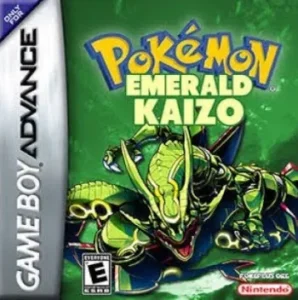
How Do I Install Pokémon Emerald Kaizo?
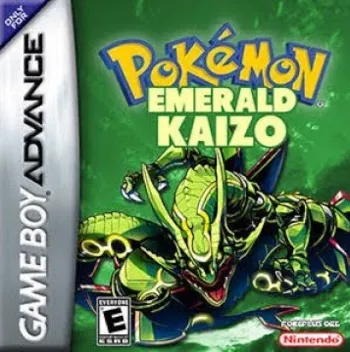
Pokémon Emerald Kaizo is SinisterHoodedFigure’s extreme-difficulty overhaul of Pokémon Emerald and one of the most famous challenge ROM hacks ever made.
Rather than creating an entirely new region or replacing Emerald’s story, Emerald Kaizo takes Hoenn and turns almost every part of the journey into a much harder test. Gym Leaders use stronger full teams, ordinary Trainers are far more dangerous, maps and dungeons are redesigned, Pokémon movepools and availability are changed, in-battle item use is restricted, and all 386 Pokémon from Generations 1–3 can eventually be obtained.
For years, most Emerald Kaizo installation instructions floating around online referred to older IPS releases.
Those instructions are now outdated for the current build.
As of August 30, 2026, the newest authorized Emerald Kaizo patch I could verify is:
Pokémon Emerald Kaizo 1.1
The authorized SHF Kaizo repository says its current update is the latest as of February 18, 2026, and the actual Emerald Kaizo folder contains:
Emerald Kaizo 1.1.bps
That means the modern installation process is:
Clean English Pokémon Emerald + Emerald Kaizo 1.1 BPS patch = Pokémon Emerald Kaizo
Rom Professor does not host, provide, or link to copyrighted Pokémon Emerald ROM files or pre-patched Emerald Kaizo ROMs. You need your own legally obtained clean Pokémon Emerald ROM and apply the fan-made BPS patch yourself.
What You Need Before Installing Pokémon Emerald Kaizo
For the current Emerald Kaizo 1.1 release, you need:
- A clean English Pokémon Emerald ROM
Emerald Kaizo 1.1.bps- A BPS-compatible ROM patcher
- A reliable Game Boy Advance emulator
- Normal 128 KB Emerald save support
- A backup of your clean Emerald ROM
- A safe backup location for your
.sav - RTC support if you want Emerald’s normal clock-based systems to behave correctly
Pokémon Emerald Kaizo Installation Requirements
| Requirement | Correct Choice |
|---|---|
| Hack | Pokémon Emerald Kaizo |
| Creator | SinisterHoodedFigure |
| Base game | Pokémon Emerald |
| Platform | Game Boy Advance |
| Current version | Emerald Kaizo 1.1 |
| Current update date | February 18, 2026 |
| Current patch format | BPS |
| Base SHA-1 | f3ae088181bf583e55daf962a92bb46f4f1d07b7 |
| Common base name | Pokémon Emerald (USA/Europe) / Emerald (U)(TrashMan) |
| Emulator recommendation | mGBA |
| Save type | Flash 128K |
| RTC | Recommended |
| Status | Complete |
The standard English Pokémon Emerald ROM used by the pret decompilation has SHA-1:
f3ae088181bf583e55daf962a92bb46f4f1d07b7
That is the clean base you should verify before patching.
What Is the Latest Version of Pokémon Emerald Kaizo?
The current release is:
Emerald Kaizo 1.1
The SHF-authorized update repository says the newest refresh is current as of February 18, 2026. It also notes that Emerald Kaizo’s previous major update had been in 2023.
The actual current patch file is explicitly named:
Emerald Kaizo 1.1.bps
A modern Emerald Kaizo decompilation independently describes its default build as:
Emerald Kaizo 1.1
and credits SinisterHoodedFigure for the original game, CyanSixFour for community quality-of-life patches, and CreamElDudJafar for the updated Emerald Kaizo title screen.
So for a new installation:
Use Emerald Kaizo 1.1.
Do not deliberately install an old 2020, 2021, or pre-1.1 package unless you specifically need it for an old challenge ruleset.
What Changed in the 2026 Emerald Kaizo Update?
Compared with the previous major build, the February 2026 authorized refresh includes several specific changes.
The current repository lists:
- A new title screen displaying the game name
- A changed Norman party
- A changed Sidney party
- A changed Phoebe party
- Updated Pokémon learnsets
- Future Sight added
- Charmeleon EVs removed
The most important implication for players is that old boss documentation may not perfectly match Emerald Kaizo 1.1 anymore.
If you are looking up:
- Norman
- Sidney
- Phoebe
- Certain Pokémon movepools
make sure the guide is written for the current 1.1 build.
An old Emerald Kaizo Elite Four spreadsheet may still be useful, but it should not automatically be treated as exact for the new patch.
Is Pokémon Emerald Kaizo Complete?
Yes.
Emerald Kaizo is a completed ROM hack rather than a demo or unfinished beta.
The game retains Emerald’s full Hoenn journey while substantially modifying its difficulty, encounters, Trainers, maps, and postgame. Documentation from the original project era describes a complete game including the Pokémon League and postgame bosses.
It also makes all:
386 Pokémon from Generations 1–3
obtainable within the game.
That includes Pokémon that normally require:
- Trading
- Ruby or Sapphire
- FireRed or LeafGreen
- Special events
- Modified evolution methods
Emerald Kaizo is not merely “Emerald with stronger Gym Leaders.”
It is a complete difficulty overhaul.
What Base ROM Does Pokémon Emerald Kaizo Use?
Use:
Pokémon Emerald Version — USA / Europe English
The correct clean SHA-1 is:
f3ae088181bf583e55daf962a92bb46f4f1d07b7
Common Base-ROM Names
Depending on where your legitimately dumped copy was cataloged, you may see names such as:
- Pokémon Emerald Version (USA, Europe)
- Pokémon Emerald (U)
1986 - Pokemon Emerald (U)(TrashMan)
Those names can refer to the same underlying clean ROM.
The commonly documented values are:
| Checksum | Correct Value |
|---|---|
| CRC32 | 1f1c08fb |
| MD5 | 605b89b67018abcea91e693a4dd25be3 |
| SHA-1 | f3ae088181bf583e55daf962a92bb46f4f1d07b7 |
The SHA-1 is the most useful value for most players.
Do Not Patch the Wrong Pokémon Emerald ROM
A file being named:
Pokemon Emerald.gba
does not prove it is clean.
It could be:
- Another ROM hack
- An already patched Emerald Kaizo
- A randomizer
- A modified Emerald ROM
- A bootleg dump
- A bad dump
- A ROM with a trainer or cheat patch already applied
Always verify the SHA-1 if the patcher reports a source mismatch.
Do Not Patch Emerald Kaizo Over an Older Emerald Kaizo ROM
The authorized 2026 instructions say:
Patch Emerald Kaizo to Pokémon Emerald.
That means:
Correct
Clean Emerald
- Emerald Kaizo 1.1 BPS
= Emerald Kaizo 1.1
Not:
Old Emerald Kaizo
- Emerald Kaizo 1.1 BPS
= update
BPS patches generally expect an exact source ROM and contain source validation.
If you try using an old Kaizo ROM as the source, a good patcher should reject it.
Do not disable validation to force the patch.
Where to Get the Current Emerald Kaizo Patch
The best current source is the authorized SHF Kaizo patch repository.
Authorized SHF Kaizo patch repository
The Emerald Kaizo folder currently contains:
Emerald Kaizo 1.1.bps
Current Emerald Kaizo 1.1 patch folder
The repository explains that CreamElDudJafar contacted SinisterHoodedFigure, received permission to work on updates, and received permission to distribute them as long as the games remained credited to SinisterHoodedFigure.
That is substantially safer than searching for:
Emerald Kaizo ROM download
and grabbing a random pre-patched .gba.
Avoid Pre-Patched Emerald Kaizo ROMs
Do not rely on random complete Emerald Kaizo ROM downloads.
Besides the copyright issue, you may not know whether you received:
- An old Emerald Kaizo build
- Emerald Kaizo 1.1
- A community QoL variant
- An IronMON-modified build
- A randomizer build
- A cheat-enabled ROM
- A corrupted copy
- A Nuzlocke-specific modification
Emerald Kaizo has a particularly large competitive and challenge-running community, so many modified builds exist.
If you want the actual current game:
patch it yourself.
What Patch Format Does Emerald Kaizo 1.1 Use?
The current patch is:
BPS
The actual filename in the authorized repository is:
Emerald Kaizo 1.1.bps
This is important because the repository README itself says the collection contains new “IPS Files.”
For Emerald Kaizo specifically, that wording is outdated or overly general.
The actual distributed file controls which patcher you need.
Old Emerald Kaizo Guides May Say IPS
That is not necessarily because those guides were always wrong.
Older Emerald Kaizo releases circulated as IPS patches, and old installation discussions commonly instructed players to use Lunar IPS.
But for:
Emerald Kaizo 1.1
use:
BPS.
What Patcher Should I Use for Emerald Kaizo?
Use a patcher that supports BPS.
Good choices include:
- Rom Patcher JS
- Floating IPS / FLIPS
- Another trusted BPS-capable patcher
You do not need Lunar IPS specifically for the current patch.
If your patcher only supports .ips:
it is the wrong tool for Emerald Kaizo 1.1.bps.
How to Patch Pokémon Emerald Kaizo
Step 1: Download the Current Patch
Use the authorized SHF Kaizo repository.
You are looking for:
Emerald Kaizo 1.1.bps
not a .gba.
Emerald Kaizo 1.1 authorized patch folder
Step 2: Prepare Clean Pokémon Emerald
Locate your legally obtained English Pokémon Emerald ROM.
Verify:
SHA-1: f3ae088181bf583e55daf962a92bb46f4f1d07b7
If your ROM is compressed inside:
.zip.7z.rar
extract it first.
You need the actual:
.gba
file.
Step 3: Keep an Untouched Backup
Create a permanent clean copy.
For example:
Pokemon Emerald CLEAN.gba
Do not patch your only Emerald ROM.
That clean copy will be useful for:
- Repatching Emerald Kaizo
- Installing another future Kaizo update
- Installing other Emerald hacks
- Troubleshooting
Step 4: Open a BPS Patcher
Open your preferred BPS-compatible patcher.
For a browser-based tool, the process normally gives you:
- ROM file
- Patch file
fields.
Step 5: Select Clean Pokémon Emerald
For the source ROM, select:
Pokemon Emerald CLEAN.gba
The expected SHA-1 is:
f3ae088181bf583e55daf962a92bb46f4f1d07b7
Step 6: Select Emerald Kaizo 1.1
For the patch, select:
Emerald Kaizo 1.1.bps
Do not select:
- An older Kaizo IPS
- An IronMON patch
- A Lua script
- Your
.sav - A randomizer settings file
Step 7: Apply the Patch
Run the patcher.
Because BPS supports source verification, it should reject an incompatible source rather than quietly creating a broken game.
If you get:
source ROM mismatch
stop.
Do not force the patch.
Verify your Emerald SHA-1.
Step 8: Save the Finished ROM
A useful filename is:
Pokemon Emerald Kaizo 1.1.gba
or simply:
Pokemon Emerald Kaizo.gba
If you expect future updates, using the simpler name can make battery-save management easier.
For example:
Pokemon Emerald Kaizo.gba
Pokemon Emerald Kaizo.sav
Step 9: Open Emerald Kaizo in mGBA
Launch your GBA emulator and open the newly patched ROM.
Do not accidentally open:
Pokemon Emerald CLEAN.gba
If ordinary vanilla Pokémon Emerald appears, you opened the wrong file.
Step 10: Verify the New Title Screen
The 2026 update specifically adds a proper Emerald Kaizo game-name title screen.
That gives you an immediate verification check.
If the title screen clearly identifies:
Emerald Kaizo
you are on the newer update line.
Step 11: Make a Normal In-Game Save
Before beginning a serious run:
- Start the game.
- Play until you can save.
- Use Pokémon’s normal SAVE option.
- Completely close the emulator.
- Reopen Emerald Kaizo.
- Confirm Continue appears.
- Load the save.
- Save again.
Do this before investing hours into a Kaizo run.
What Emulator Should I Use for Pokémon Emerald Kaizo?
My first recommendation is:
mGBA
Emerald Kaizo tools used by the hardcore Nuzlocke community specifically target mGBA, and community troubleshooting repeatedly uses mGBA as the reference emulator for Emerald Kaizo.
mGBA is:
- Accurate
- Actively maintained
- Available on multiple desktop platforms
- Good with Pokémon Emerald’s save hardware
- Commonly used by Kaizo players
- Compatible with scripting tools used by advanced Emerald Kaizo runners
For most players:
use mGBA unless you have a specific reason not to.
Best Emulator for Emerald Kaizo on Windows
Use:
mGBA
You normally do not need to manually configure Emerald’s save type.
Load:
Pokemon Emerald Kaizo.gba
and make a normal in-game save.
After saving:
close mGBA and reopen it once to make sure the battery save persists.
Best Emulator for Emerald Kaizo on Mac
mGBA is also a good choice on macOS.
The workflow is the same:
- Patch the ROM.
- Open the finished
.gba. - Start the game.
- Make an in-game save.
- Fully close the emulator.
- Restart.
- Confirm the save.
Can I Play Emerald Kaizo on Android?
Yes.
Use an accurate GBA emulator.
A strong choice is:
RetroArch + mGBA core
Other modern Android GBA emulators may also work.
The key requirements are:
- Correct save detection
- 128 KB Flash save support
- Stable GBA emulation
Do a save/restart test before beginning your actual playthrough.
Can I Play Emerald Kaizo on iPhone or iPad?
Yes.
A modern GBA emulator can run the finished .gba ROM.
Patch Emerald Kaizo first, then import:
Pokemon Emerald Kaizo.gba
into your emulator.
Do not try to open:
Emerald Kaizo 1.1.bps
as a game.
The .bps file is only the patch.
What About Delta?
Delta supports Game Boy Advance games and is commonly used for GBA ROM hacks on iOS.
For Emerald Kaizo, the basic workflow is:
- Patch the ROM outside or using a compatible patching workflow.
- Import the completed
.gba. - Start a new game.
- Make a normal in-game save.
- Fully close Delta.
- Reopen it.
- Confirm the battery save works.
If you experience unusual game behavior, test the exact same patched ROM in mGBA on a computer.
That helps separate:
bad patch
from:
emulator issue.
Best Emulator Settings for Pokémon Emerald Kaizo
| Setting | Recommendation |
|---|---|
| Emulator | mGBA |
| Save type | Automatic / Flash 128K |
| RTC | Enabled |
| BIOS | Optional for normal mGBA use |
| Fast-forward | Optional |
| Save states | Secondary only |
| In-game battery saves | Essential |
| Cheats | Avoid |
| Frameskip | Off/default |
| Rewind | Avoid during serious challenge runs |
You should not need exotic configuration.
Does Emerald Kaizo Need Flash 128K Saves?
Pokémon Emerald uses a:
128 KB Flash save
and Emerald Kaizo retains that underlying save architecture.
If you are using a modern emulator such as mGBA, this should normally be detected automatically.
Problems are more common with older emulators.
For example, NO$GBA users have historically needed:
FLASH 128K
and raw save output configured correctly or Emerald Kaizo saves may appear as an incorrect 64 KB file.
If your .sav is:
64 KB
instead of:
128 KB
and your game will not retain saves correctly, your emulator configuration is suspicious.
Does Emerald Kaizo Need RTC?
I recommend enabling RTC.
Pokémon Emerald includes clock-dependent systems, and Emerald Kaizo is still built on Emerald’s engine.
A broken real-time clock can affect normal Emerald behavior such as:
- Berry growth
- Daily events
- Time-sensitive world behavior
RTC is not something that makes Emerald Kaizo’s main story magically unplayable if missing, but there is little reason to disable it on a modern emulator.
Use normal RTC support.
Can Emerald Kaizo Run on Real GBA Hardware?
Yes, provided your flashcart or cartridge setup supports:
- The patched ROM size
- Emerald-style Flash saves
- RTC if desired
Before committing to a hardware run:
- Start Emerald Kaizo.
- Save normally.
- Power the GBA completely off.
- Restart.
- Confirm Continue appears.
- Load the save.
- Save again.
If your cartridge setup cannot retain a 128 KB Emerald save correctly, fix that before beginning.
Why Is Emerald Kaizo So Popular With Nuzlocke Players?
Emerald Kaizo became one of the defining high-difficulty Pokémon games for hardcore Nuzlocking.
The game is designed around demanding:
- Encounter knowledge
- Team planning
- AI manipulation
- Damage calculations
- Defensive pivots
- Held-item management
- Detailed boss knowledge
A lengthy community guide famously describes Emerald Kaizo as extraordinarily difficult but also strategically deep and influential on the development of the Nuzlocke community.
That reputation is part of why the game still has dedicated:
- Damage calculators
- Nuzlocke trackers
- Lua tools
- Boss spreadsheets
- Encounter documents
years after its original release.
Is Emerald Kaizo the Same Thing as Emerald Kaizo IronMON?
No.
This distinction causes a lot of confusion.
Emerald Kaizo
is a fixed difficulty ROM hack created by SinisterHoodedFigure.
Kaizo IronMON
is a separate challenge ruleset involving extensive randomization and additional restrictions.
IronMON documentation may tell you to:
- Randomize Pokémon
- Increase levels
- Apply Smart AI patches
- Follow special encounter rules
- Use special randomizer settings
Those instructions are not part of installing normal Emerald Kaizo.
If you just want to play SinisterHoodedFigure’s game:
patch Emerald Kaizo 1.1 and play it normally.
Do not randomize it unless you intentionally want an IronMON variant.
Does Emerald Kaizo Allow Items in Battle?
Normal healing-item use during battle is heavily restricted.
Project-era documentation specifically describes Emerald Kaizo as preventing normal item use in battles while allowing held items.
That means you cannot approach bosses like ordinary Emerald by repeatedly using:
- Hyper Potions
- Full Restores
- Revives
from the Bag whenever things go wrong.
Preparation matters much more.
Do Gym Leaders Have Full Teams?
Yes.
One of Emerald Kaizo’s defining features is that major Gym Leaders use:
six strong Pokémon.
That creates much longer and more strategically demanding boss fights than ordinary Emerald.
Can You Catch All 386 Pokémon?
Yes.
Emerald Kaizo makes all:
386 Pokémon from Generations 1–3
obtainable.
That includes additional evolution methods and availability changes.
Examples documented in the original project include:
- Slowking via Water Stone
- Huntail via Water Stone
- Umbreon via Moon Stone
- Espeon via Sun Stone
- Evolution stones purchasable in Fallarbor Town
- Hoenn starters obtainable later in the game
Does Emerald Kaizo Have the Physical/Special Split?
Emerald Kaizo is fundamentally a Generation 3 game and retains the classic Gen 3 type-based Physical/Special system rather than automatically using the Generation 4 move-by-move split.
That means physical versus special is determined by move type rather than the individual move.
Do not assume a modern battle engine simply because many Pokémon have altered movepools.
Is Emerald Kaizo Randomized?
No.
Normal Emerald Kaizo has fixed:
- Trainer teams
- Pokémon encounters
- Bosses
- Items
- Movepools
This is exactly why the game supports such detailed guides and calculators.
If your Emerald Kaizo starters or encounters are completely randomized:
you are playing a modified/randomized version rather than the normal game.
How to Update Emerald Kaizo Without Losing Your Save
This requires some caution because the current Emerald Kaizo 1.1 patch includes gameplay changes, but the authorized repository does not provide a blanket statement guaranteeing compatibility for every older Emerald Kaizo save.
So use a conservative migration process.
Step 1: Make a Normal In-Game Save
Open the old Emerald Kaizo ROM.
Use the normal:
SAVE
option.
Then fully close the emulator.
Do not rely only on a save state.
Step 2: Back Up Your .sav
Locate your battery save.
For example:
Pokemon Emerald Kaizo.sav
Make a second copy:
Pokemon Emerald Kaizo BACKUP.sav
Keep it somewhere safe.
Step 3: Keep Your Old ROM
Do not delete the exact Emerald Kaizo ROM that currently works with your save.
Keep:
- Old ROM
- Old
.sav
together.
That gives you a guaranteed rollback.
Step 4: Patch a Fresh Clean Pokémon Emerald ROM
Create 1.1 from:
clean Pokémon Emerald
not your old Emerald Kaizo ROM.
Verify clean Emerald SHA-1:
f3ae088181bf583e55daf962a92bb46f4f1d07b7
Then apply:
Emerald Kaizo 1.1.bps
Step 5: Match the ROM and Save Filenames
Many emulators match ROMs and saves using filenames.
For example:
Pokemon Emerald Kaizo.gba
Pokemon Emerald Kaizo.sav
If you rename your new ROM:
Pokemon Emerald Kaizo 1.1.gba
but leave the save as:
Pokemon Emerald Kaizo.sav
the emulator may appear to lose your progress.
The save may still be completely intact.
Step 6: Test a COPY of the Save
Do not use the only backup.
Copy the save into the new ROM’s location and load it.
Check:
- Party
- PC boxes
- Items
- Badges
- Pokédex
- Current location
- Story progression
- Money
Step 7: Be Careful Around Changed Bosses
The current update specifically changes:
- Norman
- Sidney
- Phoebe
along with learnset-related data.
If you update immediately before one of those battles, do not rely on an old guide.
Step 8: Save Again
Make a new normal save under 1.1.
Close the emulator.
Restart.
Confirm your save still loads.
Step 9: Keep the Backup Anyway
Even after the migration appears successful:
keep the old ROM and .sav.
The authorized project page does not provide enough documentation for me to claim universal save compatibility with every historical Emerald Kaizo build.
Do Not Update With a Save State
Save states contain:
- RAM
- CPU state
- Old battle state
- Old map state
- Emulator-specific information
from your previous ROM.
That makes them poorly suited to game-version migration.
Use your normal:
.sav
battery file.
Should You Use PKHeX With Emerald Kaizo?
Use extreme caution.
PKHeX’s own support community notes that PKHeX is not designed specifically for ROM hacks and that Emerald Kaizo may not be fully compatible with normal PKHeX behavior.
If you intend to edit a Kaizo save:
make a backup first.
For ordinary installation and updating:
you do not need PKHeX at all.
Common Emerald Kaizo Installation Problems
“The BPS Patcher Says My ROM Is Wrong”
Check your base SHA-1.
It should be:
f3ae088181bf583e55daf962a92bb46f4f1d07b7
If it differs, you probably have:
- A modified Emerald
- The wrong regional dump
- An already patched ROM
- A bad dump
- Another Emerald hack
Do not bypass BPS source verification.
“My Old Guide Says Emerald Kaizo Uses IPS”
That guide is probably describing an older Emerald Kaizo build.
The current authorized patch file is:
Emerald Kaizo 1.1.bps
Use a BPS patcher.
“The GitHub README Says IPS”
Correct.
The repository introduction refers to its updated files as “IPS Files,” but the actual current Emerald Kaizo file is .bps.
Use the actual file extension.
“My Emulator Won’t Open the BPS File”
That is normal.
A .bps file is not a ROM.
You must:
- Open a patcher.
- Select clean Pokémon Emerald.
- Select
Emerald Kaizo 1.1.bps. - Apply the patch.
- Open the resulting
.gba.
“Can I Rename the BPS File to .gba?”
No.
Renaming:
Emerald Kaizo 1.1.bps
to:
Emerald Kaizo.gba
does not apply the patch.
“Normal Pokémon Emerald Starts”
You opened your clean base ROM.
Keep your files clearly named:
Pokemon Emerald CLEAN.gba
Pokemon Emerald Kaizo.gba
“My Save Says It Is Corrupted”
First verify your emulator is correctly handling Emerald’s 128 KB Flash save.
An older emulator producing a 64 KB save can cause problems.
Try the patched ROM in current mGBA.
“My Save Is Only 64 KB”
Emerald normally expects:
128 KB Flash saves.
If using NO$GBA or another older emulator, verify the save media configuration.
With mGBA, automatic detection is usually preferable.
“My Old Emerald Kaizo Boss Guide Is Wrong”
You may be playing 1.1.
The 2026 update changes:
- Norman
- Sidney
- Phoebe
and certain learnsets.
Look for current documentation.
“My Game Has a New Emerald Kaizo Title Screen”
Good.
That is one of the current 2026 update changes.
“I Can’t Use Healing Items in Battle”
That is intentional.
Normal in-battle item usage is restricted in Emerald Kaizo.
Your ROM is not broken.
“The Gym Leader Has Six Pokémon”
Also intentional.
Major bosses are designed to be much more difficult than vanilla Emerald.
“The Elite Four Is Level 100”
That is normal Emerald Kaizo behavior.
Original game documentation places the Pokémon League at roughly level 100, with postgame bosses also operating at that level.
“Is Emerald Kaizo Supposed to Be This Hard?”
Yes.
Very much so.
Emerald Kaizo is intentionally designed as an extreme-difficulty game that punishes weak team composition and careless play.
“Is Emerald Kaizo Good for a First Nuzlocke?”
No.
Even experienced Pokémon players can struggle badly with a normal Emerald Kaizo playthrough.
A hardcore Nuzlocke requires detailed:
- Encounter planning
- Boss preparation
- Damage calculations
- AI knowledge
There are entire long-form strategy documents dedicated to beating it.
If this is your first Nuzlocke:
start somewhere else.
How to Verify Emerald Kaizo Installed Correctly
Check the Base First
Before patching:
SHA-1: f3ae088181bf583e55daf962a92bb46f4f1d07b7
Check the Patch
Current file:
Emerald Kaizo 1.1.bps
Check the Title Screen
The current update adds the Emerald Kaizo game name to the title screen.
Check Early Trainer Difficulty
Emerald Kaizo should become obviously harder than ordinary Emerald almost immediately.
Check Item Restrictions
Normal Bag-item use in battle should be restricted.
Check Saving
- Save normally.
- Close the emulator.
- Reopen Emerald Kaizo.
- Confirm Continue appears.
- Load the save.
- Save again.
If:
- The Emerald Kaizo title appears
- The modified gameplay is present
- Your save survives a restart
your installation is ready.
Pokémon Emerald Kaizo Installation FAQ
What is the latest version of Pokémon Emerald Kaizo?
The current verified release is:
Emerald Kaizo 1.1
with the authorized update listed as current as of February 18, 2026.
Who created Pokémon Emerald Kaizo?
SinisterHoodedFigure.
The current patch repository keeps the game credited to him and says he authorized the newer update work.
Is Emerald Kaizo complete?
Yes.
It contains the complete Emerald campaign and postgame structure.
What base ROM does Emerald Kaizo use?
Clean English:
Pokémon Emerald Version USA/Europe
SHA-1:
f3ae088181bf583e55daf962a92bb46f4f1d07b7
Is that the “TrashMan” Emerald ROM?
The commonly referenced:
1986 - Pokemon Emerald (U)(TrashMan)
name corresponds to the same widely used Emerald base when its checksums match:
- CRC32
1f1c08fb - MD5
605b89b67018abcea91e693a4dd25be3 - SHA-1
f3ae088181bf583e55daf962a92bb46f4f1d07b7
What patch format does Emerald Kaizo 1.1 use?
BPS.
The current file is:
Emerald Kaizo 1.1.bps
Why do old guides say IPS?
Older builds used IPS-based installation instructions.
The current 1.1 file is BPS.
Where should I get Emerald Kaizo?
Use the authorized SHF Kaizo repository:
Current authorized SHF Kaizo patches
and its Emerald Kaizo folder:
Emerald Kaizo 1.1 patch folder
Can I download a pre-patched Emerald Kaizo ROM?
Rom Professor does not recommend or link to pre-patched copyrighted Pokémon ROMs.
Patch your own clean Emerald ROM instead.
What emulator should I use?
mGBA is my default recommendation.
It is also widely used by Emerald Kaizo’s challenge-running community.
Can I play Emerald Kaizo on Android?
Yes.
Use an accurate GBA emulator, such as an mGBA-based setup.
Can I play Emerald Kaizo on iPhone?
Yes.
Patch the game first, then import the resulting .gba into a GBA emulator.
Does Emerald Kaizo need RTC?
RTC is recommended for normal Emerald clock-dependent systems.
What save type does Emerald Kaizo use?
Emerald-style:
Flash 128K
Modern emulators normally detect this automatically.
Can I keep my old Emerald Kaizo save when moving to 1.1?
Possibly, but I could not verify a blanket creator guarantee for every historical build.
Back up the old ROM and .sav, patch 1.1 from clean Emerald, and test a duplicate battery save.
Should I patch 1.1 over my old Emerald Kaizo ROM?
No.
Use:
clean Emerald + Emerald Kaizo 1.1 BPS
Should I update using save states?
No.
Use the normal battery .sav.
Can I use PKHeX?
Use caution.
Standard PKHeX is not specifically designed around ROM hacks and has documented compatibility issues with Emerald Kaizo saves.
Can you catch all 386 Pokémon?
Yes.
Can you use items in battle?
Normal Bag-item use during battles is restricted.
Do Gym Leaders use six Pokémon?
Major Gym Leaders are designed around six strong Pokémon.
Is Emerald Kaizo randomized?
No.
Normal Emerald Kaizo uses fixed encounters and Trainer teams.
Is Emerald Kaizo the same as Kaizo IronMON?
No.
Emerald Kaizo is the ROM hack.
Kaizo IronMON is a separate randomized challenge ruleset that can use Emerald or an Emerald-based ROM.
Did Emerald Kaizo change in 2026?
Yes.
The current update adds a new title screen and changes Norman, Sidney, Phoebe, some learnsets, Future Sight, and Charmeleon EVs.
Where should I go after installing Emerald Kaizo?
Once the game is running correctly, read our Pokémon Emerald Kaizo beginner guide.
Do not approach Emerald Kaizo like ordinary Pokémon Emerald. You will benefit from guides covering:
- Encounter planning
- Gym Leader teams
- Rival battles
- Team Magma and Aqua bosses
- Pokémon locations
- Changed evolutions
- Learnsets
- Elite Four teams
- Postgame bosses
Also see our Pokémon Emerald Kaizo latest version guide so you know whether future updates change the 1.1 boss rosters or patch requirements.
Suggested article screenshots: Use your own Emerald Kaizo 1.1 title screen, a patching screenshot showing the verified clean Emerald SHA-1 and Emerald Kaizo 1.1.bps, and a screenshot of the authorized SHF Kaizo patch folder. The patch-file screenshot is especially valuable because so many old Emerald Kaizo guides still tell players to look for an IPS.