How Do I Install Pokémon Storm Silver?
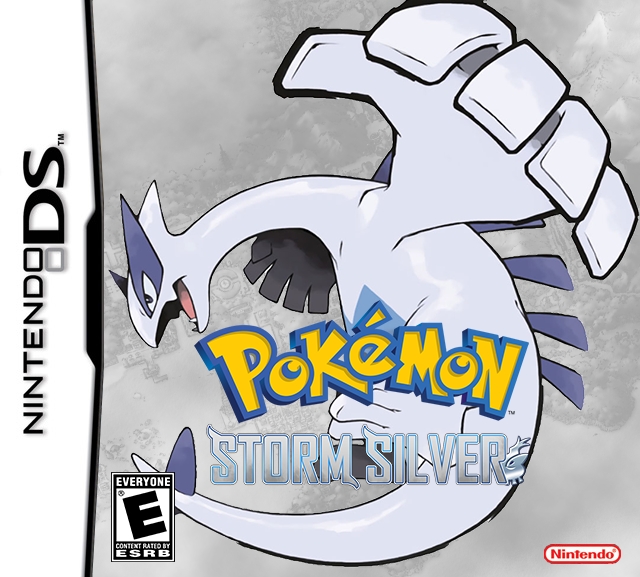
Pokémon Storm Silver is Drayano’s enhancement hack of Pokémon SoulSilver and the companion game to Pokémon Sacred Gold. It keeps the complete Johto and Kanto structure of SoulSilver while dramatically expanding Pokémon availability, strengthening Trainer teams, reworking evolutions, adding new scripted events, and improving the level curve.
The goal is not to turn SoulSilver into an entirely different Pokémon game. Instead, Storm Silver makes the original game feel like a much fuller and more challenging version of HGSS.
All 493 Pokémon available through Generation 4 can be obtained within a single playthrough, important Trainers use substantially stronger teams, awkward trade evolutions are replaced with single-player-friendly methods, and new battles and events are added throughout Johto and Kanto.
As of August 30, 2026, the latest verified original Drayano release remains:
Pokémon Storm Silver v1.05
Drayano has discussed a future successor to Sacred Gold and Storm Silver, but I could not verify a released original version that supersedes v1.05. Current 2026 references still identify v1.05 as the latest original SGSS release.
The safest modern installation formula is:
Clean Pokémon SoulSilver USA + corrected Storm Silver v1.05 xDelta patch = Pokémon Storm Silver
Rom Professor does not host, provide, or link to copyrighted Pokémon SoulSilver ROM files or pre-patched Storm Silver ROMs. Use your own legally obtained clean SoulSilver ROM and apply the fan-made patch yourself.
What You Need Before Installing Pokémon Storm Silver
You need:
- A clean USA Pokémon SoulSilver ROM
- Pokémon Storm Silver v1.05
- The corrected xDelta patch package
- An xDelta-compatible patcher
- A Nintendo DS emulator
- Normal in-game save support
- A backup of your clean SoulSilver ROM
- A backup location for your Storm Silver save
Pokémon Storm Silver Installation Requirements
| Requirement | Correct Choice |
|---|---|
| Hack | Pokémon Storm Silver |
| Creator | Drayano |
| Base game | Pokémon SoulSilver |
| Platform | Nintendo DS |
| Region | USA |
| Current original version | v1.05 |
| Patch format | xDelta |
| Clean base CRC32 | d8ea6090 |
| Clean base MD5 | 8a6c8888bed9e1dce952f840351b73f2 |
| Clean base SHA-1 | f8dc38ea20c17541a43b58c5e6d18c1732c7e582 |
| Versions | Complete / Classic |
| Optional speed-up build | Yes |
| Recommended emulator | melonDS / DeSmuME |
| Status | Complete |
The current HeartGold/SoulSilver disassembly identifies the clean USA SoulSilver ROM with SHA-1:
f8dc38ea20c17541a43b58c5e6d18c1732c7e582.
A separate ROM-hacking compatibility reference gives the matching CRC32 and MD5 values above and distinguishes that clean dump from the old Xenophobia release dump that caused years of patching confusion.
What Is the Latest Version of Pokémon Storm Silver?
The latest original Drayano version is:
Storm Silver v1.05
Drayano’s own FAQ still identifies Sacred Gold and Storm Silver v1.05 as the original version of the game, while describing a newer successor project as future work rather than a released replacement.
A recently updated August 2026 reference likewise still lists:
v1.05
as the current released Sacred Gold / Storm Silver version.
What About Storm Silver v1.1?
You may encounter a:
v1.1
version online.
That is an unofficial Fairy-type modification made after Drayano’s original v1.05 release. It adds Fairy typing and later-generation Fairy-type move adjustments.
If you want the original Drayano experience:
use v1.05.
What About Storm Silver 2.0?
Drayano has publicly discussed a newer Sacred Gold / Storm Silver project, but I could not verify a released original v2 that replaces v1.05 as of August 30, 2026.
For Rom Professor:
current original release = v1.05.
Is Pokémon Storm Silver Complete?
Yes.
Storm Silver is a complete SoulSilver enhancement hack.
You can play through:
- Johto
- Eight Johto Gyms
- Pokémon League
- Kanto
- Eight Kanto Gyms
- Red
- Legendary Pokémon content
- Added story events
- Added Trainer battles
- Expanded postgame
The game is not a demo or partial build.
It is designed to replace a normal SoulSilver playthrough from beginning to end.
What Is the Difference Between Storm Silver and Sacred Gold?
The two hacks share most of their major gameplay changes.
The important difference is the base version.
Sacred Gold
Uses:
Pokémon HeartGold
Storm Silver
Uses:
Pokémon SoulSilver
That means Storm Silver retains the SoulSilver version identity, including Lugia’s version-specific role and other HGSS differences.
Do not apply the Storm Silver patch to HeartGold.
Likewise, do not apply Sacred Gold to SoulSilver.
What Base ROM Does Pokémon Storm Silver Use?
Use:
Pokémon SoulSilver Version — USA
The correct clean ROM checksums are:
| Checksum | Correct Value |
|---|---|
| CRC32 | d8ea6090 |
| MD5 | 8a6c8888bed9e1dce952f840351b73f2 |
| SHA-1 | f8dc38ea20c17541a43b58c5e6d18c1732c7e582 |
If your SoulSilver ROM does not match:
SHA-1: f8dc38ea20c17541a43b58c5e6d18c1732c7e582
stop before patching.
Possible reasons include:
- European SoulSilver
- Japanese SoulSilver
- An already modified ROM
- A bad dump
- The old Xenophobia scene dump
- Another SoulSilver ROM hack
- An already anti-piracy-modified ROM
The Storm Silver Bad-Dump Problem
This is the biggest installation trap.
Older copies of the original Sacred Gold / Storm Silver package were built around a historically common bad dump rather than the correct verified SoulSilver dump.
For SoulSilver, that bad dump has:
CRC32: ebb387e7
MD5: 545aa550bafeebdd71ee0256d4c122a0
SHA-1: 0959fe9e64dc749382460f1ccf90996f5ef4088d
The proper clean USA SoulSilver dump is instead:
CRC32: d8ea6090
MD5: 8a6c8888bed9e1dce952f840351b73f2
SHA-1: f8dc38ea20c17541a43b58c5e6d18c1732c7e582.
Do Not Go Looking for the Bad Dump
If your verified clean SoulSilver ROM does not work with an old Storm Silver patch:
do not deliberately find the bad dump just to satisfy it.
Drayano’s archive now contains corrected patch files for good HeartGold/SoulSilver dumps, and modern references specifically recommend those corrected packages.
Use:
the corrected Storm Silver xDelta package + clean SoulSilver.
Where to Get Pokémon Storm Silver Safely
Use Drayano’s original Sacred Gold / Storm Silver release materials.
Drayano’s Sacred Gold / Storm Silver release folder
A current 2026 compatibility report specifically references the newer:
v1.0.5_SacredGoldStormSilver_xdeltaPatches.zip
package in that archive and notes that it fixes the old bad-dump issue.
That is the route I recommend over random download mirrors.
Avoid Pre-Patched Storm Silver ROMs
Do not search for:
Storm Silver ROM download
and grab a random complete .nds.
Besides the copyright issue, you may receive:
- Storm Silver v1.03
- v1.04
- v1.05
- Unofficial v1.1 Fairy build
- Complete version
- Classic version
- Speed-up version
- A ROM based on the bad dump
- Another community modification
- A damaged patch
Patching your own clean SoulSilver ROM lets you know exactly what you have.
What Patch Format Does Pokémon Storm Silver Use?
The corrected package uses:
xDelta
The Sacred Gold / Storm Silver installation documentation instructs players to choose the appropriate patch, provide clean HeartGold or SoulSilver, and generate a patched .nds.
That means you need an xDelta-compatible patcher.
Why Do Some Storm Silver Files End in .patch?
Older SGSS packages sometimes contain patch files that do not look like modern .xdelta files.
This causes confusion on mobile devices and newer web patchers.
A January 2026 troubleshooting discussion found that one old Sacred Gold / Storm Silver-style file was using the older xdelta1 format rather than modern xdelta3. Several current browser/mobile patchers rejected it even though the patch itself was valid.
If your patcher says things like:
- Invalid patch format
- Not a VCDIFF input
- Unsupported xDelta
- Invalid patch
you may be dealing with one of those older files.
Best Fix
Use the newer corrected xDelta patch package from Drayano’s release folder.
If you deliberately use an old package:
use the patching program bundled with it instead of randomly renaming the file.
Changing:
StormSilver.patch
to:
StormSilver.xdelta
does not convert the patch format.
Complete Version vs. Classic Version
Storm Silver v1.05 comes in:
- Complete
- Classic
Storm Silver Complete
Complete includes essentially all of Drayano’s intended changes.
That includes direct Pokémon changes such as:
- Stats
- Types
- Abilities
- Learnsets
- TM compatibility
along with the world, encounter, Trainer, difficulty, and event changes.
Storm Silver Classic
Classic keeps most of the larger game changes but removes many direct alterations to Pokémon themselves.
That means you still get:
- Harder Trainers
- Expanded encounters
- All 493 Pokémon obtainable
- Added events
- Modified evolutions
- Rebalanced progression
while Pokémon data stays closer to original Generation 4.
Which Version Should You Play?
For most players:
Storm Silver Complete.
That is the full Drayano experience.
Use Classic if you specifically prefer Pokémon to retain more of their original Generation 4 stats, typings, and learnsets.
Storm Silver Complete vs. Classic
| Feature | Complete | Classic |
|---|---|---|
| Harder Trainers | Yes | Yes |
| Expanded encounters | Yes | Yes |
| All 493 obtainable | Yes | Yes |
| New events | Yes | Yes |
| Modified evolutions | Yes | Yes |
| Pokémon stat changes | Yes | Mostly No |
| Type changes | Yes | Mostly No |
| Learnset changes | Yes | Reduced |
| TM compatibility changes | Yes | Reduced |
| Full intended Drayano experience | Yes | No |
What Is the Storm Silver Speed-Up Patch?
Sacred Gold and Storm Silver also have optional speed-up builds.
These modifications speed up things such as:
- Dialogue
- HP-bar movement
- EXP-bar movement
- General game execution
with gameplay capable of running faster while music remains closer to normal.
Storm Silver-Specific Warning
A historical speedrunning FAQ reports that the Storm Silver 60 FPS/speed-up build could sometimes crash around the Lugia cutscene.
That does not prove every modern configuration will crash there, but it is enough that I would not recommend the speed-up build for your first Storm Silver playthrough.
Get the normal v1.05 game working first.
If you later experiment with speed-up:
keep the normal ROM and your save backed up.
How to Install Pokémon Storm Silver
Step 1: Get Storm Silver v1.05
Use Drayano’s release materials.
Prefer the newer corrected xDelta package.
Do not intentionally install an old v1.03 or v1.04 build.
Step 2: Choose Complete or Classic
For most players:
Complete
is the right choice.
If you want less direct Pokémon modification:
choose Classic.
Step 3: Prepare Clean Pokémon SoulSilver USA
Verify your legally obtained ROM.
You want:
SHA-1: f8dc38ea20c17541a43b58c5e6d18c1732c7e582
Your source should be the actual:
.nds
file.
If it is inside a:
- ZIP
- 7Z
- RAR
extract it first.
Step 4: Keep an Untouched Backup
Make a permanent copy.
For example:
Pokemon SoulSilver CLEAN.nds
Do not patch your only copy.
You may need the clean ROM for:
- Complete
- Classic
- Speed-up builds
- Future repatching
- Troubleshooting
- Other SoulSilver hacks
Step 5: Open an xDelta-Compatible Patcher
Use the patching application supplied with the corrected package or another compatible xDelta tool.
On Windows, an xDelta GUI is commonly used.
On macOS, a compatible local patching application such as MultiPatch can be useful depending on the exact patch version.
If an online patcher rejects the file:
do not assume the ROM is wrong immediately.
You may be using an old xdelta1 patch.
Step 6: Select the Storm Silver Patch
Choose:
- Storm Silver Complete
or:
- Storm Silver Classic
Do not apply both.
Step 7: Select Clean SoulSilver
Choose your verified clean USA SoulSilver ROM.
Again:
SHA-1: f8dc38ea20c17541a43b58c5e6d18c1732c7e582
Step 8: Choose an Output File
For example:
Pokemon Storm Silver Complete.nds
or simply:
Pokemon Storm Silver.nds
Do not overwrite:
Pokemon SoulSilver CLEAN.nds
Step 9: Apply the Patch
Run the patcher.
If it works:
you should receive a new .nds.
If it fails:
check:
- SoulSilver region
- SoulSilver hash
- Complete vs. Classic patch
- Whether you have the corrected package
- Whether your patcher supports the exact xDelta version
Step 10: Open Storm Silver in a Nintendo DS Emulator
Good current choices include:
- melonDS
- DeSmuME
melonDS currently provides builds for Windows, macOS, Linux, and Android.
Step 11: Start a New Game
For a first Storm Silver playthrough:
start fresh.
Storm Silver modifies enough underlying content that I would not casually reuse an important vanilla SoulSilver save.
Step 12: Verify the Early Game
Storm Silver quickly differs from normal SoulSilver through:
- Broader Pokémon availability
- New gift Pokémon
- Stronger Trainers
- Changed boss rosters
- Additional scripted events
If everything appears identical to vanilla SoulSilver for an extended period:
make sure you opened the patched ROM.
Step 13: Make a Normal In-Game Save
Before investing serious time:
- Save normally.
- Close the emulator completely.
- Reopen Storm Silver.
- Confirm your save appears.
- Load it.
- Save again.
Do not rely only on save states.
Best Emulator for Pokémon Storm Silver on Windows
I would start with:
melonDS
or:
DeSmuME
melonDS
melonDS is an actively available DS emulator with current support for:
- Windows
- macOS
- Linux
- Android
and normal Nintendo DS save handling.
DeSmuME
DeSmuME remains another established option, particularly if you already use it for older Nintendo DS ROM hacks. Current builds are still commonly distributed as version 0.9.13.
For Storm Silver:
either is a reasonable desktop starting point.
Best Emulator for Storm Silver on Mac
Use:
melonDS
or a compatible DeSmuME build.
melonDS provides a current macOS download.
After opening Storm Silver:
- Save normally.
- Close the emulator.
- Reopen it.
- Confirm your save.
Can I Play Storm Silver on Android?
Yes.
melonDS currently provides Android support.
Patch the game first, then transfer/import:
Pokemon Storm Silver.nds
into the emulator.
Because older SGSS patches can be awkward to apply on mobile, you may find it easier to perform the patching step on a computer and then move the finished .nds to Android.
Can I Play Storm Silver on iPhone or iPad?
Yes.
Delta currently supports Nintendo DS games on iPhone and iPad.
The workflow is:
- Patch Storm Silver.
- Import the completed
.nds. - Start a new game.
- Make a normal save.
- Close and reopen Delta.
- Confirm the save.
Do not import an .xdelta or .patch file as though it were a game.
Why Is Storm Silver Hard to Patch on iPhone?
The problem is usually not iOS emulation.
It is the old patch format.
Some Sacred Gold / Storm Silver packages use an older xDelta format that many modern browser/mobile patchers do not understand. Current users have specifically run into this problem on phones.
The easiest solution is usually:
patch on a computer → move the finished .nds to your phone.
If you only have a phone:
look specifically for the corrected current xDelta package and a patcher that supports its exact format.
Best Emulator Settings for Storm Silver
| Setting | Recommendation |
|---|---|
| System | Nintendo DS |
| Windows | melonDS / DeSmuME |
| macOS | melonDS / DeSmuME |
| Android | melonDS |
| iPhone/iPad | Delta |
| Save method | Normal in-game save |
| System clock | Normal |
| Save states | Secondary only |
| Fast-forward | Optional |
| Speed-up ROM build | Optional, use caution |
| Cheats | Avoid for troubleshooting |
Does Storm Silver Need RTC?
HeartGold and SoulSilver use the Nintendo DS system clock for:
- Day/night
- Daily events
- Encounter changes
- Phone events
- Rematches
- Other time-dependent systems
Storm Silver retains those systems.
You do not need a separate cartridge-style RTC setting like Pokémon Crystal.
Just make sure your emulator is handling the DS date and time normally.
Does Storm Silver Already Include the Anti-Piracy Fix?
Yes.
Sacred Gold / Storm Silver installation documentation says the required anti-piracy modification is already included with the hack.
Therefore:
start with clean SoulSilver.
Do not separately AP-patch the ROM before applying Storm Silver unless a specific package explicitly tells you to.
Adding another patch first changes the source ROM and may cause the Storm Silver xDelta to fail.
Can You Catch All 493 Pokémon in Storm Silver?
Yes.
Storm Silver makes all:
493 Generation 1–4 Pokémon
obtainable within the game.
That is one of the primary reasons the hack remains popular.
You no longer need multiple games simply to complete the National Pokédex.
Do Trade Evolutions Require Trading?
No.
Storm Silver changes trade-based evolutions into methods that can be completed in a single-player save.
Depending on the Pokémon, that may involve:
- Evolution items
- Level conditions
- Other modified requirements
This is necessary for the game’s all-493 design.
Are Gym Leaders Harder?
Yes.
Very.
Sacred Gold and Storm Silver rebuild major Trainer teams rather than simply raising levels.
The current challenge documentation shows completely redesigned Gym Leader rosters and progression.
Major battles require much more team preparation than vanilla HGSS.
Does Storm Silver Fix the HGSS Level Curve?
It substantially improves it.
The game changes:
- Trainer levels
- Wild levels
- Pokémon availability
- Progression
to provide a more consistently challenging journey.
This is one of the biggest reasons Sacred Gold and Storm Silver became so influential among enhancement hacks.
Are There New Events?
Yes.
Drayano added new scripted encounters and battles rather than simply modifying existing Trainers.
The result feels more like an expanded version of SoulSilver than a simple difficulty patch.
Is Storm Silver Good for Nuzlockes?
Yes, particularly if you already have Nuzlocke experience.
Storm Silver remains part of the commonly played Drayano Gauntlet, and current documentation still tracks Trainer order, encounters, and challenge information specifically for Nuzlocke play.
For your very first Nuzlocke:
vanilla games are more forgiving.
For an experienced player:
Storm Silver is a classic.
How to Update Storm Silver Without Losing Your Save
Because v1.05 remains the original final release, most players do not need to update frequently.
But these rules are still useful if you are moving from:
- v1.03
- v1.04
- Old v1.05 patch package
- Normal → speed-up
- Complete → Classic
- Fairy v1.1 → original v1.05
Step 1: Make a Normal In-Game Save
Use SoulSilver’s normal:
SAVE
option.
Then fully close your emulator.
Step 2: Back Up the Save
Copy the save to another location.
Depending on your emulator, the save may use:
.sav.dsv- Another emulator-specific format
Keep multiple backups if the playthrough matters to you.
Step 3: Keep the Old ROM
Do not delete your working Storm Silver ROM.
Keep:
- Old ROM
- Old save
together.
Step 4: Patch a Fresh SoulSilver ROM
The SGSS installation documentation specifically says that updates should be applied to:
the clean ROM
not the already patched ROM.
So:
clean SoulSilver + replacement patch
not:
old Storm Silver + new patch
Step 5: Keep the Same Emulator Initially
If possible, do not simultaneously:
- Change game version
- Switch emulator
- Convert save format
Change one variable at a time.
That makes troubleshooting far easier.
Step 6: Test a Copy of the Save
I could not verify a blanket original statement guaranteeing seamless compatibility across every Storm Silver variant.
So use a duplicate save first.
Check:
- Party
- PC
- Items
- Badges
- Pokédex
- Current location
- Story progression
- Key items
Step 7: Save Again
Once the new ROM appears stable:
- Save normally.
- Close the emulator.
- Restart.
- Confirm your save still loads.
Should I Switch Between Complete and Classic Mid-Playthrough?
I would avoid doing it casually.
Complete and Classic deliberately use different direct Pokémon data.
That includes potential differences in:
- Stats
- Types
- Moves
- Abilities
- TM compatibility
A save may technically load while the Pokémon data it references behaves differently.
Pick your preferred version before beginning.
If you experiment:
backup first.
Do Not Update With Save States
Save states include:
- Emulator RAM
- Script state
- CPU state
- Old ROM execution state
They are not ideal for moving between game builds.
Use your normal in-game save.
Common Pokémon Storm Silver Installation Problems
“xDelta Says the Source ROM Is Wrong”
Check the SoulSilver SHA-1:
f8dc38ea20c17541a43b58c5e6d18c1732c7e582
If it differs:
you do not have the correct clean USA SoulSilver dump.
“My SoulSilver ROM Is Clean, but the Patch Still Fails”
You may have the old bad-dump-based Storm Silver patch.
Use the newer corrected xDelta package.
Do not deliberately downgrade your ROM to a bad dump.
“My Patch File Says .patch, Not .xdelta”
That can happen with older packages.
Do not simply rename it.
Some older SGSS files use xdelta1, which many current online patchers do not support.
Use the bundled patching program or the corrected newer package.
“My Browser Patcher Says Invalid Patch”
Same likely cause.
Try the corrected xDelta package or a desktop patcher that supports the file.
“I Used HeartGold”
That is the base for:
Sacred Gold.
Storm Silver uses:
SoulSilver.
“Should I AP-Patch SoulSilver First?”
No.
Storm Silver already includes the required AP changes.
Start from clean SoulSilver.
“My Emulator Won’t Open the Patch”
Normal.
The emulator opens:
.nds
files.
The patcher uses:
.xdelta
or the old package’s patch file.
Apply the patch first.
“Can I Rename the Patch to .nds?”
No.
Changing the extension does not apply it.
“Vanilla SoulSilver Starts”
You opened the clean ROM.
Keep your files clearly labeled:
Pokemon SoulSilver CLEAN.nds
Pokemon Storm Silver.nds
“Which Version Should I Play?”
For most people:
Complete v1.05.
Classic is better if you want the expanded world and difficulty without as many direct changes to Pokémon.
“Is Storm Silver v1.1 the Latest Official Version?”
No.
The common v1.1 is an unofficial Fairy-type modification.
Original Drayano Storm Silver remains v1.05.
“My Speed-Up Version Crashes Around Lugia”
A historical Storm Silver speedrun FAQ specifically warns that its 60 FPS build had a chance to crash around the Lugia cutscene.
Restore your normal backed-up Storm Silver build and test the save there.
“Storm Silver White-Screens on My Flashcart”
This can be a loader issue rather than a bad patch.
A current 2026 hardware compatibility report found Sacred Gold / Storm Silver-related white screens under one DSi loader while the games could boot through TWiLight Menu++ with nds-bootstrap.
If Storm Silver works in melonDS but not on hardware:
troubleshoot the loader before repatching.
“My Save Disappeared When I Switched Emulators”
Your save may simply use a different format.
Keep the original emulator and save file until you have successfully imported or converted it.
Never delete the source save immediately.
How to Verify That Pokémon Storm Silver Installed Correctly
Verify Your Clean SoulSilver ROM
Before patching:
SHA-1: f8dc38ea20c17541a43b58c5e6d18c1732c7e582
Verify the Version
You want:
original Storm Silver v1.05
unless you intentionally chose another variant.
Verify the Variant
Know whether you installed:
- Complete
- Classic
- Speed-up
- Unofficial Fairy modification
Check Pokémon Availability
You should begin seeing Pokémon distribution that differs dramatically from normal SoulSilver.
Check Important Trainer Teams
Major Trainers should use significantly stronger and more varied teams.
Check Your Save
- Save normally.
- Close the emulator.
- Reopen Storm Silver.
- Confirm the save appears.
- Load it.
- Save again.
If:
- Expanded encounters appear
- Trainer teams are modified
- New events occur
- Your save survives a restart
your installation is ready.
Pokémon Storm Silver Installation FAQ
What is the latest version of Pokémon Storm Silver?
The latest verified original Drayano release remains:
v1.05.
Who created Pokémon Storm Silver?
Drayano.
Is Storm Silver complete?
Yes.
It is a complete SoulSilver enhancement hack.
What base ROM does Storm Silver use?
Clean:
Pokémon SoulSilver USA
SHA-1:
f8dc38ea20c17541a43b58c5e6d18c1732c7e582
What is the clean SoulSilver MD5?
8a6c8888bed9e1dce952f840351b73f2
What is the clean SoulSilver CRC32?
d8ea6090
Why do some old patches require a different ROM?
Those older patches were built around a bad dump.
Use the corrected xDelta package designed for the proper clean USA SoulSilver ROM.
What patch format does Storm Silver use?
The corrected modern package uses:
xDelta.
Why does my old patcher say xdelta1?
Some older SGSS files use the older xdelta1 format, which many current online tools reject.
Complete or Classic?
For most players:
Complete.
Classic is for players who want fewer direct Pokémon changes.
Is v1.1 official?
No.
The commonly listed v1.1 is an unofficial Fairy-type mod.
Where should I get Storm Silver?
Use Drayano’s original release folder and corrected xDelta package.
Drayano’s Sacred Gold / Storm Silver release folder
Can I download a pre-patched ROM?
Rom Professor does not recommend or link to copyrighted pre-patched Pokémon ROMs.
Patch your own clean SoulSilver ROM.
What emulator should I use?
For desktop:
melonDS or DeSmuME.
melonDS currently supports Windows, macOS, Linux, and Android.
Can I play Storm Silver on Android?
Yes.
melonDS is a strong current option.
Can I play Storm Silver on iPhone?
Yes.
Delta currently supports Nintendo DS games on iPhone and iPad.
Does Storm Silver need RTC?
It uses the Nintendo DS system clock for HGSS time-dependent content.
No separate cartridge RTC setup is required.
Can I catch all 493 Pokémon?
Yes.
Do trade evolutions require trading?
No.
Evolution methods were changed so single-player Pokédex completion is possible.
Are Gym Leaders harder?
Yes.
Trainer teams are extensively rebuilt and major bosses are substantially harder than vanilla SoulSilver.
Can I use an old SoulSilver save?
I recommend starting fresh.
If you experiment with an existing vanilla save, use a backup copy only.
How do I update Storm Silver?
Patch the replacement version onto a fresh clean SoulSilver ROM, not your already patched Storm Silver ROM.
Can I switch Complete and Classic with the same save?
I would not recommend it without a backup because the versions use different Pokémon data.
Should I update with a save state?
No.
Use your normal in-game save.
Is Storm Silver still worth playing?
Yes.
It remains one of the foundational Nintendo DS enhancement hacks and is still actively documented for modern challenge and Nuzlocke play.
Where should I go after installing Pokémon Storm Silver?
Once Storm Silver is running correctly, read our Pokémon Storm Silver beginner guide.
Because the hack changes so much of SoulSilver, useful supporting guides should eventually include:
- Pokémon Storm Silver Gym Leader teams
- Storm Silver Pokémon locations
- Storm Silver evolution changes
- Storm Silver important item locations
- Storm Silver Elite Four guide
- Storm Silver Kanto walkthrough
- Storm Silver Complete vs. Classic
- Storm Silver latest version guide
Suggested article screenshots: Use an xDelta patching screenshot showing the verified clean SoulSilver SHA-1, a screenshot of the Complete and Classic patch choices, and an early Storm Silver encounter or Trainer battle. A particularly useful troubleshooting image would show the correct clean SoulSilver hash beside the old bad-dump hash, because that is probably the single most confusing Storm Silver installation issue.