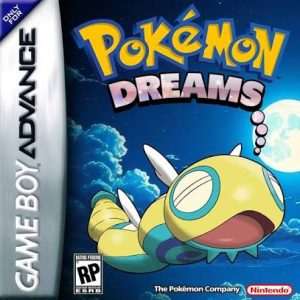
How to Download and Install Pokémon Dreams Safely
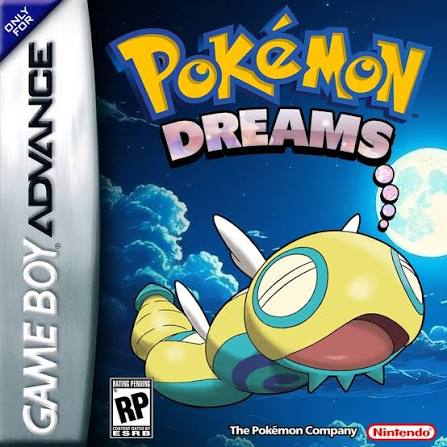
Pokémon Dreams is a completed Game Boy Advance ROM hack created by MonopolyRubix. Instead of retelling the normal Kanto story, Dreams sends you to the original Solda region, where a traveling trainer becomes involved with a new cast of characters while working toward the Pokémon League. The hack was developed with a strong emphasis on characters, worldbuilding, and exploration, with optional areas scattered throughout the region to reward players who wander away from the main path. citeturn809104view0
Pokémon Dreams also substantially modernizes FireRed. It includes Pokémon through Generation 7, around 35 Fakemon, Mega Evolution, Fairy typing, the physical/special split, DexNav, reusable TMs, modern movesets, altered trade evolutions, postgame rematches, and several optional battle modes. The full Pokédex contains roughly 844 species and forms. citeturn297615search1turn123338search1
As of September 2026, the latest creator-confirmed version is Pokémon Dreams v1.5.3. MonopolyRubix personally confirmed the update in December 2025 and explained that v1.5.3 primarily fixes two bugs from v1.5.1 that could interfere with Pokédex completion. citeturn297615search0
Installing Pokémon Dreams requires a clean Pokémon FireRed ROM and the Dreams UPS patch. You should patch your own legally obtained copy of FireRed rather than downloading an unofficial pre-patched .gba file.
What You Need Before Installing Pokémon Dreams
Before you begin, you need:
- A legally obtained clean Pokémon FireRed USA v1.0 ROM
- The current Pokémon Dreams v1.5.3 UPS patch
- A UPS-compatible patcher
- A compatible Game Boy Advance emulator
- RTC support for the game’s time-based encounters
- A backup of your save if you are upgrading an existing installation
Pokémon Dreams is a GBA ROM hack, so the finished game normally uses the:
.gba
file extension.
The Dreams patch itself uses:
.ups
RetroAchievements documents earlier Dreams releases as UPS patches, including Dreams v.1.5.1.ups, while current patching references continue to distribute v1.5.3 as a UPS patch. citeturn382632search0turn297615search1
Rom Professor does not host, distribute, or link to copyrighted Pokémon FireRed ROMs or unofficial pre-patched Pokémon Dreams ROMs.
What Base ROM Does Pokémon Dreams Use?
Pokémon Dreams requires:
Pokémon FireRed Version (USA) v1.0
Current Dreams patch references identify FireRed 1.0 as the compatible base and warn that FireRed 1.1 can cause patching problems. citeturn633545search0
The standard clean FireRed v1.0 ROM has the following SHA-1 checksum:
41cb23d8dccc8ebd7c649cd8fbb58eeace6e2fdc
The FireRed decompilation project identifies that SHA-1 as the original English FireRed ROM, while the revised FireRed 1.1 build has a different checksum. citeturn707338search0turn707338search4
| Requirement | Pokémon Dreams |
|---|---|
| Base game | Pokémon FireRed |
| Platform | Game Boy Advance |
| Region | USA |
| Revision | FireRed 1.0 |
| Expected SHA-1 | 41cb23d8dccc8ebd7c649cd8fbb58eeace6e2fdc |
| ROM condition | Clean and unmodified |
| Patch format | UPS |
| Finished extension | .gba |
| Current version | v1.5.3 |
| Creator | MonopolyRubix |
| Status | Complete |
Do not use:
- Pokémon FireRed v1.1
- Pokémon LeafGreen
- Pokémon Emerald
- Another FireRed ROM hack
- An already-patched Pokémon Dreams ROM
- A randomized FireRed ROM
- A modified FireRed ROM
If your patcher reports a checksum mismatch, verify your FireRed revision before trying anything else.
How to Verify Your FireRed ROM
The easiest reliable method is checking the SHA-1 checksum.
The compatible original FireRed ROM is:
41cb23d8dccc8ebd7c649cd8fbb58eeace6e2fdc
FireRed Revision 1 has a different SHA-1:
dd5945db9b930750cb39d00c84da8571feebf417
Those are genuinely different ROM revisions even though both are Pokémon FireRed. citeturn707338search4
If your patcher expects v1.0 and you provide v1.1, simply renaming the file will not fix it.
You need the correct contents, not merely the correct filename.
Where to Get the Official Pokémon Dreams Patch
The original official source for Pokémon Dreams is MonopolyRubix’s PokéCommunity thread.
Official Pokémon Dreams PokéCommunity thread
The original project listing identifies MonopolyRubix as the creator, FireRed as the base game, and Dreams as a complete hack. citeturn809104view0
For a new installation, look specifically for:
Pokémon Dreams v1.5.3
Older websites may still list:
- v1.4
- v1.5
- v1.5.1
because the game originally appeared to have stopped receiving updates.
That changed when MonopolyRubix returned in December 2025 and confirmed v1.5.3. citeturn297615search0
You want the .ups patch.
Do not download a file advertised as:
Pokemon Dreams v1.5.3.gba
or:
Pokemon Dreams Pre-Patched ROM
The legal patching workflow is:
Your clean FireRed ROM + Pokémon Dreams UPS patch = Pokémon Dreams
How to Patch Pokémon Dreams
Pokémon Dreams is straightforward to install with a UPS-compatible patcher.
Two good choices are:
- Rom Patcher JS
- NUPS on Windows
A step-by-step NUPS tutorial specifically uses Pokémon Dreams as its example ROM hack, with FireRed as the base ROM and Dreams as the UPS patch. citeturn382632search10
Step 1: Prepare Your Clean FireRed ROM
Locate your legally obtained Pokémon FireRed v1.0 backup.
It should normally look something like:
Pokemon FireRed.gba
If the ROM is inside a:
.zip
.rar
or:
.7z
archive, extract the actual .gba file first.
Keep one untouched copy somewhere safe.
Step 2: Download Pokémon Dreams v1.5.3
Get the current Dreams patch from the project’s official source or a source that points back to MonopolyRubix’s official release.
The current patch should be:
Pokémon Dreams v1.5.3
and should use the UPS format. citeturn297615search1
Step 3: Open Rom Patcher JS
Rom Patcher JS is convenient because it works in a browser on:
- Windows
- Mac
- Android
- iPhone
- Chromebook
You should see fields for:
ROM file
and:
Patch file
Step 4: Select Pokémon FireRed
Under the ROM field, select:
Pokemon FireRed.gba
This should be your clean FireRed USA v1.0 ROM.
Do not select an older Pokémon Dreams ROM.
Step 5: Select the Dreams UPS Patch
Under the Patch field, select your:
Dreams v1.5.3.ups
or whatever exact filename MonopolyRubix uses in the current release package.
You should effectively have:
ROM: Clean Pokémon FireRed v1.0
Patch: Pokémon Dreams v1.5.3
Step 6: Apply the Patch
Select:
Apply Patch
The patcher should generate a new Game Boy Advance ROM.
Save it under an obvious name such as:
Pokemon Dreams v1.5.3.gba
Do not overwrite your original FireRed ROM.
Step 7: Open Pokémon Dreams in Your Emulator
Launch your GBA emulator.
Open:
Pokemon Dreams v1.5.3.gba
If the patch was successful, Pokémon Dreams should load instead of ordinary FireRed.
How to Patch Pokémon Dreams With NUPS
If you are on Windows and prefer a traditional desktop patcher, NUPS also works.
The process is:
- Open NUPS.
- Select Apply a UPS Patch to a File.
- Choose the Dreams
.upspatch. - Choose your clean Pokémon FireRed v1.0
.gba. - Apply the patch.
- Rename the finished ROM if desired.
- Open it in your emulator.
If NUPS reports that the source ROM is wrong, verify that you have FireRed USA v1.0 rather than forcing the patch onto another revision.
How to Play Pokémon Dreams on Windows
For Windows, the safest recommendation is:
mGBA
Pokémon Dreams has known issues with some emulators because the hack expands FireRed significantly beyond the original ROM’s structure.
Dreams documentation specifically reports that some emulators freeze immediately after the early Dunsparce-girl cutscene. mGBA is among the emulators confirmed to work. citeturn382632search1
To play on Windows:
- Install mGBA.
- Launch mGBA.
- Select File.
- Choose Open ROM.
- Locate
Pokemon Dreams v1.5.3.gba. - Open it.
- Configure your keyboard or controller.
- Start the game.
For Dreams specifically, mGBA is preferable to simply using whatever old GBA emulator happens to be installed.
How to Play Pokémon Dreams on Mac
The Dreams compatibility documentation identifies:
- mGBA
- OpenEmu
as working macOS options. citeturn382632search1
For the simplest troubleshooting setup, use:
mGBA
To play:
- Install mGBA.
- Open your patched Dreams
.gba. - Configure your controls.
- Make sure your Mac’s date and time are correct.
- Start playing.
If another emulator freezes during an early cutscene or double battle, test the same ROM in mGBA.
How to Play Pokémon Dreams on Android
On Android, confirmed working options have included:
- RetroArch with the mGBA core
- My Boy
Dreams documentation specifically lists both as working Android setups. citeturn382632search1
For maximum compatibility, I recommend:
RetroArch with the mGBA core
To install directly on Android:
- Put your clean FireRed ROM on your phone.
- Download the Dreams v1.5.3 UPS patch.
- Open Rom Patcher JS.
- Select FireRed as the ROM.
- Select Dreams as the patch.
- Apply the patch.
- Save the finished
.gba. - Install RetroArch.
- Select the mGBA core.
- Open Pokémon Dreams.
Avoid John GBA for Pokémon Dreams
Dreams documentation specifically reports that John GBA can freeze after the early Dunsparce-girl cutscene. citeturn382632search1
If your game freezes shortly after starting and you are using John GBA, switch emulators before repatching anything.
How to Play Pokémon Dreams on iPhone or iPad
Pokémon Dreams can run on iOS.
Historical Dreams compatibility information identifies:
- GBA4iOS
- Delta for some users
as working options. citeturn382632search1
For a modern installation, you can use:
- Delta
- RetroArch with the mGBA core
For the most predictable troubleshooting baseline, I recommend:
RetroArch + mGBA
To play:
- Patch Pokémon Dreams.
- Save the resulting
.gbato the Files app. - Import the ROM into your emulator.
- Launch the game.
- Make a normal in-game save once you reach a safe location.
If Delta gives you freezing problems, try the mGBA core before assuming your ROM is corrupt.
Best Emulator Settings for Pokémon Dreams
Pokémon Dreams is more sensitive to emulator accuracy than ordinary FireRed.
Recommended settings are:
| Setting | Recommendation |
|---|---|
| Windows | mGBA |
| macOS | mGBA |
| Android | RetroArch + mGBA |
| iPhone/iPad | RetroArch + mGBA or Delta |
| Save type | Automatic/default |
| RTC | Enabled |
| Frameskip | Off |
| Fast-forward | Optional |
| In-game saves | Use regularly |
| Save states | Secondary backup only |
Keep RTC Enabled
Pokémon Dreams uses time-dependent encounters.
Location documentation distinguishes several wild Pokémon by day and night, including species such as Caterpie, Weedle, Alolan Rattata, Alolan Meowth, and others. citeturn123338search3
That means you should use an emulator with functioning clock support.
mGBA normally handles this without special configuration.
If day/night encounters appear stuck:
- Verify your device clock.
- Confirm RTC is enabled.
- Restart the emulator.
- Reload from a normal in-game save.
Avoid Beetle GBA for Time-Sensitive Gameplay
Dreams documentation warns that the Beetle GBA core has problems with time and evolution behavior. citeturn382632search1
Use the mGBA core instead.
Avoid VBA-M if the Game Freezes Early
Dreams documentation also identifies VBA-M as one of the emulators that can freeze after the early Dunsparce scene. citeturn382632search1
This is noteworthy because VBA-M normally works with many GBA games.
For Dreams:
mGBA is the safer choice.
Leave Save Type on Automatic
Modern mGBA should determine the correct save format automatically.
Do not randomly switch between SRAM and Flash settings if saving already works.
Fast-Forward
Fast-forward is generally fine for:
- Grinding
- Travel
- DexNav hunting
- Leveling
- Repeated Colosseum battles
However, Pokémon Dreams has known emulator-related problems with certain scripted events and double battles.
If something freezes:
- Reload your normal save.
- Disable fast-forward.
- Retry at normal speed.
- Test in mGBA if the problem continues.
Use Normal In-Game Saves
Always use the game’s built-in save system.
Save states are useful for convenience, but they should not be your only backup.
A normal .sav file is much easier to:
- Move between devices
- Move between emulators
- Back up
- Test with newer Dreams patches
How to Update Pokémon Dreams Without Losing Your Save
Pokémon Dreams v1.5.3 is a small bug-fix update rather than a major engine rewrite.
MonopolyRubix described v1.5.3 as fixing two bugs from v1.5.1 that affected Pokédex completion. citeturn297615search0
I did not find a creator statement explicitly declaring save compatibility between every historical version, so you should still back up your save before upgrading.
Step 1: Make a Normal In-Game Save
Open your existing Pokémon Dreams game.
Save normally through the game’s menu.
Then fully close the emulator.
Step 2: Back Up Your Current Files
Make copies of:
- Your current Dreams
.gba - Your current Dreams
.sav
Store them somewhere safe.
Step 3: Download the v1.5.3 Patch
Get the current Dreams v1.5.3 UPS patch.
Do not patch an old Dreams ROM.
Step 4: Start With Clean FireRed v1.0
Use your untouched:
Pokemon FireRed.gba
Apply Dreams v1.5.3 to that.
Do not use:
Pokemon Dreams v1.5.1.gba
as the patching source.
Step 5: Name the New ROM
For example:
Pokemon Dreams v1.5.3.gba
Step 6: Make the Save Name Match
If your old save is called:
Pokemon Dreams v1.5.1.sav
rename a copy to:
Pokemon Dreams v1.5.3.sav
Most GBA emulators associate saves with the ROM filename.
Step 7: Load the Updated Version
Open v1.5.3.
Check:
- Party Pokémon
- PC storage
- Items
- Pokédex
- Badges
- Story position
- Mega Stones
- TMs
- Postgame progress
If anything looks wrong, exit without saving and restore your backup.
What Changed in Pokémon Dreams v1.5.3?
MonopolyRubix says v1.5.3 fixes two bugs present in v1.5.1 that could prevent proper Pokédex completion. citeturn297615search0
Current changelog documentation further identifies fixes involving:
- The Victory Road Dragon Fang
- A Pikmin-related encounter/object interaction
- Darkrai’s event check
- The Venoshock TM
- A Mega Stone naming issue
across the v1.5.2 and v1.5.3 fixes. citeturn297615search2
For a new game, v1.5.3 is the version to use.
Common Pokémon Dreams Installation Problems
The Patch Won’t Apply
Check your FireRed ROM first.
Dreams expects:
Pokémon FireRed USA v1.0. citeturn633545search0
The expected SHA-1 is:
41cb23d8dccc8ebd7c649cd8fbb58eeace6e2fdc citeturn707338search0
Common problems include:
- FireRed v1.1
- LeafGreen
- Another ROM hack
- An already-patched Dreams ROM
- Modified FireRed
- Corrupted source ROM
The Game Opens as Normal Pokémon FireRed
You probably opened your clean ROM.
Your folder may contain:
Pokemon FireRed.gba
and:
Pokemon Dreams v1.5.3.gba
Open the second file.
The Game Freezes After the First Dunsparce-Girl Cutscene
This is a known emulator compatibility problem.
Dreams documentation specifically says some emulators cannot correctly read the expanded ROM and can freeze after this early scene. citeturn382632search1
Try:
mGBA
or:
RetroArch with the mGBA core
Do not immediately repatch the ROM.
Double Battles Freeze
This is another known emulator issue.
Dreams documentation specifically notes freezing during double battles on incompatible emulators. citeturn382632search1
Switch to mGBA.
The Game Freezes on John GBA
John GBA is specifically associated with Dreams’ early-freeze problem. citeturn382632search1
Move your normal .sav to:
RetroArch + mGBA
and test again.
VBA-M Keeps Freezing
Dreams documentation also identifies VBA-M as problematic for the early cutscene on some systems. citeturn382632search1
Use mGBA instead.
Time or Evolutions Are Behaving Strangely
If you are using Beetle GBA, change cores.
That emulator has documented problems with Dreams’ time and evolution behavior. citeturn382632search1
Use mGBA.
My Save File Isn’t Showing Up
Make sure the filenames match.
Good:
Pokemon Dreams.gba
Pokemon Dreams.sav
Potential problem:
Pokemon Dreams v1.5.3.gba
Pokemon FireRed.sav
Rename the compatible save so the filename before the extension matches.
My Save State Doesn’t Work After Updating
Load your normal .sav instead.
Save states capture the exact emulator memory state of an older ROM.
When the ROM changes, that old memory snapshot can become incompatible.
I Can’t Complete the Pokédex on v1.5.1
This may be one of the bugs fixed by v1.5.3.
MonopolyRubix specifically returned to update the game because two v1.5.1 bugs interfered with the Pokédex Completion achievement. citeturn297615search0
For a normal playthrough, update to v1.5.3.
I Want RetroAchievements. Should I Use v1.5.3?
This is an important exception.
RetroAchievements currently recognizes Pokémon Dreams v1.5.1, not v1.5.3.
The creator specifically says:
v1.5.1 is still the version that works for RetroAchievements. citeturn297615search0
That means you need to choose:
Normal/current playthrough: v1.5.3
RetroAchievements playthrough: v1.5.1
How Do I Avoid the v1.5.1 Pokédex Bugs if I Want RetroAchievements?
MonopolyRubix gave two workarounds for RetroAchievements players who remain on v1.5.1:
- Get the Venoshock TM before catching Darkrai.
- Do not pick up the Dragon Fang item ball in Victory Road, because doing so can permanently prevent one species from appearing. citeturn297615search0
Those workarounds are unnecessary if you are playing the fixed v1.5.3 version rather than chasing RetroAchievements.
The Start Menu Lags With L=A or LR
This is a documented Dreams quirk.
Older Dreams documentation notes that the L=A and LR button modes can cause Start Menu lag for some users. citeturn123338search0
If you experience that problem, return the button mode to the default setting.
My PokéMart Graphics Look Wrong
Dreams has several known minor visual issues, including:
- Puddle reflection jitter
- Incorrect icons in some shop menus
- Corrupted trade graphics
- Text errors in certain stores
These have been documented as game-specific bugs rather than signs that your patch failed. citeturn123338search0
How to Verify Pokémon Dreams Installed Correctly
Pokémon Dreams is easy to distinguish from normal FireRed.
Instead of playing through Kanto, you should begin a completely new adventure involving the Solda region and the community of Thicket Town. citeturn809104view0
Other features that confirm you installed Dreams include:
- Original Solda region
- New story and characters
- Eight Gyms
- Pokémon League
- Postgame rematches
- Pokémon through Generation 7
- Around 35 Fakemon
- Roughly 844 total Pokédex entries
- Mega Evolution
- Custom Mega Evolutions
- Fairy type
- Physical/Special split
- DexNav
- 120 reusable TMs
- Modernized movesets
- Trade-evolution replacements
- Gen 6-style Exp. Share
- Optional level scaling
- Optional Double Battle mode
- Optional Inverse Battle mode citeturn123338search1turn297615search3
If you begin in Pallet Town with Professor Oak and the standard FireRed story, you opened your base ROM instead of Pokémon Dreams.
Pokémon Dreams Installation FAQ
What is the latest version of Pokémon Dreams?
As of September 2026, the latest creator-confirmed version is:
Pokémon Dreams v1.5.3
MonopolyRubix personally confirmed the update in December 2025. citeturn297615search0
Is Pokémon Dreams complete?
Yes.
Pokémon Dreams is a completed hack containing the full Solda-region story, all eight Gyms, the Pokémon League, and extensive postgame content. citeturn297615search3
What game is Pokémon Dreams based on?
Pokémon Dreams is based on:
Pokémon FireRed for Game Boy Advance. citeturn809104view0
Which FireRed version does Pokémon Dreams use?
Use:
Pokémon FireRed USA v1.0
The standard compatible SHA-1 is:
41cb23d8dccc8ebd7c649cd8fbb58eeace6e2fdc citeturn633545search0turn707338search0
Can I use FireRed v1.1?
It is not recommended.
Current Dreams patching references specifically identify FireRed 1.0 and warn of patching problems with 1.1. citeturn633545search0
What patch format does Pokémon Dreams use?
Pokémon Dreams uses:
UPS
RetroAchievements documents v1.5.1 as Dreams v.1.5.1.ups, and current v1.5.3 patching sources also distribute it as UPS. citeturn382632search0turn297615search1
What is the best emulator for Pokémon Dreams?
Use:
mGBA
On Android or iPhone, use:
RetroArch with the mGBA core
Dreams has documented freezing problems on certain less-compatible emulators. citeturn382632search1
Does Pokémon Dreams work with My Boy?
My Boy is listed among the Android emulators tested successfully with Dreams. citeturn382632search1
However, mGBA remains the better troubleshooting baseline.
Does Pokémon Dreams work with John GBA?
It is not recommended.
John GBA is specifically associated with freezing after an early cutscene. citeturn382632search1
Does Pokémon Dreams work with Delta?
It can.
Older compatibility documentation lists Delta as working for some players. citeturn382632search1
If you experience freezes, use RetroArch with mGBA instead.
Does Pokémon Dreams have day/night encounters?
Yes.
The game’s encounter documentation includes Pokémon that appear specifically during the day or night. citeturn123338search3
Use an emulator with proper RTC/time support.
Does Pokémon Dreams have Mega Evolution?
Yes.
All standard Generation 6 Mega Evolutions are included, along with some custom Mega Evolutions. citeturn123338search1
Does Pokémon Dreams have Fakemon?
Yes.
Dreams includes roughly 35 Fakemon, bringing the game’s overall roster to approximately 844 Pokémon and forms. citeturn123338search1
Does Pokémon Dreams have a physical/special split?
Yes.
The battle system is modernized toward Generation 7 mechanics and includes the physical/special split and Fairy typing. citeturn809104view0
Does Pokémon Dreams have reusable TMs?
Yes.
The game includes 120 reusable TMs. citeturn809104view0
Does Pokémon Dreams have trade evolutions?
Pokémon that originally require trading have alternate evolution methods so you can obtain them in a single-player playthrough.
Current Dreams documentation specifically notes that trade evolutions were changed to use evolution stones or other alternate methods. citeturn123338search1
Can I update from v1.5.1 to v1.5.3 without restarting?
The creator describes v1.5.3 as a small bug-fix update rather than a major rebuild, and I found no creator warning that the save format changed. citeturn297615search0
Still, back up your .sav first, patch v1.5.3 onto a fresh FireRed v1.0 ROM, and test a copy of your save before deleting your old installation.
Should I patch v1.5.3 over my old Dreams ROM?
No.
Patch:
clean Pokémon FireRed v1.0
with the v1.5.3 UPS patch.
Then transfer your normal save.
Which version should I use for RetroAchievements?
Use:
Pokémon Dreams v1.5.1
RetroAchievements currently recognizes v1.5.1, and MonopolyRubix explicitly notes that v1.5.1 remains the supported achievement version. citeturn297615search0
For everyone else, v1.5.3 is the newer fixed release.
Where can I download Pokémon Dreams?
Start with MonopolyRubix’s official PokéCommunity project thread:
Official Pokémon Dreams project thread
Get the Pokémon Dreams UPS patch, not an unofficial pre-patched FireRed ROM.
You provide your own legally obtained compatible Pokémon FireRed v1.0 ROM and apply the Dreams patch yourself.
Rom Professor does not host, distribute, or link to copyrighted Pokémon FireRed ROM files or unofficial pre-patched Pokémon Dreams ROMs.