How Do I Install Pokémon Crystal Kaizo?
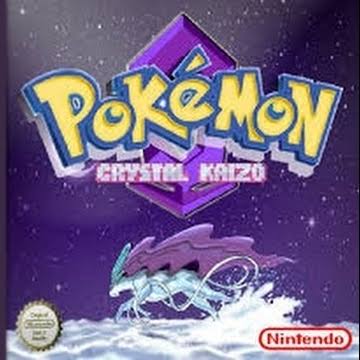
Pokémon Crystal Kaizo is SinisterHoodedFigure’s notoriously difficult overhaul of Pokémon Crystal and the official sequel to Pokémon Blue Kaizo. It keeps Crystal’s basic Johto/Kanto storyline while dramatically increasing Trainer difficulty, redesigning maps and dungeons, changing Pokémon availability and evolutions, and making all 251 Generation 1 and 2 Pokémon obtainable in a single game.
For years, the version most players installed was Crystal Kaizo v3.0.
That changed in 2026.
SinisterHoodedFigure authorized a new set of updates for Crystal Kaizo, Blue Kaizo, Emerald Kaizo, and Intense Indigo. The current patch repository says the newest Crystal Kaizo update is current as of February 18, 2026 and specifically states that SinisterHoodedFigure approved the work and its release.
The 2026 Crystal Kaizo update adds quality-of-life changes including:
- An option to use another Repel when one expires
- Deletable HMs
- Correct “Able” indicators for Eevee’s Sun Stone and Moon Stone evolutions
- $1 Rare Candies in the Indigo Plateau Mart
- Crystal Kaizo’s game name in the Hall of Fame credits
The repository also documents an expanded 84-item Bag variant, but that version comes with an extremely important save-compatibility warning that we will cover later.
The normal installation is:
Clean English Pokémon Crystal + current Crystal Kaizo patch = Pokémon Crystal Kaizo
Rom Professor does not host, provide, or link to copyrighted Pokémon Crystal ROM files or pre-patched Crystal Kaizo ROMs. You need your own legally obtained clean Pokémon Crystal ROM and then apply the fan-made patch.
What You Need Before Installing Pokémon Crystal Kaizo
For the current Crystal Kaizo setup, you need:
- A clean English Pokémon Crystal ROM
- The current authorized Crystal Kaizo patch
- A BPS-compatible patching tool for the 2026 patch
- An accurate Game Boy Color emulator
- Normal battery-save support
- Real-time-clock support
- A backup of your clean Crystal ROM
- A safe backup location for your Crystal Kaizo
.sav
Crystal Kaizo Installation Requirements
| Item | Recommended Choice |
|---|---|
| Hack | Pokémon Crystal Kaizo |
| Creator | SinisterHoodedFigure |
| Base game | Pokémon Crystal |
| Platform | Game Boy Color |
| Historical numbered release | v3.0 |
| Current update | February 18, 2026 authorized update |
| Current repository patch | BPS |
| Historical v3.0 patch | IPS |
| Best-supported base revision | English Crystal v1.0 |
| Crystal v1.0 SHA-1 | f4cd194bdee0d04ca4eac29e09b8e4e9d818c133 |
| RTC | Recommended |
| Emulator | SameBoy, BGB, or mGBA |
| 84-item Bag save compatibility | Not compatible with normal old saves |
The official-authorized 2026 repository explicitly tells players to patch Crystal Kaizo to Pokémon Crystal rather than layering the update over an existing Crystal Kaizo ROM.
What Is the Latest Version of Pokémon Crystal Kaizo?
There are now two answers depending on what you mean by “version.”
Historical Numbered Version: v3.0
Crystal Kaizo v3.0 was the final major numbered release from the original development era.
The v3.0 patch fixed issues such as Team Rocket Executive/Scientist battle music and added purchasable Ethers and other adjustments.
For years, this was the build most Crystal Kaizo documentation referred to.
Current Version: 2026 Authorized Update
The newest patch I could verify is the:
February 18, 2026 Crystal Kaizo update
published through the SHF Kaizo Patches repository with SinisterHoodedFigure’s permission.
The repository states:
“The update is the latest as of 02/18/2026.”
It does not assign the Crystal Kaizo update a new conventional number such as:
v3.1
or:
v4.0.
For publication, the most accurate wording is therefore:
Latest patch: Crystal Kaizo 2026 Update — February 18, 2026
Last major numbered release: v3.0
Do not invent a v4.0 label unless SinisterHoodedFigure officially uses one later.
For future release tracking, see our Pokémon Crystal Kaizo latest version guide.
Is Pokémon Crystal Kaizo Complete?
Yes.
Crystal Kaizo is a completed difficulty hack rather than an unfinished demo.
The complete Johto and Kanto progression is playable, and the game ultimately allows you to catch all:
251 Pokémon
from the first two generations. RetroAchievements even includes completion objectives for Red, the hidden creator battle, and catching all 251 Pokémon.
The hack keeps the basic Pokémon Crystal storyline but makes the journey dramatically more difficult through:
- Stronger Trainer teams
- Improved AI
- Held items
- Full six-Pokémon boss teams
- Redesigned maps
- Harder dungeon layouts
- More dangerous ordinary Trainers
- Level 100+ Elite Four Pokémon
- Revised Pokémon availability
- Modified evolution methods
Crystal Kaizo was explicitly positioned as the sequel to Blue Kaizo and is designed for players who already understand Pokémon mechanics well.
Where Should You Get Pokémon Crystal Kaizo?
The most useful current source is the SHF-authorized 2026 patch repository.
Official authorized SHF Kaizo 2026 patch repository
The repository states that CreamElDudJafar contacted SinisterHoodedFigure, received permission to update the games, and was allowed to publish the patches so long as the games remained credited to SinisterHoodedFigure.
The original Crystal Kaizo community thread remains useful for historical information:
Original Pokémon Crystal Kaizo PokéCommunity thread
The question-bank brief specifically recommends using the official/community project documentation rather than pre-patched ROM sites.
What Patch Format Does Pokémon Crystal Kaizo Use?
This changed.
Current 2026 Patch: BPS
The current Crystal Kaizo directory in the authorized repository contains:
Crystal Kaizo.bps
The file is approximately 263 KB.
So despite the repository README generically referring to its files as “IPS Files,” the actual current Crystal Kaizo file exposed in the repository is:
BPS
That means:
use a BPS-compatible patcher for the current 2026 build.
Historical v3.0 Patch: IPS
The older Crystal Kaizo v3.0 distribution used:
IPS
That is why many old installation guides tell you to use Lunar IPS or another IPS tool. RetroAchievements discussions specifically refer to applying the Kaizo v3.0 patch to Pokémon Crystal.
Quick Patch-Format Comparison
| Build | Format |
|---|---|
| Historical Crystal Kaizo v3.0 | IPS |
| Current 2026 authorized patch | BPS |
Always check the actual extension of the patch you downloaded.
Do not choose a patcher just because an old YouTube guide used it.
What Base ROM Does Pokémon Crystal Kaizo Use?
Pokémon Crystal Kaizo uses:
Pokémon Crystal
The strongest verified base information for the original v3.0 line is:
English Pokémon Crystal v1.0 / Rev 0
RetroAchievements maintainers specifically documented that the v3.0 patch should be applied to the v1.0 ROM, not v1.1. They also noted that older ROM-hacking documentation claiming v1.1 appeared to be incorrect.
The standard Crystal v1.0 SHA-1 is:
f4cd194bdee0d04ca4eac29e09b8e4e9d818c133
Crystal ROM Revisions
| Crystal Revision | SHA-1 | Recommendation |
|---|---|---|
| English Crystal v1.0 | f4cd194bdee0d04ca4eac29e09b8e4e9d818c133 | Use |
| English Crystal v1.1 | f2f52230b536214ef7c9924f483392993e226cfb | Do not substitute unless current patch documentation specifically requests it |
For historical Crystal Kaizo v3.0, v1.0 is definitively the better-supported base.
What About the Current 2026 BPS?
The current authorized repository says to patch Crystal Kaizo to:
Pokémon Crystal
but does not publish a source-ROM checksum in its README.
Because this is a BPS patch, the patch format can validate whether you provided the exact expected source.
Therefore, the safest current process is:
- Start with clean English Crystal v1.0—the known base for the established Crystal Kaizo line.
- Apply the current BPS.
- If the patcher rejects the ROM as an invalid source, stop.
- Do not disable checksum validation or force the patch.
- Recheck the authorized repository/community documentation.
A BPS error is preferable to creating a subtly broken ROM.
Do Not Patch Crystal Kaizo Over Crystal Kaizo
The 2026 repository says:
Patch Crystal Kaizo to Pokémon Crystal.
That means the safe process is:
clean Pokémon Crystal + 2026 patch
not:
Crystal Kaizo v3.0 + 2026 patch
and not:
older 2026 Crystal Kaizo + newer patch
unless the developer specifically tells you otherwise.
Complete ROM patches generally expect a clean base game.
Do Not Use Pokémon Gold or Silver
Crystal Kaizo is specifically based on:
Pokémon Crystal.
Do not use:
- Pokémon Gold
- Pokémon Silver
- Crystal Legacy
- Crystal Clear
- Polished Crystal
- Crystal Kaizo+
- Another Crystal hack
You need a clean original Crystal ROM.
How to Patch Pokémon Crystal Kaizo
For a new playthrough in 2026, use the authorized current BPS.
Step 1: Get the Current Crystal Kaizo Patch
Open the authorized SHF Kaizo Patches repository.
SHF Kaizo 2026 patch repository
Open:
Crystal Kaizo
The current indexed folder contains:
Crystal Kaizo.bps.
Do not download a complete pre-patched .gbc from a random ROM website.
You want the fan-made patch.
Step 2: Prepare Clean Pokémon Crystal
Use clean English Pokémon Crystal.
For the established Crystal Kaizo base:
SHA-1: f4cd194bdee0d04ca4eac29e09b8e4e9d818c133
That is Crystal v1.0.
If your Crystal ROM is compressed inside:
.zip
.7z
or:
.rar
extract it first.
You need the actual .gbc file.
Step 3: Keep an Untouched Crystal Backup
Create a permanent clean copy:
Pokemon Crystal CLEAN v1.0.gbc
Do not modify it.
You will want this again if:
- Crystal Kaizo receives another update
- You install the alternate Bag version
- You need to troubleshoot
- You want another Crystal ROM hack later
Step 4: Open a BPS-Compatible Patcher
Use a patcher that supports BPS.
Good options include:
- Rom Patcher JS
- Floating IPS / FLIPS
- Another reliable BPS tool
Despite the name Floating IPS, FLIPS also supports BPS.
Step 5: Select Pokémon Crystal as the Source ROM
Select:
Pokemon Crystal CLEAN v1.0.gbc
Do not select:
- Crystal Kaizo v3.0
- An existing hacked ROM
- Your
.sav - The BPS file itself
Step 6: Select Crystal Kaizo.bps
Choose the current official-authorized:
Crystal Kaizo.bps
patch.
Step 7: Apply the Patch
Run the patcher.
BPS will validate the source.
If the patch succeeds:
save the resulting file as something like:
Pokemon Crystal Kaizo 2026.gbc
If it says your source ROM is incorrect:
do not force it.
Recheck your Crystal revision.
Step 8: Keep Your Clean ROM Separate
You should now have:
Pokemon Crystal CLEAN.gbc
and:
Pokemon Crystal Kaizo.gbc
Never overwrite the clean copy.
Step 9: Open Crystal Kaizo in an Accurate Emulator
Open the patched .gbc in:
- SameBoy
- BGB
- mGBA
or another accurate GBC emulator.
Step 10: Make a Normal Test Save
Before beginning your Kaizo suffering:
- Start the game.
- Make a normal in-game save.
- Close the emulator completely.
- Reopen Crystal Kaizo.
- Confirm Continue appears.
- Load the save.
- Confirm the clock still behaves normally.
- Save again.
If your save survives a full restart, your basic setup is working.
Suggested screenshot: Show the current authorized GitHub repository plus a BPS patching screen containing clean Pokémon Crystal and Crystal Kaizo.bps. This also helps distinguish the modern BPS instructions from old v3.0 IPS tutorials.
What Changed in the 2026 Crystal Kaizo Update?
The 2026 authorized update is mostly a quality-of-life refresh rather than a complete rebalance.
The repository documents the following changes.
Repel Prompt
When a Repel expires:
the game asks whether you want to use another.
That removes a lot of menu repetition during Crystal Kaizo’s long, difficult routes and dungeons.
Deletable HMs
HM moves can now be deleted.
This makes team management significantly more convenient.
Eevee Evolution-Stone Display Fix
Crystal Kaizo already used:
- Sun Stone → Espeon
- Moon Stone → Umbreon
but earlier menus could incorrectly display that Eevee was unable to use those stones.
The 2026 update corrects the display so the stones properly say:
Able.
$1 Rare Candies
Rare Candies can now be purchased at the:
Indigo Plateau Mart
for:
$1.
This is mainly useful for late-game team preparation and reducing unnecessary grinding.
Hall of Fame Game Name
Crystal Kaizo’s name now displays during the Hall of Fame movie credits.
What Is the 84-Item Bag Version?
The 2026 update documentation also mentions a:
second Crystal Kaizo patch with 84 Bag spaces.
That sounds useful.
It also comes with the strongest installation warning in this entire guide.
The repository says the 84-slot Bag changes save compatibility and warns that existing items/save data can be removed or corrupted.
Do Not Move Your Existing Crystal Kaizo Save Into the 84-Bag Build
If you choose the expanded-Bag variant:
treat it like a new-save version.
Do not assume your normal Crystal Kaizo .sav will survive.
The developer specifically warns that the altered Bag system changes the save structure.
For maximum safety:
- Keep your original ROM.
- Back up your original save.
- Create the expanded-Bag ROM separately.
- Start a new game.
- Never overwrite your working old
.sav.
The Current Repository Folder Only Shows One BPS
One important practical wrinkle is that the currently indexed Crystal Kaizo folder exposes a single:
Crystal Kaizo.bps
file.
The README still discusses the additional 84-Bag patch.
Therefore, do not assume an 84-Bag file found somewhere else is necessarily the same official current build.
Use only the authorized source/community location.
Should I Use PKHeX With Crystal Kaizo?
For the 84-Bag variant:
avoid using PKHeX to manipulate Bag or PC items.
The 2026 repository specifically warns that save editors such as PKHeX do not work correctly when attempting to add items to the Bag or PC under that modified save layout.
Even for the standard game, editing a Kaizo save is something I would only do after creating a backup.
Crystal Kaizo changes enough game data that you should not assume every vanilla-Crystal save-editor function is harmless.
Best Emulator for Pokémon Crystal Kaizo on Windows
My first recommendation is:
SameBoy
SameBoy supports:
- Game Boy Color
- Battery saves
- Real-time-clock emulation
- Save states
- Accurate hardware emulation
BGB is another excellent dedicated Game Boy/Game Boy Color emulator.
mGBA also supports Game Boy and Game Boy Color games, save detection, link functionality, and real-time-clock support.
Recommended Windows Order
For Crystal Kaizo:
SameBoy → BGB → mGBA
Any of those should be a much better troubleshooting reference than an obscure or abandoned emulator.
Best Emulator for Pokémon Crystal Kaizo on Mac
Use:
SameBoy
or:
mGBA
SameBoy provides native macOS support and includes proper battery saves and RTC emulation.
After opening Crystal Kaizo:
- Set the in-game clock.
- Save normally.
- Close the emulator.
- Reopen it.
- Verify the save.
- Verify the clock.
Can I Play Crystal Kaizo on Android?
Yes.
A strong Android setup is:
RetroArch + SameBoy
The SameBoy libretro core supports:
- Game Boy Color
- Battery saves
- Save states
- RTC
- Link-cable emulation
Other accurate GB/GBC cores can work as well.
The important features for Crystal Kaizo are:
battery saving and persistent RTC.
Can I Play Crystal Kaizo on iPhone or iPad?
Yes.
SameBoy currently supports iOS as well as Game Boy and Game Boy Color games.
Other modern GBC emulators may also work.
The setup is:
- Patch the game first.
- Transfer/import the finished
.gbc. - Start Crystal Kaizo.
- Make a normal save.
- Fully close the emulator.
- Reopen it.
- Verify your save and clock.
Do not import the .bps file as though it were a game.
Best Emulator Settings for Crystal Kaizo
| Setting | Recommendation |
|---|---|
| Hardware | Game Boy Color |
| Windows | SameBoy / BGB / mGBA |
| macOS | SameBoy / mGBA |
| Android | RetroArch + SameBoy |
| iPhone/iPad | SameBoy or accurate GBC emulator |
| Save type | Automatic/default |
| RTC | Enabled |
| Normal battery saves | Yes |
| Save states | Secondary only |
| Fast-forward | Optional |
| Save backups | Strongly recommended |
Does Crystal Kaizo Need RTC?
Use RTC support.
Crystal Kaizo is built on Pokémon Crystal and retains the Generation 2 clock systems.
SameBoy provides real-time-clock emulation, including synchronization with the host system clock.
mGBA also supports real-time clock behavior without special configuration.
Even if the main game boots without RTC:
a broken clock can affect normal Crystal-derived time systems.
Use a proper RTC-capable emulator.
How to Update Crystal Kaizo Without Losing Your Save
Updating requires more caution now because there are:
- Historical v3.0 saves
- Standard 2026 update
- Expanded 84-Bag variant
These should not all be treated identically.
Updating From v3.0 to the Standard 2026 Patch
The 2026 documentation only explicitly warns of save incompatibility for the 84-Bag patch.
It does not give the same warning for the normal quality-of-life update.
That suggests standard saves may remain usable, but I could not verify a blanket developer guarantee.
Use a careful migration.
Step 1: Make a Normal In-Game Save
Open your old Crystal Kaizo ROM.
Save normally.
Then completely close your emulator.
Step 2: Back Up Your .sav
Copy:
Pokemon Crystal Kaizo.sav
to:
Pokemon Crystal Kaizo BACKUP.sav
Do not continue without a backup.
Step 3: Keep Your Old ROM
Save the exact old Crystal Kaizo ROM that created the save.
Never throw away:
old ROM + old save
until the new version has been tested.
Step 4: Patch a Fresh Pokémon Crystal ROM
Do not apply the new patch over the old Crystal Kaizo ROM.
Use:
clean Pokémon Crystal + current BPS
The authorized repository specifically says to patch Crystal Kaizo to Pokémon Crystal.
Step 5: Match the ROM and Save Filenames
Many emulators associate saves through filenames.
For example:
Pokemon Crystal Kaizo.gbc
Pokemon Crystal Kaizo.sav
If the new ROM is called:
Pokemon Crystal Kaizo 2026.gbc
your emulator may look for:
Pokemon Crystal Kaizo 2026.sav
and appear to have lost your progress.
Your original save may still be sitting safely in the folder.
Step 6: Load a Copy of the Save
Use a duplicate .sav first.
Check:
- Party
- PC boxes
- Items
- Badges
- Pokédex
- Current location
- Clock
- Story progression
Step 7: Walk Through Several Map Transitions
Enter and leave:
- Pokémon Centers
- Routes
- Buildings
Make sure the game is not showing unexpected map or event corruption.
Step 8: Save Again
Make a new in-game save.
Close the emulator.
Restart.
Verify everything one more time.
Only then should you treat the migration as successful.
Updating to the 84-Bag Version
Do not use the procedure above.
The repository specifically warns that the 84-Bag patch alters save compatibility and can corrupt or remove current save/item data.
For that variant:
start a new save.
That is the safe recommendation.
Do Not Update Using a Save State
Use:
normal battery .sav
rather than a save state.
Save states contain:
- RAM
- CPU state
- Map state
- Script state
- Emulator-specific information
from the old ROM.
Loading one directly into another game build can reintroduce old state and cause strange bugs.
Crystal Kaizo vs. Crystal Kaizo+: They Are Not the Same Game
This distinction matters.
Crystal Kaizo+ is a separate rebalance of Crystal Kaizo designed largely around hardcore Nuzlocke-style play.
RetroAchievements community documentation explains that Kaizo+ changes enough of the original game that it should be treated as a separate hack, including:
- Level cap changes
- Different AI
- Removal of Stat Experience
- Changed opponent movesets
- Additional weather
- Different Elite Four/Red progression
- Built-in infinite Rare Candies
It was not the original SinisterHoodedFigure balance.
Do not apply:
Crystal Kaizo instructions
to:
Crystal Kaizo+
and expect identical results.
This article is about:
SinisterHoodedFigure’s Pokémon Crystal Kaizo.
Common Pokémon Crystal Kaizo Installation Problems
“The BPS Patch Says My ROM Is Wrong”
Check your base first.
The established Crystal Kaizo v3.0 source is:
English Crystal v1.0
SHA-1:
f4cd194bdee0d04ca4eac29e09b8e4e9d818c133
RetroAchievements specifically says v3.0 should be applied to the v1.0 ROM.
If the current BPS rejects your ROM:
do not bypass validation.
“I Used Crystal v1.1”
For historical v3.0, that is the wrong revision.
Use Crystal v1.0.
If a future current patch explicitly documents v1.1, follow that specific release instead.
“My Old Guide Says the Patch Is IPS”
That guide is probably discussing:
v3.0.
The current 2026 authorized repository exposes:
Crystal Kaizo.bps.
Use a BPS patcher for that file.
“The GitHub README Says IPS, but the File Is BPS”
Correct.
The repository introduction generically calls the updated files IPS patches, but the current Crystal Kaizo directory itself contains:
Crystal Kaizo.bps.
Trust the actual file extension when choosing your patcher.
“My Emulator Won’t Open the BPS”
That is normal.
BPS is a patch.
You need to:
- Open a BPS patcher.
- Select Pokémon Crystal.
- Select
Crystal Kaizo.bps. - Create a
.gbc. - Open the
.gbcin your emulator.
“Can I Rename .bps to .gbc?”
No.
Changing the extension does not apply the patch.
“Normal Pokémon Crystal Starts”
You opened your clean ROM rather than the patched result.
Keep files clearly named:
Pokemon Crystal CLEAN.gbc
Pokemon Crystal Kaizo.gbc
“How Do I Know Whether I Have the Old or New Crystal Kaizo?”
The 2026 update includes several easy checks.
Look for:
- Repel-expired “use another?” prompt
- HMs that can be deleted
- $1 Rare Candies at Indigo Plateau
- Correct Eevee stone compatibility display
- Crystal Kaizo title in Hall of Fame credits
If those features are absent:
you may still be on historical v3.0.
“My Old Save Disappeared After Updating”
Check the filename.
If your new ROM is:
Crystal Kaizo 2026.gbc
but the save is:
Crystal Kaizo.sav
the emulator may create a fresh save instead.
Do not start over until you locate the old .sav.
“My Save Broke After Switching to the 84-Bag Patch”
Unfortunately, that is the exact risk the developer warns about.
The 84-slot Bag version changes save compatibility.
Restore:
old save + old ROM
from your backup.
Then start a new save in the expanded-Bag build.
“PKHeX Broke My Items”
The 2026 repository warns that PKHeX/save editors will not correctly handle Bag/PC item editing with the expanded Bag save format.
Restore a backup if possible.
“Can I Patch the 2026 BPS Over v3.0?”
Do not.
Patch the current BPS onto clean Pokémon Crystal.
“Why Are My Opponents Over Level 100?”
That is intentional.
Crystal Kaizo allows high-end opponent levels beyond the normal level-100 expectation, with Elite Four battles reaching above 100 while remaining below the game’s extreme internal limits.
Your ROM is not broken.
Welcome to Kaizo.
“Can I Catch All 251 Pokémon?”
Yes.
That is one of Crystal Kaizo’s defining features. The game is designed so the entire Generation 1 and 2 Pokédex can eventually be obtained.
“Why Can’t I Revive Pokémon During Battle?”
Crystal Kaizo intentionally prevents the player from using:
- Revive
- Max Revive
- Revival Herb
during battle.
They can still be used outside combat.
That is part of the difficulty design rather than an emulator bug.
How to Verify That Pokémon Crystal Kaizo Installed Correctly
Check Your Base Before Patching
For the established v3.0-compatible Crystal source:
SHA-1: f4cd194bdee0d04ca4eac29e09b8e4e9d818c133
Check the Current Patch Type
For the 2026 update:
Crystal Kaizo.bps
Check for Current QoL Features
The 2026 update should include:
- Repeat Repel prompt
- Deletable HMs
- Fixed Eevee stone display
- $1 Indigo Plateau Rare Candies
- Crystal Kaizo Hall of Fame title
Check the Difficulty
You will notice almost immediately that Trainer teams are much more dangerous than vanilla Crystal.
Major bosses frequently use:
- Six Pokémon
- Held items
- Better moves
- Coverage Pokémon
- Improved AI
That is normal Crystal Kaizo behavior.
Test the Save
- Save normally.
- Close the emulator completely.
- Reopen Crystal Kaizo.
- Confirm Continue appears.
- Load your save.
- Check the clock.
- Save again.
If:
- The correct Kaizo content appears
- The 2026 QoL changes are present
- Your save survives a restart
- RTC works
your installation is ready.
Pokémon Crystal Kaizo Installation FAQ
What is the latest version of Pokémon Crystal Kaizo?
The newest officially authorized update I could verify is dated:
February 18, 2026.
The last major numbered historical release is:
v3.0.
Is the 2026 update official?
It is an authorized update.
The repository maintainer says SinisterHoodedFigure approved the update work and authorized distribution while retaining creator credit for the games.
Is Crystal Kaizo complete?
Yes.
It contains the full Crystal-style campaign and postgame, and all 251 Pokémon are obtainable.
What base ROM does Crystal Kaizo use?
Pokémon Crystal.
For historical v3.0, the confirmed base is:
English Pokémon Crystal v1.0
SHA-1:
f4cd194bdee0d04ca4eac29e09b8e4e9d818c133
Should I use Crystal v1.1?
Not for the historical v3.0 patch.
RetroAchievements specifically reports v1.0 as the correct source and says old v1.1 instructions appear erroneous.
What patch format does Crystal Kaizo use?
The current 2026 repository provides:
BPS.
The historical v3.0 patch was IPS.
What patcher should I use?
For the current .bps:
- Rom Patcher JS
- FLIPS
- Another BPS-compatible patcher
For old .ips builds:
use an IPS-compatible tool.
Where should I get Crystal Kaizo?
Use the authorized current repository:
SHF Kaizo 2026 patch repository
You can also reference the original community thread:
Crystal Kaizo original PokéCommunity thread
Can I download a pre-patched ROM?
Rom Professor does not recommend or link to pre-patched Pokémon ROMs.
Use your own clean Crystal ROM and the authorized patch.
What emulator should I use?
My first recommendation is:
SameBoy
because it supports accurate Game Boy Color emulation, battery saves, and RTC.
BGB and mGBA are also strong choices.
Can I play Crystal Kaizo on Android?
Yes.
RetroArch + SameBoy is a good setup and supports both saves and RTC.
Can I play Crystal Kaizo on iPhone?
Yes.
SameBoy supports iOS and Game Boy Color games.
Does Crystal Kaizo need RTC?
Use RTC support.
Crystal Kaizo retains Pokémon Crystal’s clock-based systems.
Can I keep my old v3.0 save?
Possibly when moving to the normal 2026 update, but I could not verify a blanket compatibility guarantee.
Back up:
- Your old ROM
- Your old
.sav
then patch a fresh Crystal ROM and test a duplicate save.
Can I move my old save to the 84-Bag version?
Do not.
The repository explicitly warns that the 84-item Bag patch alters save compatibility and can corrupt/remove old save data.
Can I use PKHeX?
Be particularly careful with the 84-Bag build.
The repository explicitly warns against using PKHeX to add Bag or PC items under that modified save format.
Is Crystal Kaizo+ the latest Crystal Kaizo version?
No.
Crystal Kaizo+ is a separate rebalance, not simply the next official Crystal Kaizo version.
It changes mechanics, AI, Stat Experience, level structure, boss teams, weather, and other systems enough that RetroAchievements treats it as a separate game.
Can I catch all 251 Pokémon?
Yes.
Is Crystal Kaizo harder than normal Crystal?
Considerably.
That is the entire purpose of the hack.
Where should I go after installing Crystal Kaizo?
Once the game is running correctly, read our Pokémon Crystal Kaizo beginner guide.
Vanilla Crystal strategies stop working very quickly in Kaizo because ordinary Trainers, Gym Leaders, Team Rocket bosses, the Elite Four, and postgame opponents all demand substantially better preparation.
Also see our:
Pokémon Crystal Kaizo main guide
and:
Pokémon Crystal Kaizo latest version guide
for boss preparation, Pokémon availability, and future changes beyond the February 2026 update.
Suggested screenshots: Use your own Crystal Kaizo title/gameplay screenshot, a BPS patching screenshot showing clean Pokémon Crystal as the source, and a screenshot of the authorized 2026 GitHub project page. A particularly useful installation screenshot would show the Crystal Kaizo.bps filename, since many older guides still tell players that Crystal Kaizo is distributed only as an IPS.




