How Do I Install Pokémon FireRed Omega?
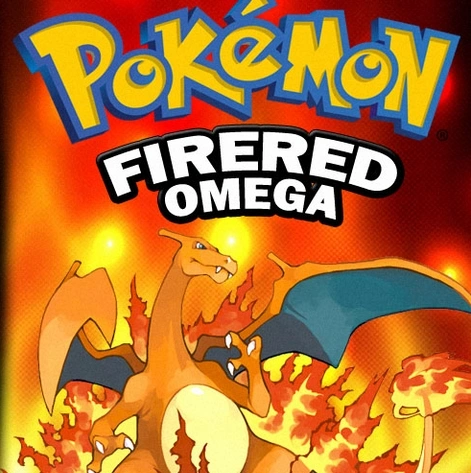
Pokémon FireRed Omega is Drayano’s original Pokémon difficulty/enhancement hack and the project that started the line that eventually gave us Blaze Black, Volt White, Sacred Gold, Storm Silver, Renegade Platinum, and other well-known Drayano games.
Originally released in 2009, FireRed Omega keeps the basic Pokémon FireRed storyline but dramatically changes the experience around it. All 386 Generation 1–3 Pokémon can be obtained, wild encounters are rebuilt, Trainer teams are much stronger, Gym Leaders and the Elite Four use full teams, several Pokémon have changed stats and movesets, trade evolutions are replaced, and new areas and legendary events are added. Drayano’s own description says the main goal was to give the player far more variety than ordinary FireRed.
As of August 30, 2026, the original FireRed Omega is still generally cataloged as v1.0. Drayano later distributed an updated/fixed patch containing bug fixes, but I could not verify a later official numbered FireRed Omega release that supersedes the original game. Drayano himself now describes FireRed Omega as a very old project and recommends newer hacks like Radical Red if players want a more modern FireRed overhaul.
The normal installation process is:
Clean Pokémon FireRed USA v1.0 + Fire Red Omega.ips = Pokémon FireRed Omega
Do not patch FireRed Omega over another FireRed hack or over an older FireRed Omega ROM.
Drayano’s own instructions specifically say the updated patch must be applied to a clean FireRed ROM, not an already patched FireRed Omega ROM.
Rom Professor does not host, provide, or link to copyrighted Pokémon FireRed ROM files or pre-patched FireRed Omega ROMs. Use your own legally obtained clean Pokémon FireRed ROM and apply the fan-made patch yourself.
What You Need Before Installing Pokémon FireRed Omega
You need:
- A clean Pokémon FireRed USA v1.0 ROM
- The FireRed Omega IPS patch
- An IPS-compatible patcher
- A Game Boy Advance emulator
- Flash 128K save support
- A backup of your clean FireRed ROM
- A safe backup location for your FireRed Omega
.sav
Pokémon FireRed Omega Installation Requirements
| Requirement | Correct Choice |
|---|---|
| Hack | Pokémon FireRed Omega |
| Creator | Drayano |
| Base game | Pokémon FireRed |
| Platform | Game Boy Advance |
| Region | USA |
| FireRed revision | v1.0 / Rev 0 |
| Common dump name | 1636 FireRed (U) / “Squirrels” |
| Patch format | IPS |
| Original version | v1.0 |
| Base SHA-1 | 41cb23d8dccc8ebd7c649cd8fbb58eeace6e2fdc |
| Base MD5 | e26ee0d44e809351c8ce2d73c7400cdd |
| Base CRC32 | dd88761c |
| Save type | Flash 128K |
| RTC required | No |
| Recommended emulator | mGBA |
| All 386 obtainable | Yes |
| Status | Complete |
The standard clean FireRed USA v1.0 ROM has SHA-1:
41cb23d8dccc8ebd7c649cd8fbb58eeace6e2fdc
while the later FireRed Rev 1 release has a different SHA-1:
dd5945db9b930750cb39d00c84da8571feebf417
FireRed Omega uses the original v1.0 ROM, not Rev 1.
What Is the Latest Version of Pokémon FireRed Omega?
The original game is commonly cataloged as:
Pokémon FireRed Omega v1.0
Drayano originally released FireRed Omega in 2009. His official trailer/download description was later updated with a corrected patch and notes describing several fixes, including:
- Whismur placement in Mt. Moon
- Loudred placement in Victory Road
- Illumise and Volbeat placement
- Rival Electabuzz moves
- A MissingNo-related Chronum Tower issue
- Intro grammar
- Trapinch sprite transparency
Drayano’s download description was updated again in December 2012, but he did not identify this corrected build as a new numbered FireRed Omega sequel.
So the safest way to describe the current original game is:
FireRed Omega v1.0 / latest corrected Drayano patch
I could not verify an official FireRed Omega v1.1, v2.0, or similar newer numbered Drayano release.
What About FireRed Omega DX?
You may encounter something called:
FireRed Omega DX
That should not automatically be treated as the latest official FireRed Omega.
Community discussion around that project noted that the modernized DX build contained features such as:
- Physical/Special Split
- Day/night
- IV/EV checking
- Other modern quality-of-life additions
but was not listed among Drayano’s own official projects.
For this guide:
we are installing Drayano’s original FireRed Omega.
Treat FireRed Omega DX and other modern reinterpretations as separate hacks.
What About Pokémon Rekindled Red?
Pokémon Rekindled Red is another newer project heavily inspired by FireRed Omega.
Its developers explicitly say they adopted many FireRed Omega:
- Wild encounters
- Trainer teams
- Stat changes
- Moveset changes
- Evolution changes
while rebuilding the concept on a newer FireRed codebase with additional features.
That makes Rekindled Red a spiritual modernization of FireRed Omega.
It is not the same ROM hack.
If you specifically want the classic Drayano experience:
install FireRed Omega.
Is Pokémon FireRed Omega Complete?
Yes.
FireRed Omega is a complete FireRed enhancement hack.
You can play through:
- The full Kanto campaign
- All eight Gym Leaders
- Team Rocket storyline
- Pokémon League
- Sevii Islands
- Elite Four rematches
- Additional legendary content
- New postgame areas
Drayano also added new locations including:
- Chronum Tower
- Ancient Labyrinth
- Yggdrasill Forest
with some of that content becoming available later in the game.
What Does Pokémon FireRed Omega Change?
FireRed Omega is much more than:
“FireRed, but harder.”
Major changes include:
- All 386 Pokémon obtainable
- New starters
- Reworked wild encounters
- Stronger Trainers
- Full Gym Leader teams
- Full Giovanni teams
- Full Elite Four teams
- New legendary events
- New areas
- Modified Pokémon stats
- Modified abilities
- Modified movesets
- Changed evolutions
- Earlier National Dex
- Altered trades
- Reworked Safari Zone
- New gift Pokémon
- Higher levels throughout Kanto
Drayano’s original description specifically says all 386 Pokémon can be obtained and that Trainer teams, events, and areas were substantially changed.
What Are the Starters in FireRed Omega?
FireRed Omega replaces:
- Bulbasaur
- Charmander
- Squirtle
with:
- Smoochum
- Elekid
- Magby
Those three Pokémon also received significant stat and moveset changes to make them more practical starters.
They evolve earlier than normal:
- Smoochum → Jynx at Level 24
- Elekid → Electabuzz at Level 24
- Magby → Magmar at Level 24
rather than waiting until Level 30.
Can You Still Get Bulbasaur, Charmander, and Squirtle?
Yes.
FireRed Omega distributes starter Pokémon from:
- Kanto
- Johto
- Hoenn
through NPC gifts around the game.
Drayano’s changes document specifically encourages players to talk to new NPCs in:
- Pokémon Centers
- Towns
- Other important areas
because some of them give starter Pokémon.
So choosing Smoochum, Elekid, or Magby does not permanently lock you out of the traditional starters.
What Base ROM Does Pokémon FireRed Omega Use?
Use:
Pokémon FireRed Version — USA — v1.0 / Rev 0
Drayano’s original instructions call this:
1636 Fire Red (U)
and specifically require a clean copy.
The most useful modern verification value is:
SHA-1
41cb23d8dccc8ebd7c649cd8fbb58eeace6e2fdc
Correct FireRed v1.0 Checksums
| Checksum | Correct Value |
|---|---|
| CRC32 | dd88761c |
| MD5 | e26ee0d44e809351c8ce2d73c7400cdd |
| SHA-1 | 41cb23d8dccc8ebd7c649cd8fbb58eeace6e2fdc |
What Does “Squirrels” Mean?
You may see old FireRed ROM-hacking guides refer to:
FireRed (U)(Squirrels)
or:
1636 Fire Red (U)
That is the commonly referenced clean USA v1.0 FireRed dump used by many classic FireRed ROM hacks.
The important part is not the filename.
It is the checksum:
41cb23d8dccc8ebd7c649cd8fbb58eeace6e2fdc
If your legally dumped FireRed ROM matches that SHA-1:
you have the correct v1.0 base.
Do Not Use FireRed Rev 1
FireRed Rev 1 has SHA-1:
dd5945db9b930750cb39d00c84da8571feebf417
That is not the base FireRed Omega was built for.
Even though both ROMs are Pokémon FireRed USA:
their internal data differs.
IPS patches expect data to exist at particular locations.
Use:
FireRed v1.0 / Rev 0.
Do Not Patch FireRed Omega Over Another Hack
Do not use:
- Radical Red
- Rocket Edition
- FireRed Omega DX
- Another FireRed enhancement
- A randomized ROM
- An already patched FireRed Omega ROM
as the source.
Drayano specifically says the FireRed ROM must be a clean copy with no previous patch applied.
Do Not Patch an Updated FireRed Omega Patch Over Old FireRed Omega
This is especially important because Drayano later released a corrected patch.
His own instructions say:
the updated patch must be applied to clean FireRed rather than an existing FireRed Omega ROM.
Correct:
Clean FireRed + updated FireRed Omega IPS
Wrong:
Old FireRed Omega + updated FireRed Omega IPS
Where to Get Pokémon FireRed Omega Safely
FireRed Omega’s original public distribution is old, but Drayano has historically maintained a Google Drive containing patches for his ROM hacks.
Drayano’s FireRed Omega patch folder
Current community references still direct players toward Drayano’s patch collection rather than copyrighted pre-patched ROM downloads.
The original release trailer is also useful because Drayano included:
- Installation instructions
- Patch format
- Base-ROM requirements
- Save-type troubleshooting
- Corrected-patch notes
directly in its description.
Avoid Pre-Patched FireRed Omega ROMs
Do not search for:
“FireRed Omega ROM download”
and blindly download a complete .gba.
Besides redistributing copyrighted FireRed data, you may have no idea which version you received.
It could be:
- Original FireRed Omega
- Old unfixed FireRed Omega
- Corrected FireRed Omega
- FireRed Omega DX
- A PokémonChallenges QoL variant
- A randomized version
- A cheat-modified version
- A corrupted ROM
- Another FireRed hack using the Omega name
Patch the game yourself.
That way you control:
- Base ROM
- Patch
- Output ROM
- Save
What Patch Format Does FireRed Omega Use?
FireRed Omega uses:
IPS
Drayano’s original instructions specifically identify the patch as:
Fire Red Omega.ips
and recommend using Lunar IPS because the patch itself was created with that program.
GameBrew likewise catalogs FireRed Omega as an IPS patch.
What Patcher Should I Use?
Any reliable IPS-compatible patcher should work.
Examples include:
- Floating IPS / FLIPS
- Lunar IPS
- Rom Patcher JS
- MultiPatch on macOS
For Windows, Drayano originally recommended:
Lunar IPS.
For a modern installation, FLIPS or another current IPS-capable tool is also fine.
How to Install Pokémon FireRed Omega
Step 1: Get the FireRed Omega Patch
Download the original FireRed Omega patch package from Drayano’s project files.
You are looking for:
Fire Red Omega.ips
not:
.gba
The IPS is the fan-created modification.
The .gba is the copyrighted base game you provide yourself.
Step 2: Extract the Patch Package
If the project comes as:
.rar.zip.7z
extract it.
Drayano’s original package included:
- FireRed Omega IPS
- Readme
- Changes documentation
Keep those documentation files.
They contain useful information about:
- Pokémon locations
- Evolution changes
- Pokémon stats
- Trainer changes
- Gameplay differences
Step 3: Prepare Clean Pokémon FireRed
Use:
Pokémon FireRed USA v1.0
Verify:
SHA-1: 41cb23d8dccc8ebd7c649cd8fbb58eeace6e2fdc
If your ROM is inside a compressed archive:
extract it first.
You need the actual:
.gba
file.
Step 4: Keep an Untouched Backup
Create:
Pokemon FireRed CLEAN.gba
and leave it alone.
That clean copy is extremely useful because FireRed is the base for a huge number of ROM hacks.
You can reuse it for:
- FireRed Omega
- Rocket Edition
- Other v1.0 FireRed hacks
- Future repatching
Never patch your only clean FireRed ROM.
Step 5: Open an IPS Patcher
Open:
- FLIPS
- Lunar IPS
- Rom Patcher JS
- MultiPatch
or another trusted IPS-compatible patcher.
Step 6: Select the FireRed Omega Patch
Choose:
Fire Red Omega.ips
Step 7: Select Clean FireRed
Choose your verified:
Pokemon FireRed CLEAN.gba
Again:
SHA-1: 41cb23d8dccc8ebd7c649cd8fbb58eeace6e2fdc
Step 8: Apply the Patch
Run:
Apply Patch
If your patching program creates a new output:
save it separately.
If the program modifies the source ROM in place:
make sure you used a duplicate and not your permanent clean backup.
Step 9: Rename the Finished ROM
A clear filename is:
Pokemon FireRed Omega.gba
If you want to identify the classic release:
Pokemon FireRed Omega Original.gba
Step 10: Open FireRed Omega in a GBA Emulator
For modern systems, my first recommendation is:
mGBA
The current stable mGBA release is 0.10.5 and supports Windows, macOS, Linux, and several homebrew platforms.
Step 11: Check the Intro Messages
Drayano says one of the easiest ways to know FireRed Omega patched correctly is that he changed the introductory messages at the beginning of the game.
You should also quickly encounter the changed starter selection:
- Smoochum
- Elekid
- Magby
instead of:
- Bulbasaur
- Charmander
- Squirtle
Step 12: Make a Normal In-Game Save
Before beginning a serious playthrough:
- Start FireRed Omega.
- Save using the normal Pokémon menu.
- Completely close your emulator.
- Reopen FireRed Omega.
- Confirm Continue appears.
- Load your save.
- Save again.
This ensures your emulator is properly handling FireRed’s save hardware.
Best Emulator for Pokémon FireRed Omega on Windows
Use:
mGBA
FireRed Omega originally recommended VisualBoyAdvance because that was one of the dominant GBA emulators in 2009.
Today, mGBA is the easier default recommendation.
The current mGBA release supports:
- Windows
- macOS
- Linux
- GBA battery saves
- Modern save handling
- Accurate Game Boy Advance emulation
Can I Still Use VisualBoyAdvance?
Yes, but remember that Drayano’s original instructions are from the late 2000s.
If you use an old VisualBoyAdvance build and receive:
“1M Circuit Board is not installed”
Drayano specifically instructed players to change:
Save Type → Flash 128K
then restart the emulator.
For a modern emulator such as mGBA:
manual save-type configuration should normally be unnecessary.
What Save Type Does FireRed Omega Use?
FireRed uses:
Flash 128K
save memory.
That is why Drayano told old VBA users to configure:
Flash 128K
if the game produced the 1M Circuit Board warning.
Modern mGBA should normally detect the correct save configuration automatically.
Best Emulator for FireRed Omega on Mac
Use:
mGBA
mGBA currently provides official macOS builds.
The process is simple:
- Patch FireRed Omega.
- Open the finished
.gba. - Start a game.
- Save normally.
- Close mGBA.
- Reopen it.
- Confirm Continue appears.
Can I Play FireRed Omega on Android?
Yes.
FireRed Omega is a standard GBA-based ROM hack.
Any accurate emulator with normal FireRed Flash 128K support should be capable of running it.
Common approaches include:
- RetroArch with mGBA core
- Other current GBA emulators
Patch FireRed Omega first, then import the completed:
Pokemon FireRed Omega.gba
Do not try to open the IPS itself.
Can I Play FireRed Omega on iPhone or iPad?
Yes.
Delta currently supports:
Game Boy Advance
games on iPhone and iPad.
The workflow is:
- Patch FireRed Omega.
- Import the finished
.gbainto Delta. - Start the game.
- Make a normal in-game save.
- Fully close the game.
- Reopen it.
- Confirm the save remains intact.
Delta also supports save states, but your normal in-game save should still be your primary progress file.
Best Emulator Settings for FireRed Omega
| Setting | Recommendation |
|---|---|
| System | Game Boy Advance |
| Windows | mGBA |
| macOS | mGBA |
| Android | mGBA-based emulator / accurate GBA emulator |
| iPhone/iPad | Delta |
| Save type | Flash 128K |
| RTC | Not required |
| BIOS | Optional for normal mGBA use |
| Fast-forward | Optional |
| Save states | Secondary only |
| In-game saves | Essential |
| Cheats | Avoid while troubleshooting |
Does FireRed Omega Need RTC?
No special RTC requirement is documented for FireRed Omega.
Pokémon FireRed itself does not use the Emerald-style real-time-clock system for ordinary gameplay.
You do not need to configure:
- Berry clock hardware
- Day/night
- RTC files
just to play FireRed Omega.
Can You Catch All 386 Pokémon?
Yes.
This is one of the defining features of FireRed Omega.
Drayano’s own release description says:
all 386 Pokémon
can be obtained in some way within the game.
That includes Pokémon that normally require:
- Ruby
- Sapphire
- Emerald
- Colosseum/XD-era availability
- Trading
- Other FireRed/LeafGreen version access
- Event distributions
FireRed Omega heavily modifies:
- Wild encounters
- Gift Pokémon
- Evolution methods
- Legendary events
to make the expanded Pokédex workable.
Do Trade Evolutions Require Trading?
No.
FireRed Omega replaces many inconvenient trade evolutions with single-player methods.
Examples include:
| Pokémon | FireRed Omega Evolution |
|---|---|
| Haunter → Gengar | Level 38 |
| Kadabra → Alakazam | Level 36 |
| Machoke → Machamp | Level 40 |
| Graveler → Golem | Level 38 |
| Onix → Steelix | Level 32 |
| Scyther → Scizor | Level 42 |
| Porygon → Porygon2 | Level 31 |
| Seadra → Kingdra | Level 44 |
| Feebas → Milotic | Level 20 |
| Eevee → Espeon | Sun Stone |
| Eevee → Umbreon | Moon Stone |
This makes FireRed Omega much more practical as a single-player experience than vanilla Generation 3.
Are Gym Leaders Harder?
Yes.
Very noticeably.
FireRed Omega gives:
- Gym Leaders
- Giovanni
- Elite Four members
teams of:
six Pokémon.
Levels are also generally higher throughout the game.
Do not approach Brock, Misty, or later bosses using vanilla FireRed assumptions.
Does FireRed Omega Use the Physical/Special Split?
No.
The original FireRed Omega is still fundamentally a Generation 3 hack.
Physical and Special categories are based on move type rather than individual move.
That means, for example:
- Fire = Special
- Water = Special
- Grass = Special
- Electric = Special
- Psychic = Special
while:
- Normal = Physical
- Fighting = Physical
- Flying = Physical
- Ground = Physical
- Rock = Physical
FireRed Omega changes many moves and Pokémon, but it does not turn the underlying battle engine into Generation 4.
This is one major difference between original FireRed Omega and newer FireRed difficulty hacks.
Does FireRed Omega Have Fairy Type?
No.
Original FireRed Omega predates Fairy type by several years.
If you encounter a version of FireRed Omega advertised with:
- Fairy type
- Physical/Special Split
- Mega Evolution
- Gen 6+ mechanics
you are looking at a later community modification or a different project.
Is FireRed Omega Harder Than Vanilla FireRed?
Yes.
FireRed Omega substantially increases difficulty through:
- Better Trainer teams
- Full boss teams
- Higher levels
- Better enemy movesets
- Stronger Pokémon availability
- Changed abilities
- Changed stats
But Drayano himself now describes FireRed Omega as a lighter modification than newer projects like Radical Red.
That makes it a good middle ground for someone who wants:
classic Gen 3 difficulty hacking
without the enormous modern-mechanics package of Radical Red.
Is FireRed Omega Good for Nuzlockes?
Yes.
FireRed Omega remains actively played by modern Nuzlocke communities and is often used as the opening game in a:
Drayano Gauntlet
where players attempt several of his hacks in sequence.
It is substantially harder than vanilla FireRed but simpler mechanically than later Drayano games such as Renegade Platinum.
For someone moving beyond vanilla Hardcore Nuzlockes:
FireRed Omega is a reasonable first serious Drayano challenge.
What Is the PokémonChallenges FireRed Omega QoL Patch?
If you watch modern FireRed Omega challenge runs, you may see features that are not present in Drayano’s original game, such as:
- Infinite Repel
- Portable PC
- Other challenge-run convenience tools
Those come from a separate community QoL patch used in some modern Drayano Gauntlet runs. Current players specifically note that the version distributed through the PokémonChallenges community is a modified QoL build rather than the untouched original FireRed Omega.
So if your game does not give you:
- Portable PC
- Infinite Repel
- Similar modern utilities
your installation is not necessarily wrong.
You may simply be playing:
original FireRed Omega
rather than a community challenge variant.
Should I Install the QoL Version Instead?
For a normal Rom Professor guide:
install original FireRed Omega first.
That gives you the actual Drayano game.
If you later want a challenge-running QoL variant:
treat it as a separate modification and follow that community’s specific instructions.
Do not confuse its features with original FireRed Omega.
How to Update Pokémon FireRed Omega Without Losing Your Save
FireRed Omega does not have an active modern release cycle.
However, this section still matters if you have:
- An old FireRed Omega IPS
- Drayano’s corrected IPS
- A community QoL variant
The most important rule comes directly from Drayano:
apply the replacement patch to clean FireRed, not your currently patched FireRed Omega ROM.
Step 1: Make a Normal In-Game Save
Open your existing FireRed Omega game.
Use:
SAVE
Then completely close the emulator.
Step 2: Back Up the .sav
Locate your battery save.
For example:
Pokemon FireRed Omega.sav
Make a copy:
Pokemon FireRed Omega BACKUP.sav
Step 3: Keep Your Old ROM
Do not delete your working FireRed Omega ROM.
Keep:
- Old ROM
- Old
.sav
together.
Step 4: Return to Clean FireRed
Use:
clean FireRed v1.0
SHA-1:
41cb23d8dccc8ebd7c649cd8fbb58eeace6e2fdc
Apply the replacement FireRed Omega patch to that clean ROM.
Step 5: Test a COPY of the Save
I could not verify a blanket Drayano statement guaranteeing seamless save compatibility between every historical FireRed Omega patch or community variant.
Therefore:
use a duplicate save first.
Check:
- Party
- PC Pokémon
- Items
- Badges
- Pokédex
- Current location
- Story progression
- Key items
Step 6: Keep Community Variants Separate
If you are moving from:
original FireRed Omega
to:
PokémonChallenges QoL FireRed Omega
do not assume perfect compatibility just because both use FireRed Omega content.
Back up first.
Step 7: Save Again
After the new ROM loads correctly:
- Make a normal in-game save.
- Close the emulator.
- Reopen it.
- Confirm Continue appears.
Do Not Update Using Only a Save State
Save states contain:
- Emulator RAM
- CPU state
- Script state
- Old ROM state
They are not a good primary migration method.
Use the normal .sav.
Common Pokémon FireRed Omega Installation Problems
“The IPS Patch Doesn’t Work”
Check your FireRed base.
Expected:
SHA-1: 41cb23d8dccc8ebd7c649cd8fbb58eeace6e2fdc
If yours matches:
dd5945db9b930750cb39d00c84da8571feebf417
you have FireRed Rev 1 instead.
FireRed Omega expects the original USA v1.0 game.
“I Used FireRed Rev 1”
Start again with FireRed v1.0.
The two releases are not binary-identical.
“I Patched FireRed Omega Over FireRed Omega”
Start again.
Drayano explicitly says the updated patch must be applied to:
clean FireRed.
“My Emulator Won’t Open the IPS”
Normal.
The emulator opens:
.gba
The patcher opens:
.ips
First:
- Patch FireRed.
- Create the finished
.gba. - Open the
.gba.
“Can I Rename the IPS to .gba?”
No.
Renaming a patch does not apply it.
“Vanilla FireRed Starts”
You probably opened the clean source ROM.
Keep your files clearly named:
Pokemon FireRed CLEAN.gba
Pokemon FireRed Omega.gba
“I Still Have Bulbasaur, Charmander, and Squirtle as Starters”
You are probably playing vanilla FireRed.
FireRed Omega’s starters should be:
- Smoochum
- Elekid
- Magby
“I Get a 1M Circuit Board Error”
This was a common old VisualBoyAdvance problem.
Drayano’s original fix is:
Save Type → Flash 128K
then restart the emulator.
If you are using an old VBA build:
try that.
If possible:
switch to modern mGBA instead.
“My Game Doesn’t Have Infinite Repel or Portable PC”
You are probably playing original FireRed Omega.
Those utilities appear in certain modern community QoL versions used for challenge runs.
They are not required for authentic FireRed Omega.
“Can I Use a Randomizer?”
You can technically modify many Pokémon ROM hacks, but randomizing FireRed Omega destroys much of the deliberate encounter and Trainer design.
If you want normal FireRed Omega:
do not randomize it.
“Why Is Brock/Misty So Difficult?”
Because FireRed Omega deliberately rebuilds boss teams.
Gym Leaders use significantly stronger rosters and eventually full teams.
That is expected behavior.
“Can I Catch Every Pokémon?”
All 386 Generation 1–3 Pokémon are obtainable through some method in FireRed Omega.
Use our FireRed Omega Pokémon-locations guide for exact encounter information.
“Can I Complete the Pokédex Without Trading?”
The game modifies evolution methods and Pokémon availability specifically to make single-player completion possible.
Many trade evolutions now evolve by:
- Level
- Evolution stone
- Another non-trade condition
“Is FireRed Omega the Same as Radical Red?”
No.
Both are FireRed difficulty/enhancement hacks, but they are separated by more than a decade of ROM-hacking development.
FireRed Omega is:
- Gen 1–3 only
- Gen 3 mechanics
- No Fairy
- No modern Physical/Special Split
- Lighter overall feature expansion
Drayano himself says the main reason to choose FireRed Omega over Radical Red today is if you specifically want lighter changes or only Generations 1–3.
“Is FireRed Omega Still Worth Playing?”
Yes, particularly if you want to see where the modern difficulty-hack lineage began.
FireRed Omega influenced Drayano’s later work and remains actively played in modern Drayano challenge runs.
It feels much simpler than Radical Red or Redux-era projects, but that simplicity is part of its appeal.
How to Verify That Pokémon FireRed Omega Installed Correctly
Verify the Base ROM
Before patching:
SHA-1: 41cb23d8dccc8ebd7c649cd8fbb58eeace6e2fdc
Verify the Patch Format
FireRed Omega uses:
IPS.
Check the Intro
Drayano says the intro messages were modified.
Check the Starters
You should see:
- Smoochum
- Elekid
- Magby
rather than the normal Kanto starters.
Check Early Encounters
Wild Pokémon distribution should quickly differ from normal FireRed.
Check Trainer Difficulty
Trainer parties should be substantially different.
Check Saving
- Save normally.
- Close the emulator.
- Reopen FireRed Omega.
- Confirm Continue appears.
- Load your save.
- Save again.
If all of those checks pass:
your installation is ready.
Pokémon FireRed Omega Installation FAQ
What is the latest version of Pokémon FireRed Omega?
The original Drayano game is commonly cataloged as:
v1.0
with a later corrected/fixed patch distributed by Drayano.
I could not verify a later official numbered version replacing it.
Who created FireRed Omega?
Drayano.
When was FireRed Omega released?
The original release was:
2009.
Is FireRed Omega complete?
Yes.
It is a complete FireRed enhancement hack with expanded postgame content.
What base ROM does FireRed Omega use?
Pokémon FireRed USA v1.0 / Rev 0
SHA-1:
41cb23d8dccc8ebd7c649cd8fbb58eeace6e2fdc
Does FireRed Rev 1 work?
No.
Rev 1 has a different hash:
dd5945db9b930750cb39d00c84da8571feebf417
and should not be used for FireRed Omega.
What patch format does FireRed Omega use?
IPS.
What patcher should I use?
Any reliable IPS patcher.
Drayano originally recommended Lunar IPS.
Where should I get FireRed Omega?
Use Drayano’s patch distribution rather than copyrighted pre-patched ROM sites.
Drayano’s FireRed Omega patch folder
Can I download a pre-patched FireRed Omega ROM?
Rom Professor does not recommend or link to copyrighted pre-patched Pokémon ROMs.
Patch your own clean FireRed v1.0 ROM.
What emulator should I use?
My modern recommendation is:
mGBA.
The current stable version is available for Windows, macOS, and Linux.
Can I use VisualBoyAdvance?
Yes.
If an old VBA build displays the 1M Circuit Board error, set the save type to:
Flash 128K.
Can I play FireRed Omega on Android?
Yes.
Use a current GBA emulator with normal FireRed save support.
Can I play FireRed Omega on iPhone?
Yes.
Delta officially supports Game Boy Advance games on iPhone and iPad.
Does FireRed Omega need RTC?
No special RTC requirement is documented.
What save type does it use?
Flash 128K.
What are the starters?
- Smoochum
- Elekid
- Magby
Can I get all 386 Pokémon?
Yes.
Do trade evolutions require trading?
Many trade evolutions have been replaced with level or item-based evolution methods.
Does FireRed Omega have Fairy type?
No.
Does it have the Physical/Special Split?
No.
It retains Generation 3’s type-based Physical/Special system.
Is FireRed Omega DX the same game?
No.
Treat FireRed Omega DX as a separate community modification rather than a later official Drayano version.
Is the PokémonChallenges version the normal FireRed Omega?
Not exactly.
Modern Drayano Gauntlet runners sometimes use a community QoL patch containing things such as portable PC and infinite Repel.
Can I update by patching over my existing FireRed Omega ROM?
No.
Drayano specifically says to apply the updated patch to:
clean FireRed.
Can I reuse my old save?
Possibly, but I could not verify a blanket compatibility guarantee covering every old patch and modern community variant.
Back up your .sav, repatch clean FireRed, and test a copy.
Should I use a save state when updating?
No.
Use the normal battery .sav.
Is FireRed Omega harder than Radical Red?
They represent very different eras of difficulty hacking.
FireRed Omega is much lighter mechanically and uses only Generations 1–3, while Radical Red adds far more modern systems.
Drayano specifically describes FireRed Omega as the lighter choice.
Where should I go after installing Pokémon FireRed Omega?
Once the game is working correctly, read our Pokémon FireRed Omega beginner guide.
FireRed Omega changes enough that vanilla FireRed guides are not sufficient for many important questions.
Useful companion guides should eventually include:
- Pokémon FireRed Omega Gym Leader teams
- FireRed Omega Pokémon locations
- FireRed Omega evolution changes
- FireRed Omega starter guide
- FireRed Omega Elite Four
- FireRed Omega legendary locations
- FireRed Omega Chronum Tower guide
- FireRed Omega Ancient Labyrinth guide
- FireRed Omega Yggdrasill Forest guide
- FireRed Omega postgame
- FireRed Omega vs. Radical Red
- FireRed Omega latest version guide
Suggested article screenshots: Use a patching screenshot showing the clean FireRed v1.0 SHA-1 and Fire Red Omega.ips, a screenshot of the changed starter selection showing Smoochum/Elekid/Magby, and an early modified Trainer or wild encounter. A checksum comparison showing FireRed v1.0 vs. FireRed Rev 1 would also be especially useful because using the wrong FireRed revision is one of the easiest ways to break the install.