How to Download and Install Pokémon Crystal Legacy Safely
Pokémon Crystal Legacy is distributed as a patch for Pokémon Crystal rather than as a complete Game Boy Color ROM. To install it correctly, you need a clean copy of one of the supported Pokémon Crystal revisions, the matching Crystal Legacy patch, a BPS-compatible patching tool, and a Game Boy Color emulator.
As of August 2026, the latest official mainline release is Pokémon Crystal Legacy v1.3.1. GitHub still marks 1.3.1 as the latest release, following the larger 1.3 update that introduced Hardcore Mode, Kanto Gym Leader rematches, new Elite Four rematches, Battle Tower changes, and numerous balance and quality-of-life adjustments. Version 1.3.1 then fixed several bugs involving Hardcore daycare Pokémon, the Pokédex color menu, and wild Sentret/Furret stealing held items.
One thing has changed since many older Crystal Legacy installation videos were made:
The current official patches use BPS format, not IPS.
The Legacy team switched from IPS to BPS because BPS patches can verify that you are supplying the correct Pokémon Crystal base ROM. The basic installation process is otherwise the same.
Rom Professor does not provide, host, or link to copyrighted Pokémon Crystal ROM files or pre-patched Pokémon Crystal Legacy ROMs. This guide explains how to use the official patch package with a clean Pokémon Crystal ROM that you legally obtained yourself.
What You Need Before Installing Pokémon Crystal Legacy
You need:
- A clean Pokémon Crystal ROM
- Either supported Crystal v1.0 or Crystal v1.1
- The matching Pokémon Crystal Legacy v1.3.1 BPS patch
- A BPS-compatible patcher
- A Game Boy Color emulator
- A way to extract ZIP files
- A safe location for your ROM and save backups
The current Crystal Legacy package contains separate patches because the original Pokémon Crystal itself has more than one supported revision.
That means you cannot simply grab whichever Crystal Legacy patch file looks right.
You must match:
Crystal v1.0 → Crystal Legacy v1.0-base patch
or:
Crystal v1.1 → Crystal Legacy v1.1-base patch
The version number in those patch names refers to the base Pokémon Crystal ROM, not the version of Crystal Legacy.
This distinction causes a surprising amount of confusion.
Both patches create the same modern Crystal Legacy v1.3.1 game. They simply start from different official revisions of Pokémon Crystal.
What Base ROM Does Pokémon Crystal Legacy Use?
Crystal Legacy supports two English Pokémon Crystal revisions.
Pokémon Crystal v1.0 / Rev 0 / USA
If you have the original American Crystal release, its SHA-1 should be:
f4cd194bdee0d04ca4eac29e09b8e4e9d818c133
Use the Crystal Legacy patch intended for:
Version USA / Crystal 1.0
Pokémon Crystal v1.1 / Rev 1 / USA, Europe
If you have the later USA/Europe revision, its SHA-1 should be:
f2f52230b536214ef7c9924f483392993e226cfb
Use the Crystal Legacy patch intended for:
Version USA, Europe Rev 1 / Crystal 1.1
Those hashes match the recognized Pokémon Crystal v1.0 and v1.1 builds documented by the Pokémon Crystal disassembly project.
The Crystal Legacy team’s own patching instructions use those exact hashes to determine which patch you should select.
Quick Base ROM Table
| Pokémon Crystal Base | Revision | SHA-1 | Use |
|---|---|---|---|
| Crystal USA | v1.0 / Rev 0 | f4cd194bdee0d04ca4eac29e09b8e4e9d818c133 | Crystal Legacy 1.0-base BPS |
| Crystal USA/Europe | v1.1 / Rev 1 | f2f52230b536214ef7c9924f483392993e226cfb | Crystal Legacy 1.1-base BPS |
You do not need to prefer one over the other.
If you already have a clean v1.0 copy, use the v1.0 patch.
If you already have a clean v1.1 copy, use the v1.1 patch.
Do Not Mix the Patches
Do not use:
Crystal v1.1 + the v1.0 patch
or:
Crystal v1.0 + the v1.1 patch
A very recent August 2026 Crystal Legacy support thread involved exactly this mistake. The player had patched Crystal 1.1 using the 1.0 patch and ended up with an incorrect resulting ROM. The Legacy community specifically directed them back to the included instructions and recommended Rom Patcher JS so the base-ROM check could catch the mismatch.
Alternate Languages Are Not Supported
The official patching instructions warn that alternate-language Crystal ROMs are not compatible with these patches and can produce bugs.
Use the supported English release.
Do not use:
- Japanese Crystal
- French Crystal
- German Crystal
- Italian Crystal
- Spanish Crystal
- Another ROM hack
- Crystal Clear
- Polished Crystal
- An older Crystal Legacy ROM
- A translated Crystal ROM
- A modified Crystal ROM
Start clean.
Where to Get the Official Pokémon Crystal Legacy Patch
The primary source is the official Crystal Legacy GitHub repository maintained under cRz-Shadows.
Official Pokémon Crystal Legacy GitHub repository
The repository describes Crystal Legacy as a Pokémon Crystal ROM hack created by TheSmithPlays with the goal of polishing and rebalancing Generation 2 while remaining faithful to the original game’s vision.
For installation, use the Releases section.
Pokémon Crystal Legacy releases
The current release page marks:
Release 1.3.1 — Latest
and provides the official downloadable assets.
Recent Legacy community guidance in 2025 and 2026 continues to direct players toward the GitHub release package and the included patching instructions rather than downloading a pre-patched ROM from another site.
What Is the Latest Version of Pokémon Crystal Legacy?
As of August 29, 2026, the official GitHub release is:
Pokémon Crystal Legacy v1.3.1
GitHub identifies it as the latest release. The repository summary dates that release to August 30, 2024.
The previous v1.3 release was the much larger content update.
Version 1.3 added features including:
- Hardcore Mode
- Hard Mode rules with permanent fainting until reset
- Kanto Gym Leader rematches
- New Elite Four rematch teams
- Updated Battle Tower rewards and rosters
- Pokédex improvements
- Instant Apricorn Ball completion from Kurt
- Trade fixes with Gen 1 and Yellow Legacy
- Learnset and TM adjustments
- Stat and move parity changes with Yellow Legacy
Version 1.3.1 is primarily a bug-fix release on top of that update.
If you find a website offering Crystal Legacy 1.2 or an older 1.3 build, it is outdated.
A March 2026 player, for example, discovered that the copy they had obtained from an older ROM-hacking archive was still version 1.2 while GitHub had 1.3.1.
For current installations, check GitHub first.
Why Is the Crystal Legacy Patch BPS Instead of IPS?
Older Crystal Legacy guides often tell you to look for an:
.ips
file.
Current releases use:
.bps
That is intentional.
The Legacy team moved from IPS to BPS because BPS can include information about the source ROM it expects. When you load the correct Crystal ROM and BPS file into the recommended patcher, the patcher can verify that the base matches before creating the game.
This is useful because Crystal Legacy supports both Crystal v1.0 and v1.1.
If you accidentally choose the wrong combination, a good BPS patcher can warn you instead of silently creating a bad ROM.
Do Not Use Lunar IPS for the Current BPS Patch
Lunar IPS is designed for IPS patches.
That is why a player following an old tutorial in August 2026 could not get the current GitHub BPS file to work properly with Lunar IPS. The community response was to use the currently recommended BPS-compatible patcher instead.
For Crystal Legacy v1.3.1, use a tool that supports:
BPS
How to Patch Pokémon Crystal Legacy
The easiest method is Rom Patcher JS.
The Legacy community repeatedly recommends it because it supports BPS and verifies the source ROM hash.
Step 1: Download the Crystal Legacy v1.3.1 Release
Open the official GitHub Releases page.
Download the v1.3.1 patch package.
Do not download the repository’s source-code ZIP thinking it is automatically the game patch.
Use the actual release asset.
Step 2: Extract the Patch Package
Unzip the Crystal Legacy download.
Inside, you should find:
- Patch files
- Separate v1.0 and v1.1 options
- Patching instructions / README information
Read the included instructions.
The current package provides different patches for the two supported Crystal revisions.
Step 3: Prepare Your Pokémon Crystal ROM
Locate the clean Pokémon Crystal .gbc file that you legally obtained.
If it is compressed inside a ZIP file, extract it.
You want something ending in:
.gbc
not:
.zip
Step 4: Determine Whether Your Crystal ROM Is v1.0 or v1.1
Before patching, check the SHA-1.
If it is:
f4cd194bdee0d04ca4eac29e09b8e4e9d818c133
you have:
Crystal v1.0
If it is:
f2f52230b536214ef7c9924f483392993e226cfb
you have:
Crystal v1.1
Rom Patcher JS can display and validate this information when you load the file.
Step 5: Open Rom Patcher JS
Open the browser patcher recommended by the Legacy community.
You will see fields similar to:
ROM file
and:
Patch file
Step 6: Select Your Clean Pokémon Crystal ROM
Under:
ROM file
select your clean:
.gbc
file.
Do not select:
- An existing Crystal Legacy ROM
- Another hack
- The patch file
- A save file
Step 7: Select the Matching BPS Patch
If your Crystal ROM is v1.0:
use the v1.0 / USA Crystal Legacy BPS patch.
If your Crystal ROM is v1.1:
use the v1.1 / USA-Europe Rev 1 Crystal Legacy BPS patch.
Rom Patcher JS should indicate that the ROM matches the expected source when the correct combination is selected.
If it does not match:
Stop.
Do not force the patch.
Check whether:
- You selected the wrong base revision
- You selected the wrong BPS file
- The Crystal ROM has been modified
- The ROM is a different language
- The ROM is another hack
Step 8: Apply the Patch
Select:
Apply Patch
The patcher should create a new:
.gbc
file.
This is Pokémon Crystal Legacy.
Step 9: Rename the Output
Give the game a clear name.
For example:
Pokemon Crystal Legacy.gbc
The Legacy team’s own instructions recommend giving the output an obvious Crystal Legacy filename so it is easy to distinguish from vanilla Crystal.
Do not rename your clean original ROM.
Keep it as your reusable base.
Step 10: Open Crystal Legacy in Your Emulator
Launch a Game Boy Color emulator.
Open:
Pokemon Crystal Legacy.gbc
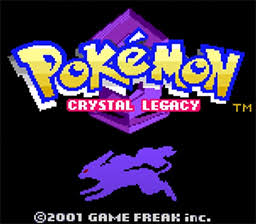
You should see the Crystal Legacy title presentation rather than normal Pokémon Crystal.
Community troubleshooting confirms that a correctly patched game should identify itself as Crystal Legacy.
Step 11: Make a Test Save
Before committing to a full playthrough:
- Start the game.
- Make a normal in-game save.
- Close the emulator completely.
- Reopen Crystal Legacy.
- Verify that Continue appears.
- Load the save.
This is particularly important with Pokémon Crystal because the game also relies on a real-time clock.
How to Play Pokémon Crystal Legacy on Windows, Mac, Android, and iPhone
Crystal Legacy is a Game Boy Color game.
Your patched ROM ends in:
.gbc
You therefore need an emulator with proper Game Boy Color support.
Accurate emulation is preferable, particularly because Pokémon Crystal uses an RTC.
Windows
Good Windows choices include:
mGBA
SameBoy
and:
BGB
mGBA is a simple starting recommendation because it supports Game Boy and Game Boy Color games in addition to GBA titles.
Crystal Legacy players continue using mGBA successfully in current community troubleshooting.
To play:
- Install mGBA.
- Open your patched
.gbc. - Configure controls.
- Make a normal save.
- Close mGBA.
- Restart the game.
- Verify the save and clock.
Avoid Old VisualBoyAdvance
If Crystal Legacy repeatedly crashes or behaves strangely under an old VisualBoyAdvance setup, switch emulators.
Legacy community troubleshooting has specifically advised players experiencing crashes to avoid VisualBoyAdvance and use a proper GBC core instead.
Mac
For macOS:
SameBoy
or:
mGBA
are both good choices.
SameBoy specializes in Game Boy and Game Boy Color emulation.
mGBA is convenient if you already use it for GBA ROM hacks as well.
After installing:
- Open Crystal Legacy.
- Confirm the game clock looks correct.
- Make an in-game save.
- Restart the emulator.
- Verify the save loads.
Android
A practical Android setup is:
RetroArch with an accurate Game Boy/Game Boy Color core
such as:
- SameBoy
- Gambatte
- mGBA
Community troubleshooting has specifically suggested RetroArch with the mGBA core when an Android player encountered problems with another emulator.
The process is:
- Patch Crystal Legacy.
- Copy the
.gbcto the phone. - Open RetroArch.
- Select a compatible GBC core.
- Open Crystal Legacy.
- Save normally.
If one emulator produces strange behavior, test the same ROM in another accurate core before repatching.
iPhone and iPad
Crystal Legacy can run in Delta once the .gbc has been patched correctly.
Current Legacy community discussions include players using Delta with Crystal Legacy, and version 1.3.1 has been tested under Delta by community members.
To install:
- Patch Crystal Legacy first.
- Save the completed
.gbcin Files. - Open Delta.
- Import the
.gbc. - Start playing.
- Make an in-game save.
Do not try to import:
.bps
directly into Delta.
Delta needs the finished:
.gbc
game.
Best Emulator Settings for Pokémon Crystal Legacy
Crystal Legacy does not require a complicated settings list.
The important requirements are:
- Accurate Game Boy Color emulation
- Proper battery-save support
- Proper RTC support
- Normal in-game saves
A good baseline is:
| Setting | Recommendation |
|---|---|
| System | Game Boy Color |
| PC | mGBA, SameBoy, or BGB |
| Mac | SameBoy or mGBA |
| Android | RetroArch + SameBoy/Gambatte/mGBA |
| iPhone/iPad | Delta |
| RTC | Supported/enabled |
| Normal in-game saves | Yes |
| Save states | Convenience only |
| Save backups | Recommended |
Does Crystal Legacy Need a Real-Time Clock?
Standard Crystal Legacy is based on Pokémon Crystal and retains its day/night and clock systems.
You should use an emulator or hardware setup with proper RTC support.
This matters especially on real cartridges and flashcarts.
In 2026, a community developer created a separate fork called Crystal Legacy Timeless specifically because some RTC-less flash hardware could cause serious save problems with standard Crystal-style RTC behavior. The fork removes the hardware RTC requirement, but it is a separate project rather than the normal Crystal Legacy release covered by this guide.
If your flashcart does not support RTC:
do not simply assume standard Crystal Legacy will behave correctly.
Verify your hardware first.
What Is Crystal Legacy Timeless?
You may encounter:
Crystal Legacy Timeless
while searching for the game.
That is not Crystal Legacy v1.4 or the official replacement for 1.3.1.
It is a community fork created for hardware and emulator setups without reliable real-time-clock support.
The Timeless developer released v1.0 in May 2026 and later published a final version in July. Its primary purpose is to remove the RTC dependency and replace it with manually controllable time systems.
For most players using a normal emulator with working RTC:
use standard Crystal Legacy v1.3.1.
If you specifically use RTC-less flash hardware or FPGA configurations, Timeless may be worth researching separately.
Do not confuse its version number with the main Crystal Legacy project’s version.
How to Update Pokémon Crystal Legacy Without Losing Your Save
Crystal Legacy updates should never be applied over your existing Crystal Legacy ROM.
Always patch a clean Pokémon Crystal base again.
This has been repeatedly emphasized by the Legacy community. Players who patched newer releases over already-patched Crystal Legacy ROMs have encountered broken controls, crashes, invalid maps, and other problems.
Step 1: Check Whether Your Save Is Compatible
Do this before anything else.
Crystal Legacy save compatibility depends on how old your save is.
Current community guidance indicates:
v1.2 saves can continue into the modern 1.3.x releases.
However:
saves from before v1.2 should not be assumed compatible with current releases.
The reason is that the 1.2 update changed important save data structures. Players attempting to bring older saves forward have encountered problems such as Pokémon no longer receiving EXP correctly.
If your save is from:
- 1.2
- 1.2.1
- 1.2.2
- 1.3
- 1.3.0
moving to 1.3.1 is reasonable.
If your save is from:
- 1.0
- 1.1
- another very old build
starting over may be necessary.
Step 2: Make a Normal In-Game Save
Open your current Crystal Legacy version.
Use the normal Pokémon save menu.
Do not rely entirely on a save state.
Then close your emulator completely.
Step 3: Back Up Your Save
Locate the normal battery save.
Depending on your emulator, it may end in:
.sav
or:
.srm
Make a copy.
For example:
Pokemon Crystal Legacy BACKUP.sav
Keep the backup somewhere separate.
Step 4: Keep Your Old ROM
Do not immediately delete:
Pokemon Crystal Legacy OLD.gbc
If the update does not behave correctly, you want the exact ROM that previously worked with your save.
Step 5: Determine Which Crystal Base You Originally Used
For the new ROM, it does not actually matter which supported base you used previously as long as you create a valid current Crystal Legacy build.
You can use either:
clean Crystal 1.0 + matching v1.0 patch
or:
clean Crystal 1.1 + matching v1.1 patch
Both create Crystal Legacy.
The important thing is that the patch matches the clean base you are using now.
Step 6: Patch a Fresh Clean Crystal ROM
Do not select your existing:
Pokemon Crystal Legacy.gbc
as the source ROM.
Select:
clean Pokémon Crystal
Then apply the current v1.3.1 BPS patch matching that Crystal revision.
Step 7: Make the New ROM Match the Save Filename
Many emulators associate a save with the ROM filename.
For example:
Pokemon Crystal Legacy.gbc
and:
Pokemon Crystal Legacy.sav
match.
If the new ROM is called:
Pokemon Crystal Legacy 1.3.1.gbc
while your existing save is:
Pokemon Crystal Legacy 1.3.sav
your emulator may create a brand-new save.
Back everything up.
Then either rename the new ROM or copy/rename the save as appropriate.
Step 8: Launch the Updated Game
Open v1.3.1.
Check that:
- Continue appears
- Your party is present
- Your boxes are intact
- Your badges are correct
- Your items remain
- Your story progress is correct
- Pokémon gain EXP normally
- Hard/Normal mode behavior is correct
Step 9: Save Again
Make another normal in-game save.
Close the emulator.
Restart it.
Confirm the save still works.
Keep your backup even after everything looks fine.
Updating From Crystal Legacy 1.3 to 1.3.1
This is a minor bug-fix update and has been successfully used with existing 1.3 saves.
Community players report updating mid-run from 1.3 to 1.3.1 successfully when they created a new properly patched ROM rather than patching over the old one.
The safe process is:
- Save normally.
- Back up the
.sav. - Patch clean Crystal with the current 1.3.1 BPS.
- Give the new ROM the filename expected by your save.
- Launch the game.
- Verify progress.
- Save again.
Do not apply the 1.3.1 patch directly to:
Crystal Legacy 1.3.gbc
Common Pokémon Crystal Legacy Installation Problems
“My patch is BPS but the video says IPS”
The video is outdated.
Crystal Legacy changed from IPS to:
BPS
several months after those older installation videos were created.
The current BPS patches are intentional.
Use Rom Patcher JS or another BPS-compatible patcher.
“Lunar IPS says the patch doesn’t work”
Lunar IPS is for:
.ips
patches.
Current Crystal Legacy releases use:
.bps
Use a BPS-compatible tool such as Rom Patcher JS.
“Rom Patcher JS says the ROM does not match”
Check which Crystal revision you have.
If your SHA-1 is:
f4cd194bdee0d04ca4eac29e09b8e4e9d818c133
use the v1.0-base patch.
If it is:
f2f52230b536214ef7c9924f483392993e226cfb
use the v1.1-base patch.
If neither matches, your Crystal ROM is probably:
- Modified
- Another language
- A bad dump
- Another revision
- Another ROM hack
“I used Crystal v1.1 with the v1.0 patch”
Start over.
Use:
Crystal v1.1 + v1.1 patch
A current August 2026 support thread involved exactly this error.
Do not continue playing the incorrectly patched file just because it happens to boot.
“Can I use Crystal v1.1?”
Yes.
Crystal Legacy officially provides a separate patch for:
Crystal v1.1 / Rev 1 / USA-Europe
with SHA-1:
f2f52230b536214ef7c9924f483392993e226cfb
“Can I use Crystal v1.0?”
Yes.
Use the matching v1.0 patch.
The expected SHA-1 is:
f4cd194bdee0d04ca4eac29e09b8e4e9d818c133
“Which Crystal version is better?”
For Crystal Legacy itself, it does not matter much.
The project provides patches for both supported bases.
Use whichever legitimate clean version you already have.
The important thing is choosing the matching BPS file.
“My emulator opens regular Pokémon Crystal”
You are probably opening the clean source ROM.
The patcher creates a separate:
.gbc
output.
Rename it:
Pokemon Crystal Legacy.gbc
and open that file.
A correctly patched game should identify itself as Crystal Legacy.
“The game crashes or sends me to the Game Boy Color compatibility screen”
First check two things:
- Did you patch a clean Crystal ROM?
- Are you using a proper GBC emulator/core?
A 1.3 player experiencing repeated freezes and the “only compatible with Game Boy Color” screen fixed the problem after repatching a fresh clean ROM. The same support discussion also advised against VisualBoyAdvance.
Try the ROM in:
mGBA
or:
SameBoy
before assuming Crystal Legacy itself is broken.
“I entered Professor Elm’s house and the map became a void”
This type of corruption has also been associated with bad patching.
A player reporting both crashes and invalid map behavior fixed the issue by patching again from a fresh Crystal ROM.
Repatch before continuing that save.
“My Pokémon stopped gaining EXP after updating”
Check how old the original save is.
Community troubleshooting indicates saves from before 1.2 are not properly compatible with modern Crystal Legacy releases due to save-data changes introduced in 1.2.
If your save is from 1.0 or 1.1, a new game may be required.
“My save disappeared after updating”
Check filenames.
If you originally had:
Pokemon Crystal Legacy.gbc
and:
Pokemon Crystal Legacy.sav
but your new file is:
Pokemon Crystal Legacy 1.3.1.gbc
the emulator may treat it as another game.
Back up the save.
Then make the ROM and battery-save filenames match or use your emulator’s save-import feature.
“My save state stopped working”
Use the normal in-game battery save.
Save states are tied closely to a specific ROM and emulator state.
They are useful during normal play but poor update-transfer files.
“Crystal Legacy works for a while and then my save becomes corrupted”
First verify:
- Correct base ROM
- Correct matching BPS
- Accurate emulator
- Proper RTC support
A July 2026 user troubleshooting apparently corrupted Crystal Legacy saves was directed back to the exact official base-ROM hashes and patching instructions before investigating anything else.
If you are playing on real hardware without an RTC chip, investigate your hardware carefully because standard Pokémon Crystal depends on RTC behavior.
“I downloaded an IPS patch from an old video description. Is that okay?”
Older official Crystal Legacy releases did use IPS.
However, the current project has deliberately moved to BPS.
For a new v1.3.1 installation in 2026, use the current GitHub release package and the current BPS patch rather than following an old video mirror.
“My Crystal Legacy file says v1.2”
You have an outdated patch.
The current GitHub release is:
v1.3.1.
Create a new game ROM from a clean Crystal base using the current patch.
If your save is from 1.2, it should generally be suitable for moving into the 1.3.x line, but back it up first.
How to Verify That Pokémon Crystal Legacy Installed Correctly
There are several easy checks.
Check the Title Screen
The patched game should identify itself as:
Crystal Legacy
rather than ordinary Pokémon Crystal.
Check the Version Number
Modern Crystal Legacy builds display their version information.
For the current release, you want:
v1.3.1
The official GitHub release page marks 1.3.1 as latest.
Check the Opening Difficulty Options
Version 1.3 introduced major difficulty-mode changes, including:
- Normal play
- Hard Mode
- Hardcore Mode
The GitHub changelog specifically identifies Hardcore Mode as a major addition to 1.3.
If you expect 1.3.1 but are seeing an obviously older version without modern Legacy options, verify which ROM you opened.
Test the Save System
Create a normal in-game save.
Then:
- Close the emulator.
- Reopen it.
- Launch Crystal Legacy.
- Confirm Continue appears.
- Load the save.
- Check the in-game clock.
- Save again.
If the correct game launches, the current version is present, the clock behaves correctly, and your normal save survives a full restart, your basic installation is working.
Pokémon Crystal Legacy Installation FAQ
What is the latest version of Pokémon Crystal Legacy?
As of August 29, 2026, the latest official mainline release is:
Pokémon Crystal Legacy v1.3.1
The project’s GitHub release page marks 1.3.1 as latest.
For future changes, see our Pokémon Crystal Legacy latest version guide.
What ROM does Pokémon Crystal Legacy use?
Pokémon Crystal Legacy supports two English Pokémon Crystal bases:
Crystal v1.0 / Rev 0 / USA
SHA-1:
f4cd194bdee0d04ca4eac29e09b8e4e9d818c133
and:
Crystal v1.1 / Rev 1 / USA, Europe
SHA-1:
f2f52230b536214ef7c9924f483392993e226cfb
Should I use Crystal 1.0 or 1.1?
Either.
Use the matching Crystal Legacy patch included for your base-ROM revision.
Does Pokémon Crystal Legacy use IPS or BPS?
The current official release uses:
BPS
Older releases used IPS.
The Legacy team changed formats because BPS allows source-ROM verification.
What patcher should I use?
The Legacy community recommends:
Rom Patcher JS
because it supports BPS and can show whether the source ROM matches the patch’s expected hash.
Can I use Lunar IPS?
Not with the current BPS patch.
Lunar IPS is designed for IPS.
Use a BPS-compatible patcher.
Where should I get Crystal Legacy?
Use the official GitHub Releases page.
Crystal Legacy official releases
That is preferable to downloading a pre-patched ROM from another website.
Can I download a pre-patched Crystal Legacy ROM?
Pre-patched ROMs may circulate online, but Rom Professor does not recommend or link to them.
Using the official patch means you can verify:
- Your base ROM
- The patch version
- The game revision
- That no unknown modifications were added
Can I play Crystal Legacy on Windows?
Yes.
mGBA, SameBoy, and BGB are good GBC-emulator options.
Can I play Crystal Legacy on Mac?
Yes.
Use SameBoy or mGBA.
Can I play Crystal Legacy on Android?
Yes.
RetroArch with a good GBC core such as SameBoy, Gambatte, or mGBA is a solid choice.
Can I play Crystal Legacy on iPhone?
Yes.
Delta can run the finished .gbc file. Current Legacy community discussions include Crystal Legacy players using Delta successfully.
Does Crystal Legacy need RTC?
Standard Crystal Legacy retains Pokémon Crystal’s clock systems, so an emulator or hardware setup with proper real-time-clock support is preferable.
This is particularly important on flashcart hardware.
Is Crystal Legacy Timeless the newest version?
No.
Crystal Legacy Timeless is a separate community fork designed to eliminate the RTC hardware requirement.
It is not Crystal Legacy v1.4 and does not replace the official mainline v1.3.1 release.
Can I play Crystal Legacy on real Game Boy Color hardware?
Yes, through an appropriate flashcart or cartridge setup.
However, make sure your hardware correctly supports:
- Game Boy Color operation
- Battery saves
- RTC
RTC-less flash hardware deserves particular caution.
Can I play Crystal Legacy on Nintendo DS?
Yes, through an appropriate Game Boy Color emulator on a modified DS or compatible flashcart setup.
A 2026 community discussion confirms that the finished Crystal Legacy ROM behaves like a normal GBC game once patched, so the main requirement is a compatible GBC emulation setup.
Can I update from Crystal Legacy 1.3 to 1.3.1?
Yes.
Back up your save, patch a fresh clean Crystal ROM using the correct BPS file, and use your existing normal battery save with the new ROM. Community players have successfully updated from 1.3 to 1.3.1 mid-playthrough.
Can I update from Crystal Legacy 1.2 to 1.3.1?
Current community guidance indicates 1.2 saves can move forward into the 1.3.x line.
Back up the save first.
Can I update a Crystal Legacy 1.0 or 1.1 save to 1.3.1?
Do not assume that will work.
Community support notes that saves from before 1.2 do not properly carry forward because of save-data changes made in 1.2.
Starting a new game is the safest option.
Should I patch 1.3.1 over my old Crystal Legacy ROM?
No.
Always patch:
clean Pokémon Crystal
not:
an existing Crystal Legacy ROM.
Why does Rom Patcher JS turn green?
The current BPS patches know what base-ROM hash they expect.
When you select the correct Crystal revision and matching patch, Rom Patcher JS can show that the source ROM matches.
That is one of the main benefits of the move from IPS to BPS.
Why does my game look exactly like normal Pokémon Crystal?
Crystal Legacy intentionally preserves the Generation 2 look and feel, so the differences are much subtler than something like Pokémon Prism or Emerald Seaglass.
However, the title screen and game systems should still identify the hack as Crystal Legacy.
If the title screen is simply normal Pokémon Crystal, check that you opened the patched output rather than your clean base.
Is Pokémon Crystal Legacy complete?
Yes.
Crystal Legacy is designed as a complete reworking of the full Pokémon Crystal experience, including Johto and Kanto. The project continues to receive fixes and refinements, but v1.3.1 is a full playable game rather than a demo. The repository describes the project as a complete Crystal-focused rebalance intended to preserve Generation 2’s original vision.
Where should I go after installing Pokémon Crystal Legacy?
Once the game is running correctly, read our Pokémon Crystal Legacy beginner guide.
Crystal Legacy deliberately looks and feels like normal Generation 2, but a huge amount has changed underneath that familiar presentation: Pokémon availability, movesets, Trainer teams, level progression, evolutions, type-related balance, Hard Mode, Hardcore Mode, the Pokédex, the Battle Tower, Gym rematches, and the endgame have all been adjusted.
For version-specific changes and future releases, also see our Pokémon Crystal Legacy latest version guide.