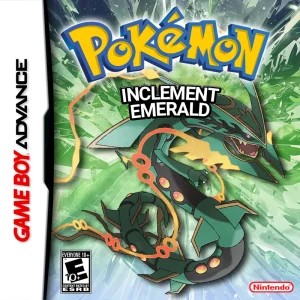
How to Download and Install Pokémon Inclement Emerald Safely
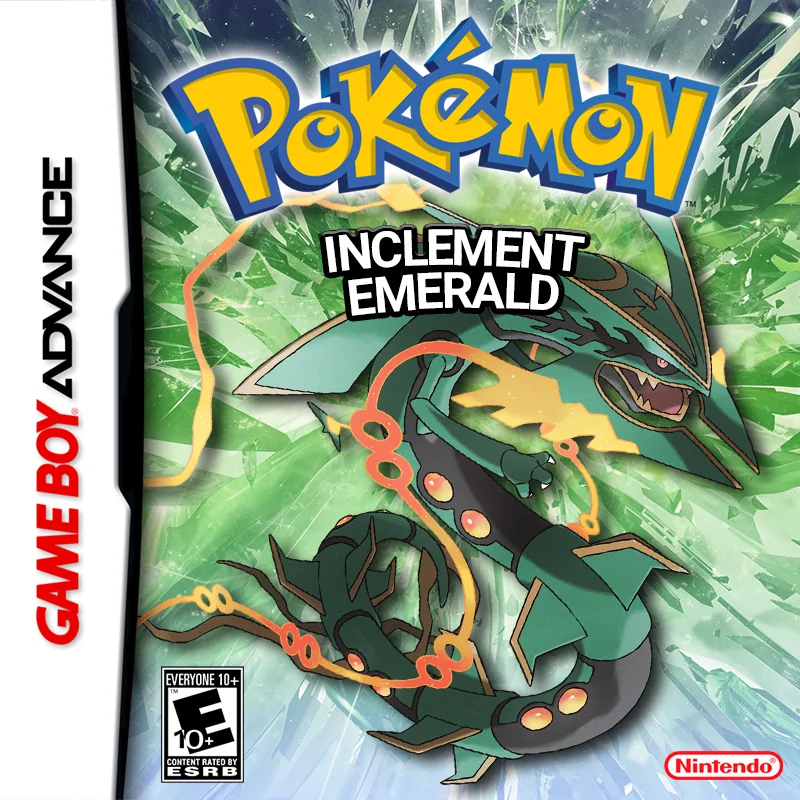
Pokémon Inclement Emerald is distributed as a patch for Pokémon Emerald rather than as a complete Game Boy Advance ROM. To install it correctly, you need the official Inclement Emerald patch, a clean copy of the correct Pokémon Emerald base game, a compatible patching tool, and a GBA emulator.
The most important thing is to use the standard official Inclement Emerald release rather than accidentally downloading one of the many community-modified versions that now exist. Inclement Emerald has inspired Custom UI builds, randomizers, Inclement Emerald EX, YDA patches, follower experiments, and other variants. Those can be interesting later, but they are not the same thing as the normal game covered by this guide.
As of August 2026, Pokémon Inclement Emerald v1.13 remains the latest standard public release. The official PokéCommunity thread is still titled for version 1.13, and current 2026 references continue to identify 1.13 as the public version.
The game is fully playable through the main Pokémon League and includes substantial postgame content, although some originally planned features such as the rebuilt Battle Frontier remain unfinished. The creator has discussed a future 2.0 release, but Inclement Emerald 2.0 has not replaced 1.13 as the public standard version as of August 2026.
Rom Professor does not provide, host, or link to copyrighted Pokémon Emerald ROM files or pre-patched Inclement Emerald ROMs. This guide explains how to apply the fan-made patch to a clean Pokémon Emerald copy that you legally obtained yourself.
What You Need Before Installing Pokémon Inclement Emerald
You need:
- The official Pokémon Inclement Emerald v1.13 patch package
- A clean Pokémon Emerald USA ROM
- The specific Emerald build commonly called TrashMan
- A patcher compatible with the patch file supplied in the current package
- A compatible Game Boy Advance emulator
- A way to extract ZIP or other compressed files
- A safe place to keep your original ROM and save backups
The finished game will be a file ending in:
inclement-emerald-v1.13.gba
or another similar:
.gba
filename.
That finished .gba file is what your emulator opens.
The patch file itself is not a complete game.
Do not try to import a patch file directly into Delta, mGBA, RetroArch, My Boy, Pizza Boy, or another emulator.
What Base ROM Does Pokémon Inclement Emerald Use?
Pokémon Inclement Emerald requires a clean copy of the standard American Pokémon Emerald ROM commonly identified as:
Pokémon Emerald (U) / TrashMan
This is the same widely used Emerald base required by many decompilation-based Emerald hacks.
The important SHA-1 checksum is:
f3ae088181bf583e55daf962a92bb46f4f1d07b7
A repository derived from the original Inclement Emerald codebase contains a rom.sha1 file identifying that exact SHA-1 for the expected pokeemerald.gba base.
The same clean Emerald ROM is also commonly identified by:
CRC32
1F1C08FB
and:
MD5
605b89b67018abcea91e693a4dd25be3
For most players, checking the SHA-1 is enough.
If your Emerald file has:
SHA-1: f3ae088181bf583e55daf962a92bb46f4f1d07b7
you have the expected base.
Do not use:
- Pokémon Ruby
- Pokémon Sapphire
- Another regional Emerald release
- An already modified Emerald ROM
- An old Inclement Emerald ROM
- Inclement Emerald EX
- Another Emerald ROM hack
- An Emerald randomizer
- A ROM that already has another patch applied
- A compressed ZIP instead of the actual
.gba
Community installation instructions for Inclement Emerald and its related community builds consistently refer to patching onto a clean TrashMan Emerald ROM.
Keep an untouched copy of this Emerald ROM somewhere safe.
For example:
Pokemon Emerald CLEAN.gba
Do not use that master copy for day-to-day experimentation.
When you need to reinstall or update a hack, copy the clean ROM and patch the copy.
Where to Get the Official Pokémon Inclement Emerald Patch
The primary source for Pokémon Inclement Emerald is Buffel Saft’s official PokéCommunity release thread.
Pokémon Inclement Emerald official PokéCommunity thread
The thread identifies the game as Pokémon Inclement Emerald v1.13 and contains the creator’s description, features, documentation, community information, and official release resources. Current mirrors of the thread’s content continue to reproduce 1.13 as the public version in 2026.
Use the official thread or the project’s official community resources rather than searching for:
Pokemon Inclement Emerald ROM download
or:
Inclement Emerald prepatched GBA
Pre-patched files from ROM-download sites create several problems.
You may not know:
- Whether the game is actually v1.13
- Whether it is standard Inclement Emerald
- Whether it contains Custom UI
- Whether it contains the YDA patch
- Whether encounters have been randomized
- Whether Pokémon types were modified
- Whether cheats or other patches were baked into the ROM
- Whether the base Emerald ROM was correct
This is not a hypothetical problem.
A player in April 2026 thought they were playing standard Inclement Emerald but discovered they had downloaded a modified version with randomized/custom Pokémon typings instead. Community members specifically advised using the official patch rather than a random pre-patched download.
Patching the game yourself removes much of that uncertainty.
Standard Inclement Emerald vs. EX, YDA, and Custom UI
Before patching, make sure you know what you are installing.
Standard Inclement Emerald v1.13
This is Buffel Saft’s normal release.
It includes:
- Hoenn’s normal Emerald structure
- Pokémon from Generations 1–7
- Modern moves and abilities
- Mega Evolution
- Custom Mega Evolutions
- Level caps
- Improved AI
- Normal, Hard, and Challenge difficulty
- Pokémon rebalancing
- Quality-of-life features
- Expanded areas and events
This is the version covered by this guide.
Inclement Emerald EX
Inclement Emerald EX is a community modification built on Inclement Emerald.
It includes optional systems such as:
- Nuzlocke functionality
- Egglocke support
- Random battles
- Randomized encounters
- Scalemon
- Minimal-grinding features
- Alternate shinies
- UI changes
- Additional customization
Its creator describes it as the same underlying Inclement Emerald game with substantial optional enhancements.
EX uses a separate patch.
Do not accidentally install EX if you want the standard experience.
YDA Patch
The community also refers to a 1.13 YDA patch created by Ydarissep.
That version includes additional quality-of-life and customization features and has been used by challenge-run creators.
It is not the same thing as vanilla Inclement Emerald 1.13.
Custom UI Versions
You may also see:
Inclement Emerald v1.13 Custom UI 1.5
This is another modified build based on 1.13 that adds alternative UI elements, custom type-form options, and other features. Sites distributing it explicitly describe it as the same 1.13 base with additional patches applied.
For your first playthrough:
Install standard Inclement Emerald v1.13.
Once you know the original game, you can decide whether one of these community variants interests you.
How to Patch Pokémon Inclement Emerald
The exact patch-file extension can vary depending on which official/community package you are working from, so follow the README included with the current official download.
What should not vary is the base ROM.
You start with the clean TrashMan Pokémon Emerald ROM.
Step 1: Download the Official Inclement Emerald Package
Open the official PokéCommunity thread and follow its current release instructions.
Verify that the release is:
Pokémon Inclement Emerald v1.13
Do not intentionally select:
- Inclement Emerald EX
- Inclement Emerandbats
- YDA
- Custom UI
- Randomizer builds
- Follower tests
unless that is what you actually want.
Step 2: Extract the Download
If the downloaded package is compressed, extract it.
You may receive:
- A patch file
- Documentation
- Encounter information
- Trainer information
- README or patching instructions
Do not simply put the ZIP into your emulator.
Step 3: Prepare Your Clean Emerald ROM
Locate your legally obtained clean Pokémon Emerald ROM.
The expected SHA-1 is:
f3ae088181bf583e55daf962a92bb46f4f1d07b7
The file should end in:
.gba
If your ROM is still compressed, extract it first.
For example:
Pokemon - Emerald Version (USA, Europe).gba
The actual filename does not matter.
The internal ROM data does.
Step 4: Open a Compatible ROM Patcher
Use a patcher that supports the format supplied with your Inclement Emerald package.
A convenient modern option for many patch formats is Rom Patcher JS.
It can handle several common ROM-hack patch formats directly through your web browser.
You should see fields similar to:
ROM file
and:
Patch file
Step 5: Select the Clean Emerald ROM
Under ROM file, choose your clean TrashMan Emerald .gba.
Do not select your existing Inclement Emerald ROM.
Do not select another Emerald hack.
Step 6: Select the Inclement Emerald Patch
Under Patch file, choose the Inclement Emerald v1.13 patch supplied by the official package.
Make sure you selected the standard patch rather than one of the optional or community modifications.
Step 7: Apply the Patch
Select:
Apply Patch
The patcher should produce a new Game Boy Advance ROM.
The output should end in:
.gba
Community patching instructions for Inclement Emerald-derived builds describe the same basic process: provide a clean TrashMan Emerald ROM, provide the appropriate patch, and let the browser patcher generate the finished .gba.
Step 8: Rename the Finished Game
Give the file a clear name.
For example:
Pokemon Inclement Emerald 1.13.gba
or:
Inclement Emerald 1.13.gba
This makes it easier to distinguish from your clean Pokémon Emerald base.
It also makes save management easier.
Step 9: Open the Finished ROM
Launch your GBA emulator.
Open:
Pokemon Inclement Emerald 1.13.gba
Do not open the original Emerald ROM.
Do not open the patch file.
If Inclement Emerald starts, the patching process worked.
What If the Patcher Downloads a .txt File?
This problem occasionally occurs when browser-based patchers are used on phones.
The resulting download may appear as something similar to:
inclement-emerald-v1.13.gba.txt
Community users patching Inclement Emerald variants have reported this exact type of browser-output problem.
If the patching process actually completed correctly, remove the unnecessary .txt extension.
For example:
inclement-emerald-v1.13.gba.txt
becomes:
inclement-emerald-v1.13.gba
Then try importing the .gba into your emulator.
If the browser produced a genuinely invalid file rather than simply adding the wrong extension, patch on a desktop browser instead.
How to Play Pokémon Inclement Emerald on Windows, Mac, Android, and iPhone
Inclement Emerald is still a Game Boy Advance game, but it pushes the Emerald engine significantly further than the original cartridge did.
For that reason, emulator accuracy matters.
Community documentation around Inclement Emerald has long recommended using an emulator accurate to real GBA hardware, with mGBA being the usual desktop recommendation. Older VBA implementations are generally not recommended.
Windows
For Windows, start with:
mGBA
The process is straightforward:
- Install mGBA.
- Open the emulator.
- Select your patched Inclement Emerald
.gba. - Configure your keyboard or controller.
- Start the game.
- Make a normal in-game save.
Leave most emulator settings at their defaults.
Inclement Emerald does not require you to manually start changing save types, flash memory settings, CPU timing, or BIOS options simply to play the game.
What About VisualBoyAdvance?
I would not make classic VisualBoyAdvance your first choice.
Inclement Emerald pushes the GBA engine significantly beyond vanilla Emerald, and contemporary Inclement Emerald guidance has historically recommended accurate emulators such as mGBA rather than VBA.
If you are experiencing strange behavior in an old VBA build, test your ROM in mGBA before repatching.
Mac
mGBA also runs on macOS.
For Mac:
- Install mGBA.
- Open your Inclement Emerald
.gba. - Configure controls.
- Start the game.
- Create a normal save.
- Restart the emulator and verify that the save loads.
There are other GBA emulators available for macOS, but mGBA is the easiest default recommendation for troubleshooting because it is widely used and emphasizes accurate emulation.
Android
Good Android options include:
RetroArch with the mGBA core
and modern standalone GBA emulators with strong compatibility.
Because Inclement Emerald is more technically ambitious than vanilla Emerald, I prefer an mGBA-based setup when possible.
The process is:
- Patch Inclement Emerald.
- Transfer the resulting
.gbato your Android device if necessary. - Open your emulator.
- Browse to the
.gba. - Start the game.
- Make a normal Pokémon save.
Some users have played Inclement Emerald through My Boy and Pizza Boy successfully, while others have reported crashes with particular Inclement Emerald-derived builds.
If the game crashes consistently:
test the same ROM in RetroArch with mGBA before assuming your patch is broken.
iPhone and iPad
For iPhone and iPad, Delta can run Game Boy Advance games such as Inclement Emerald.
Patch the game first.
Then:
- Save the resulting
.gbainto Files. - Open Delta.
- Import the
.gba. - Launch the game.
- Make a normal in-game save.
Do not import the patch itself.
One reason patching standard Inclement Emerald yourself is especially useful on iOS is that pre-patched versions circulating online frequently contain community modifications without making that obvious. A 2026 player using Delta discovered that what they thought was normal Inclement Emerald was actually a modified version.
Best Emulator Settings for Pokémon Inclement Emerald
For most players, the best settings are:
Use an accurate emulator and leave the emulation core at its default configuration.
A sensible starting setup looks like this:
| Setting | Recommendation |
|---|---|
| System | Game Boy Advance |
| PC/Mac | mGBA |
| Android | RetroArch with mGBA core |
| iPhone/iPad | Delta |
| Save method | Normal in-game saves |
| Save states | Convenience only |
| Frameskip | Default/off unless performance requires it |
| BIOS | Usually not required |
| Cheat codes | Avoid unless tested for v1.13 |
| Save backups | Strongly recommended |
Do Not Randomly Change Save Type
Modern GBA emulators generally determine the required save hardware automatically.
If your game saves normally:
leave it alone.
Changing flash or SRAM settings because an old tutorial told you to can actually create new save problems.
Use Normal In-Game Saves
This is important.
Use the save option inside Pokémon Inclement Emerald.
Do not depend exclusively on emulator save states.
A normal Gen III-style Inclement Emerald battery save is what you want when:
- Moving to another emulator
- Backing up your progress
- Replacing the ROM
- Testing another patch
- Troubleshooting
- Preparing for a future update
A Project Pokémon discussion involving an Inclement Emerald save demonstrates how confusing emulator-generated save files can become when users rely on unusual browser emulator formats instead of a clean standard .sav.
How to Update Pokémon Inclement Emerald Safely
Because v1.13 remains the current standard public release, most new players do not currently need to perform an Inclement Emerald update.
However, older releases still exist.
The safest update rule is:
Never patch a new Inclement Emerald release over your existing Inclement Emerald ROM.
Use the clean TrashMan Pokémon Emerald base again.
Step 1: Check the New Version’s Save Compatibility
Before doing anything, read the release notes.
Do not assume all versions use compatible saves.
This will be especially important if Inclement Emerald 2.0 eventually releases.
Community guidance has specifically warned that the current 1.13 save is not expected to transfer to the planned 2.0 version.
If 2.0 is publicly released after this guide is published, verify that statement against the actual 2.0 release notes.
Do not assume an old promise or warning is still correct once the release exists.
Step 2: Make a Normal In-Game Save
Open your current Inclement Emerald game.
Use the normal save command.
For additional safety:
save twice.
Then close the emulator completely.
Project Pokémon support for an Inclement Emerald user specifically recommended saving twice in-game before locating and backing up the actual battery save.
Step 3: Locate the Real Save File
Your normal save will usually end in:
.sav
Some emulators use:
.srm
or store the save internally.
Make a copy.
For example:
Inclement Emerald 1.13 BACKUP.sav
Do not experiment on your only save.
Step 4: Patch a Fresh Emerald ROM
Return to:
Pokemon Emerald CLEAN.gba
Apply the newer Inclement Emerald patch to that clean base.
Do not use:
Pokemon Inclement Emerald OLD.gba
as the base.
Step 5: Match the Save and ROM Filenames
Many emulators associate saves based on filename.
For example:
Pokemon Inclement Emerald.gba
and:
Pokemon Inclement Emerald.sav
match.
But:
Pokemon Inclement Emerald 1.13.gba
and:
Pokemon Inclement Emerald 1.12.sav
may be treated as separate games.
Back up both files first.
Then make the copied save and new ROM use matching names if your emulator expects that.
Step 6: Verify the Save Before Deleting Anything
Start the new version.
Confirm:
- Continue appears
- Your party is intact
- Your PC Pokémon are present
- Your items are intact
- Your badges are correct
- Your story progress is correct
- You can save again
- The new save reloads after restarting
Keep the backup even after everything appears to work.
Save files are small.
There is little reason not to keep them.
What About Inclement Emerald 2.0?
Inclement Emerald’s official 1.13 thread lists several planned future features, including:
- Generation 8 Pokémon
- Additional Gen 8 battle mechanics
- Another difficulty setting
- A Standard version
- AI improvements
- An overhauled Battle Frontier
- More postgame content
This planned future release is usually referred to as:
Inclement Emerald 2.0
However, as of August 2026, 1.13 remains the standard public version.
Do not download a random file claiming:
Inclement Emerald 2.0
unless Buffel Saft’s official thread or official community clearly identifies it as a public release.
Community discussion has also warned that 1.13 saves are not expected to be transferable to the planned 2.0 release.
If 2.0 eventually releases, assume you may need to start over until the official documentation says otherwise.
Common Pokémon Inclement Emerald Installation Problems
“The patcher says my Emerald ROM is wrong”
Check your Pokémon Emerald base.
The expected SHA-1 is:
f3ae088181bf583e55daf962a92bb46f4f1d07b7
If it does not match, you probably have:
- Another regional Emerald version
- A modified ROM
- A bootleg dump
- A previously patched game
- Another Emerald hack
Use a clean TrashMan Emerald base.
“I have Pokémon Emerald but the patch still doesn’t work”
Not every file labeled:
Pokemon Emerald.gba
contains identical data.
Filename does not determine compatibility.
Verify the SHA-1.
That is why checksums are useful.
“My ROM is still inside a ZIP”
Extract it.
You want:
Pokemon Emerald.gba
not:
Pokemon Emerald.zip
The patcher needs the actual ROM data unless it specifically says otherwise.
“My emulator won’t open the patch”
That is normal.
The patch is not the game.
Patch Pokémon Emerald first.
Then open the resulting:
.gba
file.
“Can I rename the patch to .gba?”
No.
Renaming a patch does not turn it into a Game Boy Advance ROM.
A file’s extension is just its name.
The underlying data remains patch instructions.
“The patcher creates a .txt file”
If the output is actually:
.gba.txt
remove the extra .txt.
Mobile browser users patching Inclement Emerald-derived releases have encountered this issue before.
If renaming does not work, repeat the patching process on a computer.
“Normal Pokémon Emerald still starts”
You are probably opening your clean Emerald base.
The patched Inclement Emerald ROM should be a second file.
Rename it something obvious:
Pokemon Inclement Emerald.gba
Then open that file instead.
“My Inclement Emerald looks different from screenshots”
You may have installed a community modification.
Check whether your version contains:
- A completely redesigned UI
- Random Pokémon typings
- Pokémon whose colors change based on typing
- Randomized encounters
- Free Rare Candy NPCs in Littleroot
- Nuzlocke options
- Egglocke options
- Different title-screen branding
Those can indicate:
- Custom UI
- YDA
- EX
- Customizer/randomizer
rather than the standard 1.13 release.
This remains a real source of confusion in 2026.
“My Pokémon have weird randomized types”
Standard Inclement Emerald does include intentional rebalancing, but it does not automatically randomize the entire type system.
If everything appears randomized, you probably installed or enabled a customizer/randomizer variant.
Get the standard patch from the official source.
“The game crashes on Android”
First test your ROM with an mGBA-based emulator.
If your current emulator is:
- My Boy
- An old web emulator
- An unusual RetroArch core
switch to:
RetroArch with the mGBA core
and test again.
If the ROM works there, the original issue was probably emulator compatibility.
“Inclement Emerald freezes in mGBA”
Make sure you are running a current mGBA build.
An old 2021 mGBA 0.9.2 issue report involving Inclement Emerald described repeated freezes, but the same report also affected many unrelated commercial GBA games, indicating the issue was not uniquely caused by Inclement Emerald.
Do not assume an old emulator bug means Inclement Emerald itself is incompatible with mGBA.
Update the emulator first.
“My save disappeared after renaming the game”
Check whether your save and ROM names still match.
For example:
Inclement Emerald.gba
and:
Inclement Emerald.sav
are typically associated.
If you renamed only the ROM, the emulator may create a new blank save.
Back up your existing .sav, then rename or import it as required by the emulator.
“My .sav file looks corrupted”
Make sure you found the actual battery save.
Browser emulators and RetroArch cores can produce:
- Wrapper files
- Headers
- Emulator-specific save formats
.bakfiles- Save states
- Unusual oversized files
A Project Pokémon support case involving Inclement Emerald found that one supposed save contained invalid data while another emulator-specific file appeared to contain the actual game save wrapped in additional data.
Before declaring your progress lost, determine where your emulator really stores battery saves.
“Can I use a save state when updating?”
Do not rely on it.
Use a normal in-game save.
Save states represent the complete state of a specific emulator and ROM at one moment.
Replacing the ROM underneath that state can cause crashes or unpredictable behavior.
“I downloaded version 1.13 but it says Custom UI 1.5”
That is a community-modified 1.13 build.
It is still based on Inclement Emerald 1.13, but additional patches have been applied.
If you want the standard game, return to the official Inclement Emerald source and use the normal 1.13 release.
“What is Inclement Emerald EX?”
It is a separate community enhancement built on Inclement Emerald.
It adds systems such as Nuzlocke/Egglocke options, randomization, alternative shinies, minimal-grinding features, and UI modifications.
It is not Inclement Emerald 2.0.
“What is Inclement Emerandbats?”
It is another community variant focused around randomized 6v6 battles rather than the standard Pokémon adventure structure.
Do not install it by accident if you want normal Inclement Emerald.
Are Cheats Safe in Pokémon Inclement Emerald?
Use them carefully.
Inclement Emerald significantly changes:
- Pokémon species data
- Items
- Moves
- Abilities
- Maps
- Trainer data
- Game variables
- Save-backed systems
A vanilla Pokémon Emerald cheat may therefore interact with memory that Inclement Emerald uses differently.
Players have reported cheats producing:
- Bad Eggs
- Corrupted Pokémon
- Invalid items
- Save problems
even when codes appeared to work initially.
If you experiment with cheats:
- Back up your
.sav. - Test one code at a time.
- Do not immediately overwrite your backup.
- Use codes verified specifically for v1.13 where possible.
- Disable cheats before important story events.
- Avoid assuming vanilla Emerald codes are safe.
How to Verify That Pokémon Inclement Emerald Installed Correctly
Start by launching your new:
.gba
file.
You should see Pokémon Inclement Emerald rather than standard Pokémon Emerald.
Verify the Version
For the standard release as of August 2026, you want:
Pokémon Inclement Emerald v1.13
Current 2026 sources continue to identify version 1.13 as the standard public release.
Verify That You Installed the Standard Version
Check that you did not unintentionally install:
- EX
- YDA
- Custom UI
- Randomizer
- Emerandbats
If your game contains options or graphical systems that look substantially different from the official 1.13 documentation, double-check your patch source.
Test Saving
Start a new game.
Use the normal in-game save menu.
Then:
- Close the emulator completely.
- Reopen Inclement Emerald.
- Confirm that Continue appears.
- Load your save.
- Save again.
If the correct game launches and a normal battery save survives a full restart, your basic installation is working.
Pokémon Inclement Emerald Installation FAQ
What is the latest version of Pokémon Inclement Emerald?
As of August 2026, the standard public release remains:
Pokémon Inclement Emerald v1.13
The official PokéCommunity release remains centered on version 1.13, and current 2026 references continue to identify it as the public version.
For future updates, see our Pokémon Inclement Emerald latest version guide.
Is Pokémon Inclement Emerald complete?
The main game is fully playable, including the Pokémon League and substantial rematch/postgame content.
However, the project’s original future plans included additional work such as:
- Gen 8 content
- Battle Frontier overhaul
- Additional Legendary content
- AI improvements
- More postgame content
The official version 1.13 information specifically notes that Battle Frontier and Trainer Hill were not in a playable state in that release.
Is Inclement Emerald 2.0 available?
Not as the standard public release as of August 2026.
Version 1.13 remains the public standard version.
Do not trust random downloads labeled “2.0” unless Buffel Saft’s official sources confirm that 2.0 has actually been released.
Will my Inclement Emerald 1.13 save work with 2.0?
Current community guidance has stated that the 1.13 save is not expected to transfer to the planned 2.0 release.
Because 2.0 is not yet the current public release, verify the actual release notes if and when it becomes available.
What Pokémon Emerald ROM does Inclement Emerald use?
Use the clean:
Pokémon Emerald USA / TrashMan
base.
The expected SHA-1 is:
f3ae088181bf583e55daf962a92bb46f4f1d07b7
What is the Emerald TrashMan ROM?
“TrashMan” is the identifying label commonly attached to a known clean dump of the North American Pokémon Emerald cartridge.
It does not mean the ROM is modified.
ROM-hack developers use that label because it helps identify the exact game data their patch expects.
What patch format does Inclement Emerald use?
Inclement Emerald is distributed as a patch rather than a complete ROM. The exact patch format can depend on the release or variant you downloaded, so use the format included with the official v1.13 package and follow its accompanying instructions.
Community Inclement Emerald derivatives frequently use formats such as XDelta, while third-party documentation also lists common UPS/BPS distributions.
For the standard release, the included README should be treated as authoritative for the exact file you downloaded.
What patcher should I use?
Use a patcher that supports the patch format included in the official package.
A browser-based multi-format patcher such as Rom Patcher JS is convenient for many installations.
The important part is using:
clean TrashMan Emerald + the official Inclement Emerald patch
rather than forcing an incompatible file through a patcher.
What emulator works best for Pokémon Inclement Emerald?
For PC and Mac:
mGBA
is the easiest recommendation.
For Android:
RetroArch with the mGBA core
is a good troubleshooting-friendly choice.
For iPhone and iPad:
Delta
can run the finished GBA file.
Can I play Pokémon Inclement Emerald on Android?
Yes.
Patch the game first, then open the finished .gba in a compatible GBA emulator.
Can I play Pokémon Inclement Emerald on iPhone?
Yes.
Patch the game first and import the resulting .gba into Delta or another compatible GBA emulator.
Can I play Pokémon Inclement Emerald on Mac?
Yes.
mGBA is available on macOS and is a good default choice.
Can I play Inclement Emerald on original GBA hardware?
Potentially, through compatible flash-cartridge hardware.
Inclement Emerald is significantly more complex than vanilla Pokémon Emerald, so flashcart, save-hardware, and RTC compatibility can matter.
Test your exact hardware before moving an important save to it.
Is Inclement Emerald EX the newest version?
No.
Inclement Emerald EX is a community-modified version of Inclement Emerald, not the official successor to 1.13.
Is Custom UI 1.5 the newest Inclement Emerald version?
No.
“v1.13 Custom UI 1.5” means someone has taken Inclement Emerald 1.13 and applied additional custom patches to it.
The underlying standard game remains 1.13.
What is the YDA version of Inclement Emerald?
It is another community patch based on Inclement Emerald 1.13 with additional quality-of-life and challenge-run features.
It is popular among some Nuzlocke players but is not the same thing as Buffel Saft’s standard release.
Why should I patch Inclement Emerald myself?
Because doing so tells you exactly what you installed.
With a clean Emerald base and the official patch, you know you are not accidentally playing:
- Custom UI
- Randomized types
- EX
- YDA
- An outdated release
- A modified pre-patched ROM
That makes troubleshooting dramatically easier.
Can I update Inclement Emerald without starting over?
For compatible versions, use the normal battery save and a freshly patched clean Emerald ROM.
However, save compatibility depends on the exact versions involved.
Do not assume the planned Inclement Emerald 2.0 will accept a 1.13 save.
Why doesn’t my save show up after repatching?
Check whether the ROM and save filenames match.
For example:
Pokemon Inclement Emerald.gba
Pokemon Inclement Emerald.sav
If your emulator stores saves internally, you may need to use its export/import feature instead.
Where should I go after installing Pokémon Inclement Emerald?
Once the game is running correctly, read our Pokémon Inclement Emerald beginner guide.
Inclement Emerald may follow the familiar Emerald storyline, but choosing a difficulty mode, understanding the level-cap system, selecting from multiple regional starter groups, using the Poké Vial, learning the new training systems, and dealing with rebalanced Pokémon make the early game significantly different from vanilla Emerald.