How to Download and Install Pokémon Renegade Platinum Safely
Pokémon Renegade Platinum is distributed as a patch for Pokémon Platinum rather than as a complete Nintendo DS ROM. To install it correctly, you need a clean American copy of Pokémon Platinum, the official Renegade Platinum v1.3.0 patch package, an XDelta-compatible patcher, and a Nintendo DS emulator.
Renegade Platinum has one installation detail that causes more problems than almost anything else: there are two different supported Pokémon Platinum base ROM revisions. The v1.3.0 package contains one base patch for the original American Platinum release commonly numbered 3541 and another for the later American revision commonly numbered 4997 or 4998. You must use the patch that matches your copy of Platinum.
As of August 2026, Pokémon Renegade Platinum v1.3.0, released April 16, 2019, remains the latest official version listed by creator Drayano.
Rom Professor does not provide, host, or link to copyrighted Pokémon Platinum ROM files or pre-patched Renegade Platinum ROMs. This guide explains how to use the official patch package with a clean copy of Pokémon Platinum that you legally obtained yourself.
What You Need Before Installing Pokémon Renegade Platinum
You need:
- A clean American Pokémon Platinum ROM
- Either the 3541 or 4997/4998 Platinum revision
- The official Renegade Platinum v1.3.0 patch package
- Delta Patcher Lite, MultiPatch, Rom Patcher JS, or another XDelta-compatible patcher
- A Nintendo DS emulator
- A program capable of extracting ZIP files
- A safe place to keep your original Platinum ROM and save backups
The official package is named:
RenegadePlatinumV130.zip
Drayano’s download includes the base patches, documentation, Delta Patcher Lite, changelog files, instructions, and several optional patches.
Your finished game will still be a Nintendo DS file ending in:
.nds
That is normal.
Unlike the GBA hacks earlier in this series, Renegade Platinum is based on a Nintendo DS game, so you should expect .nds rather than .gba.
What Base ROM Does Pokémon Renegade Platinum Use?
Renegade Platinum supports two clean American Pokémon Platinum revisions.
The first is commonly identified as:
3541 - Pokemon - Platinum Version (USA).nds
This is the original American release, sometimes referred to as Platinum v1.0.
Its known hashes include:
MD5
d66ad7a2a0068b5d46e0781ca4953ae9
SHA-1
ce81046eda7d232513069519cb2085349896dec7
The second is commonly identified as:
4997 - Pokemon - Platinum Version (USA) (Rev 1).nds
Some ROM catalogs number the same later revision as 4998, which is why Renegade Platinum documentation often refers to 4997/4998 together.
Its known hashes include:
MD5
ab828b0d13f09469a71460a34d0de51b
SHA-1
0862ec35b24de5c7e2dcb88c9eea0873110d755c
Both are recognized American Platinum revisions.
The extracted ROM should also be approximately:
128 MB / 131,072 KB
and end in:
.nds
Do not use:
- Pokémon Diamond
- Pokémon Pearl
- A European Platinum ROM
- A Japanese Platinum ROM
- An already patched Renegade Platinum ROM
- Another Pokémon Platinum ROM hack
- A random modified Platinum ROM
- A ZIP or 7Z file instead of the extracted
.nds - An
.execlaiming to be a Pokémon ROM
Keep an untouched copy of your clean Platinum ROM.
That clean copy is what you should return to whenever you reinstall Renegade Platinum or test another optional patch combination.
Which Platinum Version Do I Have: 3541 or 4997?
The number may appear in the ROM filename, but filenames can be changed.
Checksums are more reliable.
If your file matches:
MD5: d66ad7a2a0068b5d46e0781ca4953ae9
you have the original 3541 USA release.
Use:
RenegadePlatinum3541.xdelta
If it matches:
MD5: ab828b0d13f09469a71460a34d0de51b
you have the 4997/Rev 1 USA release.
Use:
RenegadePlatinum4997.xdelta
If you do not know which version you have, the patching documentation says you can try the appropriate base patches. If one produces an:
XD3_INVALID_INPUT
error, try the other.
If both fail, your Platinum ROM is probably not one of the supported clean American revisions.
Do not disable checksum validation simply to force an incompatible base ROM through the patcher.
That is one of the easiest ways to create a Renegade Platinum ROM that starts normally and then freezes during gameplay.
Where to Get the Official Pokémon Renegade Platinum Patch
The best source is Drayano’s original Renegade Platinum release post.
Drayano’s Project Pokémon post identifies:
Latest Version: v1.3.0
and provides the creator’s Google Drive link for:
RenegadePlatinumV130.zip
Drayano’s Pokémon Renegade Platinum release post
The package contains:
- Base Renegade Platinum patches
- Documentation
- Delta Patcher Lite
- Changelog
- Classic Version patch
- Speed Up patch
- Alternative shiny-rate patches
- README files explaining each patch
Drayano specifically recommends reading the included README files before troubleshooting patching problems.
Avoid searches such as:
Renegade Platinum ROM download
or:
Renegade Platinum prepatched NDS
The official release is a patch package.
Using it yourself makes it much easier to know:
- Which Renegade Platinum version you have
- Which Platinum base was used
- Which optional patches were applied
- Whether checksum validation succeeded
- Whether the game was altered by somebody else
How to Patch Pokémon Renegade Platinum
The standard Windows method uses Delta Patcher Lite, which Drayano includes in the v1.3.0 package.
Step 1: Download and Extract RenegadePlatinumV130.zip
Download the official v1.3.0 package.
Extract it completely.
Do not attempt to run the patcher or select patch files while they are still buried inside a compressed ZIP if your operating system treats them as temporary files.
Inside the package, you should find the Renegade Platinum base patches and documentation.
Step 2: Prepare Your Clean Pokémon Platinum ROM
Locate your clean American Pokémon Platinum .nds.
It should be:
- 3541 USA
or:
- 4997/4998 USA Rev 1
Make a backup before doing anything.
For example:
Pokemon Platinum CLEAN.nds
Keep that file untouched.
Work with a copy.
Step 3: Open Delta Patcher Lite
On Windows, open:
DeltaPatcherLite.exe
The main interface gives you fields for:
Original file
and:
XDelta patch
Step 4: Select Your Clean Platinum ROM
Next to Original file, select your clean Pokémon Platinum .nds.
Do not choose an already patched Renegade Platinum ROM.
This first patch must be applied to vanilla Pokémon Platinum.
Step 5: Select the Correct Renegade Platinum Base Patch
If you have the original 3541 Platinum ROM, use:
RenegadePlatinum3541.xdelta
If you have the 4997/4998 Rev 1 Platinum ROM, use:
RenegadePlatinum4997.xdelta
The two patches ultimately produce the same Renegade Platinum game. They simply account for differences between the two Platinum base revisions.
Step 6: Leave Checksum Validation Enabled
This is extremely important.
For the base Renegade Platinum patch, leave:
Checksum validation
enabled.
Do not disable it to get around an error.
The patching documentation specifically warns that forcing the wrong ROM through with checksum validation disabled can create a game that freezes during battles.
If you receive:
XD3_INVALID_INPUT
check the Platinum version instead.
Step 7: Apply the Base Patch
Click:
Apply Patch
Wait for the patching process to complete.
Depending on your settings, Delta Patcher Lite may modify the selected copy or create an output based on your configuration.
Once complete, you have your base Pokémon Renegade Platinum .nds.
Rename it something obvious, such as:
Pokemon Renegade Platinum 1.3.0.nds
Step 8: Keep the Clean Platinum ROM
Do not delete the original clean Platinum file.
If you later decide you want a different patch combination, it is much easier to start over from clean Platinum than to reverse-engineer which optional patches you already applied.
How to Patch Renegade Platinum on Mac
Drayano’s own documentation recommends MultiPatch as the Mac alternative to Delta Patcher Lite.
The process is conceptually the same:
- Open MultiPatch.
- Choose the clean Platinum
.ndsas the source. - Choose the appropriate Renegade Platinum
.xdelta. - Select an output location.
- Apply the patch.
- Open the resulting
.ndsin a DS emulator.
Again, use the patch matching either the 3541 or 4997 Platinum base.
Do not force the wrong one through.
How to Patch Renegade Platinum in a Browser
If you do not have access to Delta Patcher Lite, a browser-based XDelta-capable tool such as Rom Patcher JS can also be used.
The modern Renegade Platinum patching guide lists Rom Patcher JS as a web-based option that works without installing a dedicated patching program.
The process is:
- Open the patcher.
- Select your clean Platinum
.nds. - Select the correct Renegade Platinum
.xdelta. - Apply the patch.
- Download the resulting
.nds. - Open that file in your DS emulator.
On phones and tablets, browser patching can be less reliable with large Nintendo DS ROMs.
If the mobile browser crashes, refuses the file, or runs out of memory, patch the ROM on a computer and transfer the completed .nds afterward.
Should You Use the Classic Version?
The standard v1.3.0 base patch gives you what used to be called the Complete and Shiny Boosted version.
That means the base game includes:
- Drayano’s Pokémon stat changes
- Type changes
- Ability changes
- Other Pokémon rebalancing
- A default shiny rate of 1/512
Version 1.3.0 changed the patching system so that the Classic Version became an optional patch applied after the base Renegade Platinum patch.
The optional file is:
ClassicVersion.xdelta
Classic mode removes many of Drayano’s custom Pokémon balance changes while retaining the broader Renegade Platinum experience.
If this is your first Renegade Platinum playthrough, I recommend playing the normal base version unless you specifically dislike custom Pokémon stat, ability, or typing changes.
How to Install the Speed Up Patch
Renegade Platinum also includes an optional:
SpeedUpPatch.xdelta
The Speed Up patch:
- Makes text appear instantly
- Removes HP-bar animation delay
- Removes EXP-bar animation delay
- Removes Platinum’s normal 30 FPS cap
- Allows the game to reach up to 60 FPS if the emulator or hardware can handle it
Drayano describes this as an optional patch rather than part of base Renegade Platinum.
Apply the base Renegade Platinum patch first.
Then use the patched Renegade Platinum .nds as the original file when applying the Speed Up patch.
Do not apply SpeedUpPatch directly to vanilla Platinum.
How to Apply Multiple Optional Patches
This is the one situation where checksum validation behaves differently.
For the base patch:
Leave checksum validation enabled.
For multiple additional patches:
you may need to disable checksum validation after the first optional patch.
Version 1.3.0 documentation specifically says that applying several additional patches can generate:
XD3_INVALID_INPUT
unless checksum validation is unchecked.
For example, if you want:
- Classic Version
- Speed Up
- 1/4096 shiny rate
you would:
- Patch clean Platinum into base Renegade Platinum.
- Keep checksum validation enabled during that step.
- Use Renegade Platinum as the input.
- Apply your first optional patch.
- Disable checksum validation when necessary for subsequent optional patches.
- Apply the remaining optional patches one at a time.
Do not confuse this with forcing an incompatible Platinum ROM through the base patch.
Those are completely different situations.
How to Play Pokémon Renegade Platinum on Windows, Mac, Android, and iPhone
Renegade Platinum is a Nintendo DS game, so you need a Nintendo DS emulator.
A GBA emulator such as mGBA alone cannot open an .nds ROM.
Windows
Two good choices are:
melonDS
and:
DeSmuME
The Renegade Platinum patching documentation recommends DeSmuME and melonDS for PC.
For a new installation in 2026, I would generally start with melonDS because it remains actively developed and supports Windows, macOS, Linux, and other platforms.
To play:
- Install melonDS.
- Open the emulator.
- Load your patched Renegade Platinum
.nds. - Configure controls.
- Start the game.
- Create a normal in-game save.
DeSmuME remains useful, especially because the Renegade Platinum FAQ includes explicit save-export/import instructions for it.
Mac
For Mac, melonDS is a straightforward modern choice.
The emulator provides a macOS version and supports normal Nintendo DS .nds files.
Patch Renegade Platinum using MultiPatch or another XDelta-capable patcher, then:
- Open melonDS.
- Load the completed
.nds. - Configure your controls.
- Create a normal in-game save.
- Restart once to confirm that the save loads.
Android
A modern option on Android is melonDS.
The Android port was updated as recently as May 2026 and supports save states, fast-forward, controllers, and Action Replay functionality.
The process is:
- Patch Renegade Platinum first.
- Transfer the
.ndsfile to your Android device if necessary. - Open melonDS.
- Add or browse to the game.
- Launch Renegade Platinum.
- Create a normal in-game save.
Other Nintendo DS emulators can also work.
The important part is using an emulator that handles Pokémon Platinum correctly.
iPhone and iPad
For iPhone and iPad, Delta supports Nintendo DS games.
Delta’s current DS implementation uses melonDS technology, and its modern releases include Nintendo DS support without requiring users to manually supply the old BIOS setup that earlier versions needed.
Patch Renegade Platinum first.
Then:
- Save the resulting
.ndsto your device. - Open Delta.
- Import the
.nds. - Launch the game.
- Make a normal Pokémon save.
Delta itself recommends using normal in-game saves because they are more reliable than save states.
That recommendation is especially important when dealing with ROM hack updates.
Best Emulator Settings for Pokémon Renegade Platinum
Renegade Platinum does not need extensive emulator modification to work.
Start with default settings.
If you are using DeSmuME, the Renegade Platinum patching guide suggests:
Turn off Advanced Bus-Level Timing
and:
Turn on the Dynamic Recompiler
for better performance.
However, there is an important exception:
The Underground requires Bus-Level Timing to be enabled.
So a practical DeSmuME configuration is:
For normal play:
- Advanced Bus-Level Timing: Off
- Dynamic Recompiler: On
If you need the Underground:
- Temporarily enable Bus-Level Timing
For melonDS, default settings are generally a good starting point.
Should You Use the Renegade Platinum Speed Up Patch?
If normal Platinum feels too slow, yes.
The optional Speed Up patch was specifically created to reduce the sluggishness of Gen IV battles and menus.
It is particularly useful if you:
- Play on emulator
- Battle frequently
- Grind multiple Pokémon
- Replay boss fights
- Prefer faster text
- Do not want to watch HP and EXP bars animate slowly
If you prefer the original Platinum pacing, skip it.
The Speed Up patch is optional and does not need to be installed for Renegade Platinum to work.
Use Normal In-Game Saves
This is extremely important for Renegade Platinum.
Use Pokémon’s normal save menu.
Do not depend exclusively on save states.
The Renegade Platinum FAQ explicitly states that save states will not work when changing ROM versions. Battery saves created through the normal in-game save system are what you want to preserve.
Keep a backup of your battery save before:
- Updating Renegade Platinum
- Changing emulators
- Renaming the ROM
- Applying optional patches
- Moving to another device
- Testing cheats
How to Update Pokémon Renegade Platinum Without Losing Your Save
Renegade Platinum saves are compatible between official versions.
The Renegade Platinum FAQ specifically states that save files can be carried between releases.
The current official release is already v1.3.0, so most new players will never need to update.
However, older Renegade Platinum versions still circulate.
Step 1: Make a Normal In-Game Save
Open your old version.
Use the normal Pokémon save menu.
Wait for saving to finish.
Close the emulator.
Do not use a save state as your migration file.
Step 2: Back Up the Battery Save
Locate or export the emulator’s normal save file.
It will commonly end in:
.sav
Make a copy somewhere safe.
For example:
Renegade Platinum Backup.sav
Never experiment on your only save.
Step 3: Patch a Fresh Pokémon Platinum ROM
Do not patch v1.3.0 over the old Renegade Platinum ROM.
The FAQ explicitly says that Renegade Platinum patches should always be applied to vanilla Pokémon Platinum.
Start again with your clean:
3541
or:
4997/4998
Platinum ROM.
Use the corresponding v1.3.0 patch.
Step 4: Move the Save to the New ROM
Many emulators associate saves by filename.
For example:
RenegadePlatinum.nds
and:
RenegadePlatinum.sav
belong together.
If your new ROM is named:
RenegadePlatinum130.nds
while your old save is:
RenegadePlatinum120.sav
your emulator may treat them as unrelated games.
The FAQ’s filename-switch method is to rename the new ROM so that it matches the old ROM name expected by the existing save.
Make backups before renaming anything.
How to Move a Renegade Platinum Save in DeSmuME
DeSmuME provides a direct battery-save export/import method.
While the old version is loaded:
File → Export Backup Memory
Save the resulting .sav.
Then open the new Renegade Platinum ROM.
Choose:
File → Import Backup Memory
and select the .sav.
The Renegade Platinum FAQ specifically documents this as the recommended DeSmuME migration method.
Important Update Step for Very Old Renegade Platinum Saves
If you are updating from:
- v1.0.0
- v1.0.1
- v1.0.2
- v1.0.3
to a later version, there is an extra step.
After loading your converted save, immediately visit the Pokémon Center in one of these cities:
- Jubilife City
- Eterna City
- Hearthome City
- Veilstone City
Talk to the special NPC in the center of the room.
This synchronizes story trigger data that changed in later versions.
Without doing this, old roadblocks or completed events can potentially reappear.
If you are starting a new v1.3.0 playthrough, you do not need to worry about this.
Common Pokémon Renegade Platinum Installation Problems
“I get XD3_INVALID_INPUT when patching”
The most common cause is using the wrong Platinum base patch.
If you have 3541, use:
RenegadePlatinum3541.xdelta
If you have 4997/4998, use:
RenegadePlatinum4997.xdelta
If one fails, verify the ROM revision.
If both fail, you probably have an unsupported or modified Platinum ROM.
“Should I turn off checksum validation?”
Not for the base patch.
Leave checksum validation on when converting Platinum into Renegade Platinum.
If the patch fails validation, fix the input ROM instead.
The documentation warns that forcing the base patch through can create freezes.
Checksum validation may need to be disabled later when applying multiple optional patches, but that is a separate situation.
“The game freezes during the first rival battle”
This is one of the clearest signs that the wrong Platinum base was used or that the base patch was forced through incorrectly.
The Renegade Platinum troubleshooting guide specifically associates early rival-battle freezing with an incorrect base ROM.
Start over with a verified clean Platinum ROM.
“The patcher says my ROM should be 128 MB”
A clean extracted Pokémon Platinum ROM should be approximately:
128 MB / 131,072 KB.
If your file is dramatically smaller, you may still be looking at a compressed archive or an invalid file.
“My Pokémon Platinum file is a ZIP”
Extract it.
The patcher needs the actual:
.nds
file.
Do not select:
.zip
or:
.7z
as the base ROM unless the patching tool explicitly supports compressed inputs.
“My file is an EXE”
Do not run it.
A Nintendo DS Pokémon Platinum ROM should be:
.nds
not:
.exe
The Renegade Platinum patching guide specifically warns that executable files are not legitimate Nintendo DS ROM files.
“I patched the game, but normal Pokémon Platinum still starts”
You are probably opening the clean base ROM.
The patched game and vanilla Platinum may both exist on your device.
Give the patched file an obvious name such as:
Pokemon Renegade Platinum.nds
Then make sure your emulator opens that file.
“My emulator gives me a white screen or black screen”
First verify:
- The Platinum base was correct
- You used the matching 3541 or 4997 patch
- Checksum validation was enabled for the base patch
- The resulting file ends in
.nds - The ROM is actually the patched output
- You are using a Nintendo DS emulator
Then test the game in another established DS emulator such as melonDS or DeSmuME.
If the same patched file works in one emulator but not another, the problem is likely emulator-related.
“Renegade Platinum crashes in battles”
If the crashes begin immediately in early battles, suspect a bad patch first.
The official troubleshooting material specifically warns that forcing an incompatible base ROM through the patcher can result in battle freezes.
Patch a fresh verified Platinum base and test again.
“I can’t apply the Speed Up patch”
Make sure you applied the base Renegade Platinum patch first.
The Speed Up patch goes on top of Renegade Platinum.
It does not go directly on vanilla Pokémon Platinum.
If you are also applying multiple other optional patches and receive:
XD3_INVALID_INPUT
you may need to disable checksum validation for the additional-patch stage.
“My save disappeared after renaming the ROM”
Check the save filename.
For example:
Pokemon Renegade Platinum.nds
and:
Pokemon Renegade Platinum.sav
are commonly associated.
If you rename only the ROM, the emulator may no longer automatically see the save.
Back up the save and either:
- Match the filenames
or:
- Use the emulator’s save-import function
“My save state won’t work after updating”
That is expected.
Renegade Platinum’s FAQ specifically says save states do not transfer when you change ROM versions.
Use a normal battery save instead.
“My old events or roadblocks came back after updating”
If your save originated from v1.0.0 through v1.0.3, visit a Pokémon Center in:
- Jubilife
- Eterna
- Hearthome
- Veilstone
and talk to the special synchronization NPC.
This fixes the changed trigger-script state in old saves.
“Can I patch Renegade Platinum over an older Renegade Platinum version?”
No.
Patch v1.3.0 onto clean Pokémon Platinum.
Then transfer the normal save.
The official FAQ explicitly states that the patches should always be applied to vanilla Platinum.
“Can I use a European Pokémon Platinum ROM?”
The standard Renegade Platinum patches are intended for the supported American Platinum ROMs.
The patching guide states that if neither the 3541 nor 4997 patch works, an unsupported regional or modified ROM is a likely cause.
Use one of the recognized USA revisions.
Are Cheats Safe to Use in Pokémon Renegade Platinum?
Be cautious.
Renegade Platinum changes a large amount of Pokémon Platinum’s internal data.
A cheat written for vanilla Pokémon Platinum may interact with data differently than expected.
That can potentially cause:
- Bad items
- Broken Pokémon data
- Progression problems
- Crashes
- Save corruption
If you experiment with cheats:
- Back up your normal
.sav. - Test one cheat at a time.
- Avoid saving immediately after using an untested code.
- Keep an untouched backup.
- Disable cheats if unusual behavior begins.
The safest assumption is that a vanilla Platinum cheat is not automatically guaranteed to be safe in Renegade Platinum.
Can You Randomize Pokémon Renegade Platinum?
Not with the traditional Universal Pokémon Randomizer.
The Renegade Platinum FAQ explains that internal files were expanded and relocated, preventing the normal Universal Pokémon Randomizer from handling the ROM correctly.
Do not assume that because vanilla Platinum can be randomized, Renegade Platinum can be run through the same tool without problems.
How to Verify That Pokémon Renegade Platinum Installed Correctly
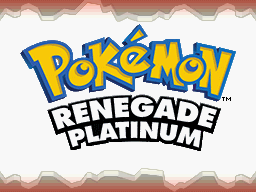
The easiest first check is the title screen.
Launch the newly patched .nds.
You should see Pokémon Renegade Platinum rather than ordinary Pokémon Platinum.
Then verify your source.
As of August 2026, the current official version should be:
Pokémon Renegade Platinum v1.3.0
Drayano’s original release post continues to list:
Latest Version: v1.3.0 (2019-04-16).
If you patched using the official:
RenegadePlatinumV130.zip
package, you are using the current release.
Finally, test saving:
- Start the game.
- Create a normal in-game save.
- Close the emulator completely.
- Reopen Renegade Platinum.
- Confirm that Continue appears.
- Load the save.
If the Renegade Platinum title screen appears, gameplay proceeds through the early rival battle normally, and your battery save survives a full restart, your basic installation is working.
Pokémon Renegade Platinum Installation FAQ
What is the latest version of Pokémon Renegade Platinum?
As of August 2026, the latest official release remains:
Pokémon Renegade Platinum v1.3.0
released April 16, 2019.
See our Pokémon Renegade Platinum latest version guide for the complete version history.
Is Pokémon Renegade Platinum complete?
Yes.
The current v1.3.0 release is treated as the completed Renegade Platinum release, with no newer official game version replacing it as of August 2026.
What game is Pokémon Renegade Platinum based on?
Pokémon Renegade Platinum is an enhancement hack of Pokémon Platinum for Nintendo DS.
Drayano describes it as retaining Platinum’s general story flow while significantly changing Pokémon availability, Trainer teams, boss difficulty, evolutions, Pokémon balance, and quality-of-life features.
What ROM do I need for Pokémon Renegade Platinum?
Use an American Pokémon Platinum ROM matching either:
3541 Pokémon Platinum USA
or:
4997/4998 Pokémon Platinum USA Rev 1.
The Renegade Platinum package includes a separate XDelta patch for each revision.
Should I use Platinum 3541 or 4997?
Either works when paired with the correct Renegade Platinum patch.
Both base patches ultimately produce the same Renegade Platinum game.
Is 4998 the same as 4997?
Some ROM numbering databases use 4997 and others use 4998 for the later American Platinum revision.
Renegade Platinum documentation therefore commonly refers to that later base as:
4997/4998.
What patch format does Renegade Platinum use?
Version 1.3.0 uses:
XDelta
patch files.
The main base patches are:
RenegadePlatinum3541.xdelta
and:
RenegadePlatinum4997.xdelta
What patcher should I use?
For Windows:
Delta Patcher Lite
It is included with Renegade Platinum.
For Mac:
MultiPatch
For browser-based patching:
an XDelta-capable tool such as Rom Patcher JS can work.
What is Renegade Platinum Classic Version?
Classic Version is an optional patch that removes many of Drayano’s custom Pokémon stat, type, and ability changes.
It is applied after the normal Renegade Platinum base patch.
What does the Speed Up patch do?
The optional Speed Up patch:
- Gives instant text
- Removes HP-bar animation delay
- Removes EXP-bar animation delay
- Removes the 30 FPS cap
- Allows the game to run up to 60 FPS
depending on emulator or hardware performance.
What is the default shiny rate in Renegade Platinum?
The standard v1.3.0 base version uses a:
1/512 shiny rate
Optional patches can change it to:
1/4096
or:
1/8192.
What emulator should I use for Renegade Platinum on PC?
melonDS is an excellent modern choice.
DeSmuME also works and has extensive Renegade Platinum-specific troubleshooting documentation.
Can I play Pokémon Renegade Platinum on Android?
Yes.
Use a compatible Nintendo DS emulator.
A current option is melonDS for Android, which remained actively updated in 2026.
Can I play Pokémon Renegade Platinum on iPhone?
Yes.
Delta supports Nintendo DS games and can import the patched Renegade Platinum .nds file.
Can I play Pokémon Renegade Platinum on Mac?
Yes.
Use an XDelta-compatible patcher such as MultiPatch and then run the finished .nds in a Nintendo DS emulator such as melonDS.
Can I play Renegade Platinum on original Nintendo DS hardware?
Potentially, using compatible flashcart or modified-hardware setups capable of running .nds files.
Hardware compatibility depends on your exact flashcart, firmware, and console setup.
For the simplest installation and troubleshooting experience, an established DS emulator is easier.
Can I update Renegade Platinum without starting over?
Yes.
The official FAQ states that normal Renegade Platinum save files are compatible between versions.
Patch the newer game from clean Pokémon Platinum and transfer the normal battery save.
Do not rely on save states.
Why won’t my save state transfer?
Save states capture the emulator and ROM at a specific moment.
The Renegade Platinum FAQ specifically says they do not work as an update method when switching ROM versions.
Use the game’s normal battery save instead.
Why does Renegade Platinum freeze at the first rival fight?
This strongly indicates that the wrong Platinum base ROM was used or checksum validation was disabled to force an incompatible patch.
Repatch a verified 3541 or 4997/4998 American Platinum ROM using the corresponding XDelta file.
Where should I go after installing Pokémon Renegade Platinum?
Once the game is working correctly, read our Pokémon Renegade Platinum beginner guide.
Renegade Platinum keeps Sinnoh’s familiar story structure, but the difficulty curve, Trainer teams, all-493-Pokémon availability, changed evolutions, Fairy typing, Pokémon rebalancing, reusable-style TM distribution, and optional Classic/Speed Up configurations make it a very different first playthrough from vanilla Platinum.