How Do I Install Pokémon Yellow Kaizo?
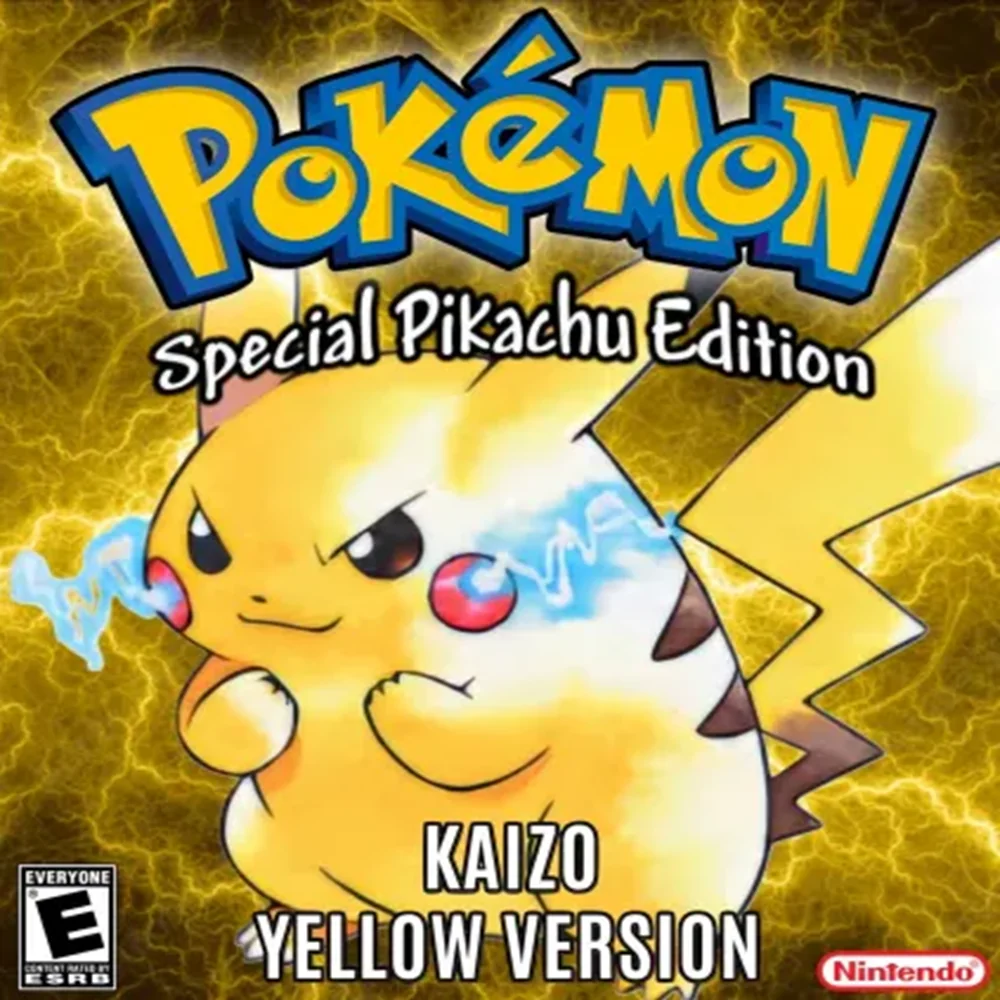
Pokémon Yellow Kaizo is a modern Generation 1 difficulty hack created by SinisterHoodedFigure, CreamElDudJafar, and RarestCandy/Mr. Keating. It is essentially a remaster and spiritual upgrade of the legendary Pokémon Blue Kaizo, rebuilt on Pokémon Yellow with significantly more quality-of-life features, new difficulty options, expanded Kanto content, all 151 Pokémon obtainable, and the same basic philosophy of making Kanto brutally difficult.
Unlike the original Blue Kaizo, Yellow Kaizo is not simply an old binary difficulty patch. It incorporates systems inspired by newer Generation 1 projects such as Yellow Legacy, PureRGB, Shin Pokémon Red, Red++, Extreme Yellow, and others while retaining the maze-heavy, difficult Trainer design that made Blue Kaizo famous.
As of August 30, 2026, the current public files in the official Yellow Kaizo repository are:
Yellow Kaizo V1.0.3.ipsYellow Kaizo V1.0.3 QOL.ips
The project’s README describes two intended patch options: the normal Yellow Kaizo patch and an alternate Nuzlocke-oriented patch that replaces the Town Map option in the Start Menu with a Port PC and gives the player access to a Healing Kit, Repellent, and Candy Bag through the PC.
For most players, installation is:
Clean English Pokémon Yellow + Yellow Kaizo v1.0.3 IPS = Pokémon Yellow Kaizo
Rom Professor does not provide, host, or link to copyrighted Pokémon Yellow ROM files or pre-patched Yellow Kaizo ROMs. You need your own legally obtained clean Pokémon Yellow ROM and apply the fan-made IPS patch yourself.
What You Need Before Installing Pokémon Yellow Kaizo
You need:
- A clean English Pokémon Yellow ROM
- The current Yellow Kaizo v1.0.3 IPS
- An IPS-compatible patcher
- A Game Boy/Game Boy Color emulator
- Normal battery-save support
- A backup of your clean Yellow ROM
- A safe place for your Yellow Kaizo
.sav
Pokémon Yellow Kaizo Installation Requirements
| Requirement | Correct Choice |
|---|---|
| Hack | Pokémon Yellow Kaizo |
| Creators | SinisterHoodedFigure, CreamElDudJafar, RarestCandy |
| Base game | Pokémon Yellow |
| Platform | Game Boy / Game Boy Color-enhanced |
| Current version | v1.0.3 |
| Patch format | IPS |
| Base CRC32 | 7d527d62 |
| Base MD5 | d9290db87b1f0a23b89f99ee4469e34b |
| Base SHA-1 | cc7d03262ebfaf2f06772c1a480c7d9d5f4a38e1 |
| Standard patch | Yellow Kaizo V1.0.3.ips |
| Alternate patch | Yellow Kaizo V1.0.3 QOL.ips |
| RTC required | No |
| Recommended emulator | SameBoy / BGB |
| All 151 obtainable | Yes |
The project’s own patching instructions provide the exact CRC32, MD5, and SHA-1 values above and explicitly say Yellow Kaizo must be applied to a clean copy of Pokémon Yellow Special Pikachu Edition.
What Is the Latest Version of Pokémon Yellow Kaizo?
The current files in the official project repository identify the latest publicly available build as:
Pokémon Yellow Kaizo v1.0.3
The patch folder currently contains:
Yellow Kaizo V1.0.3.ips
and:
Yellow Kaizo V1.0.3 QOL.ips.
I could not verify a newer official v1.0.4 or later patch in the current repository.
So for a new installation:
use v1.0.3.
For future release changes, see our Pokémon Yellow Kaizo latest version guide.
Is Pokémon Yellow Kaizo Complete?
Yes.
Yellow Kaizo is designed as a complete Kanto adventure rather than a short demo.
The project’s documented features include:
- Eight Gym Leaders
- Elite Four
- Extra Jessie and James fights
- Two secret/postgame boss battles
- All 151 Pokémon obtainable
- Trade evolutions changed to level-based evolutions
- Additional late-game and optional content
This is a full challenge hack intended for complete playthroughs and Hardcore Nuzlocke attempts.
What Base ROM Does Pokémon Yellow Kaizo Use?
Use:
Pokémon Yellow Version: Special Pikachu Edition — English USA/Europe
The project gives the following exact checksums:
Correct Pokémon Yellow Checksums
| Checksum | Correct Value |
|---|---|
| CRC32 | 7d527d62 |
| MD5 | d9290db87b1f0a23b89f99ee4469e34b |
| SHA-1 | cc7d03262ebfaf2f06772c1a480c7d9d5f4a38e1 |
If your ROM does not match:
SHA-1: cc7d03262ebfaf2f06772c1a480c7d9d5f4a38e1
do not patch it.
Possible reasons include:
- Wrong regional version
- Japanese Pokémon Yellow
- Modified ROM
- Another Yellow hack
- Bootleg dump
- Corrupted file
Do Not Use Pokémon Blue
Despite Yellow Kaizo being inspired heavily by Blue Kaizo:
Yellow Kaizo does not patch Pokémon Blue.
It uses Pokémon Yellow.
That distinction is important.
Blue Kaizo
Base:
Pokémon Blue
Yellow Kaizo
Base:
Pokémon Yellow
Yellow Kaizo borrows the spirit of Blue Kaizo rather than technically being a patch layered on top of Blue Kaizo. The project describes Yellow Kaizo as a remaster and QoL upgrade to Blue Kaizo but explicitly instructs players to patch clean Pokémon Yellow.
Do Not Patch Yellow Kaizo Over Blue Kaizo
Do not try:
Blue Kaizo ROM + Yellow Kaizo IPS
That will not produce the correct game.
You need:
clean Pokémon Yellow + Yellow Kaizo IPS
Do Not Patch Yellow Kaizo Over Another Yellow Hack
Do not use:
- Yellow Legacy
- Yellow Advanced
- Yellow 151
- Extreme Yellow
- Pure Yellow
- Another modified Yellow ROM
as your source.
The project documentation specifically says:
always patch the original game, never patch on top of another patch.
Where to Get Pokémon Yellow Kaizo Safely
The current official project is hosted in CreamElDudJafar’s Yellow Kaizo repository.
Official Pokémon Yellow Kaizo repository
The repository includes:
- Current patch files
- Patching instructions
- Box art
- Trainer documentation
- Gym/Elite Four documentation
- Pokémon encounter tables
- Item/TM documentation
- Pokémon stats
- Learnsets
- Gift/static encounters
- Fishing encounters
- Cheat documentation
- Trailer
The current patch folder is:
Yellow Kaizo patches and documentation
Avoid Pre-Patched Yellow Kaizo ROMs
Do not search for:
Yellow Kaizo ROM download
and blindly download a complete .gb or .gbc.
Besides the copyright issue, you may receive:
- An older Yellow Kaizo build
- The wrong patch variant
- A cheat-modified ROM
- A randomized version
- A damaged patch
- Another hack mislabeled as Yellow Kaizo
Patching yourself lets you verify exactly what you have.
What Patch Format Does Pokémon Yellow Kaizo Use?
Yellow Kaizo uses:
IPS
The current official folder includes two IPS files:
Yellow Kaizo V1.0.3.ips
and:
Yellow Kaizo V1.0.3 QOL.ips.
That means you can use any reliable IPS-compatible patcher.
The project’s own patching instructions use Rom Patcher JS as an example.
Standard Yellow Kaizo vs. QOL/Nuzlocke Patch
This deserves special attention.
The project README says there are two patches:
- Yellow Kaizo
- Yellow Kaizo Nuzlocke Patch
The Nuzlocke-oriented version replaces the Map option in the Start Menu with:
Port PC
and places the following utility items in the PC at the beginning of the game:
- Healing Kit
- Repellent
- Candy Bag
Otherwise, the README says the game itself is the same.
The repository’s current filenames are:
Yellow Kaizo V1.0.3.ipsYellow Kaizo V1.0.3 QOL.ips
For a normal first playthrough:
use the standard patch.
For a Hardcore Nuzlocke or a run where you specifically want the Port PC and utility-item conveniences:
use the project’s alternate QoL/Nuzlocke build according to the included documentation.
What Is Port PC?
The alternate Nuzlocke patch changes the normal Start Menu’s Town Map option into:
Port PC
That gives challenge runners more convenient PC access without fundamentally changing the Trainer teams or world progression.
The alternate patch also supplies:
- Healing Kit
- Repellent
- Candy Bag
through the PC at the start of the game.
The idea is to remove repetitive maintenance from a Hardcore Nuzlocke without making boss fights fundamentally easier.
How to Patch Pokémon Yellow Kaizo
Step 1: Download Yellow Kaizo v1.0.3
Open the official Yellow Kaizo repository.
Navigate to:
Yellow Kaizo Patch and Important Documents
You should see the current IPS files.
Step 2: Choose Your Patch
For the normal game:
Yellow Kaizo V1.0.3.ips
For the alternate QoL/Nuzlocke setup:
use the corresponding alternate v1.0.3 patch described by the project documentation.
Do not apply both.
Step 3: Prepare Clean Pokémon Yellow
Your legally obtained base ROM should match:
SHA-1: cc7d03262ebfaf2f06772c1a480c7d9d5f4a38e1
If your ROM is compressed inside:
.zip.rar.7z
extract it first.
You need the actual ROM file.
Step 4: Keep an Untouched Backup
Create a permanent clean copy.
For example:
Pokemon Yellow CLEAN.gbc
Do not patch your only Yellow ROM.
You’ll need the clean copy again if:
- Yellow Kaizo gets updated
- You switch between the standard and Nuzlocke patches
- Your patched ROM becomes corrupted
- You want to install another Pokémon Yellow hack
Step 5: Open an IPS Patcher
Use:
- Rom Patcher JS
- Floating IPS / FLIPS
- Lunar IPS
- Another reliable IPS-capable tool
The project specifically uses Rom Patcher JS as its example patcher.
Step 6: Check the Base ROM Hash
Before patching:
load your clean Yellow ROM into a patcher or hash checker.
Verify:
CRC32
7d527d62
MD5
d9290db87b1f0a23b89f99ee4469e34b
SHA-1
cc7d03262ebfaf2f06772c1a480c7d9d5f4a38e1
If those do not match:
stop.
Step 7: Select Pokémon Yellow
In the source-ROM field, choose:
Pokemon Yellow CLEAN.gbc
Do not select:
- Pokémon Blue
- Blue Kaizo
- Yellow Legacy
- Another Yellow hack
- Your
.sav
Step 8: Select the Yellow Kaizo IPS
Choose:
Yellow Kaizo V1.0.3.ips
or the alternate v1.0.3 patch if you specifically want the Nuzlocke/QoL build.
Step 9: Apply the Patch
Run:
Apply Patch
The patcher creates a new playable game file.
Step 10: Rename the Finished ROM
A useful filename is:
Pokemon Yellow Kaizo v1.0.3.gbc
or:
Pokemon Yellow Kaizo.gbc
For the alternate patch:
Pokemon Yellow Kaizo Nuzlocke.gbc
Keeping the variants clearly named makes it much harder to mix them up.
Step 11: Open Yellow Kaizo in an Emulator
Use a current Game Boy/Game Boy Color emulator.
Good choices include:
- SameBoy
- BGB
- mGBA
SameBoy supports Game Boy, Game Boy Color, Super Game Boy, battery saves, and accurate hardware emulation.
Step 12: Verify the Title Screen
Yellow Kaizo includes:
- A new game title graphic
- Updated Super Game Boy border
If ordinary Pokémon Yellow starts with no Yellow Kaizo changes:
you probably opened your clean ROM instead of the patched one.
Step 13: Start a New Game
Yellow Kaizo lets you select between:
- Red
- Green
- Yellow
as playable protagonists.
That is an immediate sign that the patch worked.
Step 14: Choose Your Difficulty
Yellow Kaizo provides two main difficulty modes:
Hard Mode
The normal Yellow Kaizo difficulty.
Not Fun Mode / Hardcore Mode
The project describes the harder option as giving Trainers:
- Perfect DVs
- Forced Set Mode
- No Stat Experience
- No Badge Boost
Choose carefully.
This setting meaningfully affects your playthrough.
Step 15: Make a Test Save
Before investing hours:
- Start your game.
- Save normally.
- Close the emulator completely.
- Reopen Yellow Kaizo.
- Confirm Continue appears.
- Load your save.
- Save again.
That verifies your emulator’s battery saving.
Suggested screenshot: Capture your patcher showing the clean Pokémon Yellow SHA-1 and Yellow Kaizo V1.0.3.ips. A second screenshot showing the standard and alternate IPS files in the official repository would also be excellent.
Best Emulator for Pokémon Yellow Kaizo on Windows
My first recommendation is:
SameBoy
SameBoy supports:
- Original Game Boy
- Game Boy Color
- Super Game Boy
- Battery saves
- Save states
- Hardware-model selection
- Accurate Pokémon Yellow palettes
This is especially useful because Yellow Kaizo has:
- Updated SGB graphics
- Color attacks
- Color Poké Balls
- Updated sprites
and can benefit from accurate Game Boy Color/Super Game Boy presentation.
BGB
BGB is another excellent Windows choice.
It is particularly strong for:
- Generation 1 hacks
- Debugging
- Accurate classic Game Boy behavior
mGBA
mGBA also supports Game Boy and Game Boy Color emulation, although its own documentation describes GB/GBC support as good rather than its primary focus.
For Yellow Kaizo:
SameBoy or BGB first.
Best Emulator for Pokémon Yellow Kaizo on Mac
Use:
SameBoy
SameBoy has native macOS support and includes battery saves plus accurate GB/GBC/SGB emulation.
mGBA is another reasonable option.
Can I Play Pokémon Yellow Kaizo on Android?
Yes.
Good Android options include:
- RetroArch + SameBoy core
- RetroArch + Gambatte
- Other accurate GB/GBC emulators
The finished game remains a Pokémon Yellow-family ROM and does not require unusual cartridge hardware.
After importing the patched ROM:
- Start Yellow Kaizo.
- Save normally.
- Completely close the emulator.
- Restart.
- Confirm the save loads.
Can I Play Pokémon Yellow Kaizo on iPhone or iPad?
Yes.
SameBoy is available on iOS and supports:
- Game Boy
- Game Boy Color
- Super Game Boy
- Save states
- Controllers
Delta also supports Game Boy and Game Boy Color games.
For Yellow Kaizo:
patch the game first.
Then import the completed .gb or .gbc file.
Do not import the IPS file.
Best Emulator Settings for Pokémon Yellow Kaizo
| Setting | Recommendation |
|---|---|
| System | Game Boy Color / Super Game Boy |
| Windows | SameBoy / BGB |
| macOS | SameBoy |
| Android | Accurate GB/GBC emulator |
| iPhone/iPad | SameBoy / Delta |
| Save type | Automatic/default |
| RTC | Not required |
| Normal saves | Yes |
| Save states | Secondary only |
| Fast-forward | Optional |
| Cheats | Avoid for normal play |
| Hardware mode | GBC or SGB recommended |
Does Pokémon Yellow Kaizo Need RTC?
No.
Pokémon Yellow does not use the real-time-clock system introduced in Gold, Silver, and Crystal.
Yellow Kaizo does not add a documented RTC requirement.
So you do not need:
- RTC battery emulation
- Clock files
- Day/night configuration
You simply need reliable battery-save support.
Should I Play Yellow Kaizo in Game Boy Color or Super Game Boy Mode?
Either works.
Yellow Kaizo specifically includes an updated:
Super Game Boy border
and also incorporates expanded color effects.
If you want a classic-console presentation:
try Super Game Boy mode.
If you want a cleaner handheld-style experience:
use Game Boy Color mode.
SameBoy lets you switch between supported hardware models.
What Are the Difficulty Modes?
Yellow Kaizo has:
Hard Mode
The standard challenge.
Not Fun Mode
The hardcore setting.
The project says Not Fun Mode includes:
- Perfect enemy DVs
- Forced Set Mode
- No Stat Experience
- No Badge Boost
If this is your first Kaizo experience:
use Hard Mode.
Not Fun Mode is intended for players already comfortable with high-level Generation 1 mechanics.
Can You Use Items in Battle?
No normal Bag-item strategy.
The project explicitly states:
items cannot be used in battle.
That is part of the Blue Kaizo-style challenge.
Your preparation needs to happen before entering major fights.
Can You Catch All 151 Pokémon?
Yes.
Yellow Kaizo allows all:
151 Generation 1 Pokémon
to be caught or evolved without requiring another game.
This includes modified trade evolutions.
How Do Trade Evolutions Work?
Trade-evolution Pokémon now evolve by:
leveling up
rather than requiring an actual trade.
That makes single-player Pokédex completion possible.
Can You Take Both Fossils?
Yes.
Yellow Kaizo allows you to take:
both fossils in Mt. Moon.
That is another part of making all 151 Pokémon obtainable within one playthrough.
Does Yellow Kaizo Have a Built-In Pokédex Guide?
Yes.
This is one of its best quality-of-life additions.
The Pokédex can display:
- Pokémon moves
- Evolutions
- Learnsets
- Wild locations
- Land encounters
- Surf encounters
- Fishing encounters
and includes a built-in:
Movedex.
This means you do not need to constantly tab out to a spreadsheet for basic encounter information.
Does Yellow Kaizo Have a Move Relearner?
Yes.
The project adds:
- Move Relearner
- Move Deleter
both represented using Kris-style sprites.
Are HMs Deletable?
Yes.
HM moves can be deleted.
The game also introduces automatic overworld HM usage.
For example:
walk up to water with Surf available and the game can prompt you to use Surf directly.
Does Yellow Kaizo Have Running?
Yes.
The project includes new:
- Running sprites
- Surfing sprites
along with multiple overworld movement improvements.
How Big Is the Bag?
Yellow Kaizo expands the Bag to:
60 item spaces.
It also adds:
- Item counts
- Bag sorting
- TM names displayed in the Bag and marts
- Reusable Repel prompts
Does the EXP All Work Differently?
Yes.
EXP ALL is now:
a Key Item
and can be turned:
on or off.
That makes team training far less irritating than vanilla Generation 1.
Does Yellow Kaizo Fix Gen 1 Bugs?
Many of them.
The project documents fixes for numerous vanilla Yellow issues, including:
- Focus Energy behavior
- 1/256 critical-hit misses
- Substitute bugs
- Transform move-position glitches
- Cooltrainer AI issues
- Certain NPC movement bugs
- Itemfinder edge-coordinate bug
- Incorrect stat behavior after burn/paralysis recovery
However:
Yellow Kaizo is still fundamentally a Generation 1 engine.
Do not assume every mechanic behaves like a modern Pokémon game.
Is Ghost Super Effective Against Psychic?
Yes.
Yellow Kaizo fixes the original Generation 1 Ghost/Psychic interaction so:
Ghost is super effective against Psychic.
That is one meaningful battle-system difference from vanilla Pokémon Yellow.
Can Pikachu Learn Surf?
Yes.
Pikachu and Raichu can learn:
Surf through the HM
and this allows Surfing Pikachu’s minigame to be accessed.
Pikachu can also learn:
- Fly
- Cut
and Yellow Kaizo adds a Flying Pikachu sprite.
Can Yellow Kaizo Trade With Blue Kaizo?
Yes.
The project specifically documents support for:
trading and battling with Blue Kaizo.
That is a particularly fun connection given that Yellow Kaizo is designed as Blue Kaizo’s modern successor.
How to Update Pokémon Yellow Kaizo Without Losing Your Save
The project’s patching instructions give one very important rule:
If a new version releases, always repatch the original Pokémon Yellow ROM. Never apply the new patch over an already patched ROM.
That means:
Correct
Clean Yellow
- new Yellow Kaizo patch
= new Yellow Kaizo ROM
Incorrect
Yellow Kaizo v1.0.3 ROM
- future patch
= updated ROM
Do not stack patches.
Step 1: Make a Normal In-Game Save
Before changing versions:
use the normal SAVE option.
Then close the emulator completely.
Step 2: Back Up Your Save
Locate:
Pokemon Yellow Kaizo.sav
or your equivalent file.
Make a copy.
For example:
Pokemon Yellow Kaizo BACKUP.sav
Step 3: Keep the Old ROM
Never immediately delete the ROM that created the save.
Keep:
- Old Yellow Kaizo ROM
- Old
.sav
together.
Step 4: Return to Clean Pokémon Yellow
Use your clean Yellow backup:
SHA-1: cc7d03262ebfaf2f06772c1a480c7d9d5f4a38e1
Apply the new patch to that clean ROM.
Step 5: Test a Copy of Your Save
The current project documentation does not provide a blanket guarantee that every future Yellow Kaizo version will be save-compatible.
So:
use a duplicate .sav.
Check:
- Party
- PC boxes
- Items
- Badges
- Pokédex
- Current location
- Story flags
- Difficulty mode
Step 6: Keep Standard and Nuzlocke Saves Separate
The alternate build changes:
- Start Menu behavior
- Port PC access
- Initial utility items
Even though the README says the rest of the game is otherwise the same, I would still keep separate backups when switching ROM variants.
Do not test variant switching on your only good save.
Step 7: Save Again
Once the new ROM loads correctly:
- Save normally.
- Close the emulator.
- Restart.
- Confirm the save loads again.
Do Not Update Using a Save State
Use:
the normal battery save
rather than a save state.
Save states contain emulator and old-ROM memory state.
They are less suitable for migrating between versions.
Common Pokémon Yellow Kaizo Installation Problems
“The IPS Patch Won’t Work”
Check your base.
You need:
SHA-1: cc7d03262ebfaf2f06772c1a480c7d9d5f4a38e1
If it differs:
do not patch.
“I Used Pokémon Blue”
Wrong base.
Yellow Kaizo uses:
Pokémon Yellow.
“I Patched Blue Kaizo”
Wrong.
Yellow Kaizo is inspired by Blue Kaizo but is patched directly onto clean Pokémon Yellow.
“I Used Yellow Legacy”
Wrong source ROM.
Use clean retail Yellow.
“My Emulator Won’t Open the IPS”
That is normal.
.ips is a patch.
You must:
- Patch clean Yellow.
- Generate a finished ROM.
- Open the finished ROM in your emulator.
“Can I Rename the IPS to GBC?”
No.
Renaming:
Yellow Kaizo V1.0.3.ips
to:
Yellow Kaizo.gbc
does not apply the patch.
“Normal Pokémon Yellow Starts”
You opened your clean base ROM.
Keep filenames clear:
Pokemon Yellow CLEAN.gbc
Pokemon Yellow Kaizo.gbc
“Which Patch Should I Use?”
For a normal playthrough:
standard Yellow Kaizo.
For a Nuzlocke-oriented run where you want the Port PC and utility-item conveniences:
use the alternate version documented by the project.
“Does the Nuzlocke Patch Make Trainers Easier?”
The README says otherwise the game is the same.
The main differences are convenience systems:
- Port PC
- Healing Kit
- Repellent
- Candy Bag
It is intended to reduce repetitive challenge-run maintenance rather than weaken Trainer teams.
“Why Can’t I Use Items in Battle?”
That is intentional.
Yellow Kaizo forbids normal in-battle item usage.
“The Mazes Are Huge”
Also intentional.
The project explicitly says:
the mazes are back.
Yellow Kaizo is supposed to retain the hostile dungeon philosophy of Blue Kaizo.
“Why Is My Rival/Gym Leader So Strong?”
Trainer levels, moves, parties, and AI have been deliberately buffed.
Some teams also reference:
- The anime
- Pokémon Let’s Go Pikachu
- Other Pokémon material
“What Is Not Fun Mode?”
It is the game’s Hardcore Mode.
It includes:
- Perfect enemy DVs
- Set Mode
- No Stat Experience
- No Badge Boost
The name is a joke.
The difficulty is not.
“Can I Change Difficulty Later?”
I could not verify an official statement saying you can freely change the selected difficulty during an active playthrough.
Choose the intended difficulty at the beginning unless current documentation says otherwise.
“Can I Catch Mew?”
The project says:
all 151 Pokémon can be caught or evolved without trading, which necessarily includes Mew.
Use the official encounter/static Pokémon documentation for its precise location.
“Can I Complete the Pokédex Without Trading?”
Yes.
All 151 Pokémon are obtainable, and trade evolutions have alternative level-based evolution methods.
“Is Yellow Kaizo Harder Than Blue Kaizo?”
The developers describe Yellow Kaizo as designed to feel like Blue Kaizo while being:
- More fun
- Harder
- Much more convenient
through extensive quality-of-life improvements.
That makes it a modernized evolution of Blue Kaizo rather than simply a colorized remake.
“Is Yellow Kaizo Good for My First Nuzlocke?”
Probably not.
Even normal Hard Mode is explicitly a Kaizo-level difficulty hack.
If you are unfamiliar with:
- Gen 1 AI
- DVs
- Stat Experience
- Speed-based critical hits
- Generation 1 move quirks
- Encounter routing
- Kaizo boss preparation
start with an easier hack first.
How to Verify That Pokémon Yellow Kaizo Installed Correctly
Check Your Pokémon Yellow Hash
Correct base:
SHA-1: cc7d03262ebfaf2f06772c1a480c7d9d5f4a38e1
Check the Patch Version
Current repository:
v1.0.3
with:
Yellow Kaizo V1.0.3.ips
and:
Yellow Kaizo V1.0.3 QOL.ips.
Check the Title Screen
Yellow Kaizo adds a custom title graphic.
Check Character Selection
You should be able to play as:
- Red
- Green
- Yellow
Check Difficulty Selection
The game should offer:
- Hard Mode
- Not Fun / Hardcore Mode
Check the Pokédex
Look for expanded:
- Moves
- Evolutions
- Learnsets
- Movedex
- Encounter information
Test Saving
- Make a normal save.
- Close the emulator.
- Reopen Yellow Kaizo.
- Confirm Continue appears.
- Load the save.
- Save again.
If those features appear and your save survives:
your installation is ready.
Pokémon Yellow Kaizo Installation FAQ
What is the latest version of Pokémon Yellow Kaizo?
The current official repository files are:
v1.0.3.
Who created Pokémon Yellow Kaizo?
The project credits:
- SinisterHoodedFigure
- CreamElDudJafar
- RarestCandy / Mr. Keating
as the primary development team.
Is Pokémon Yellow Kaizo complete?
Yes.
It includes the full Kanto campaign, all 151 Pokémon, Elite Four, and postgame boss content.
What base ROM does Yellow Kaizo use?
Clean English:
Pokémon Yellow Version: Special Pikachu Edition
SHA-1:
cc7d03262ebfaf2f06772c1a480c7d9d5f4a38e1
What patch format does it use?
IPS.
What are the two patch files?
The current repository contains:
Yellow Kaizo V1.0.3.ipsYellow Kaizo V1.0.3 QOL.ips
while the README describes the project’s normal and Nuzlocke/QoL patch options.
What patcher should I use?
Any trusted IPS-compatible patcher.
The project’s own instructions use Rom Patcher JS as an example.
Where should I get Yellow Kaizo?
Use the project’s repository:
Pokémon Yellow Kaizo official repository
Can I download a pre-patched ROM?
Rom Professor does not recommend or link to pre-patched copyrighted Pokémon ROMs.
Use your own clean Yellow ROM plus the official IPS.
What emulator should I use?
My first recommendation is:
SameBoy.
It supports Game Boy, Game Boy Color, Super Game Boy, battery saves, and highly accurate emulation.
BGB is another excellent Windows option.
Can I play Yellow Kaizo on Android?
Yes.
Use an accurate GB/GBC emulator.
Can I play Yellow Kaizo on iPhone?
Yes.
SameBoy and Delta both support Game Boy/Game Boy Color games on iOS.
Does Yellow Kaizo need RTC?
No.
Can I catch all 151 Pokémon?
Yes.
Do trade evolutions require trading?
No.
Trade-evolution Pokémon can evolve by leveling up.
Can I take both Mt. Moon fossils?
Yes.
Can Pikachu learn Surf?
Yes.
Pikachu and Raichu can learn Surf through HM, enabling the Surfing Pikachu minigame.
Can Pikachu learn Fly?
Yes.
Yellow Kaizo gives Pikachu access to Fly and adds a special flying sprite.
Can I use items in battle?
No normal Bag-item use in battle.
Are HMs deletable?
Yes.
Does it have running?
Yes.
Running and Surfing sprites are included.
Can it trade with Blue Kaizo?
Yes.
Trading and battling with Blue Kaizo are specifically supported.
How do I update Yellow Kaizo?
Always patch a fresh clean Pokémon Yellow ROM.
The project explicitly says:
never patch a patch onto another patched ROM.
Can I keep an old save?
Possibly, but no universal save-compatibility guarantee is documented.
Back up your .sav, patch a fresh Yellow ROM, and test a duplicate save.
Should I use save states to update?
No.
Use the normal battery save.
Where should I go after installing Pokémon Yellow Kaizo?
Once the game is working correctly, read our Pokémon Yellow Kaizo beginner guide.
Yellow Kaizo is one of those games where vanilla Pokémon Yellow knowledge helps, but it is nowhere near enough for a blind Kaizo run. You will benefit from dedicated guides covering:
- Gym Leader teams
- Rival teams
- Jessie and James fights
- Pokémon encounters
- Evolution methods
- Item locations
- TM locations
- Elite Four
- Not Fun Mode
- Postgame bosses
Also see our Pokémon Yellow Kaizo latest version guide to track anything released beyond v1.0.3.
Suggested article screenshots: Use a patching screenshot showing the clean Pokémon Yellow SHA-1 and the v1.0.3 IPS, a screenshot of the official patch folder containing both v1.0.3 variants, and a Yellow Kaizo title-screen image. A difficulty-selection screenshot showing Hard Mode versus Not Fun Mode would also make a particularly useful visual.





