How to Download and Install Pokémon R.O.W.E. Safely

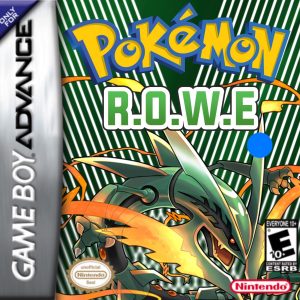
Pokémon R.O.W.E. is an open-world Pokémon Emerald ROM hack built around free exploration, level scaling, extensive team-building options, multiple game modes, 16 badges across Hoenn and the Sevii Islands, Pokémon from all nine generations, following Pokémon, Mega Evolution, and a huge collection of modern quality-of-life features.
Like most Pokémon ROM hacks, R.O.W.E. is not something you should install by downloading a random pre-patched Pokémon Emerald ROM. The proper method is to provide your own clean copy of the required Pokémon Emerald base game and let the official R.O.W.E. patcher apply the fan-made changes.
As of August 29, 2026, Pokémon R.O.W.E. v2.1.1 is the current stable release I recommend for a normal playthrough. It is the post-Mega Update stable build released on April 8, 2026. There is also a newer v2.1.9 Experimental build released July 13, 2026, but creator Rioluwott explicitly describes it as an unstable testing release for features intended for the future v2.2 update. The experimental version is intentionally available only through the R.O.W.E. patcher and not through Hackdex so that new players do not install it by accident.
For most players:
Install R.O.W.E. v2.1.1.
Use v2.1.9 Experimental only if you specifically want to test unfinished features and are comfortable encountering bugs.
Rom Professor does not provide, host, or link to copyrighted Pokémon Emerald ROM files or pre-patched R.O.W.E. ROMs. This guide explains how to use the official patching tools with a clean Pokémon Emerald ROM that you legally obtained yourself.
What You Need Before Installing Pokémon R.O.W.E.
You need:
- A clean Pokémon Emerald USA ROM
- The Pokémon Emerald version commonly known as the TrashMan dump
- The official R.O.W.E. patcher or Hackdex
- A compatible Game Boy Advance emulator
- A way to extract ZIP files if your Emerald backup is compressed
- Enough storage for your patched
.gbaand save - A safe place to keep backups before future updates
The actual installation process is simple.
You provide:
Clean Pokémon Emerald
The patcher applies:
Pokémon R.O.W.E.
The result is:
Pokémon R.O.W.E. .gba
That finished .gba file is the game your emulator opens.
Do not try to open a UPS patch directly in your emulator.
What Base ROM Does Pokémon R.O.W.E. Use?
Pokémon R.O.W.E. uses a clean North American Pokémon Emerald ROM commonly identified as:
1986 - Pokemon Emerald (U)(TrashMan).gba
Older official R.O.W.E. documentation specifically tells players to use the TrashMan Pokémon Emerald base, and the project’s source files identify the expected Emerald ROM by SHA-1.
The expected SHA-1 is:
F3AE088181BF583E55DAF962A92BB46F4F1D07B7
That same clean Emerald base is commonly identified by:
CRC32
1F1C08FB
MD5
605B89B67018ABCEA91E693A4DD25BE3
You normally do not need to calculate all three.
If the R.O.W.E. patcher rejects your ROM, checking the SHA-1 or CRC32 is one of the best ways to determine whether your Pokémon Emerald file is actually compatible.
The filename itself proves nothing.
A file can be renamed:
1986 - Pokemon Emerald (U)(TrashMan).gba
without actually containing the correct ROM data.
Do not use:
- Pokémon Ruby
- Pokémon Sapphire
- Another regional Pokémon Emerald release
- Another Emerald ROM hack
- A previously patched R.O.W.E. ROM
- A modified Emerald ROM
- A randomized Emerald ROM
- An old R.O.W.E. version as your patching base
- A ZIP file instead of the extracted
.gba
Keep one untouched copy of your clean Emerald ROM somewhere safe.
For example:
Pokemon Emerald CLEAN.gba
Whenever R.O.W.E. receives an update, create a fresh patched game from that clean file instead of stacking updates onto your existing R.O.W.E. ROM.
Where to Get the Official Pokémon R.O.W.E. Patch
R.O.W.E. currently has two excellent official patching routes.
The first is the dedicated R.O.W.E. Patcher maintained for the project.
Open the official R.O.W.E. Patcher
The patcher uses Rom Patcher JS and automatically displays:
- CRC32
- MD5
- SHA-1
for the ROM you select.
It also links directly to the project’s:
- PokéCommunity thread
- Official documentation
- Online Pokédex
- R.O.W.E. PokéBank
- Discord
- Direct patch
- NUPS patcher
The patcher additionally lists which emulators the developers support and which ones are known to crash.
The other current distribution method is Hackdex.
Rioluwott specifically links Hackdex as the normal download route for R.O.W.E. v2.1.1.
For most new players, I recommend:
Hackdex or the official R.O.W.E. Patcher.
Avoid searching for:
Pokemon ROWE prepatched ROM
Pokemon ROWE gba download
or:
Pokemon ROWE ROM
and downloading somebody else’s complete .gba.
Patching your own copy tells you:
- Which version you installed
- Whether you selected Stable or Experimental
- Whether the correct Emerald base was used
- Whether the ROM contains unofficial modifications
- Whether you accidentally downloaded an old R.O.W.E. release
What Is the Latest Version of Pokémon R.O.W.E.?
This requires an important distinction.
Current Stable Version: R.O.W.E. v2.1.1
The current stable version is:
Pokémon R.O.W.E. v2.1.1
released April 8, 2026.
Version 2.1.1 followed the huge Mega Update and added additional abilities, quality-of-life changes, fixes to signature moves, DexNav changes, Mega-related corrections, EV redistribution improvements, follower fixes, and many other bug fixes. Rioluwott directs normal players to Hackdex or the normal R.O.W.E. patcher for this version.
Experimental Version: R.O.W.E. v2.1.9
There is also:
Pokémon R.O.W.E. v2.1.9 Experimental
released July 13, 2026.
This is newer numerically, but it is not the recommended stable release.
Rioluwott explicitly describes 2.1.9 as containing untested features that may be buggier than normal. It exists to test systems before the next stable version, currently planned as:
R.O.W.E. v2.2.
Experimental additions include:
- Random Gym Leader Type Mode
- Custom Limit Generation Mode
- A reworked moveset system
- Extra Move Tutors
- New signature moves
- A Delta Zoroark line
- Additional abilities
- Experimental bug fixes
The creator intentionally keeps 2.1.9 off Hackdex so inexperienced players do not confuse it with the normal stable game.
If you just want to play R.O.W.E.:
Choose Stable / 2.1.1.
If you want to beta-test unfinished systems:
Choose Experimental / 2.1.9.
What Was the Pokémon R.O.W.E. Mega Update?
The Mega Update was released on March 21, 2026 and represented the biggest post-2.0 expansion of R.O.W.E.
It added more than 90 new Mega Evolutions, including Mega Evolutions based on Pokémon Legends: Z-A content, additional custom Mega Evolutions, Delta Boost, Alpha Pokémon encounters, additional follower sprites, new abilities, new areas, additional outfits, quality-of-life improvements, and substantial polishing.
Version 2.1.1 followed shortly afterward with fixes and additional mechanics.
That is why you may see older guides discussing:
- 2.0
- 2.0.6
- 2.0.8
- 2.0.8.1
Those guides describe pre-Mega Update versions.
For a new 2026 playthrough, you should generally start with the stable 2.1.1 line instead.
How to Patch Pokémon R.O.W.E.
The dedicated R.O.W.E. Patcher is one of the easiest ROM-hack patchers to use.
Step 1: Prepare Your Clean Pokémon Emerald ROM
Locate your legally obtained Pokémon Emerald ROM.
It should be the clean TrashMan-compatible release.
The expected SHA-1 is:
F3AE088181BF583E55DAF962A92BB46F4F1D07B7
If your Emerald file is inside a ZIP, extract it.
You want something ending in:
.gba
For example:
Pokemon Emerald.gba
Do not select:
Pokemon Emerald.zip
unless the patcher explicitly supports compressed input.
Step 2: Open the Official R.O.W.E. Patcher
Open:
The patcher displays fields for:
ROM file
and:
Patch file
and calculates checksums for the file you provide.
Step 3: Choose Stable Unless You Specifically Want Experimental
For a normal playthrough:
Use the current stable release.
As of August 29, 2026, that means:
v2.1.1
Do not choose 2.1.9 simply because its version number is larger.
Version 2.1.9 is explicitly an experimental testing build.
Step 4: Select Your Clean Pokémon Emerald ROM
Choose your clean:
Pokemon Emerald.gba
The patcher should calculate its checksums.
If the file does not match a supported base:
stop.
Do not start modifying random files trying to bypass the check.
Verify the Emerald ROM instead.
Interestingly, some 2026 players reported that a compatible Emerald file rejected by one patching route worked correctly when the exact same file was used through Hackdex. If the official R.O.W.E. patcher unexpectedly rejects a ROM you have independently verified, trying Hackdex is a reasonable troubleshooting step.
Step 5: Apply the R.O.W.E. Patch
Once the correct Emerald ROM and desired R.O.W.E. patch are loaded, select:
Apply Patch
The patcher will create your R.O.W.E. game.
The finished output should end in:
.gba
Step 6: Rename the Finished Game
You can give it an easy-to-recognize name.
For example:
Pokemon ROWE 2.1.1.gba
or:
Pokemon ROWE.gba
The name itself does not change the game.
However, many emulators use filename matching to determine which .sav belongs to which ROM.
For that reason, pick a filename you are comfortable keeping.
Step 7: Open R.O.W.E. in a Supported Emulator
Launch your GBA emulator.
Open:
Pokemon ROWE.gba
If R.O.W.E. starts rather than normal Pokémon Emerald, the patch worked.
Step 8: Make a Test Save
Before spending hours configuring your perfect open-world run:
- Start the game.
- Make a normal in-game save.
- Close the emulator completely.
- Reopen R.O.W.E.
- Confirm the save loads.
This catches emulator or save-storage problems immediately.
How to Patch Pokémon R.O.W.E. With NUPS
The official R.O.W.E. patcher still links NUPS for players who prefer a traditional desktop patching tool.
The process is:
- Obtain the current official R.O.W.E. patch.
- Open NUPS.
- Choose the option to apply a UPS patch.
- Select the R.O.W.E. patch.
- Select your clean Pokémon Emerald TrashMan
.gba. - Apply the patch.
- Save or locate the resulting
.gba. - Open the result in a supported emulator.
Do not patch R.O.W.E. onto:
Pokemon ROWE OLD.gba
Always start from clean Emerald.
How to Play Pokémon R.O.W.E. on Windows
For Windows, the official R.O.W.E. patcher recommends:
mGBA
and specifically marks it as the preferred emulator.
The process is simple:
- Install a current version of mGBA.
- Open mGBA.
- Load your R.O.W.E.
.gba. - Configure your keyboard or controller.
- Start the game.
- Make a normal save.
For ordinary play, standard mGBA is all you need.
The Special R.O.W.E. mGBA Fork
R.O.W.E. also has a custom mGBA fork designed to support additional Pokémon cry functionality.
R.O.W.E. 2.0.8.1 specifically added support for this custom emulator build, allowing original or anime-style cries rather than relying entirely on generic cries for newer Pokémon.
Rioluwott clarified that this custom fork is a standalone Windows application. It is not:
- A RetroArch core
- A Mac application
- An Android application
- An iOS application
You do not need the special fork simply to play the game.
Regular mGBA remains the straightforward choice.
How to Play Pokémon R.O.W.E. on Mac
For macOS, use:
mGBA
The normal standalone mGBA emulator works well for R.O.W.E.
Do not try to use the project’s custom cries fork unless the developers eventually publish a Mac version; the currently documented special fork is Windows-only.
To play:
- Install mGBA.
- Open the R.O.W.E.
.gba. - Configure your controls.
- Start the game.
- Save normally.
- Restart once to verify your save.
How to Play Pokémon R.O.W.E. on Android
The official R.O.W.E. patcher lists:
My Boy!
and:
RetroArch using the mGBA core
as supported emulator choices.
For the simplest experience, My Boy! is fine.
For maximum consistency with the project’s recommended desktop emulator, use:
RetroArch + mGBA core.
The process is:
- Patch R.O.W.E.
- Transfer the resulting
.gbato Android if necessary. - Open your emulator.
- Locate the
.gba. - Start R.O.W.E.
- Make a normal save.
If you use a retro handheld running Android or Linux-based custom firmware, use an mGBA-based core whenever possible.
How to Play Pokémon R.O.W.E. on iPhone and iPad
This is where R.O.W.E. differs sharply from many other GBA hacks.
Do not use Delta for Pokémon R.O.W.E.
The official R.O.W.E. patcher explicitly lists Delta Emulator on iOS as unsupported and warns that unsupported emulators can crash frequently.
R.O.W.E.’s current community documentation instead recommends:
RetroArch with the mGBA core
for iOS. The Mega Update release discussion repeats the same recommendation and specifically warns that Delta can crash.
So on iPhone or iPad:
- Install RetroArch.
- Install/select the mGBA core.
- Patch R.O.W.E. first.
- Import your R.O.W.E.
.gba. - Launch it through mGBA.
- Make a normal save.
This is one of those cases where “it is a GBA game, so any GBA emulator should work” is not a safe assumption.
R.O.W.E. is heavily modified and pushes the hardware in ways vanilla Pokémon Emerald does not.
Can You Play Pokémon R.O.W.E. on a 3DS?
Yes.
The project’s official emulator list supports:
Virtual Console Injection using NSUI
for Nintendo 3DS.
Use New Super Ultimate Injector (NSUI) rather than assuming any older GBA injection tool will behave identically.
Because R.O.W.E. uses time-based features and substantial engine modifications, test:
- Saving
- RTC
- Loading
- Sleeping/resuming the system
before committing a long save to hardware.
Can You Play Pokémon R.O.W.E. on Original Hardware?
Yes, with compatible GBA flashcart hardware.
The official patcher specifically lists:
Real Hardware via a GBA flashcard such as an EverDrive
among supported options.
Your exact compatibility will depend on:
- Flashcart
- Firmware
- Save support
- RTC support
Make sure saving and RTC behave properly before beginning a long playthrough.
Emulators You Should Avoid for Pokémon R.O.W.E.
The project’s current patcher specifically lists the following as unsupported or prone to crashing:
- Delta Emulator
- VisualBoyAdvance
- John GBA
- No$gba
- VBA-M
- VBA GX
- gPSP
- GBARunner2
R.O.W.E. can even display an unsupported-emulator warning when it detects certain problematic setups.
If your current emulator is on that list:
switch emulators before repatching the ROM.
The problem may have nothing to do with the patch.
Recommended Emulator Summary
| Platform | Recommended |
|---|---|
| Windows | mGBA |
| Mac | mGBA |
| Android | My Boy! or RetroArch + mGBA |
| iPhone/iPad | RetroArch + mGBA |
| 3DS | Virtual Console Injection with NSUI |
| Vita/Switch | Standalone mGBA where supported |
| Original hardware | Compatible GBA flashcart |
Best Emulator Settings for Pokémon R.O.W.E.
R.O.W.E. does not require you to manually configure dozens of obscure emulator settings.
The most important setting is:
Use a supported emulator.
A good starting configuration is:
| Setting | Recommendation |
|---|---|
| System | Game Boy Advance |
| Core/emulator | mGBA whenever possible |
| Save type | Automatic/default |
| Frameskip | Default/off |
| RTC | Enabled/supported |
| Normal in-game saves | Yes |
| Save states | Convenience only |
| ROM hacks on Delta | Avoid for R.O.W.E. |
| Save backups | Strongly recommended |
Do Not Randomly Change Flash or Save Type
Modern mGBA-based emulators should detect the appropriate save configuration.
If saving works:
leave it alone.
Changing save hardware based on an old Pokémon Emerald tutorial can create problems that did not previously exist.
Does Pokémon R.O.W.E. Need RTC?
R.O.W.E. includes time and date-based systems, seasons, Mystery Gifts, and other features that can make proper RTC support useful.
Version 2.0.6 added an in-game RTC reset shortcut:
B + Select + Left on the title screen.
Later releases also expanded date-related features.
For the best experience, use an emulator with proper RTC support.
mGBA is the safest default.
How to Update Pokémon R.O.W.E. Without Losing Your Save
R.O.W.E. receives frequent updates, so save management matters.
The basic update rule is:
Patch a fresh clean Pokémon Emerald ROM. Do not patch the update over your current R.O.W.E. ROM.
Then transfer your normal battery save to the newly patched game.
Step 1: Check Save Compatibility First
This is crucial.
R.O.W.E. normally tries to maintain save compatibility within major release families, but there have been major exceptions.
The biggest example:
R.O.W.E. 1.9.4 saves are NOT compatible with R.O.W.E. 2.0.
When 2.0 launched in December 2024, Rioluwott explicitly warned that 1.9.4 players had to start a new game.
By contrast, the 2026 Mega Update was designed to work with existing 2.x saves; its release post includes specific instructions for players who were updating existing runs.
Always read the current changelog before assuming compatibility.
Step 2: Save Inside a Pokémon Center
R.O.W.E. update guidance traditionally tells players to update from a save made inside a Pokémon Center.
For example, the 2.0.1 release explicitly reminded players:
Update in a Pokémon Center.
Before updating:
- Enter a Pokémon Center.
- Make a normal in-game save.
- Close the emulator completely.
Do not depend only on a save state.
Step 3: Back Up Your Save
Locate the normal battery save.
It will usually end in:
.sav
or possibly:
.srm
depending on the emulator/core.
Copy it somewhere safe.
For example:
Pokemon ROWE BACKUP.sav
Do not modify your only copy.
Step 4: Back Up Your Old ROM Too
Keep your existing:
.gba
file.
If the new update has a problem, you want to be able to return to the exact ROM version your save previously used.
Step 5: Patch a Fresh Clean Pokémon Emerald ROM
Return to your untouched:
Pokemon Emerald CLEAN.gba
Use the current R.O.W.E. patcher.
Create the new version from clean Emerald.
Do not use:
Pokemon ROWE OLD.gba
as your base.
Step 6: Make the New ROM Match Your Existing Save
Suppose your current files are:
Pokemon ROWE.gba
and:
Pokemon ROWE.sav
The easiest method is to name the newly patched ROM:
Pokemon ROWE.gba
That allows many emulators to automatically associate it with:
Pokemon ROWE.sav
Older R.O.W.E. update guidance uses this same filename-matching approach.
Step 7: Replace the ROM, Not the Save
Move the new .gba into the game’s folder.
Keep the existing .sav.
Launch the new ROM.
If save compatibility is supported, Continue should appear.
Step 8: Verify Everything
Check:
- Your Trainer
- Party Pokémon
- PC boxes
- Items
- Badge count
- Trainer Skills
- Game settings
- New Game+ progress if applicable
Then make another normal in-game save.
Close the emulator.
Reopen it.
Only after confirming everything works should you delete older files.
Even then, keeping the backup save is smart.
Updating From R.O.W.E. 2.0.x to 2.1.1
The 2026 Mega Update specifically contains behavior for existing players.
For example, players updating an existing game are asked by the Pokémon Center nurse whether they want to disable custom forms.
That indicates the Mega Update was designed around continuing existing 2.x saves rather than universally forcing a restart.
Still:
- Save in a Pokémon Center.
- Back up everything.
- Patch clean Emerald with 2.1.1.
- Match filenames.
- Load a copy of your save first.
Never risk your only save simply because an update is expected to be compatible.
Should You Update to R.O.W.E. 2.1.9 Experimental?
For a normal playthrough:
No.
Stay on stable 2.1.1.
Rioluwott explicitly says 2.1.9 contains:
untested features
and:
may be buggier than usual.
It is being used to test systems before stable version 2.2.
If you want to try it anyway:
- Make an in-game save.
- Back up the save.
- Keep the stable 2.1.1 ROM.
- Patch another clean Emerald ROM.
- Choose Experimental.
- Test a copy of the save.
- Report bugs through the project’s Discord if appropriate.
The creator specifically tells experimental users to back up their saves before updating.
Common Pokémon R.O.W.E. Installation Problems
“The patcher says my Emerald ROM is unsupported”
You probably have the wrong Pokémon Emerald base.
R.O.W.E. expects the standard TrashMan Emerald ROM.
Verify:
SHA-1: F3AE088181BF583E55DAF962A92BB46F4F1D07B7
Do not assume a ROM is compatible just because its filename says:
Pokemon Emerald USA
“I have TrashMan Emerald and the patcher still rejects it”
Try Hackdex.
During the 2.1.1 release, at least one player reported that the same Emerald ROM rejected by one patching route worked correctly through Hackdex.
If the checksum itself is correct, this may be a patcher-side issue rather than the ROM.
“My ROM is inside a ZIP”
Extract it.
You want:
Pokemon Emerald.gba
rather than:
Pokemon Emerald.zip
“The emulator won’t open the patch”
The patch is not a game.
Apply it to Pokémon Emerald first.
Your emulator opens:
.gba
“Can I rename a UPS file to GBA?”
No.
Changing:
Pokemon ROWE.ups
to:
Pokemon ROWE.gba
does not apply the patch.
You have only changed the filename.
“Normal Pokémon Emerald starts instead of R.O.W.E.”
You are almost certainly opening your clean Emerald base instead of the patched output.
Give the R.O.W.E. file an obvious name:
Pokemon ROWE.gba
Then import or open that file.
“The game tells me my emulator is unsupported”
Take the warning seriously.
R.O.W.E. specifically checks for emulator compatibility because several common emulators crash with the hack.
Use:
mGBA
or another officially recommended setup.
“R.O.W.E. crashes on Delta”
Switch to:
RetroArch with the mGBA core.
Delta is explicitly listed as unsupported by the project’s patching page.
Current Mega Update community instructions also specifically warn iOS players that Delta can crash.
“R.O.W.E. crashes on VisualBoyAdvance or VBA-M”
Switch to mGBA.
Both VBA-style emulators are on the project’s unsupported list.
Do not spend an hour repatching the ROM before testing it in an emulator the developers actually support.
“R.O.W.E. crashes on my retro handheld”
Check the emulator core.
Many retro handhelds default to:
- gpSP
- GBARunner
- VBA-based cores
for performance reasons.
R.O.W.E. specifically recommends an mGBA-based environment.
If your firmware lets you choose:
select mGBA.
“The game runs slowly even with mGBA”
Some players have reported small periods of slowdown or stuttering even when using the recommended mGBA core, especially in heavily loaded areas. Other users report no frame drops, suggesting that some pauses may result from how much R.O.W.E. is doing internally rather than simple emulator failure.
First:
- Update mGBA
- Disable unnecessary shaders
- Test standalone mGBA
- Check your device’s performance mode
before repatching.
“The Pokémon cries sound wrong”
Standard R.O.W.E. cannot always store every modern Pokémon cry in the same way as newer official games.
The project offers a custom Windows mGBA fork designed to support original or anime-style cries. Version 2.0.8.1 specifically added support for that system.
The custom fork is optional.
It does not mean your normal ROM is broken.
“My save disappeared after updating”
Do not start a new game immediately.
Check the ROM and save filenames.
For example:
Pokemon ROWE.gba
Pokemon ROWE.sav
should usually match.
If your new ROM is:
Pokemon ROWE 2.1.1.gba
while the old save remains:
Pokemon ROWE 2.0.8.sav
your emulator may treat them as unrelated games.
Back up the save and rename or import it appropriately.
“My old 1.9.4 save doesn’t work in R.O.W.E. 2.x”
That is expected.
Rioluwott specifically announced that:
1.9.4 saves are incompatible with 2.0.
The 2.0 update changed the game too extensively.
You need to begin a new 2.x save.
“Can I patch 2.1.1 over my old R.O.W.E. ROM?”
Do not.
Start from clean Emerald again.
Then transfer the normal save.
“Can I patch 2.1.9 over 2.1.1?”
Again:
No.
Create the experimental ROM from clean Pokémon Emerald.
Keep your stable 2.1.1 ROM untouched until you know the experimental build works for you.
“My save says corrupted on 3DS”
Stop and back up whatever save data you still have before experimenting further.
Then verify:
- You used the supported 3DS installation method
- The save type is correct
- RTC/save injection was configured correctly
- You are using a compatible virtual-console installation
If the ROM and save work in mGBA on a computer but fail on 3DS, the problem is likely in the hardware/injection setup rather than the R.O.W.E. patch itself.
“The save option sends me back to the title screen”
Some early Mega Update builds had save-related problems, and community discussion around v2.1.1 specifically noted that a prior issue causing the save command to return to the title screen had been fixed.
If you are seeing this on an old Mega Update build:
update to stable v2.1.1.
Back up the save first.
“I updated but new features are missing”
Check your actual version.
The easiest mistake is keeping multiple files such as:
ROWE 2.0.8.gba
ROWE Mega Update.gba
ROWE 2.1.1.gba
in the same emulator library and opening the wrong one.
Remove or clearly label old entries once you have safely transferred your save.
How to Verify That Pokémon R.O.W.E. Installed Correctly
R.O.W.E. makes enough changes to Pokémon Emerald that you should know almost immediately whether the installation worked.
Launch the patched .gba.
You should see R.O.W.E.’s custom presentation and setup systems rather than ordinary Pokémon Emerald.
Check the Version
For a normal stable playthrough as of August 29, 2026:
v2.1.1
is the stable version to look for.
If your build says:
2.1.9 Experimental
you intentionally—or accidentally—installed the experimental test branch.
Check the Opening Setup
Modern R.O.W.E. includes extensive run configuration and in-game information before you begin.
You should encounter systems related to choices such as:
- Difficulty
- Game modes
- Starting location
- Starter selection
- Generation limitations
- Other run modifiers
If you simply see normal Pokémon Emerald’s opening with none of R.O.W.E.’s custom systems, you are probably opening the wrong ROM.
Test Saving
Create a normal save.
Then:
- Close the emulator.
- Reopen it.
- Launch R.O.W.E.
- Confirm your save exists.
- Load it.
- Save again.
Do this before committing to a long run.
Pokémon R.O.W.E. Installation FAQ
What is the latest version of Pokémon R.O.W.E.?
As of August 29, 2026, the current stable release I recommend is:
Pokémon R.O.W.E. v2.1.1
released April 8, 2026.
A newer:
v2.1.9 Experimental
build exists, but it is explicitly a testing branch for unfinished features intended for the upcoming stable v2.2 release.
For future changes, see our Pokémon R.O.W.E. latest version guide.
Should I play R.O.W.E. 2.1.1 or 2.1.9?
For your first playthrough:
2.1.1.
Use 2.1.9 only if you intentionally want to beta-test experimental systems and accept a higher chance of bugs.
Is R.O.W.E. 2.2 available?
Not as the stable public release as of August 29, 2026.
Rioluwott describes 2.1.9 Experimental as a testing release whose features are being prepared for the eventual stable:
2.2 update.
What ROM does Pokémon R.O.W.E. use?
Use a clean:
Pokémon Emerald (U) / TrashMan
ROM.
The expected SHA-1 is:
F3AE088181BF583E55DAF962A92BB46F4F1D07B7
What patch format does Pokémon R.O.W.E. use?
R.O.W.E. has historically used UPS patching, and the official patcher still links NUPS for manual application.
For most players, however, there is no reason to manually manage the patch format.
Use the official R.O.W.E. Patcher or Hackdex.
What patcher should I use?
The easiest options are:
Official R.O.W.E. Patcher
or:
Hackdex
The R.O.W.E. patcher is particularly useful because it also displays your ROM’s CRC32, MD5, and SHA-1.
Where do I get Pokémon R.O.W.E.?
Use the project’s patching resources:
or:
Those methods let you patch your own clean Pokémon Emerald ROM rather than relying on a copyrighted pre-patched ROM download.
What emulator should I use for Pokémon R.O.W.E.?
For PC:
mGBA
For Android:
My Boy! or RetroArch with the mGBA core
For iOS:
RetroArch with the mGBA core
For 3DS:
Virtual Console Injection with NSUI
These recommendations come directly from the R.O.W.E. patcher.
Can I play Pokémon R.O.W.E. on Android?
Yes.
My Boy! and RetroArch with the mGBA core are officially supported options.
Can I play Pokémon R.O.W.E. on iPhone?
Yes, but do not use Delta.
Use:
RetroArch with the mGBA core.
Delta is explicitly listed by the project as unsupported for R.O.W.E.
Why doesn’t Delta work with Pokémon R.O.W.E.?
R.O.W.E. heavily modifies Pokémon Emerald and depends on behavior that some less accurate GBA emulator cores do not reproduce correctly.
The project’s patcher specifically warns that Delta can crash and recommends mGBA-based emulation instead.
Can I use VisualBoyAdvance?
You should not.
VisualBoyAdvance and VBA-M are both listed among R.O.W.E.’s unsupported/problematic emulators.
Use mGBA.
Can I play R.O.W.E. on a real Game Boy Advance?
Yes, with a compatible flashcart.
The project’s official patcher lists real hardware through devices such as EverDrive among the supported configurations.
Can I update R.O.W.E. without starting over?
Usually within compatible 2.x releases, yes.
However, major version transitions can break compatibility.
The most important example is:
1.9.4 → 2.0 requires a new save.
Always read the update notes first.
How do I update R.O.W.E. safely?
The safe procedure is:
- Save inside a Pokémon Center.
- Close the emulator.
- Back up the
.sav. - Keep the old
.gba. - Patch a fresh clean Emerald TrashMan ROM.
- Give the new ROM the filename expected by your save.
- Launch the new version.
- Verify your progress.
- Save again.
Older official update posts specifically remind players to update from a Pokémon Center.
Can I use my 1.9.4 save in R.O.W.E. 2.1.1?
No.
The creator explicitly stated that 1.9.4 saves were incompatible with the redesigned 2.0 release.
You need a new 2.x save.
Will my 2.1.1 save work with 2.1.9 Experimental?
The experimental release is designed for testing and specifically tells players to back up their save before trying it.
Even if your save loads, do not make the experimental version your only copy of an important save.
Will my save work with R.O.W.E. 2.2?
Do not assume anything until 2.2 actually releases.
Version 2.1.9 is explicitly being used to test features intended for 2.2, but final migration instructions can still change before the stable version is published.
Is Pokémon R.O.W.E. complete?
R.O.W.E. is fully playable through its current core adventure, with 16 badges across Hoenn and the Sevii Islands.
Development is still active, however.
The current project plans include further updates, and R.O.W.E.’s own feature list has referenced additional regional expansion for the future.
So:
Playable complete game? Yes.
Permanently finished development? No.
What does R.O.W.E. stand for?
R.O.W.E. is generally expanded as:
Rioluwott’s Open World Emerald
after the creator’s handle and the game’s central open-world concept.
Where should I go after installing Pokémon R.O.W.E.?
Once the game is running correctly, read our Pokémon R.O.W.E. beginner guide.
R.O.W.E. gives you far more control over your playthrough than standard Emerald. You can choose starting locations, starter options, difficulty settings, game modes, generation restrictions, battle formats, level-cap rules, trainer skills, randomized elements, and more.
Understanding those options before locking in your first run will help you build the version of R.O.W.E. you actually want to play instead of realizing several hours later that you chose the wrong mode.
For current patches and future 2.2 information, also see our Pokémon R.O.W.E. latest version guide.